
Inter-Tech Argus GD-PD05U Manual
PDF manual · 12 Pages
English



Quick check
Incorrect answer, please try again.
Chat with your Inter-Tech Argus GD-PD05U manual using AI
Get instant AI answers from your Inter-Tech Argus GD-PD05U manual
Ask anything about the Inter-Tech Argus GD-PD05U. Answers come from this manual, with the pages they are based on.
Ask a Question
Do you recommend Argus GD-PD05U?
Yes No
Eve Bernhard
6 months ago
Does this device work plug-and-play with Windows 10, and is it compatible with external hard drives?

Manual.ly
6 months ago
Yes, this product is designed for plug-and-play functionality. It is immediately recognized by Windows 10 without requiring additional software installation. Additionally, it supports external hard drives for formatting and backup creation, confirmed by our users.
Frequently Asked Questions
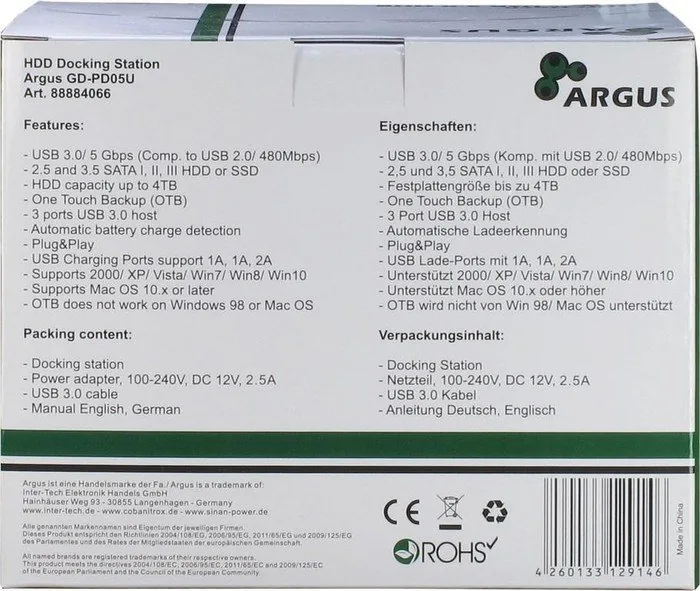
You can use 2.5-inch and 3.5-inch SATA I, II, and III hard disks. The system supports HDDs and SSDs up to 4 terabytes capacity for optimal performance.
Is this answer helpful?
Check if the device is switched on, verify USB cable connections on both ends, ensure power supply is connected, and confirm the hard disk is formatted and functional.
Is this answer helpful?
Two ports output 1A each, and one port outputs 2A. They support charging for various USB devices simultaneously up to three devices at once.
Is this answer helpful?
It supports Windows 2000, XP, Vista, 7, 8, and 10. It also supports MacOS 10.x and higher versions for standard functionality and data transfer.
Is this answer helpful?
Yes, you can change hard drives without switching off the station, but ensure no data transfer is occurring to prevent data loss during the switch.
Is this answer helpful?
Inter-Tech grants a 24-month warranty starting from the date of purchase, provided the product is used properly and the manual instructions are followed.
Is this answer helpful?
No, the software does not support operating system backups for OS recovery. You must use special software provided for OS recovery purposes.
Is this answer helpful?
Advantages and Disadvantages
Advantages

- Supports both 2.5-inch and 3.5-inch SATA hard drives and SSDs for versatile storage solutions.
- SuperSpeed USB 3.0 connection ensures high data transfer rates up to 5 Gbps for efficiency.
- Built-in 3-port USB hub allows multiple connections and charge ports with 1A and 2A outputs.
- Includes One Touch Backup function for automated file copying and folder management tasks.
- Covered by a 24-month warranty term when used according to safety guidelines and manual instructions.
Disadvantages

- Requires external power supply and does not operate without a stable 12V5A power source connection.
- One Touch Backup software does not support operating system recovery or OS installation backups easily.
- Cannot be used in humid environments or near water sources to prevent electrical damage or safety risks.
- USB 2.0 connection limits data transfer speed to 480Mbps instead of the maximum 5Gbps speed available.
- Cleaning requires removing dust manually and cannot be opened for maintenance by unauthorized personnel.
Product Specification
Form Factor
2.5" / 3.5"
Drive Bays
1
External Interface
USB-B 3.0
Internal Interface
SATA 6Gb/s
Dimensions
5.71" x 4.13" x 3.15"
Weight
0.73 lbs
Special Features
3x USB 3.0 Hub, Clone Function
Product Description
Unlocking Storage Potential with the Inter-Tech Argus GD-PD05U
A Powerful Docking Solution
Finding the right hardware for managing hard drives can be challenging for tech enthusiasts and professionals alike.
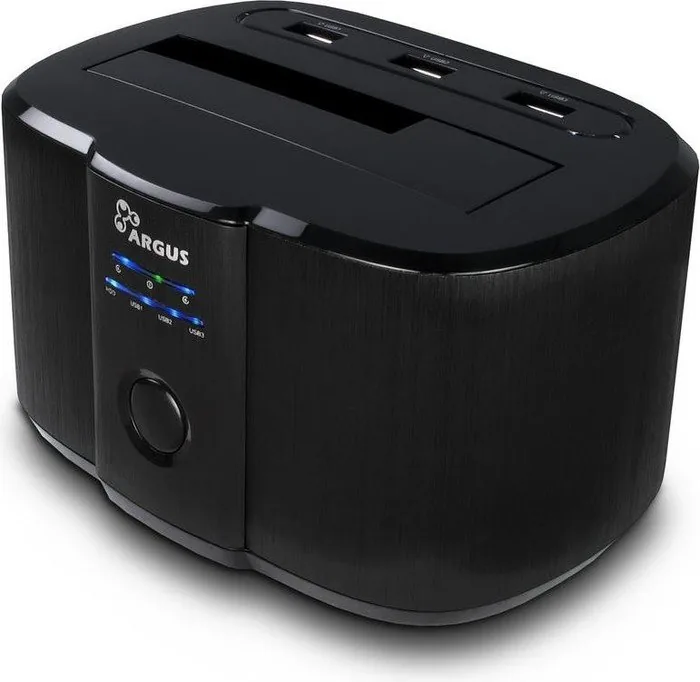
The Inter-Tech Argus GD-PD05U USB-B 3.0 Docking Station offers a robust solution designed to bridge the gap between your computer and storage devices.
This device stands out by supporting both 2.5-inch and 3.5-inch SATA drives, ensuring compatibility with a wide range of hard drives including HDDs and SSDs.
Whether you are working with data backups or transferring large files, the SuperSpeed USB 3.0 connection guarantees fast data transfer rates reaching up to 5 Gbps.
This solution is ideal for office environments and personal backup needs alike.
Integration and Convenience
Beyond storage management, this station functions as a versatile hub.
It includes three ports for USB 3.0 connectivity, allowing users to extend their system connections effortlessly.
Charging capabilities are also highlighted with automatic recognition and specific support for CDP and DCP standards.
The USB charge ports distribute power effectively with two ports offering 1A output and one port providing 2A for faster charging of mobile devices.
Operating systems across Windows from 2000 to 10 and MacOS versions 10.x and higher are fully supported, making it a reliable cross-platform tool.
The external power supply ensures stable operation at 12V/5A, preventing voltage drops during heavy transfers.
Users appreciate the easy installation process which requires minimal configuration upon initial setup.
Reliability and Safety
Safety remains a priority during operation.
The guidelines provide crucial advice on intended use, urging users to keep the unit away from heat and moisture.
Proper disposal ensures environmental responsibility following electronic waste regulations.
Maintenance is straightforward, requiring only dust removal with a damp cloth.
The One Touch Backup feature simplifies file management by allowing scheduled or manual copying of folders and drives via a specific switch.
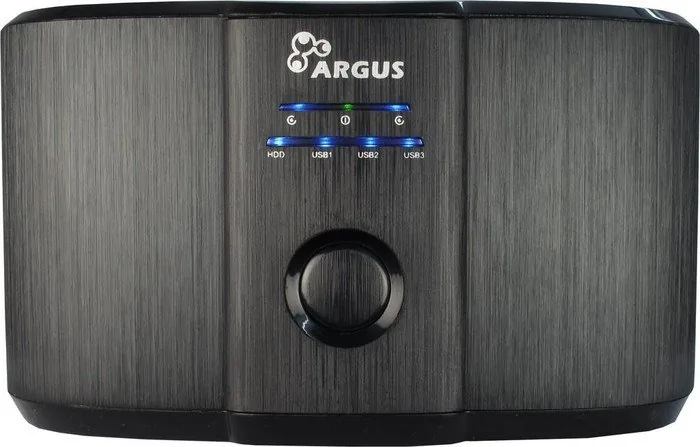
LED indicators confirm power status and hard drive activity, helping users monitor connections visually without opening the case.
It is important to avoid operating the device with wet hands to prevent electrical hazards.
Comprehensive Support and Specs
Inter-Tech backs this unit with a 24-month warranty under proper use conditions.
Troubleshooting is accessible through frequent questions regarding connection issues and power supply checks.
For optimal performance, ensure all cables are securely connected and the power supply is functioning correctly before inserting drives.
This product combines speed, capacity, and safety into a single compact frame measuring 142 x 101 x 82mm.
The compact design fits easily on a desk while providing robust protection for your data storage devices.
By integrating the technical details found in the Inter-Tech Argus GD-PD05U USB-B 3.0 Docking Station Manual, users can maximize their productivity while safeguarding their hardware investment effectively for years.
Search for 67,706 Manuals online


Type-in Brand or Model
ronny10
6 months ago
Does this hub require driver installation on Windows 10 or is it plug-and-play compatible?
Manual.ly
6 months ago
This device is designed for plug-and-play functionality. It is recognized immediately by Windows 10 without the need for additional driver installation. The USB ports are robust, allowing for easy connection of hard drives and peripherals. You can format drives or create backups right out of the box. We recommend connecting it directly to a powered USB port for optimal performance.