
Inter-Tech Argus BPS Manual
PDF manual · 22 Pages
English



Quick check
Incorrect answer, please try again.
Chat with your Inter-Tech Argus BPS manual using AI
Get instant AI answers from your Inter-Tech Argus BPS manual
Ask anything about the Inter-Tech Argus BPS. Answers come from this manual, with the pages they are based on.
Ask a Question
Do you recommend Argus BPS?
Yes NoFrequently Asked Questions
The series is offered in 500W, 600W, and 700W versions. Select the rating according to the combined requirements of the processor, graphics card, drives, fans, and planned upgrades.
Is this answer helpful?
The units are 80 Plus Bronze EU certified. At 230V and 50% load, listed efficiency is 88.4% for the BPS-500, 88.7% for the BPS-600, and 88.9% for the BPS-700.
Is this answer helpful?
The BPS-500 includes two 6+2-pin PCIe connectors. The BPS-600 and BPS-700 each include four 6+2-pin PCIe connectors. A 6+2-pin connector can also be used as a six-pin connector when required.
Is this answer helpful?
The series includes over-power protection, over-current protection, over-voltage protection, short-circuit protection, and no-load protection. These functions are designed to switch the unit off or place it in standby during abnormal conditions.
Is this answer helpful?
Yes. Its 20+4-pin ATX connector can be separated for compatible older motherboard connections. The 4+4-pin CPU connector can also be split when a motherboard needs a four-pin CPU power connection.
Is this answer helpful?
Disconnect mains power and check all component power connectors for correct installation. A short circuit on the motherboard, storage device, or another component can cause this behavior. Do not force connectors or work on powered hardware.
Is this answer helpful?
Disconnect it from mains power before cleaning. Dust may be removed through the external grille with suitable compressed air after removal from the PC case. Do not open the housing; qualified service personnel are recommended for thorough cleaning.
Is this answer helpful?
Advantages and Disadvantages
Advantages

- 80 Plus Bronze EU efficiency reaches up to 88.9% at 50% load, helping reduce energy waste and heat.
- Available in 500W, 600W, and 700W versions for entry-level through more demanding PC configurations.
- Strong 12V output, up to 58A on the BPS-700, supports CPU and graphics card power requirements.
- Protection includes OPP, OCP, OVP, SCP, and no-load protection for safer system operation.
- BPS-600 and BPS-700 provide four 6+2-pin PCIe connectors for compatible multi-connector graphics cards.
Disadvantages

- The BPS-500 has only one 4+4-pin EPS/P4 connector and two PCIe connectors, limiting expansion compared with larger models.
- The specified operating temperature tops out at 40C, requiring good case airflow in warm environments.
- Legacy IDE and floppy connectors are included, while cable modularity is not stated.
- The power supply housing must not be opened, so internal cleaning and service are restricted.
- Efficiency is Bronze-level rather than higher Gold or Platinum levels.
Product Specification
Fan
4.72 in
Cable management
fixed
Average efficiency
>86% (according to manufacturer)
Certificates according to manufacturer
80 PLUS Bronze (according to manufacturer, 230V EU)
Dimensions (W x H x D)
5.91 x 3.39 x 5.51 in
Manufacturer warranty
3 years
+3.3V
15A
+5V
15A
-12V
0.3A
+5Vsb
2.5A
Number of 12V rails
1
PFC
active
Form factor
ATX PS/2
Specification
ATX 2.4
Special features
ErP Lot 6
Color
black
Trivia
Caution: Be careful with the 80 PLUS certificate. Power supplies with load distributions differing from the certified test sample may be available.
Product Description
Inter-Tech Argus BPS ATX 2.4 - Read, Download & Print Free
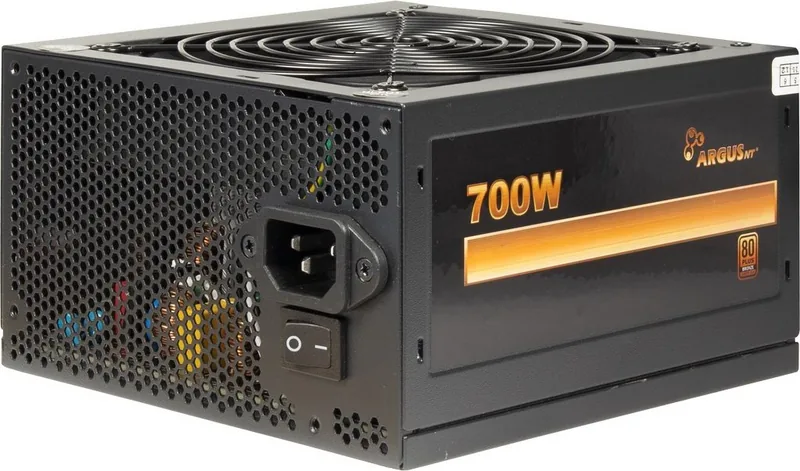
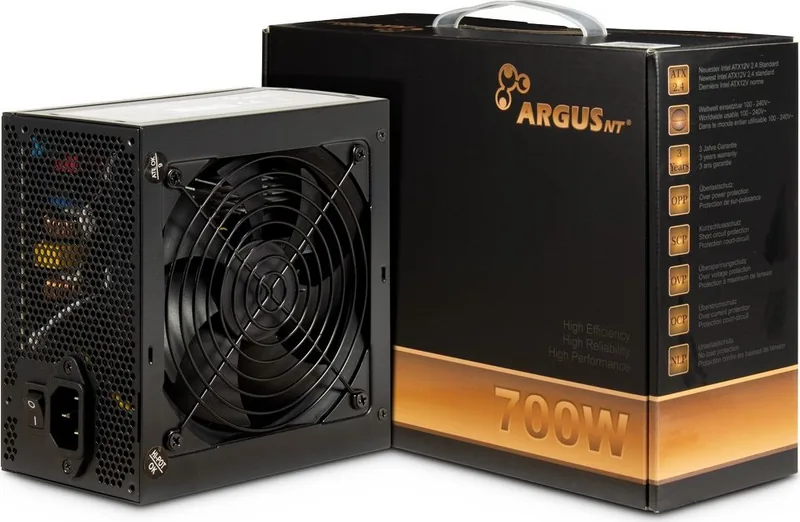
The Inter-Tech Argus BPS ATX 2.4 power supply series is designed for PC builders who need dependable power delivery, broad hardware compatibility, and practical safeguards for everyday desktop systems. Built around the Intel ATX 12V 2.4 standard, it supports modern motherboards and graphics cards while remaining flexible enough for many conventional system configurations. Available in 500W, 600W, and 700W outputs, the series lets users choose capacity based on their processor, graphics card, storage devices, and future upgrade plans.
Efficient Power for Modern PC Builds
Argus BPS units carry an 80 Plus Bronze EU efficiency certification. At typical 230V operation, efficiency reaches roughly 88.4% to 88.9% at 50% load, depending on the model. This helps reduce wasted energy and heat compared with less efficient alternatives. Active PFC and a power factor above 0.90 at full load further support stable, efficient operation. Standby consumption is rated at only 0.45W, making the series a sensible choice for users who value lower idle energy use.
A strong 12V rail is particularly important for CPU and GPU workloads. The BPS-500 provides up to 41A on 12V, while the BPS-600 and BPS-700 offer 50A and 58A respectively. This gives the larger versions added headroom for more demanding graphics cards and performance-oriented systems. Depending on the version, the series includes up to four 6+2-pin PCIe connectors, allowing compatible graphics hardware to receive the power it requires.
Connectors and Installation Flexibility
Each model includes a 20+4-pin ATX motherboard connector and standard SATA, IDE, and floppy power connections. The 4+4-pin CPU connector can be separated for boards that require a four-pin connection, while the 20+4-pin main connector supports both older and newer motherboard layouts. The BPS-600 and BPS-700 include two EPS/P4 connectors and four PCIe connectors, making them the better match for systems with higher connection demands.
Installation should be completed with the system unplugged. Route cables away from fans and airflow paths, then confirm every connector is seated correctly before connecting mains power. The connectors are keyed to reduce the chance of incorrect orientation, so they should never be forced into a socket.
Built-In Protection and Long-Term Care
The Argus BPS series includes over-power, over-current, over-voltage, short-circuit, and no-load protection. These measures are intended to shut down the unit when unsafe operating conditions are detected, helping limit potential component damage. The specified operating temperature range is 0C to 40C, so adequate case ventilation is essential.
Notes
Keep the power supply dry, away from heat sources, and free from heavy dust buildup. Do not open the housing. For safe cleaning, disconnect power first and use suitable compressed air through the external grille, or have cleaning performed by qualified service personnel. The series includes a three-year warranty when used correctly.
Search for 67,706 Manuals online


Type-in Brand or Model