
Inter-Tech Argus AS-41UA Manual
PDF manual · 14 Pages
English



Quick check
Incorrect answer, please try again.
Chat with your Inter-Tech Argus AS-41UA manual using AI
Get instant AI answers from your Inter-Tech Argus AS-41UA manual
Ask anything about the Inter-Tech Argus AS-41UA. Answers come from this manual, with the pages they are based on.
Ask a Question
Do you recommend Argus AS-41UA?
Yes NoFrequently Asked Questions
The AS-41UA can connect and control up to four computers through one shared monitor, USB keyboard, USB mouse, and audio setup.
Is this answer helpful?
It supports VGA video resolutions up to 1920 x 1200 at 60 Hz, including 1080p resolution.
Is this answer helpful?
You can select a computer with the front-panel buttons or with configurable keyboard hotkeys. The unit also provides an automatic scan mode for cycling through ports.
Is this answer helpful?
Yes. The package includes four system cables that connect the switch to computers using DB15/audio, VGA, USB, and audio connections. A monitor cable is not included.
Is this answer helpful?
Yes. The front USB port supports a printer or removable storage device. This USB connection follows the selected port, and transfers are interrupted when switching computers.
Is this answer helpful?
No. The switch is designed for simple hardware installation and does not require additional software. It is compatible with operating systems that support standard USB keyboards and mice.
Is this answer helpful?
Advantages and Disadvantages
Advantages

- Controls up to four computers with one VGA monitor, USB keyboard, USB mouse, and audio setup.
- Supports VGA resolutions up to 1920 x 1200 at 60 Hz, including 1080p.
- Offers front-panel buttons, LED status indicators, hotkeys, and automatic port scanning.
- Includes four system connection cables and uses a durable metal housing.
- Works without software and supports USB keyboard and mouse emulation.
Disadvantages

- Designed for VGA displays, so it is not a native HDMI or DisplayPort solution.
- The cable between the switch and the monitor is not included.
- Front USB data transfers are interrupted when switching to another computer.
- An optional 9 V power supply may be needed in some setups.
- Audio and video capabilities depend on the connected computers and peripherals.
Product Specification
Type
KVM switch
Ports
4
Monitor
VGA
Keyboard/Mouse
USB
Audio
2x 3.5 mm jack
LAN
N/A
Resolution
1920 x 1200 @ 60 Hz
Product Description
Inter-Tech Argus KVM AS-41UA - Read, Download & Print Free
The Inter-Tech Argus KVM AS-41UA is a practical desktop VGA KVM switch designed for users who need to operate up to four computers from one workspace. It lets you share a single monitor, USB keyboard, USB mouse, and audio setup across connected systems, reducing cable clutter and avoiding the need for separate desktop peripherals.
Built for Efficient Multi-PC Control
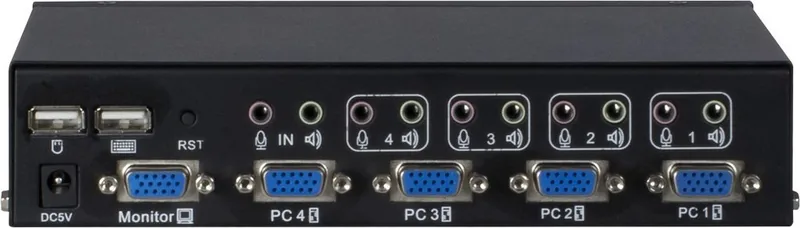
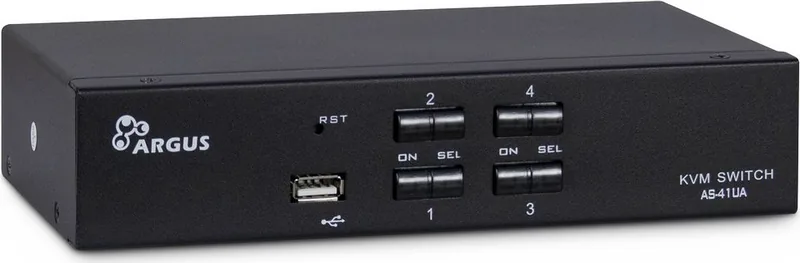
With four computer connections and one console connection, the AS-41UA is suited to office desks, workshops, test environments, home labs, and other places where several VGA-equipped PCs must remain accessible. Switching can be performed using the front-panel selection buttons or keyboard hotkeys, giving users a quick way to move between active systems without interrupting their workflow.
LED indicators provide clear status information. The ON indicator shows whether a computer is connected, while the SEL indicator identifies the currently selected port. This makes it easy to confirm which system is being controlled at a glance.
Video, USB, and Audio in One Compact Unit
The switch supports resolutions up to 1920 x 1200 at 60 Hz, including 1080p, making it a dependable option for standard VGA displays. USB keyboard and mouse emulation helps maintain responsive control when changing between computers. A front USB port can be used for a printer or removable storage device, while separate microphone and headphone or speaker connections support shared audio access.
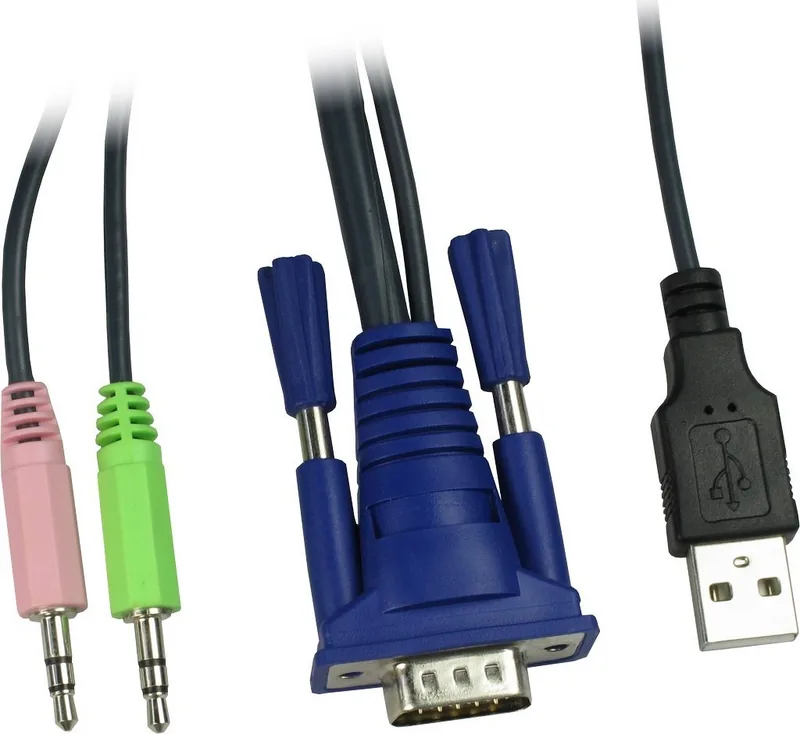
The Inter-Tech Argus KVM AS-41UA is housed in a metal enclosure and measures 202 x 110 x 44 mm. It can operate through USB power, with an optional 9 V DC power supply connection available when required. Installation is straightforward: connect the included system cables to the computers, attach the monitor and USB peripherals to the console ports, then start the connected systems.
Flexible Switching Features
In addition to direct port selection, the AS-41UA offers automatic scanning. The scan mode can move between ports every five seconds or at adjustable intervals, which is useful for monitoring several systems. Multiple hotkey modes are available, allowing users to choose a keyboard combination that fits their setup.
Notes
- The package includes four DB15/audio-to-VGA/USB/audio system cables.
- A monitor cable is not included.
- Use the switch indoors in a dry, ventilated location away from heat sources.
- Disconnect data transfers before changing ports, as the front USB connection switches with the selected computer.
The AS-41UA provides a simple, software-free way to centralize four-computer control while retaining VGA video, USB peripherals, and audio functionality.
Search for 67,706 Manuals online


Type-in Brand or Model