
Insta360 Flow Manual
PDF manual · 20 Pages
English



Quick check
Incorrect answer, please try again.
Chat with your Insta360 Flow manual using AI
Get instant AI answers from your Insta360 Flow manual
Ask anything about the Insta360 Flow. Answers come from this manual, with the pages they are based on.
Ask a Question
Do you recommend Flow?
Yes NoFrequently Asked Questions
The battery supports 12 hours of operation time when tested at room temperature with the gimbal fully balanced and placed on a flat surface.
Is this answer helpful?
Yes. The power output port allows you to connect a charge cable to a smartphone or other device to charge while using the stabilizer.
Is this answer helpful?
Yes. After pairing via Bluetooth, the Flow can control the phone camera without the app. However, many features require the app for full access.
Is this answer helpful?
Press the trigger button and the shutter button at the same time for 3 seconds. You will hear three beeps when the reset is complete.
Is this answer helpful?
It supports phones weighing 130g to 300g. The thickness should be between 6.9mm and 10mm with a width of 64mm to 84mm.
Is this answer helpful?
Yes. It includes a built-in selfie stick with five segments reaching a maximum length of 215mm with adjustable angles from 0 to 90 degrees.
Is this answer helpful?
Modes include Auto, Follow, Pan Follow, FPV, and Lock. There is also an Active Plus mode for fast moving objects.
Is this answer helpful?
Advantages and Disadvantages
Advantages

- AI tracking subjects keeps them in frame automatically during movement
- Built-in selfie stick and tripod for versatile angles without accessories
- 12 hour battery life with power bank capability for charging devices
- 3 axis stabilization delivers ultra smooth footage in all modes
- Integrates with app for Shot Genie and live streaming features
Disadvantages

- Phone clamp must be perfectly centered to prevent overheating issues
- Physical blockage causes error states with blinking indicator lights
- Requires app connection for many advanced creative features
- Magnets may interfere with phones near magnetic mounts or screens
- Tripod legs retract carefully to avoid mechanical damage during use
Product Specification
Compatibility
Smartphone (2.52-3.31 in clamp width)
Swivel Axis
330 deg (+100 deg to -230 deg mechanical)
Roll Axis
330 deg (+180 deg to -150 deg mechanical)
Tilt Axis
182 deg (+82 deg to -100 deg mechanical)
Max Payload
0.66 lbs
Display
no
Connectivity
Bluetooth 5.0
Power Supply
Battery
Runtime
12h
App Control
yes
Operation
One-handed
Dimensions
3.13x6.38x1.42in (folded), 2.90x10.61x2.40in (unfolded)
Weight
0.81 lbs
Product Description
Elevate Your Smartphone Filmmaking with Insta360 Flow
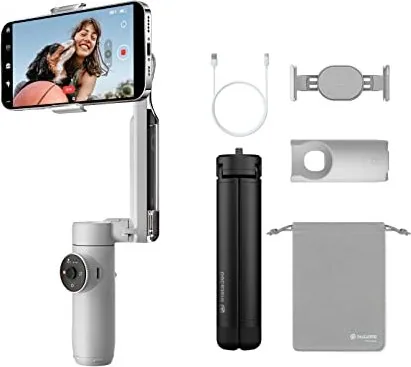
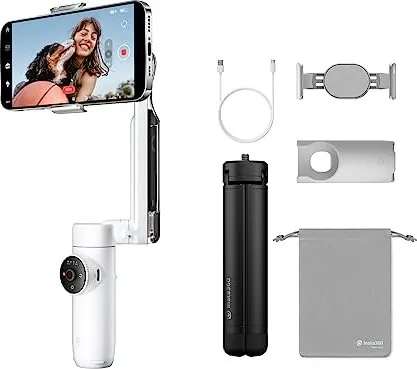
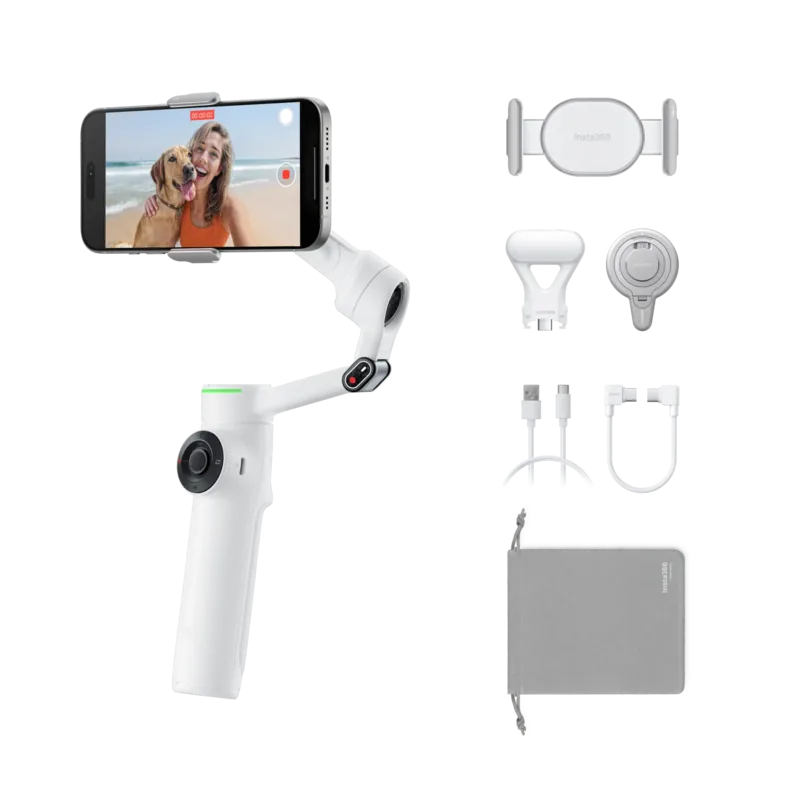
Content creation has evolved beyond simple snapshots to high-quality video production. The Insta360 Flow transforms your phone into a professional-grade filming device. This AI tracking smartphone stabilizer features advanced 3-axis stabilization technology. Attaching your device is instantaneous via a powerful magnetic mount. You can start shooting within seconds of unfolding the unit.
Advanced auto tracking ensures subjects remain centered during movement. Whether you are running outdoors or stationary indoors, the gimbal adjusts automatically. A built-in selfie stick extends up to 215mm. This provides a perfect low angle for creative shots without a second person. Integrated tripod legs provide stability on flat surfaces like tables. You do not need external stands for solo vlogging sessions.
The device includes versatile shooting modes for different scenarios. Auto mode handles basic movement for beginners. Follow mode tracks handle motion precisely. Pan follow locks roll and tilt axes. FPV mode allows free rotation for dynamic shots. Lock mode stabilizes all axes for smooth follow shots. Active Plus mode increases speed for fast moving objects. These options are found in the official Insta360 Flow Manual for detailed guidance on usage.
Connectivity is seamless with the official app. Download it from major app stores for full access. Bluetooth 5.0 connection is quick but requires permissions. The app provides shooting tutorials and Shot Genie suggestions. Voice control activates features hands-free easily. Gesture control starts recording at a distance easily. Shooting modes include slow motion, timelapse, and panoramas. You can even record half-court basketball games with Hoop Mode recognition.
Power is a major consideration for creators on the move. The 2900mAh battery supports 12 hours of operation consistently. Flow can also charge your phone via the power output port. It functions as a power bank during long shooting sessions. Charging time is approximately two hours using a 5V adapter. Indicator lights show battery status and error states accurately.
Physical handling is intuitive for new users. The magnetic clamp secures phones between 130g and 300g. Joysticks control pan and tilt axes smoothly. A touch panel offers mode switching with swipes. The Zoom Wheel manipulates digital zoom in specific modes. Ensure the phone is balanced to prevent overheating risks. If errors occur, check alignment or reset Bluetooth connections.
This tool elevates smartphone capabilities significantly for pros. Creative grip ideas include underslung or side grips for angles. The device remains compact when folded for travel. It fits in standard bags without bulky tripods attached. Stability is key for professional results on the go always.
The touch panel allows intuitive mode changes quickly. Swipe clockwise to switch shooting modes effortlessly. Double tap buttons to toggle flow modes instantly. App settings let you adjust follow speed and joystick sensitivity. This level of control makes the camera powerful for social media.
Search for 67,706 Manuals online


Type-in Brand or Model