

Free Insta360 Manuals – Read, Download & Print
2 Manuals
Manuals

Categories


Understanding Insta360 Manuals
In the modern era of digital photography and videography, 360-degree cameras have gained immense popularity among content creators, adventure enthusiasts, and professional storytellers. The brand Insta360 is widely recognized for producing high-quality equipment that captures immersive experiences. However, owning one of these advanced devices requires understanding how to operate its full potential. This is where the role of official documentation becomes critical. Insta360 Manuals serve as the primary source of truth for users regarding setup, operation, maintenance, and troubleshooting. Without these guides, unlocking the full capabilities of the camera would be difficult and potentially dangerous to the device. These documents are designed to ensure that customers can utilize every feature safely and effectively.
Why Manuals Are Essential for Insta360 Users
Many consumers assume that smart technology operates intuitively without needing instruction. While Insta360 cameras are designed with user-friendly interfaces, the complexity of 360-degree imaging often requires specific knowledge. The manual provides essential information on lens protection, battery management, and storage limits. Furthermore, understanding the limitations of flow state stabilization or resolution settings can prevent frustration during shoots. A comprehensive guide helps users understand the hardware constraints so they do not push the device beyond its safe operating limits. This extends the longevity of the product and ensures consistent quality in footage.
Maximizing Camera Performance
To get the most out of your device, reading the guide helps users configure settings correctly. For instance, the manual explains how to switch between different modes like normal, hyperlapse, or timelapse. It details how to adjust the field of view and understand the stitching process that blends multiple lenses into one image. Proper configuration ensures that the footage is captured in the highest possible quality without artifacts. Additionally, knowing how to manage the heat dissipation system is vital for preventing overheating during long recording sessions. Users can learn specific tips for cold weather operation which protects the battery performance from degradation in low temperatures.
Troubleshooting Common Issues
Even with robust engineering, cameras can experience glitches. The manual acts as a first line of defense against common errors. If the camera fails to turn on, users can refer to the power troubleshooting section. If video stitching looks distorted, the guide explains how to calibrate the sensors. Understanding these steps can save time compared to contacting support immediately. It empowers the user to fix small problems independently and efficiently. Many minor issues stem from user error or simple settings adjustments that are explained clearly in the documentation, reducing the stress of equipment failure.
Where to Find Official Insta360 Manuals
Finding the correct documentation is the first step toward successful usage. Insta360 provides several ways for customers to access these resources. The primary method is through the official website support page. Users can navigate to their specific model series and download the latest version of the guide. This ensures that the information matches the current firmware version of the hardware. Keeping documentation current is crucial because feature updates often change how user interfaces behave.
Downloading from the Website
The support website offers guides in multiple languages. Users should ensure they select the correct region to receive local support numbers and warranty information. The PDF files are optimized for reading on mobile devices or computers. It is recommended to save these documents locally before traveling to remote locations where internet connectivity might be poor. Having a physical digital copy ensures that instructions are never lost during an adventure. The files are also searchable, allowing for quick retrieval of specific topics like "waterproofing" or "battery swap."
Using the Insta360 App
The mobile application also contains integrated help features. Within the settings menu, there is a dedicated section for documentation. This allows users to search for keywords directly related to their current activity. For example, searching for gimbal settings will bring up relevant pages from the manual directly inside the app. This integration makes the process seamless for on-the-go creators who need quick answers during a shoot. The in-app help is particularly useful for beginners navigating the companion software for the first time.
Key Sections Found in User Guides
Every Insta360 manual is structured logically to guide the user from unboxing to editing. There are several recurring themes and sections across different models like the One X4 or the Flow action camera. Understanding these sections helps users locate information faster. The structure is consistent so that switching between models does not require relearning the document format.
Getting Started
The initial chapters cover unboxing and basic assembly. This includes attaching the wrist strap, charging the battery, and installing the memory card. Proper installation ensures that the device is not damaged during setup. It also explains pairing the camera with the smartphone via Bluetooth. This connection is the backbone of the entire ecosystem. The guide includes diagrams for port identification to prevent incorrect insertion of cables.
Operating Modes
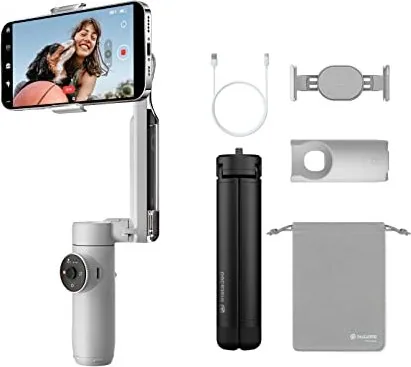
A significant portion of the manual is dedicated to creative features. This includes the 360 degree modes, underwater modes, and stealth capture modes. Users learn how to utilize the AI editing features that automatically stitch and trim footage. Understanding these modes allows creators to plan their shots better before the recording begins. Specific instructions are provided for using the gimbal head on compatible models to ensure smooth panning and tracking during movement.
Editing and Exporting
Post-processing is as important as recording. The guide details how to use the Insta360 studio software on a computer. It explains different export formats such as 8K resolution or 30 frames per second settings. It also covers how to export to social media platforms directly from the app. Knowing these options ensures that the final content meets the requirements of the intended audience. Users can learn about file naming conventions to keep their projects organized efficiently.
Accessories and Compatibility
A vital part of the manual covers which accessories are compatible with specific camera models. Using third-party mounts without verifying compatibility can void the warranty or damage the camera. The documentation lists approved brands for batteries, straps, and cases. It also warns against using non-approved charging bricks that might supply the wrong voltage. This section protects your investment by ensuring you only use equipment that matches the electrical and mechanical specifications of the device. Furthermore, it explains how to attach the camera to drones or bicycles safely.
Keeping Your Manual Updated
Firmware updates often change the functionality of the camera. When a new update is released, the manual may need to be replaced with a newer version. Users should check for updates periodically on the support page. Ignoring updates can lead to compatibility issues with accessories or new apps. Staying updated ensures that the user is aware of all new features and safety warnings. Manufacturers frequently release patches for bugs that are documented in version specific notes within the manual. Subscribing to the newsletter ensures you are notified when new resources are available.
Conclusion
In summary, Insta360 Manuals are invaluable resources for anyone owning a camera from this brand. They facilitate safe usage, optimal performance, and quick troubleshooting. Whether you are a beginner taking your first 360 photos or a professional editing a documentary, having access to these guides is essential. By utilizing the official channels to download them and keeping them up to date, users can ensure a smooth and creative experience with their technology. Taking the time to read these documents pays off in better footage and a longer lifespan for the device. Ultimately, a well-informed user is a successful creator who maximizes the value of their equipment.
Search for 67,706 Manuals online


Type-in Brand or Model