
Insta360 Ace Manual
PDF manual · 43 Pages
English



Quick check
Incorrect answer, please try again.
Chat with your Insta360 Ace manual using AI
Get instant AI answers from your Insta360 Ace manual
Ask anything about the Insta360 Ace. Answers come from this manual, with the pages they are based on.
Ace Maintenance Schedule
Recharge and discharge the battery every three months to maintain optimal working conditions if not used for a long time.
Soak the camera in fresh water for 15 minutes, gently rinse with flip screen open, and dry thoroughly with a soft cloth.
Free maintenance reminders
Timed to your purchase date. Always free, unsubscribe anytime.
Ask a Question
Do you recommend Ace?
Yes NoFrequently Asked Questions
Download the Insta360 app, turn on the camera, enable Bluetooth and Wi-Fi on your phone. Open the app, select the camera, confirm connection on the screen, and follow prompts to update firmware if needed.
Is this answer helpful?
The camera is waterproof up to 10 meters without a case. For deeper use, a dive case is required which supports depths up to 60 meters.
Is this answer helpful?
Full charging takes approximately 70 minutes. The indicator light will be solid red while charging and turn off when fully charged.
Is this answer helpful?
Ace supports microSD cards up to 1TB. You must use exFAT format and speed classes UHS-I and V30 or above for normal recording.
Is this answer helpful?
Yes, the remote can control up to four cameras at the same time. Each camera only recognizes one remote at a time.
Is this answer helpful?
Use clean water, a lens pen, or a soft cloth. Do not use harsh chemicals. Ensure foreign objects like sand are removed to prevent damage.
Is this answer helpful?
Recharge and discharge the battery every three months. Avoid using the battery outside the recommended temperature range to prevent expansion or failure.
Is this answer helpful?
Advantages and Disadvantages
Advantages

- FlowState Stabilization ensures smooth footage in extreme conditions
- Waterproof up to 10 meters without a dive case
- AI features like Stick Eraser and Warp transform clips
- Supports up to 1TB of storage via microSD card
- GPS Preview Remote allows live preview from distance
Disadvantages

- Adhesive mount base is single-use only
- Battery requires frequent charging for long shoots
- Requires app connection for initial activation
- Settings menu is complex for beginners
- MicroSD card must be specific speed class format
Product Specification
Effective Megapixels
48.0 Megapixels
Photo Resolution
JPEG (max. 8064x6048 Pixels)
Image Stabilizer
Optical
Digital Zoom
No
Display
2.4", Touchscreen, tilting, 180 deg flip-up
Waterproof
up to 32.81 ft, up to 196.85 ft with case
Expandable Storage
microSD/microSDHC/microSDXC
Ports
USB-C 2.0
Wireless
Wi-Fi 5 (802.11a/b/g/n/ac), Bluetooth 5.2 LE
Features
Frost-proof down to -4 deg F
Color
Black
Dimensions
2.83x2.06x1.52in (WxHxD)
Product Description
Exploring the Insta360 Ace Action Camera
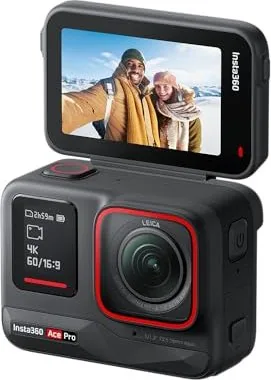
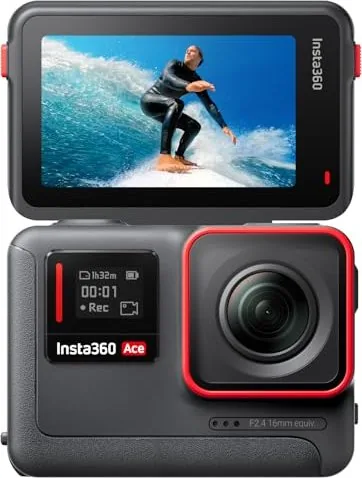
The Insta360 Ace stands out in the crowded action camera market with its versatile capabilities and robust design. This device brings professional-grade stabilization and AI-driven editing tools directly into your pocket. When you consult the Insta360 Ace Manual, you unlock the full potential of the hardware. The camera features a rear flip touchscreen and a front display for seamless selfies. It supports high video recording with FlowState stabilization, ensuring smooth footage even in extreme conditions.
Accessing the gear is straightforward with the included standard mount or flexible adhesive mount for various surfaces. Users can dive up to 10 meters without a case thanks to its waterproof design elements. Charging is efficient, taking about 70 minutes for a full power cycle. AI features like the stick eraser and warp effects transform raw clips into cinematic stories. The device also supports the GPS Preview Remote, allowing live previews and control from distance.
Managing the content is handled via the Insta360 app, which pairs easily via Bluetooth. The app assists with firmware updates and highlights generation using artificial intelligence. Storage expands up to 1TB using compatible microSD cards formatted in exFAT. Battery maintenance is key; avoid extreme temperatures and recharge every few months to preserve life. Operators navigate settings like shutter speed, ISO, and white balance adjustments effectively. Users can toggle modes such as Active HDR or PureVideo for specific lighting needs. TimeShift creates hyperlapse effects while Starlapse merges photos into one clip. Burst photos capture multiple images quickly for dynamic series.
Whether capturing driving footage with auto dash mode or taking high-quality photos during video recording, flexibility is paramount. Users can record loops, timelapses, or slow-motion sequences with precise control over resolution and frame rates. The interface allows swiping gestures to access quick settings for stability, ratio, and duration. Cleaning involves gentle wiping with soft cloths and fresh water rinsing after seawater exposure. Firmware updates ensure the system runs efficiently over time. The AI Highlights Assistant analyzes a single video to show best moments for review.
This comprehensive overview highlights why this gear is a top choice for creators seeking stability and AI integration. Always refer to official guidelines when modifying settings or attempting underwater shots beyond the rated depth to maintain warranty coverage. The guide provides step-by-step instructions for battery insertion and microSD card installation. It details the specific indicator light colors for charging status and recording states. Gesture control enables group selfies without physical interaction, while pause recording allows flexible filming within a single file. The GPS remote can connect to multiple cameras simultaneously, offering a dashboard view of status and battery levels. Whether for sports, vlogging, or exploration, this camera offers reliability. Connection troubleshooting often involves checking app permissions for Bluetooth and local network access.
Additionally, the camera supports Quick Capture which starts recording immediately from a powered-off state. This is useful when sudden action occurs. The front screen displays battery and storage capacity for quick checks. You can use standard accessories to connect to three-jaw interfaces. The adhesive mount base is for one-time use only and requires clean surfaces. Heat and humidity resistance make it suitable for complex environments. Firmware updates via the computer method involve the official website for the latest version.
Search for 67,706 Manuals online


Type-in Brand or Model