
InLine Wireless Design Desktop 55368A Manual
PDF manual · 4 Pages
English



Quick check
Incorrect answer, please try again.
Chat with your InLine Wireless Design Desktop 55368A manual using AI
Get instant AI answers from your InLine Wireless Design Desktop 55368A manual
Ask anything about the InLine Wireless Design Desktop 55368A. Answers come from this manual, with the pages they are based on.
Ask a Question
Do you recommend Wireless Design Desktop 55368A?
Yes NoFrequently Asked Questions
Insert the supplied batteries into the keyboard and mouse compartments. Plug the USB dongle into a USB port on your PC. The keyboard connects automatically upon battery insertion. Slide the mouse power switch to the On position to pair with the dongle.
Is this answer helpful?
This set is compatible with various Windows operating systems including Windows 2000, XP, Vista, 7, 8, and 10. It is designed specifically for Windows PCs and does not officially support Mac or Linux systems.
Is this answer helpful?
Yes, you can change the DPI resolution by simultaneously pressing and holding the left and right mouse buttons for 3-5 seconds. This allows you to cycle through 800, 1200, and 1600 DPI settings.
Is this answer helpful?
The keyboard requires two AAA batteries and the mouse requires one AA battery. The manufacturer recommends using standard Alkaline batteries for optimal function and longevity rather than rechargeable variants.
Is this answer helpful?
Clean the InLine Design Desktop with a dry velvety cloth only. Do not use water or cleaning fluids as these may damage the internal electronics. Ensure the device is switched off before cleaning.
Is this answer helpful?
The devices use 2.4 GHz wireless technology with a range of up to 10 meters. This allows you to navigate freely in your workspace without cable interference.
Is this answer helpful?
The product contains small parts which may be dangerous for toddlers. Keep the device and batteries away from children to prevent choking hazards or ingestion of small components.
Is this answer helpful?
Advantages and Disadvantages
Advantages

- Wireless 2.4 GHz technology provides up to 10 meters of range for freedom of movement.
- Full-size keyboard with numeric keypad and multimedia keys for efficient workflow control.
- Adjustable DPI mouse allows precision customization between 800, 1200, and 1600 resolutions.
- USB receiver storage inside the mouse prevents loss and keeps cable management tidy.
- Energy saving mode automatically powers down devices after minutes of inactivity.
Disadvantages

- Requires non-rechargeable Alkaline batteries instead of Lithium or rechargeable options.
- Keyboard layout is fixed to German QWERTZ which limits international usability.
- Compatible only with Windows operating systems and not Mac or Linux.
- Not suitable for outdoor use due to exposure risks from weather and moisture.
- Disassembling the device is prohibited which limits user repair capabilities.
Product Specification
Package Contents
Mouse, Keyboard
Layout
German
Connection
Wireless (2.4GHz)
DPI (Mouse)
Red LED / IR 1600dpi
Features
Numpad
Product Description
Discover the Future of Wireless Computing with InLine Desktop Peripherals
Experience Seamless Connectivity and Ergonomic Design
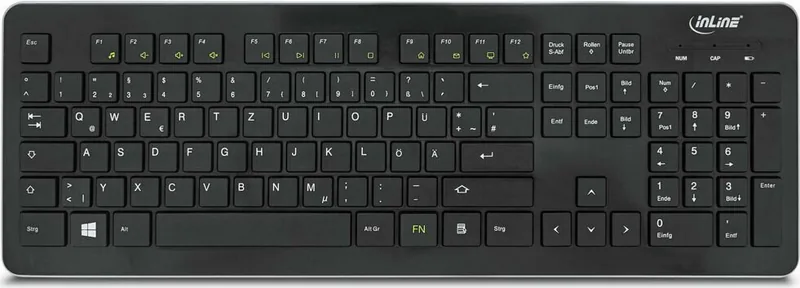
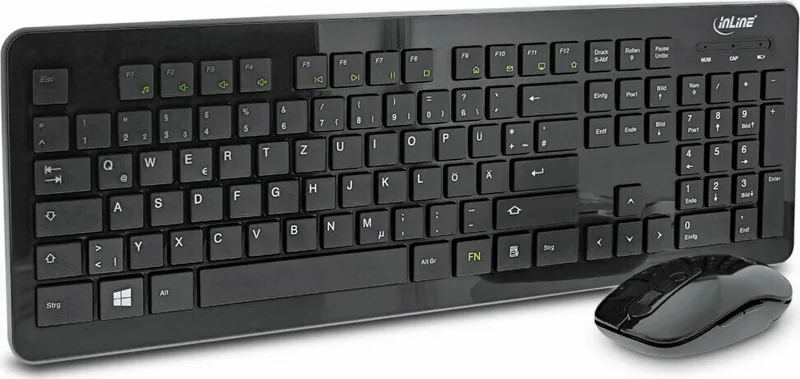
The InLine Wireless Design Desktop Keyboard-Mouse Set brings professional-grade functionality to your modern workspace. Designed specifically for the German market, this elegant black set features a QWERTZ layout ensuring native usability for local users without configuration needs. The full-size keyboard includes a dedicated numeric keypad perfect for detailed data entry tasks and financial work. Each key features an anti-slip rough surface for better grip during intense typing sessions. The sleek high-gloss design complements any contemporary office setup while maintaining exceptional durability through high-quality ABS material construction. The keys are flat at only three millimeters high providing a low profile feel that typists genuinely appreciate for comfort.
Precision and Control with the Advanced Optical Mouse
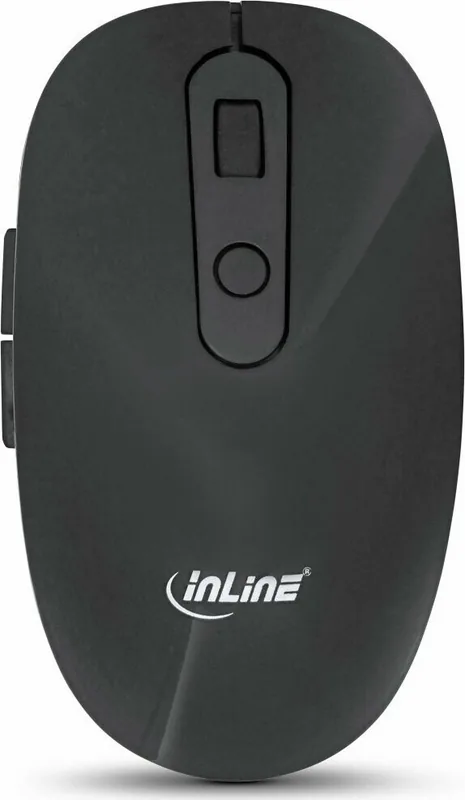
The accompanying optical mouse offers superior precision control with a smooth scroll wheel and five programmable buttons for customizable actions. Users can adjust sensitivity levels on the fly using the built-in DPI switch which toggles efficiently between 800, 1200, and 1600 resolutions for different tasks. The mini USB receiver stores conveniently inside the mouse body itself to significantly reduce the risk of physical loss when moving setups. Communication is handled via stable 2.4 GHz wireless technology supporting a reliable range of up to 10 meters. This eliminates distracting cable clutter while maintaining connection stability from a comfortable desk distance. Signal drops are minimized for uninterrupted workflow during critical moments.
Intelligent Power Management and System Compatibility
Battery management is straightforward and user-friendly requiring two AAA batteries for the keyboard compartment and one AA battery for the mouse compartment. The system includes an adaptive energy-saving mode powering down devices automatically after short periods of inactivity to conserve resources. Compatible with a wide array of Windows operating systems this set allows for immediate plug-and-play installation without complex drivers. Simply insert fresh batteries connect the USB dongle securely and start working immediately. Note that rechargeable batteries may affect performance stability so Alkaline batteries are strictly recommended by the manufacturer. You should also avoid outdoor use to ensure device longevity against weather elements.
Safety Protocols Maintenance and Technical Support Details
Dedicated function keys provide quick access to multimedia controls allowing instant volume adjustments and web navigation without leaving your application. This saves significant time during deep research or leisure browsing sessions at home. The keyboard activates automatically when batteries are inserted while the mouse has a dedicated switch for power control on the underside. This dual approach saves energy during long breaks effectively. Manufacturer contact information is available for technical support if unexpected installation issues arise. You can reach them during standard working hours for assistance with driver updates. Safety is a priority since devices contain small parts hazardous to young children. Proper disposal is required at the end of life for electronic goods to protect the environment. Cleaning requires only a dry cloth to maintain high gloss finishes. Driver support is available via the official manufacturer website for further inquiries.
Search for 67,706 Manuals online


Type-in Brand or Model
Julia Weber
5 months ago
Does the piano black finish show fingerprints easily or is it treated to resist them?
Manual.ly
5 months ago
According to user feedback, the piano black lacquer finish is resistant to daily wear and looks flawless right out of the box. While it is glossy like a piano, we recommend regular cleaning with a soft cloth to maintain its shine.