
InLine Wireless Charging Mouse Pad Manual
PDF manual · 8 Pages
English



Quick check
Incorrect answer, please try again.
Chat with your InLine Wireless Charging Mouse Pad manual using AI
Get instant AI answers from your InLine Wireless Charging Mouse Pad manual
Ask anything about the InLine Wireless Charging Mouse Pad. Answers come from this manual, with the pages they are based on.
Ask a Question
Do you recommend Wireless Charging Mouse Pad?
Yes NoFrequently Asked Questions
Ensure your device supports wireless charging and is centered on the marked area. Remove thick cases and check power connections. Ensure the power adapter is plugged into a working outlet.
Is this answer helpful?
It is not recommended to use the device in a thick protective case as this can impair the cordless charging function. Consider removing the case for charging.
Is this answer helpful?
Yes, please keep a distance of at least twenty centimeters between implanted medical devices and the mouse pad to avoid possible interference.
Is this answer helpful?
Clean the mouse pad with a dry, velvety cloth. Do not use water or other cleaning fluids that may damage the electronics inside the unit.
Is this answer helpful?
For fast charging, we recommend a power supply unit with Quick Charge 2.0 technology or higher, otherwise use DC5V / 2A output voltage.
Is this answer helpful?
No, do not use the mouse pad outdoors. It is designed for indoor use and should not be exposed to weather elements.
Is this answer helpful?
The wireless output power is ten Watts maximum. This allows compatible smartphones and tablets to recharge at a reasonable speed.
Is this answer helpful?
Advantages and Disadvantages
Advantages

- Supports both mouse control and wireless phone charging simultaneously for a tidy desk.
- Includes Foreign Object Detection to enhance safety and prevent overheating issues.
- Compact dimensions allow it to fit easily on most standard desk setups.
- Available in black and brown colors to match existing office decor styles.
- Operates efficiently with a high charging efficiency rating over seventy five percent.
Disadvantages

- Thick protective phone cases may block the wireless charging signal effectively.
- Cannot be disassembled by the user as it violates safety protocols.
- Must not be used outdoors or near water sources to prevent damage.
- Magnetic strips on cards can be deleted if placed too close to the pad.
- Requires a specific power adapter for optimal wireless charging functionality.
Product Specification
Dimensions
14.57 x 10.04 inches
Height
0.28 inches
Material
Faux Leather
Weight
0.78 lbs
Shape
Rectangular
Construction
Two-layer
Features
Wireless Charging (Qi)
Product Description
InLine Wireless Charging Mousepad Overview
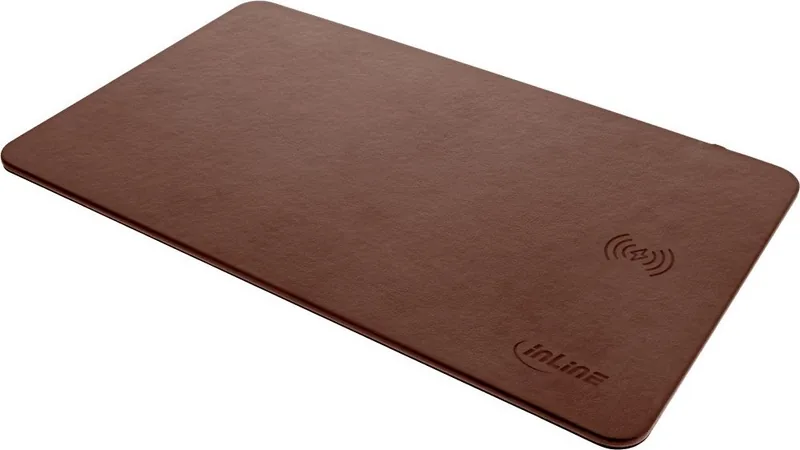
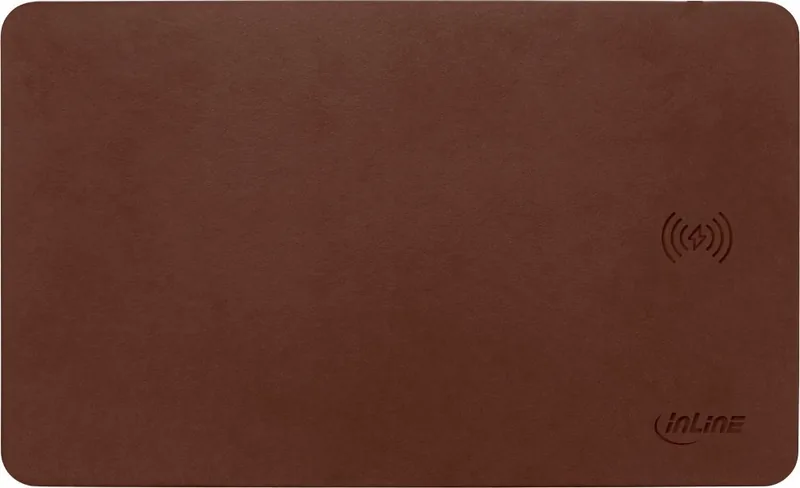
The InLine Wireless Charging Mousepad redefines your workspace efficiency by combining precision mouse control with convenient wireless power. Designed for modern professionals and gamers, this device allows you to keep your smartphone or tablet charged directly on your desk. The surface supports standard optical and laser mice while handling wireless induction power transfer to compatible devices. With dimensions of 370 by 225 millimeters, it offers ample room for mouse movement while ensuring your phone stays close to reach. This compact design fits neatly beside your monitor or laptop without cluttering the workspace significantly. It creates a minimalist workflow for busy individuals who value speed and convenience. The device integrates seamlessly into a modern workstation environment.
Technical Insights and Specs
Charging capabilities are robust, delivering up to 10 Watts of power. This ensures your device powers up quickly during work hours. The system includes Foreign Object Detection to prevent overheating from metal objects placed on the pad. It operates within a safe temperature range and requires a specific USB connection cable included in the box. Users should note that heat may occur during charging, which is a normal characteristic of induction technology. If your device does not charge, check that the power adapter is firmly connected to a working outlet. For fast charging, we recommend a power supply unit with Quick Charge 2.0 technology or higher, otherwise use DC5V / 2A output voltage. The wireless output power is ten Watts maximum. This allows compatible smartphones and tablets to recharge at a reasonable speed.
Safety Guidelines and Maintenance
Safety is paramount for this electronic device. Users must avoid placing medical devices like pacemakers within twenty centimeters of the pad. Magnetic cards should also be kept away to prevent damage from the magnetic field generated during operation. Cleaning requires a dry cloth only to protect the electronics from moisture damage. The unit is available in black and brown to match your desk aesthetic. Always use a compatible power source for optimal fast charging performance. Thick protective cases should be avoided if they hinder the induction signal. Do not place heavy objects on the mouse pad. This can lead to deformation of the entire pad and damage to the wireless charging function. Proper disposal is required at the end of the product life according to local laws. Maintenance is simple, just wipe the surface. Avoid water or liquid cleaners.
Product Setup and Reliability
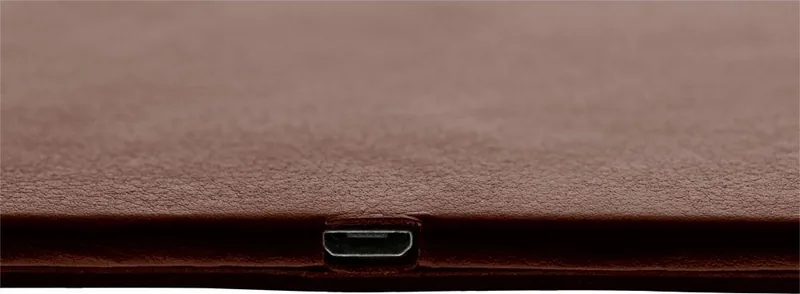
This manual guides you through commissioning and troubleshooting steps to ensure long-term reliability. The setup process is intuitive for most users. Connect the USB cable to a power supply unit capable of Quick Charge 2.0 or higher for best performance. Once connected, place the phone centrally on the marked area. Troubleshooting involves checking connections and removing obstructions. If issues persist, cycle the power by disconnecting and reconnecting the plug. The package includes the pad, manual, and cable, ensuring you have everything needed to start immediately.
Search for 67,706 Manuals online


Type-in Brand or Model