
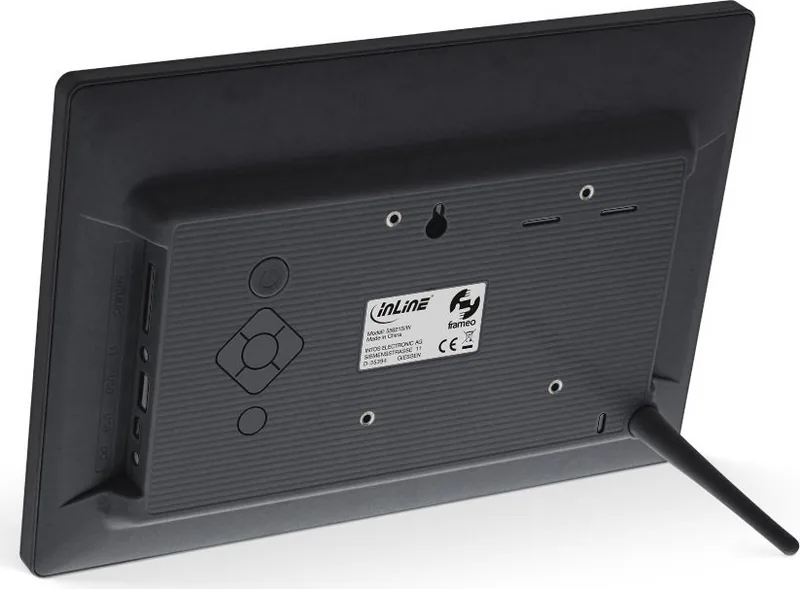
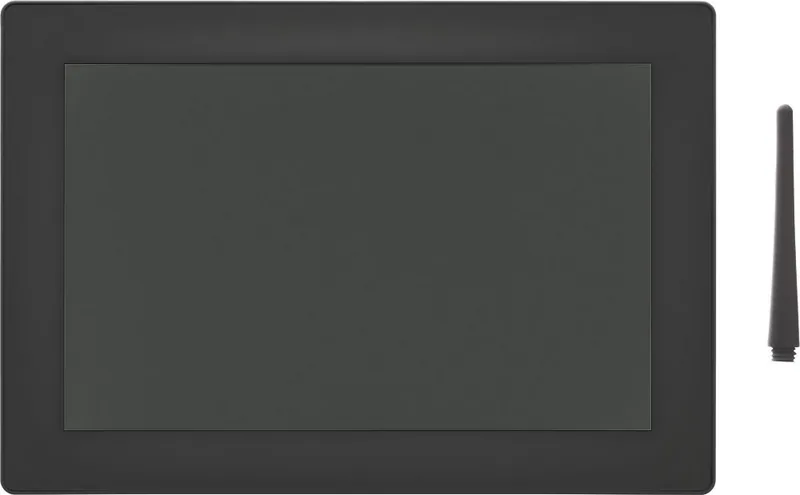

InLine WiFRAME 10.1 Manual
PDF manual · 35 Pages
English



Quick check
Incorrect answer, please try again.
Chat with your InLine WiFRAME 10.1 manual using AI
Get instant AI answers from your InLine WiFRAME 10.1 manual
Ask anything about the InLine WiFRAME 10.1. Answers come from this manual, with the pages they are based on.
Ask a Question
Do you recommend WiFRAME 10.1?
Yes NoFrequently Asked Questions
It is a digital photo frame that displays photos and videos in a customizable slideshow. Using the Frameo app, approved friends and family can send new memories from compatible iOS and Android devices.
Is this answer helpful?
The owner generates a connection code from the Add Friend option and shares it with a person who has installed the Frameo app. The code is valid for 12 hours. Once connected, that person can send photos to the frame.
Is this answer helpful?
Yes. Videos can be started manually or played automatically in the slideshow. Available choices include looping a video, playing it once, or playing it once and then moving to the next photo or video. Audio and volume are adjustable.
Is this answer helpful?
Yes. A photo can be hidden from the slideshow without being removed from storage. Hidden images can later be made visible again through the photo management settings.
Is this answer helpful?
Yes. The frame supports importing photos from external storage such as a microSD card. It can also export stored photos and profile pictures to external storage. Imported images cannot receive captions or focal-point adjustments during import.
Is this answer helpful?
Yes. Photos, friend connections, and settings can be backed up to external storage. Automatic backup can create a new backup within 30 hours after photos are received or settings are changed. Existing backups on the storage device are overwritten.
Is this answer helpful?
Advantages and Disadvantages
Advantages

- Frameo app support lets approved friends and family send photos from iOS and Android devices.
- Connection codes are valid for 12 hours, giving the owner controlled access for new contributors.
- Custom slideshow settings support captions, shuffle mode, timing, photo fit, videos, audio, and brightness.
- Photos, settings, and connections can be backed up to external storage, with an automatic backup option.
- Sleep scheduling reduces display power use while the frame can still receive incoming photos.
Disadvantages

- App-based sharing, updates, and remote photo delivery depend on a working Wi-Fi connection.
- Importing images from external storage does not allow captions or focal-point selection.
- Exporting sends all stored photos and profile pictures rather than offering selective export.
- Restoring a backup to an already configured frame requires a reset that removes current data.
- A full reset permanently deletes photos, friends, connections, and personalized settings.
Product Specification
Display
10.1 in / 10.12 in
Resolution
1280 x 800
Brightness
250 cd/m2
Contrast
1,000:1
Viewing angles
178 degrees / 178 degrees
Formats
JPG, JPEG, MPEG-1, MPEG-2, MPEG-4, H.263, H.264, VC1, RV
Card reader
SD/SDHC/MMC/MS
Connections
1x USB 2.0, 1x Mini USB 2.0 (OTG), 3.5 mm jack, Wi-Fi 802.11b/g/n
Dimensions (W x H x D)
10.35 x 7.17 x 1.18 in
Weight
1.28 lb
Special features
IPS panel, touchscreen, integrated speakers (2x2 W), VESA 75 x 75, stand, Android 6.0.1, controllable via app (Android)
Product Description
InLine WiFRAME 10.1 - Read, Download & Print Free
The InLine WiFRAME 10.1 is a connected digital photo frame designed to keep favorite moments visible in everyday spaces. Powered by the Frameo platform, it lets family members and friends share photos directly from the Frameo app on iOS or Android. Its 10.1-inch display makes it a practical choice for a living room, kitchen, office, or as a thoughtful gift for relatives who want to enjoy new pictures without managing complicated technology.
Share Memories Through the Frameo App
After connecting the frame to Wi-Fi, setup includes choosing a language, naming the frame, entering its location, and setting the correct time zone. New contributors can be added using a connection code generated on the frame. Each code remains active for 12 hours, helping the owner control who can send images. Connected users can share photos from their smartphones, while the frame owner can review friends, remove access, and optionally allow selected people to share connection codes.
Flexible Photo and Video Display
Photos can be browsed with simple left and right swipes, and the on-screen menu provides quick access to the gallery, settings, and sharing tools. The slideshow can display images by date or in a shuffled order. Owners can choose how long each photo stays on screen, show or hide captions, and select either a full-screen fill mode or a fit-to-frame view that shows the entire image.
Video support adds more variety to shared albums. Video playback can start automatically or manually, with controls for play, pause, mute, and volume. Autoplay behavior can be set to loop a clip, play it once, or continue to the next item after playback. These options allow the display to match a quiet home environment or a more lively family slideshow.
Storage, Backup, and Everyday Controls
The InLine WiFRAME 10.1 includes tools for managing stored photos, hiding images from the slideshow, permanently deleting selected content, and checking available storage. Images can also be imported from or exported to external storage such as a microSD card. Backup options can save photos, connections, and settings to external storage, with automatic backups available after new photos arrive or settings change.
Additional controls include brightness adjustment, scheduled sleep mode, notification preferences, Wi-Fi details, and software update checks. The frame can continue receiving photos while its display is off during sleep mode. For safe operation, use the on-device power control or power menu rather than disconnecting power while the frame is running.
Notes
- A Wi-Fi connection is needed for app-based sharing and online updates.
- Resetting the frame permanently removes photos, connections, and settings.
- External-storage imports do not support captions or image focal-point selection.
Search for 67,706 Manuals online


Type-in Brand or Model