
InLine USB-C Fingerprint Scanner Manual
PDF manual · 2 Pages
English



Quick check
Incorrect answer, please try again.
Chat with your InLine USB-C Fingerprint Scanner manual using AI
Get instant AI answers from your InLine USB-C Fingerprint Scanner manual
Ask anything about the InLine USB-C Fingerprint Scanner. Answers come from this manual, with the pages they are based on.
Ask a Question
Do you recommend USB-C Fingerprint Scanner?
Yes NoFrequently Asked Questions
Plug the scanner into an available USB-C port. The hardware installs automatically; no driver required. In Device Manager it appears as "Elan Smart-id Fingerprint." Then configure Windows Hello under Settings > Accounts > Sign-in options.
Is this answer helpful?
The scanner can store up to 10 fingerprint profiles, allowing multiple users or several fingers per user to be registered for convenient access.
Is this answer helpful?
Always disconnect the device before cleaning. Use a dry, lint-free cloth. Do not use detergents, cleaning alcohol, or chemical solutions, as these can impair sensor function. Avoid shocks, scratches, and opening the device.
Is this answer helpful?
The device is compatible with Windows 10 using Windows Hello. Operating conditions: 0–70°C and 5–90% relative humidity (non-condensing). Storage conditions: 0–80°C and 5–90% relative humidity (non-condensing).
Is this answer helpful?
Check the package contents for the InLine USB Type-C Fingerprint Scanner. If items are missing or damaged, contact the retailer promptly to report the issue and request replacement or support.
Is this answer helpful?
The scanner uses a USB-C connector natively. To use a USB-A port you’ll need a compatible adapter; functionality depends on adapter compatibility and host system support.
Is this answer helpful?
Do not dispose of the device with household waste. Return electronic equipment and batteries to designated public collection points or the point of sale in accordance with local regulations.
Is this answer helpful?
Advantages and Disadvantages
Advantages

- Quick setup: plug-and-play USB-C with no driver installation required.
- Fast recognition: fingerprint read in about 0.5 seconds for near-instant access.
- Compact, portable design: small 21 x 22 x 9 mm dongle ideal for laptops.
- Multi-user support: stores up to 10 fingerprint profiles for multiple users.
- Wide operating range: works 0–70°C and stores up to 80°C with high humidity tolerance.
Disadvantages

- Windows-only: designed for Windows Hello and may not support other OS platforms.
- Small sensor area: 12 x 5 mm sensor may be less forgiving for some fingerprint placements.
- No physical protection: device can be damaged by shocks, scratches, or opening.
- Limited connectivity: USB-C only — adapters needed for older USB-A ports.
- No bundled accessories: package includes the scanner only; adapters or cases not provided.
Product Specification
Type
Fingerprint Scanner
Compatibility
Microsoft Windows 10
Connectivity
USB-C
Special Features
Windows Hello compatible
Dimensions
0.83x0.71x0.47 in
Weight
0.01 lb
Color
silver, black
Material
Metal, Plastic
Product Description
InLine Fingerprint Scanner — Fast, Compact USB-C Security
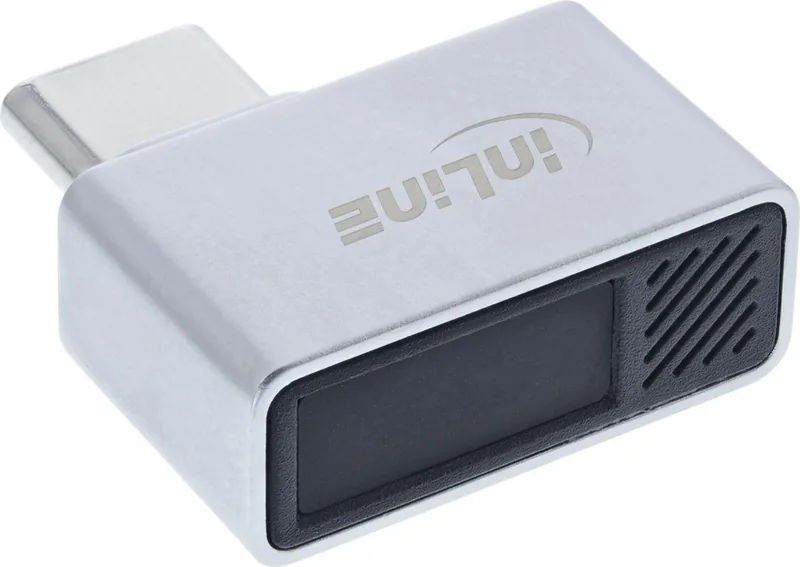
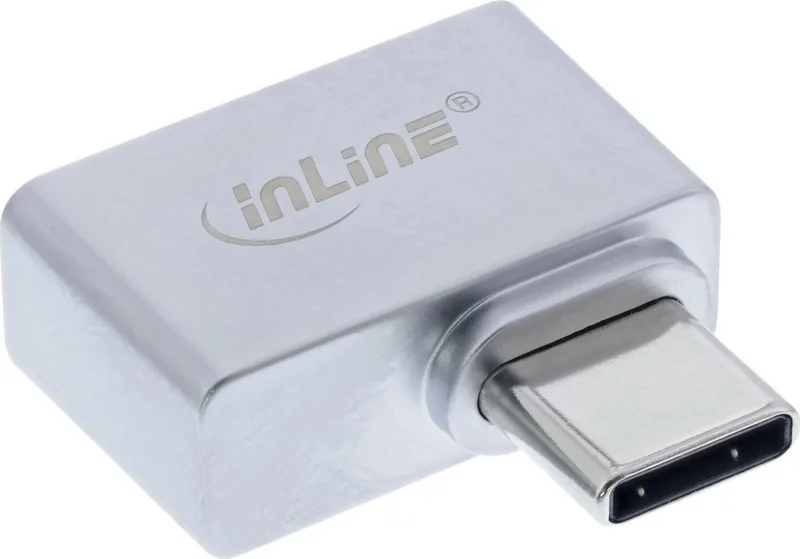
The InLine Fingerprint Scanner is a compact USB-C fingerprint reader designed for seamless Windows Hello integration. Plug it into any available USB-C port and the system recognizes it automatically as "Elan Smart-id Fingerprint." No extra drivers are required, making setup fast and hassle-free for everyday users and professionals seeking quick biometric access to PCs and notebooks.
This little dongle pairs a precise 12 x 5 mm sensor with a responsive recognition time of about 0.5 seconds, letting you unlock your Windows 10 device with a fingertip. It stores up to 10 fingerprint profiles, so multiple users or several fingers can be registered for convenience. The black-and-silver design is understated and portable — small enough (21 x 22 x 9 mm) to carry on the go or leave attached to a laptop.
Beyond convenience, the device emphasizes safe handling and longevity. Keep the sensor clean with a dry, lint-free cloth and disconnect before cleaning. Avoid chemicals, alcohol, or abrasive cleaners that could impair function. The scanner is built to operate in wide environmental ranges (0–70°C working, up to 80°C for storage) and supports relative humidity between 5–90% non-condensing.
The InLine scanner targets straightforward, intended use: enabling Windows Hello fingerprint login. It is not meant to be opened, dropped, or exposed to shocks or scratches. The package should include the fingerprint scanner itself; contact the retailer promptly if any item is missing or damaged. At end of life, follow local regulations for electronic waste and battery disposal — do not discard in household trash.
Whether you want a fast way to secure a personal laptop, or a simple biometric accessory for shared machines, the InLine Fingerprint Reader USB Dongle delivers practical, driverless authentication in a tiny form factor. Its quick recognition and multi-profile capacity make it a useful addition for users wanting faster, password-free access.
Notes
- Compatible with Windows Hello on Windows 10.
- Maximum 10 fingerprint profiles can be stored.
- Avoid opening or physically damaging the device.
- Clean only with a dry, lint-free cloth; disconnect before cleaning.
Search for 67,706 Manuals online


Type-in Brand or Model