

InLine SmartHome 40161 Manual
PDF manual · 24 Pages
English



Quick check
Incorrect answer, please try again.
Chat with your InLine SmartHome 40161 manual using AI
Get instant AI answers from your InLine SmartHome 40161 manual
Ask anything about the InLine SmartHome 40161. Answers come from this manual, with the pages they are based on.
Ask a Question
Do you recommend SmartHome 40161?
Yes NoFrequently Asked Questions
The fan supports 2.4 GHz WiFi using IEEE 802.11b/g/n. For a successful connection, ensure the router is active, enter the correct network password, and use compatible WPA or WPA2 security settings.
Is this answer helpful?
Yes. The controls on the fan allow you to turn it on or off, select one of three speed levels, enable sleep mode, set the timer, and activate or deactivate oscillation.
Is this answer helpful?
Sleep mode reduces the current fan speed by one level after 30 minutes, then keeps the fan running at speed level 1. Activate or deactivate it by holding the speed button for about three seconds.
Is this answer helpful?
The built-in timer can be set for 1, 2, 3, or 4 hours. The selected timer is shown through the fan's timer LEDs, and the unit switches off automatically when the selected period ends.
Is this answer helpful?
Yes. The fan is compatible with Amazon Alexa and Google Home. After connecting it in the Smart Life app, use the available third-party control option to begin linking a supported voice assistant.
Is this answer helpful?
Confirm that the fan and router are powered on, use a 2.4 GHz network, verify the password, and select Fan under Small Household Appliances in the app. If needed, use the alternative Access Point pairing mode.
Is this answer helpful?
Turn the fan off and unplug it before cleaning. Wipe the exterior with a damp cloth, then dry it completely. Do not allow water to contact the device and do not operate it while wet.
Is this answer helpful?
Advantages and Disadvantages
Advantages

- WiFi control through the Smart Life app supports power, speed, sleep mode, oscillation, timer settings, rooms, groups, and automations.
- Three speed levels, automatic oscillation, and a sleep mode provide adaptable airflow for different indoor routines.
- Supports Amazon Alexa and Google Home for integration with compatible voice-controlled smart home systems.
- Built-in 1, 2, 3, and 4-hour timer options allow automatic shutoff without ongoing supervision.
Disadvantages

- The fan works only with 2.4 GHz WiFi networks and does not list support for 5 GHz-only connections.
- It is intended for indoor use only and must be protected from water, excessive heat, and unstable placement.
- App setup may require Access Point mode if automatic or manual pairing does not complete successfully.
- The timer is limited to preset durations of up to four hours.
Product Specification
Operating mode
Mains operation (45 W)
Color
white, gray
Blade diameter
13.78 in
Oscillation range
60 degrees horizontal oscillation
Tilt angle
adjustable
Special features
Night mode, automatic shutoff after 4 hr (adjustable)
Smart home
App control (Wi-Fi), voice assistant (Amazon Alexa, Google Assistant)
Noise level
57 dB(A)
Product Description
InLine 40161 Smart Home rotating table fan - Read, Download & Print Free
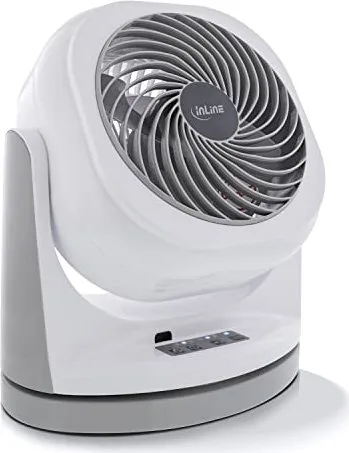
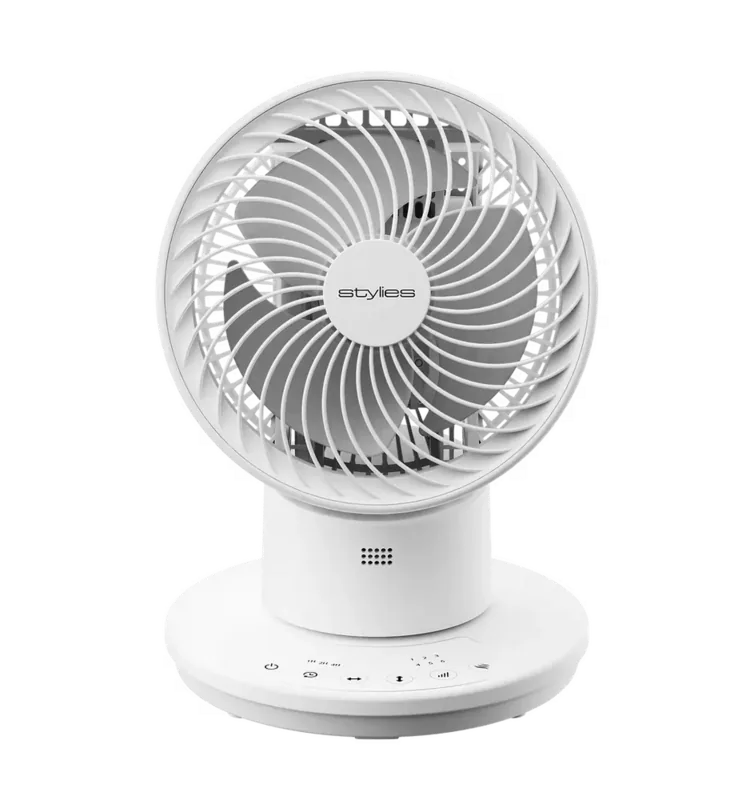
The InLine 40161 Smart Home rotating table fan brings connected comfort to desks, bedrooms, home offices, and other indoor spaces. Finished in white-grey, this compact fan combines practical airflow control with WiFi-enabled operation, giving users the choice of direct button controls or remote management through the Smart Life app.
Flexible cooling for everyday spaces
With dimensions of 295 x 195 x 330 mm and a weight of about 2.20 kg, the InLine 40161 is designed for stable placement on a firm, level surface. Its 45-watt motor drives a fast-rotating propeller to create a cooling airflow, while automatic oscillation helps distribute air across a wider area. The fan is intended exclusively for indoor use and should be kept away from water, excessive heat, children, and pets.
Three speed levels allow quick adjustment to changing comfort needs. A short press of the speed control cycles through levels 1, 2, and 3. For evening use, sleep mode gradually lowers the selected speed by one level after 30 minutes and then continues at level 1. This provides a gentler airflow setting without requiring a manual adjustment later.
Smart Life app and voice assistant support
The fan connects to 2.4 GHz WiFi networks using IEEE 802.11b/g/n. Once paired in the Smart Life app, users can switch the fan on or off, select speed levels, activate sleep mode, control oscillation, and set timed operation from a compatible smartphone or tablet. The app also supports device naming, room assignment, grouped controls, sharing access with other users, and automation scenarios.
Compatibility with Amazon Alexa and Google Home adds another convenient control option. Voice-enabled smart home setups can incorporate the fan alongside other compatible devices, helping make daily routines more responsive and organized.
Timer and status indicators
A built-in timer offers 1, 2, 3, or 4-hour shutoff selections. Clear status and timer LEDs indicate the active operating setting, while audible signals confirm key changes. If standard app pairing is unsuccessful, an Access Point mode is available to support an alternative connection process.
Notes
- Use a 2.4 GHz WiFi network for setup; 5 GHz-only networks are not supported.
- Place the fan near the router during initial pairing for a stronger signal.
- Switch off and unplug the unit before cleaning it with a damp cloth, then dry it thoroughly.
- Never insert fingers or objects through the front or rear grille during operation.
Search for 67,706 Manuals online


Type-in Brand or Model