Manual.ly Logo

InLine Smart Home 40163W Manual

0.0 · 0 Ratings

PDF manual · 4 Pages

English

M: QW-35-FL
page

/ 4

Loading...
8d3cc7b6ff75bfa4efffb3ec73c9f9a6dfb0 page 2
www.inline-info.com
10. Gerätekonfi guration
Wählen Sie das Gerät aus Ihren verbundenen Gerä-
ten aus, das eingestellt werden soll, indem Sie es in
der Liste anklicken.
Wählen Sie nun die Geräteart, die der IR-Controller
steuern soll.
Sie haben die Möglichkeit, den Gerätehersteller/
Modell direkt auszuwählen oder Sie lernen den IR-
Controller manuell (im do it yourself = DIY) an.
Folgen sie den Hinweisen in der App Smart Life. Es
ist möglich, dass nicht alle Hersteller in der vorhan-
denen Auswahlliste zur Verfügung stehen, wählen
Sie in dem Falle direkt die DIY-Variante, um einzelne
Funktionsknöpfe Ihrer Fernbedienung anzulernen.
11. Gerätedaten (Stift rechts oben)
Diese Benennungen bzw. Zuordnungen erleichtern
Ihnen die Erstellung von Automatismen bzw. Sze-
narien.
Name des Gerätes
Bitte einen Namen, Symbol und Lokation vergeben,
die später in der Geräteliste, Automatismen und
Szenarien wieder erscheinen.
Information des Gerätes
Informationen zu der Anbidung an den Hauptserver.
Kontrolle über einen Drittanbieter
Möchten Sie das Gerät über einen Sprachassisten-
ten nutzen, so wählen Sie diesen aus den vorge-
schlagenen Möglichkeiten aus, um die Verbindung
einzuleiten.
Gerät teilen
Hier ermöglichen Sie anderen Personen, die ein
eigenes Smart Life Konto besitzen, auf Ihre Geräte
zuzugreifen. (Familieneinstellungen)
Gruppe erstellen
Bilden Sie eine Gruppe an Geräten, die entspre-
chend gemeinsam über Automatismen oder Szena-
rien gesteuert werden sollen.
FAQ & Rückmeldung
Steht für die Hilfe, hier bekommt man erste Hilfe bei
etwaigen Problemen, die bei der Einrichtung ens-
tehen könnnen.
Zum Startbildschirm hinzufügen
Ermöglicht, Automatismen oder Szenarien am
Startbildschirm der App aktivieren zu können.
Netzwerk prüfen
Damit lässt sich die Signalstärke Ihres WLAN-Netz-
werkes prüfen.
Ausrüstungs-Upgrade
Überprüfen Sie das Upgrade der Firmware. Durch
anklicken wird nach aktuellster Version gesucht.
12. Mögliche Fehler und ihre Lösung
Gerät lässt sich nicht einschalten
Stellen Sie sicher, dass die Stromzufuhr gegeben
ist.
Keine WiFi-Verbindung möglich
Stellen Sie sicher, dass der Router sowie das zu
verbindende Gerät eingeschaltet sind.
Überprüfen Sie den verfügbaren WiFi-Standard des
Geräts. Das InLine® SmartHome Produkt unter-
stützt WiFi 2,4GHz / IEEE802.11b/g/n.
Netzwerk wird gefunden, aber keine Ver-
bindung möglich:
• Stellen Sie sicher, dass Sie Ihr WLAN-Passwort
richtig eingegeben haben.
• Überprüfen Sie, ob sie das richtige Gerät aus der
Auswahlliste gewählt haben. (Für den IR-Control-
ler wählen Sie bitte unter Sonstige „Universal-
fernbedienung“ aus der Liste)
13. Kontakt und aktuelle
Produktinformationen
Falls Sie Fragen zu dem Produkt haben oder Prob-
leme auftauchen, können Sie sich über live.inline-
info.com oder per Email an service@inline-info.
de direkt mit dem Hersteller in Verbindung setzen.
14. Wartung und Reinigung
Reinigen Sie den InLine® IR-Remote Control Cen-
ter mit einem trockenen, samtigen Tuch.
Die App verbindet sich nun mit dem Gerät, warten Sie,
bis das Display Ihres Smartphones das bestätigt.
Sie können Ihr verbundenes Gerät direkt einem
Zimmer zuordnen, müssen dies aber nicht. Das
Gerät erscheint dann in der Geräteübersicht unter
„Alle Geräte“.
Grundsätzlich lassen sich Einstellungen/Szenarien/
Automatisierungen für mehrere Familien in dieser
App hinterlegen.
Der Administrator hat die Berechtigung, Familien
anzulegen und auf alle Familien zuzugreifen.
15. Optionales Zubehör
31507A InLine® USB Ladegerät Single,
Netzteil, Stromadapter, 100-240V zu
5V/2,5A, weiß
31507B InLine® USB Ladegerät Single,
Netzteil, Stromadapter, 100-240V zu
5V/2,5A, schwarz
16. Entsorgung
Elektrische und elektronische Geräte sowie Batte-
rien dürfen nicht mit dem Hausmüll entsorgt wer-
den. Der Verbraucher ist gesetzlich verpfl ichtet,
elektrische und elektronische Geräte sowie Batte-
rien am Ende ihrer Lebensdauer an den dafür ein-
gerichteten, öffentlichen Sammelstellen oder an die
Verkaufsstelle zurückzugeben.
Entsorgen Sie das Verpackungsmaterial sortenrein.
17. Disclaimer
1. Ausgabe Deutsch KW49/2020
Dokumentation © 2020 INTOS ELECTRONIC AG
Alle Rechte vorbehalten. Ohne schriftliche Zustim-
mung des Herausgebers darf dieses Handbuch
auch nicht auszugsweise in irgendeiner Form re-
produziert werden oder unter Verwendung elektro-
nischer, mechanischer oder chemischer Verfahren
vervielfältigt oder verarbeitet werden.
Es ist möglich, dass das vorliegende Handbuch
noch drucktechnische Mängel oder Druckfehler
aufweist. Die Angaben in diesem Handbuch werden
jedoch regelmäßig überprüft und Korrekturen in der
nächsten Ausgabe vorgenommen. Für Fehler tech-
nischer oder drucktechnischer Art und ihre Folgen
übernehmen wir keine Haftung.
Alle Warenzeichen und Schutzrechte werden an-
erkannt. Änderungen im Sinne des technischen
Fortschritts können ohne Vorankündigung vorge-
nommen werden.
Unsere Produkte, einschließlich der Verpackung,
sind kein Spielzeug, sie könnten kleine Teile und
scharfe Objekte enthalten.
Bitte von Kindern fernhalten.
INTOS ELECTRONIC AG
Siemensstrasse 11
D-35394 Giessen
www.inline-info.com
Wählen die Art des Ge-
rätes aus, das Sie anler-
nen möchten.
Folgen sie nun den An-
gaben in der App

Chat with your InLine Smart Home 40163W manual using AI

Get instant AI answers from your InLine Smart Home 40163W manual

Ask anything about the InLine Smart Home 40163W. Answers come from this manual, with the pages they are based on.

Ask a Question

0/1000

Do you recommend Smart Home 40163W?

Yes No

Frequently Asked Questions

A

It is an infrared receiver that integrates into your WiFi network to replace and bundle all your existing IR remote controls, allowing you to manage devices like TVs and AC units via smartphone or voice.

Is this answer helpful?

A

Yes, the InLine SmartHome IR Control Center is compatible with Amazon Alexa and Google Assistant, enabling full voice control integration once set up in the Smart Life app.

Is this answer helpful?

A

Yes, the package includes a Micro-USB cable but does not include the power adapter. You must purchase a 5V/1A USB adapter separately to provide constant power to the device.

Is this answer helpful?

A

Download the Smart Life app, register an account, and use either the automatic scan or manual search feature within the app to add the Universal Remote Control device to your network.

Is this answer helpful?

A

If your specific manufacturer is not in the list, you can use the DIY (Do It Yourself) mode to manually teach the controller the functions of your original remote control button by button.

Is this answer helpful?

A

Yes, the Smart Life app allows you to share the device with other users who have their own accounts, facilitating family settings and shared access to your smart home devices.

Is this answer helpful?

M: QW-35-FL

Advantages and Disadvantages

Advantages

  • Consolidates multiple IR remotes into one unified smart device
  • Compatible with Amazon Alexa and Google Assistant for voice control
  • Simple setup process using the Smart Life mobile application
  • Compact white design fits discreetly in any room
  • Supports DIY learning mode for obscure remote control brands
VS

Disadvantages

  • Requires separate USB power adapter which is not included
  • Limited to 2.4 GHz WiFi networks only
  • IR signal range restricted to approximately 7 meters
  • No battery backup; relies entirely on constant power supply
  • Some manufacturers may not be pre-listed in the app database
M: QW-35-FL

Product Specification

Type

Hardware Control Unit

Standard

WLAN (802.11b/g/n)

Function

Gateway

Topology

Mesh

Dimensions

2.36x2.36x0.79 inches

Features

Voice Assistant (Amazon Alexa, Google Assistant), controllable via App (iOS, Android)

M: QW-35-FL

Product Description

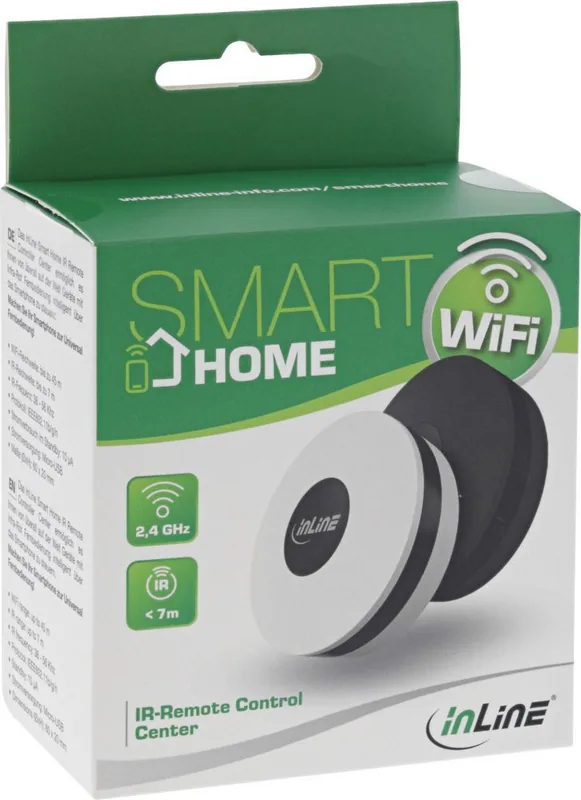
InLine SmartHome IR Control Center White: The Ultimate Smart Home Upgrade

Transform your living space with the InLine SmartHome IR Control Center white, a sleek device designed to modernize how you interact with your home electronics. This compact unit serves as a central hub for all your infrared remote controls, effectively replacing the clutter of multiple remotes on your coffee table. By integrating seamlessly into your existing WiFi network, it allows you to control televisions, air conditioners, stereo systems, and other IR-enabled devices directly from your smartphone or via voice commands.

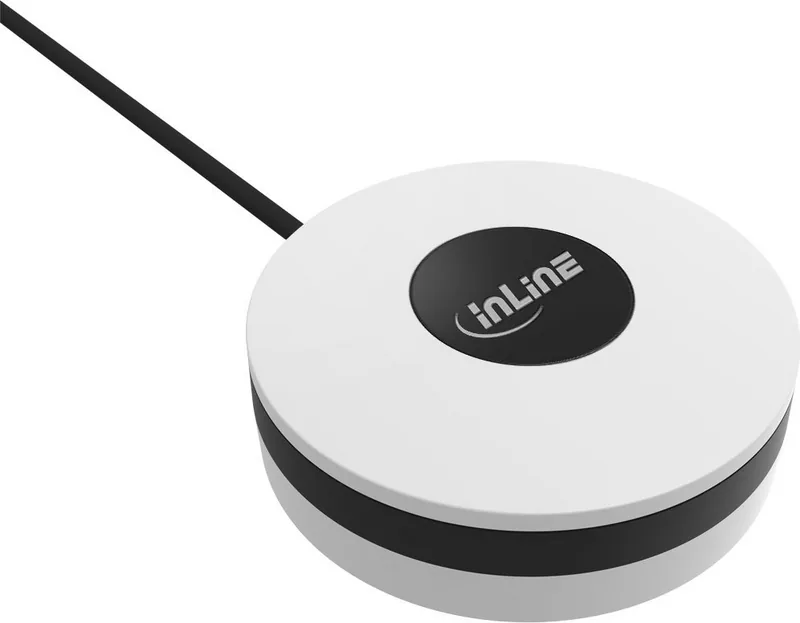
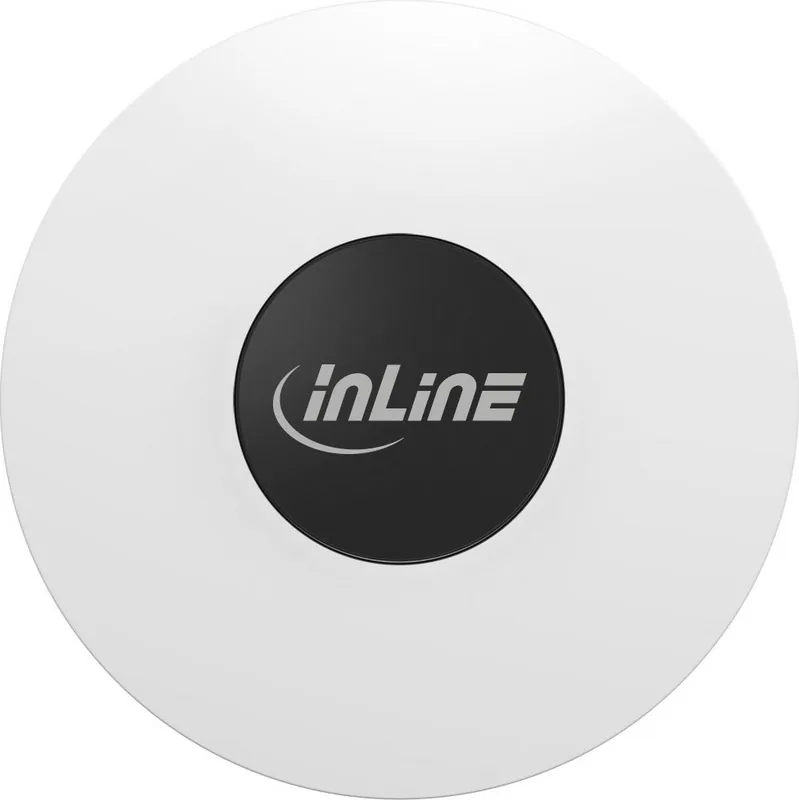
The device features a clean white finish that blends perfectly into any interior decor. Its small footprint, measuring just 60x20 mm, ensures it remains unobtrusive while delivering powerful functionality. With a range of up to 7 meters for IR signals, it covers most living areas when placed in a central location. The system supports both automatic scanning and manual configuration through the popular Smart Life app, making setup accessible for users of all technical levels.

Once connected, the InLine SmartHome IR Control Center white unlocks the potential of a fully automated home. You can create custom scenarios to turn off lights and lower blinds with a single tap, or integrate with Amazon Alexa and Google Assistant for hands-free operation. Whether you are managing a complex entertainment center or simply want to simplify your daily routine, this controller offers a reliable bridge between your legacy devices and modern smart technology.

Key Highlights

  • Universal Compatibility: Replaces multiple IR remotes for various brands.
  • Voice Control Ready: Works effortlessly with major voice assistants.
  • Easy Setup: Intuitive connection process via the Smart Life application.
  • Compact Design: Small dimensions fit anywhere without taking up space.

Important Notes

Ensure you have a stable 2.4 GHz WiFi network before starting installation. While the device includes a Micro-USB cable, an external 5V power adapter is required for continuous operation. Keep the device away from direct sunlight and moisture to maintain optimal performance.

M: QW-35-FL

© Copyright 2026 Manual.ly
