

InLine Smart Home 40153 Manual
PDF manual · 4 Pages
English



Quick check
Incorrect answer, please try again.
Chat with your InLine Smart Home 40153 manual using AI
Get instant AI answers from your InLine Smart Home 40153 manual
Ask anything about the InLine Smart Home 40153. Answers come from this manual, with the pages they are based on.
Ask a Question
Do you recommend Smart Home 40153?
Yes NoFrequently Asked Questions
The device uses one CR123A 3V Lithium battery. The battery status is displayed in the Smart Life app, and users should remove the protective foil from the contact before first use.
Is this answer helpful?
Yes, the detector is compatible with Amazon Alexa and Google Assistant, allowing you to integrate it into your voice-controlled smart home ecosystem for hands-free operation.
Is this answer helpful?
Download the Smart Life app, register, press the plus sign to add a device, select Security & Sensor, choose Sensor (WiFi), and hold the reset button for six seconds until the LED blinks.
Is this answer helpful?
The motion detector has a detection range of up to 7 meters for movement sensing and a signal range of up to 45 meters, provided there is clear line of sight.
Is this answer helpful?
No, the device requires an active internet connection via your router to function properly. Ensure both the router and the motion detector are powered on for connectivity.
Is this answer helpful?
The battery lasts approximately five years in standby mode and about two years if the sensor triggers seven times per day.
Is this answer helpful?
Advantages and Disadvantages
Advantages

- Long battery life with ultra-low standby power consumption.
- Easy setup process using the user-friendly Smart Life app.
- Compatible with Amazon Alexa, Google Assistant, and IFTTT for versatile automation.
Disadvantages

- Limited to 2.4GHz WiFi networks and does not support 5GHz bands.
- Requires manual battery replacement rather than rechargeable options.
- Detection range may be reduced significantly by thick walls or obstructions.
Product Specification
Type
Motion Detector
Sensors
Infrared
Alarm Zones
1
Standard
2.4GHz
Detection Range
13.12 ft to 19.69 ft
Power Supply
Battery (1x CR123A)
Operating Temperature
32°F to 104°F
Dimensions
Ø1.81x2.36 in
Weight
3.53 oz
Features
App-controlled
Product Description
Transform Your Home Security with the InLine SmartHome Motion Detector
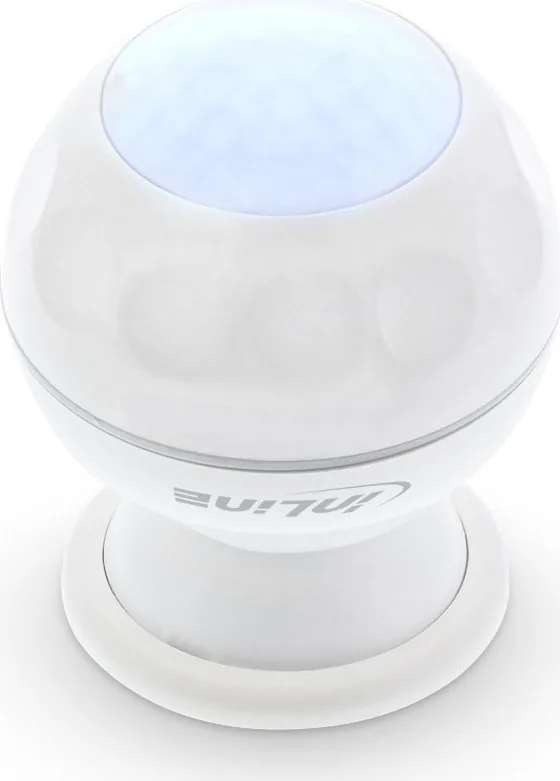
Elevate your home automation experience with the InLine SmartHome Motion Detector, a sleek and reliable device designed to keep your property safe while integrating seamlessly into your digital lifestyle. This white ABS+PC plastic sensor offers a modern aesthetic that blends effortlessly into any room, providing peace of mind through advanced motion detection technology.
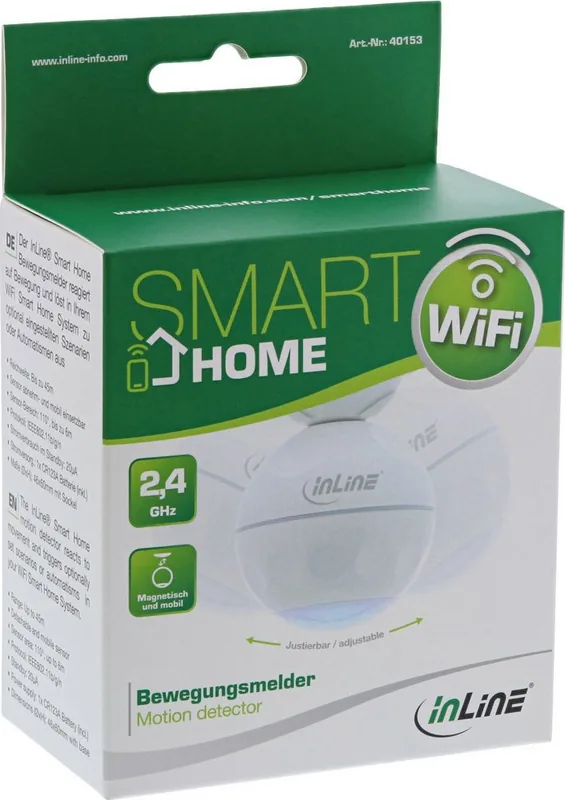
The detector operates on a single CR123A lithium battery, ensuring long-term performance without the hassle of constant wiring. With an impressive standby power consumption of just 13µA, this device is engineered for efficiency, offering a lifespan of approximately five years when idle or two years under active daily use. It communicates via WiFi at 2.4GHz using the IEEE802.11b/g/n protocol, allowing for a robust connection range of up to 45 meters in clear line-of-sight conditions.
Setting up your smart home has never been easier. By downloading the free Smart Life app available on both Android and iOS platforms, you can register, log in, and connect your detector in minutes. The intuitive interface guides you through pairing the device by pressing the reset button until the LED flashes, followed by selecting your network credentials. Once connected, the detector appears instantly in your device overview, ready for customization.
Beyond simple detection, this smart sensor opens doors to a world of possibilities. You can create custom automations within the app, such as triggering a siren when low battery status is detected or activating lights upon movement. The device is fully compatible with major voice assistants like Amazon Alexa and Google Assistant, as well as IFTTT, enabling complex cross-platform interactions. Whether you are setting up a security routine or simply automating your lighting, the InLine SmartHome Motion Detector delivers precision and reliability.
Important Notes
- Ensure your router supports 2.4GHz networks for optimal connectivity.
- Remove the protective foil from the battery contact before first use.
- Dispose of old batteries and devices at designated recycling centers, not household waste.
Pros and Cons
Pros
- Long battery life with ultra-low standby power consumption.
- Easy setup process using the user-friendly Smart Life app.
- Compatible with Amazon Alexa, Google Assistant, and IFTTT for versatile automation.
- Includes magnetic base and adhesive pad for flexible installation options.
- Clear visual feedback via LED indicator during setup and operation.
Cons
- Limited to 2.4GHz WiFi networks and does not support 5GHz bands.
- Requires manual battery replacement rather than rechargeable options.
- Detection range may be reduced significantly by thick walls or obstructions.
- No built-in siren; relies on external smart speakers or other devices for alerts.
- App interface may require initial configuration knowledge for advanced features.
Search for 67,706 Manuals online


Type-in Brand or Model