
InLine Quick Charge 3.0 80W 31510S Manual
PDF manual · 8 Pages
English



Quick check
Incorrect answer, please try again.
Chat with your InLine Quick Charge 3.0 80W 31510S manual using AI
Get instant AI answers from your InLine Quick Charge 3.0 80W 31510S manual
Ask anything about the InLine Quick Charge 3.0 80W 31510S. Answers come from this manual, with the pages they are based on.
Ask a Question
Do you recommend Quick Charge 3.0 80W 31510S?
Yes NoFrequently Asked Questions
It can charge compatible USB phones, tablets, accessories, and selected notebooks with the correct DC tip. Standard USB devices also work, but they may charge more slowly than Quick Charge or PD-compatible devices.
Is this answer helpful?
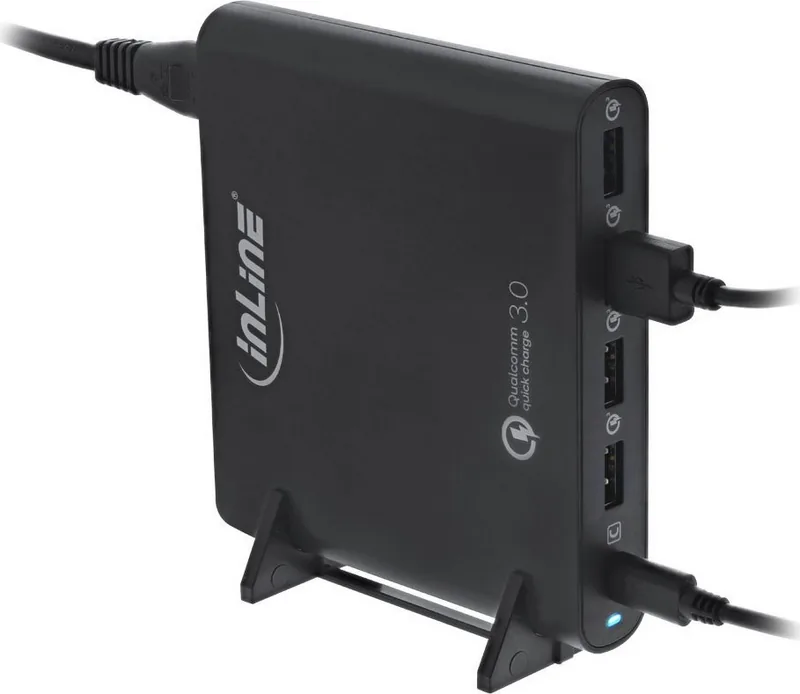
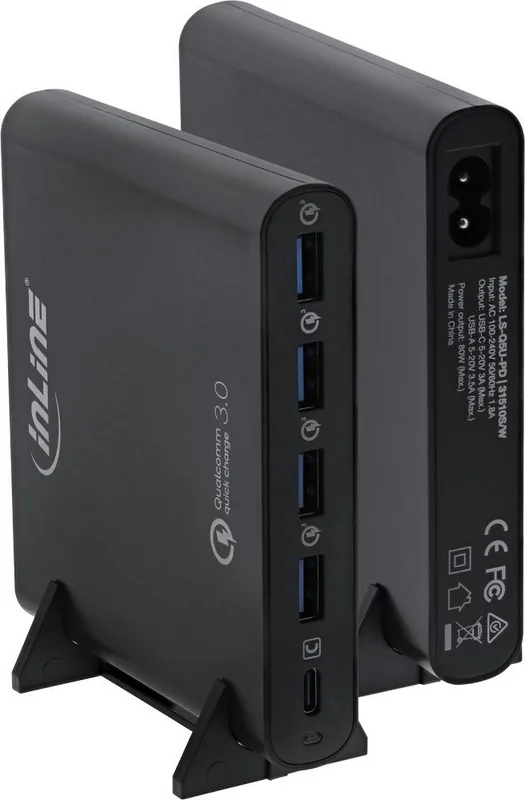
You can charge several devices at the same time using the four USB-A ports and one USB-C port. The total power is shared, so performance depends on how many devices are connected and what they require.
Is this answer helpful?
Yes. The USB-A ports support Qualcomm Quick Charge 3.0 and are backward compatible with Quick Charge 2.0. The USB-C port supports PD 2.0 for faster charging with compatible devices.
Is this answer helpful?
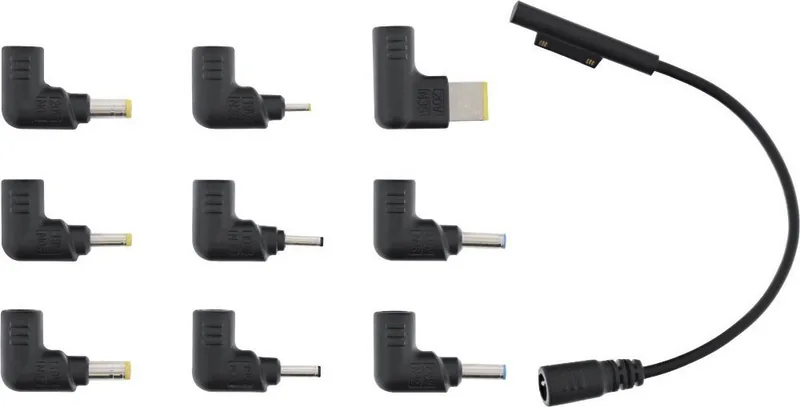
Yes. It includes notebook tips and an adapter cable for supported laptop models. You must choose the correct connector and stay within the allowed charging limits for safe operation.
Is this answer helpful?
The charger includes overcurrent, overvoltage, and short-circuit protection. It also shuts off automatically if it gets too warm and resumes charging after cooling down.
Is this answer helpful?
Use a dry, lint-free cloth to clean it. Avoid liquids and cleaning agents. Also inspect the housing before use and stop using it if you notice cracks or visible damage.
Is this answer helpful?
Advantages and Disadvantages
Advantages

- 80W total output supports multiple devices and notebook charging in one unit.
- 4x USB-A plus 1x USB-C offers broad everyday compatibility.
- Quick Charge 3.0 and USB-C PD 2.0 help speed up charging for supported devices.
- Included tips and cables make setup easier right out of the box.
Disadvantages

- Notebook charging depends on using the correct DC tip and compatible voltage.
- Maximum notebook charging power is limited to 70W on the USB-A notebook path.
- Designed for dry indoor use only, so it is not suitable for outdoor or humid environments.
Product Specification
Output
4x USB-A (female), 1x USB-C (female), max. 80W
Input
Power plug (via cable)
Features
Qualcomm Quick Charge 3.0, USB-PD 2.0
Product Description
InLine Quick Charge 3.0 USB-A/USB-C Notebook Charger Black Manual
The InLine Quick Charge 3.0 USB-A/USB-C Notebook charger black is built for users who want one compact power solution for everyday charging and mobile work. With a total output of up to 80W, it combines fast USB charging with notebook support, making it a practical choice for desks, travel bags, and shared workspaces. The black finish gives it a clean, professional look that fits easily into modern setups.
What makes this charger especially useful is its flexibility. It offers four USB-A ports and one USB-C port, so multiple devices can be powered at the same time. Compatible USB devices benefit from Quick Charge 3.0, while the USB-C connection supports PD 2.0 for faster charging of supported phones, tablets, and accessories. Even standard USB devices can be charged, though they will naturally take longer.
For notebook users, the included DC tips and adapter cable add a major advantage. Instead of carrying separate chargers for different devices, this unit can power select laptops through the proper connector. The internal voltage regulation and the wide AC input range help it adapt to different charging needs, while the built-in protection features add confidence during use. Overcurrent, overvoltage, and short-circuit protection work together to support safer daily charging.
Another strong point is convenience. The package includes a power cable, USB-C cable, adapter cable, notebook tips, and a stand, so you can set it up quickly without hunting for extra accessories. The unit is also relatively lightweight, which makes it suitable for mobile professionals and students who need a dependable charger that can do more than one job.
The keyword phrase InLine Quick Charge 3.0 USB-A/USB-C Notebook charger black Manual reflects exactly what this product is about: a versatile charging hub with notebook support, fast USB output, and straightforward operation. It is best suited for dry indoor use and should be kept away from heat, moisture, and physical damage. If you need a single charger that can handle several devices at once, this model offers a practical balance of speed, safety, and compatibility.
Notes
- Check the connector tip before charging a notebook.
- Do not exceed the recommended notebook charging power.
- Inspect the charger regularly for visible damage before use.
Search for 67,706 Manuals online


Type-in Brand or Model