
InLine Multi-Slot 76635I Manual
PDF manual · 4 Pages
English



Quick check
Incorrect answer, please try again.
Chat with your InLine Multi-Slot 76635I manual using AI
Get instant AI answers from your InLine Multi-Slot 76635I manual
Ask anything about the InLine Multi-Slot 76635I. Answers come from this manual, with the pages they are based on.
Ask a Question
Do you recommend Multi-Slot 76635I?
Yes NoFrequently Asked Questions
It is designed for internal installation in a desktop PC, giving front-access to multiple memory cards through a standard 3.5-inch bay.
Is this answer helpful?
It connects through an internal 9-pin USB 2.0 header on the motherboard. Correct orientation is essential before powering the system back on.
Is this answer helpful?
The listed compatibility includes Microsoft Windows XP, Vista, and 7 in 32-bit and 64-bit versions, plus Mac OS X 10.4 and later.
Is this answer helpful?
It is manageable for experienced PC users, but beginners should be cautious. If there is any doubt, a specialist or technician is recommended.
Is this answer helpful?
Verify the package contents, confirm the front cover fit, and make sure the internal USB plug is aligned correctly with the motherboard header.
Is this answer helpful?
An internal reader offers a cleaner look, permanent front-panel access, and less desk clutter, which is useful for regular card transfers.
Is this answer helpful?
Advantages and Disadvantages
Advantages

- Front-bay placement makes memory cards easy to reach from the front of the PC.
- Internal USB 2.0 connection keeps the setup neat and reduces cable clutter.
- Includes extra front covers, helping the reader match different case designs.
- Standard 3.5-inch mounting makes it a practical fit for many desktop builds.
Disadvantages

- Requires opening the case and careful installation, so it is not a simple external add-on.
- Wrong 9-pin orientation can damage the reader or the motherboard.
- USB 2.0 is functional, but not as fast as newer connection standards.
- Warranty does not cover cosmetic defects or missing parts, so inspection is important.
Product Specification
Type
USB-Hub, Cardreader
Form factor
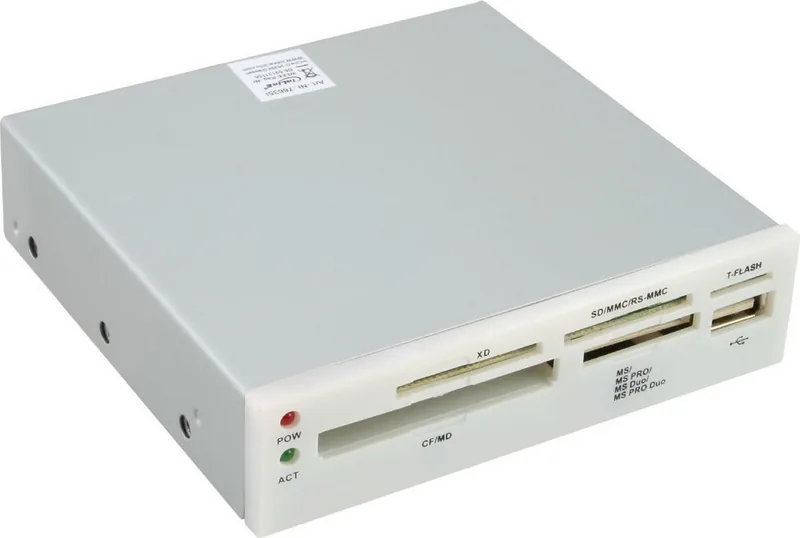
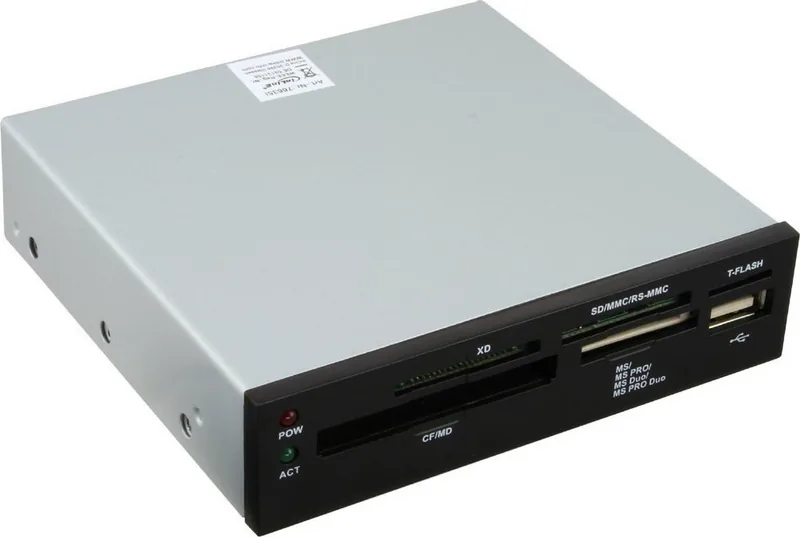
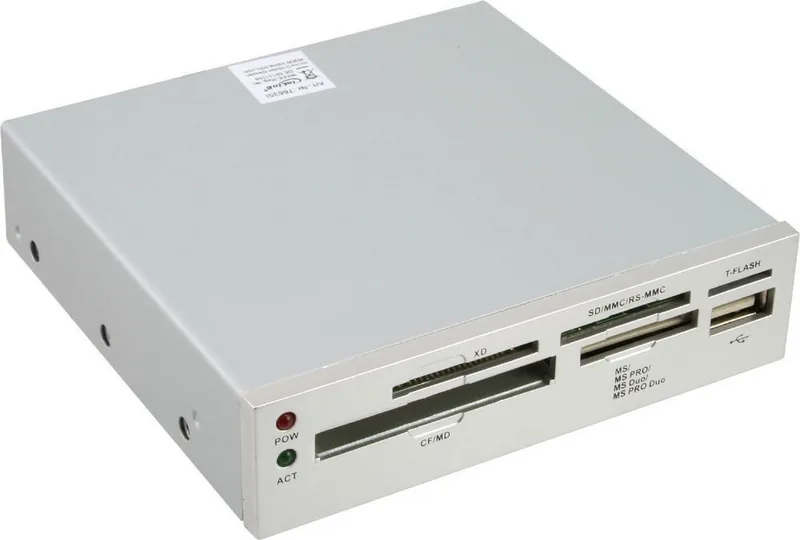
1x slot-in module (3.5", with exchangeable front panel)
Connection
1x USB 2.0 9-Pin socket (plug via cable, 480Mb/s)
Ports
1x USB-A 2.0 (female), 1x microSD, 1x SD Card, 1x xD-Picture Card, 1x Memory Stick, 1x CompactFlash
Transfer
1x USB-A 2.0 (female, 480Mb/s), 1x microSD (microSD), 1x SD Card (SD Card, RSMMC), 1x xD-Picture Card, 1x Memory Stick (Memory Stick PRO Duo, Memory Stick Duo, Memory Stick PRO), 1x CompactFlash (Type I, Type II/Microdrive)
Power supply
Power supply only via connection
Case color
grey, black
Compatibility
universal
USB specification
Link
Product Description
InLine Multi-Slot Card Reader, USB 2.0 9-Pin Socket [Plug] Manual
A compact front-bay upgrade for everyday memory cards
The InLine Multi-Slot Card Reader is a practical internal accessory for desktop users who want faster access to removable storage without adding clutter to the outside of the case. Designed for a standard 3.5-inch drive bay, it places card slots where they are easiest to reach: on the front panel of the computer.
Built for clean integration
Its internal USB 2.0 connection uses a 9-pin header, making it a neat match for compatible motherboards. Once installed, the reader blends into the system like a native component rather than a separate add-on. That makes it a smart choice for home PCs, office machines, and media setups where a tidy look matters as much as convenience.
Everyday value for card users
This type of reader is especially helpful for people who regularly transfer photos, files, and media from memory cards. Instead of using an external adapter or reaching behind the tower, the front-mounted slots make routine work quicker and more organized. It is a small hardware upgrade, but one that can save time every day.
Installation with care
The product is straightforward for experienced builders, but it still requires attention. The computer must be fully powered down and disconnected from the mains before the case is opened. The reader mounts into the empty bay, and the 9-pin USB plug must be aligned correctly with the motherboard header. Incorrect placement can damage both the reader and the board.
Design details that matter
The package includes mounting screws and additional front covers in different colors, helping the unit match different case styles. Cable routing is also important, since loose wires should never interfere with fans or moving parts. Once installed correctly, the result is a clean front panel and easy access to multiple memory formats.
Why it stands out
The InLine Multi-Slot Card Reader, USB 2.0 9-Pin Socket [Plug] Manual focuses on simplicity, compatibility, and convenience. It is ideal for users who want dependable front-panel access to cards while keeping the desktop setup organized and professional.
Notes
- Check the motherboard header orientation before connecting.
- Keep cables secured and clear of fans.
- Inspect the package contents before installation.
Search for 67,706 Manuals online


Type-in Brand or Model
Sofia Kessler
10 months ago
Is this product reliable and does it really offer good value for the price?
Manual.ly
10 months ago
Based on customer feedback, users report very reliable performance and consistent functionality. Many reviewers also mention that it is surprisingly affordable compared with similar products, so you get strong features without paying a premium. In short: reliability and value for money are the most frequently praised aspects. If you want, check the product specifications and recommended usage to ensure it matches your needs, but for general day-to-day use, the overall sentiment is positive.