
InLine DisplayPort to 2x HDMI 57821A Manual
PDF manual · 3 Pages
English



Quick check
Incorrect answer, please try again.
Chat with your InLine DisplayPort to 2x HDMI 57821A manual using AI
Get instant AI answers from your InLine DisplayPort to 2x HDMI 57821A manual
Ask anything about the InLine DisplayPort to 2x HDMI 57821A. Answers come from this manual, with the pages they are based on.
Ask a Question
Do you recommend DisplayPort to 2x HDMI 57821A?
Yes NoFrequently Asked Questions
It converts a single DisplayPort output into two HDMI outputs, allowing you to mirror (clone) the same image on two displays or extend your desktop across both screens as a simple video wall.
Is this answer helpful?
Most setups work without external power, but the adapter includes an option to connect a 5V USB power supply if the host’s DisplayPort cannot provide sufficient power or if connected devices draw extra current.
Is this answer helpful?
The splitter supports common resolutions up to 1920x1080 per monitor and combined 3840x1080 in extended mode. A range of other resolutions is supported, but some older graphics drivers or hardware may not support every listed resolution.
Is this answer helpful?
No. The device is plug-and-play and relies on the operating system’s display settings. Configure clone or extend modes via your computer’s display control panel.
Is this answer helpful?
Yes. It is compatible with both PC and Mac systems, provided the host’s DisplayPort output and graphics hardware support the chosen display modes and resolutions.
Is this answer helpful?
Clean with a dry, lint-free cloth and avoid liquid cleaners. Do not open or disassemble the unit. Store and operate it indoors, away from direct sunlight, extreme temperatures, and humidity.
Is this answer helpful?
Do not dispose of the device or batteries with household waste. Return electronic equipment and batteries to designated public collection points or the point of sale according to local regulations; recycle packaging when possible.
Is this answer helpful?
Advantages and Disadvantages
Advantages

- Plug-and-play operation with PC and Mac—no drivers required
- Supports clone and extended/video-wall modes for flexible display setups
- Provides two HDMI outputs from a single DisplayPort input
- Optional USB 5V power support for systems needing extra power
- Compact, low-maintenance design—clean with a dry, lint-free cloth
Disadvantages

- Maximum single-monitor resolution typically limited to 1920x1080
- Some older GPUs or drivers may not support all listed resolutions
- No built-in advanced scaling or EDID management features
- Not intended for outdoor use or exposure to moisture
- Disassembly voids warranty and may damage the unit
Product Specification
Video Inputs
1x DisplayPort In
Video Outputs
2x HDMI Out
Resolutions up to
3840x2160
Product Description
InLine DisplayPort to 2x HDMI Splitter/Verteiler Manual
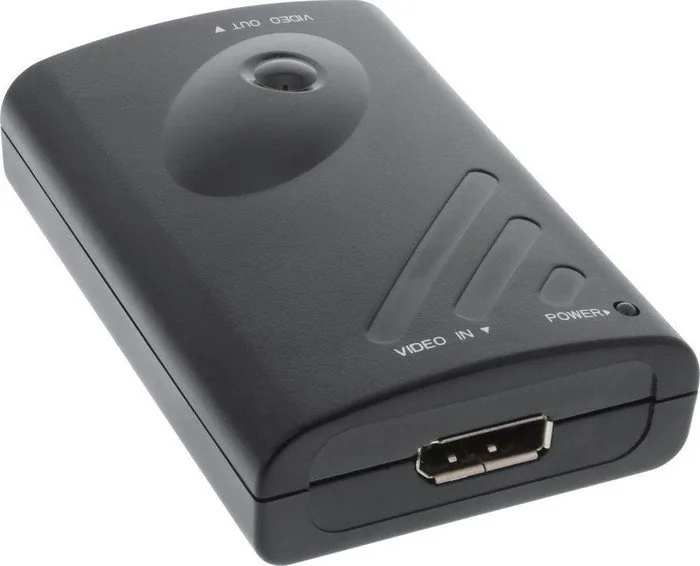
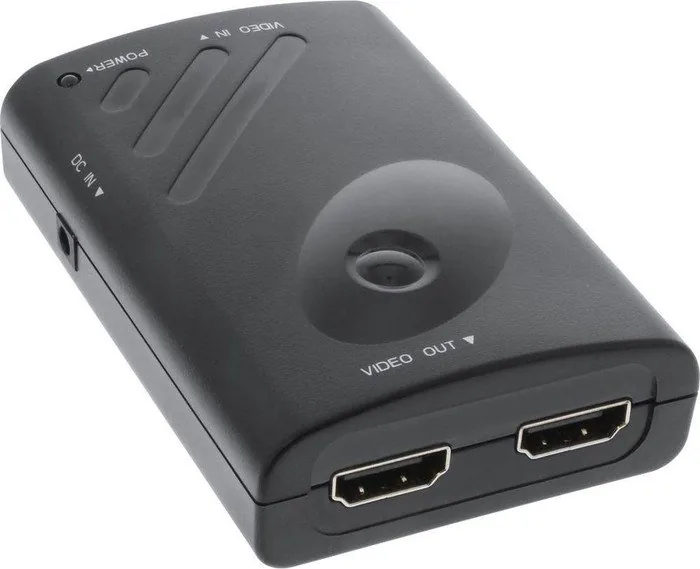
The InLine DisplayPort to 2x HDMI splitter/Verteiler is a compact, plug-and-play adapter designed to expand a single DisplayPort output into two HDMI displays. Ideal for home offices, small digital signage setups, or multimedia workstations, this device supports both clone and extended (video wall) modes so you can either mirror the same image on two screens or stretch a single desktop across both. No additional software is required, and it’s compatible with PC and Mac systems.
Built for simplicity, the splitter uses a single DisplayPort female input and provides two HDMI female outputs. It can operate without an external power source in many setups, though an optional 5V USB power supply is supported for systems that require extra power. The device handles Full HD resolutions on individual displays (1920x1080) and supports up to a combined 3840x1080 in extended mode. A range of common resolutions is supported for various monitor aspect ratios.
Setup is straightforward: connect the DisplayPort cable from your computer to the converter, plug the HDMI cables to up to two monitors, and optionally power the unit with the supplied USB cable if needed. The splitter respects the host computer’s display settings, so toggling between clone and extension modes is managed from the operating system’s display settings. It is designed to be maintenance-free—clean with a dry, lint-free cloth and avoid liquids and harsh cleaners.
Safety and proper use are emphasized: do not disassemble the unit, avoid exposure to moisture, direct sunlight, and extreme temperatures, and only use it indoors. At end of life, follow local regulations for disposing of electronic equipment and batteries; do not discard with household waste.
Notes:
- Supports clone and extend modes; maximum per-monitor resolution typically 1920x1080.
- Optional USB power may be required for some systems.
- Plug-and-play compatibility with most modern PCs and Macs.
- Some older graphics drivers or hardware may not support all listed resolutions.
Search for 67,706 Manuals online


Type-in Brand or Model