
InLine Design 55369A Manual
PDF manual · 2 Pages
English



Quick check
Incorrect answer, please try again.
Chat with your InLine Design 55369A manual using AI
Get instant AI answers from your InLine Design 55369A manual
Ask anything about the InLine Design 55369A. Answers come from this manual, with the pages they are based on.
Ask a Question
Do you recommend Design 55369A?
Yes NoFrequently Asked Questions
No, the InLine Design Keyboard is plug-and-play. It connects via USB and is automatically recognized by Windows, Mac, and Linux systems without needing additional software.
Is this answer helpful?
The included USB cable is approximately 1.5 meters long, providing ample reach for typical desk setups.
Is this answer helpful?
No, the keyboard is designed for indoor use only. Exposure to weather elements like rain or direct sunlight can damage the device.
Is this answer helpful?
Use a dry, soft, velvety cloth to wipe the keys and surface. Do not use water or liquid cleaning fluids as they can harm the internal electronics.
Is this answer helpful?
Yes, the keyboard is compatible with Mac operating systems, as well as Windows 7/8/10 and Linux.
Is this answer helpful?
Advantages and Disadvantages
Advantages

- Anti-slip buttons with rough surface enhance grip and reduce typing fatigue
- Plug-and-play USB connection requires no driver installation on most systems
- Eight preset function keys enable quick access to browsers, email, and media controls
Disadvantages

- Non-detachable 1.5m USB cable may limit placement flexibility compared to wireless options
- Not suitable for outdoor use due to lack of weather resistance
- Requires careful cleaning with dry cloth only to avoid damaging electronics
Product Specification
Layout
DE
Type
Rubber Dome
Lighting
N/A
Keycap Level
regular, with frame, chiclet
Keycap Format
flat
Keycap Dome
straight
Number Pad
Standard
Cursor Block
Standard
Control Keys
Standard
Enter Key
shortened
Delete Key
Standard
Status Indicator
Capslock, Num, Scroll
Wrist Rest
N/A
Case
Plastic
Case Color
solid, black
Keycap Material
ABS, solid, black
Key Label
solid, white
Connection
wired (5.9ft), USB-A 2.0
Power Supply
USB
Dimensions (WxDxH)
17.52x0.98x6.3in
Features
8 multimedia keys
Product Description
Elevate Your Typing Experience with the InLine Design Anti-Slip Keyboard
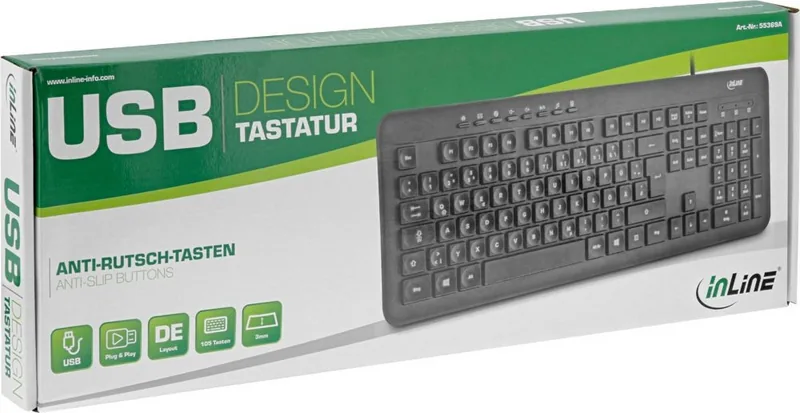
The InLine Design Anti-Slip Buttons Keyboard USB DE is a robust input solution designed for users who demand reliability and comfort in their daily computing tasks. Manufactured by INTOS ELECTRONIC AG, this keyboard combines sleek aesthetics with functional durability, making it an ideal choice for both home offices and professional environments. Its black finish and compact yet full-size layout ensure it fits seamlessly onto any desk without cluttering your workspace.
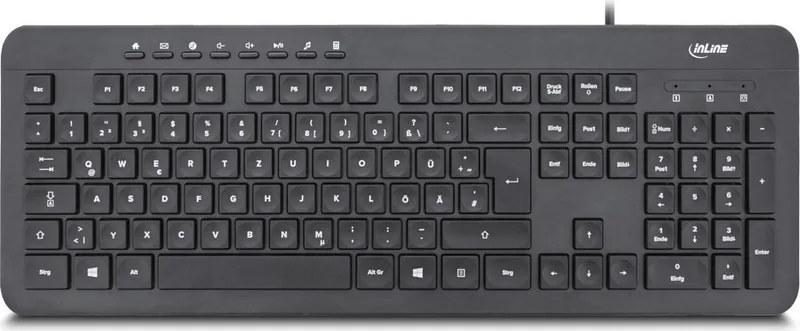
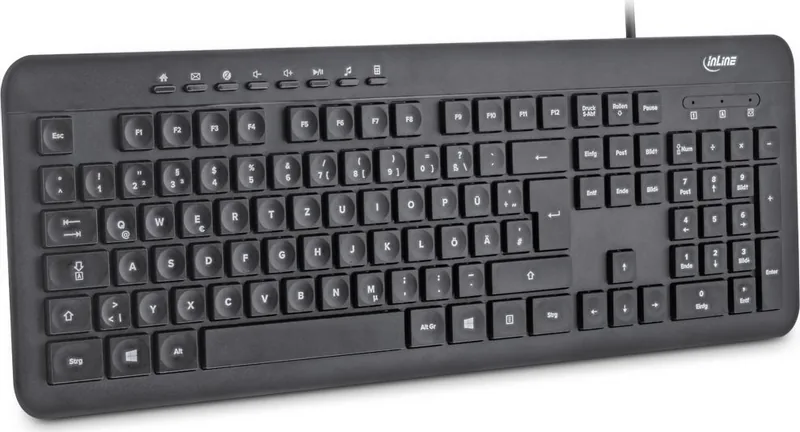
At the heart of this device lies a high-quality ABS material construction that promises longevity. The keys feature a unique anti-slip design with a rough surface texture, providing enhanced grip even during intense typing sessions or rapid data entry. Standing at only 3mm in height, the flat keys offer a modern, low-profile feel that reduces finger strain while maintaining responsive feedback. The inclusion of 105 keys ensures you have a complete set including a numeric keypad, catering to those who rely on numerical input frequently.
Connectivity is straightforward and hassle-free. Equipped with a 1.5-meter USB cable, the keyboard plugs directly into your computer without requiring any additional driver installations. It is universally compatible with Windows 7, 8, and 10, as well as Mac and Linux operating systems. Once connected, the system automatically recognizes and initializes the device, allowing you to start working immediately.
Productivity is further boosted by eight dedicated function keys programmed for quick access to essential applications. These shortcuts allow you to open your standard web browser, launch email clients, control audio volume, play or pause music, access the calculator, and toggle sound settings with a single press. Three distinct LED indicators provide clear visual status updates for Caps Lock, Num Lock, and Scroll Lock functions, ensuring you never lose track of your keyboard state.
Proper care is simple; a dry, velvety cloth is all that is needed for cleaning. Avoid water or liquid cleaners to protect the internal electronics. This device is intended for indoor use only and should not be disassembled. Remember to dispose of electronic waste responsibly according to local regulations.
Important Notes
- Always check the delivery contents for completeness upon arrival.
- Keep the keyboard away from extreme heat, dust, and moisture.
- Do not attempt to repair or modify the unit yourself.
Search for 67,706 Manuals online


Type-in Brand or Model