
InLine AmpUSB Manual
PDF manual · 18 Pages
English



Quick check
Incorrect answer, please try again.
Chat with your InLine AmpUSB manual using AI
Get instant AI answers from your InLine AmpUSB manual
Ask anything about the InLine AmpUSB. Answers come from this manual, with the pages they are based on.
Ask a Question
Do you recommend AmpUSB?
Yes NoFrequently Asked Questions
It is a USB DAC and headphone tube amplifier used to convert digital audio from a computer or compatible mobile device into amplified headphone or line output. It is designed for higher-quality listening than standard sound outputs.
Is this answer helpful?
Yes. It supports PCM playback up to 384 kHz/32-bit and DSD128. It also supports DSD native and DoP, making it suitable for high-resolution music libraries and advanced playback setups.
Is this answer helpful?
Windows users need to install the included driver. Mac users do not need a driver installation. For the best playback experience, additional media software such as JRiver Media Center can be used.
Is this answer helpful?
No. The device requires the included 12V DC power adapter to operate. USB alone is not enough for hardware power, even though it connects to the computer through USB for audio data.
Is this answer helpful?
It supports headphones with impedances from 16 to 600 ohms. You can connect them using either the 3.5 mm or 6.3 mm stereo headphone outputs, depending on the plug size you use.
Is this answer helpful?
Yes, with the right adapters. iOS devices need an optional camera kit adapter, and Android devices need an optional OTG adapter. You also need compatible audio apps for DSD playback.
Is this answer helpful?
Advantages and Disadvantages
Advantages

- Supports PCM up to 384 kHz/32-bit and DSD128 for high-resolution playback.
- Includes both 3.5 mm and 6.3 mm headphone outputs plus line out and optical S/PDIF.
- Works with Windows, Mac, and select mobile devices using adapters.
- Metal housing, analog volume control, and pop-noise suppression improve usability.
Disadvantages

- Needs the external 12V power adapter; USB power alone is not enough.
- Windows setup requires driver installation and may need extra configuration for best DSD playback.
- Mobile use depends on optional adapters and compatible apps.
- Some advanced software features rely on paid or separate media apps.
Product Specification
Type
D/A converter, Headphone amplifier
D/A converter PCM
32bit/384kHz
D/A converter DSD
DSD128
Output power
210mW (16Ω), 190mW (32Ω)
Signal-to-noise ratio (SNR)
110dB
Outputs
Headphones (3.5mm jack), Headphones (0.25in jack)
Other connections
USB-B
Power supply
Mains operation
Special features
Volume control
Color
silver
Dimensions
3.19x3.15x4.33in (WxHxD)
Product Description
InLine AmpUSB: High-Resolution Headphone Listening Made Simple
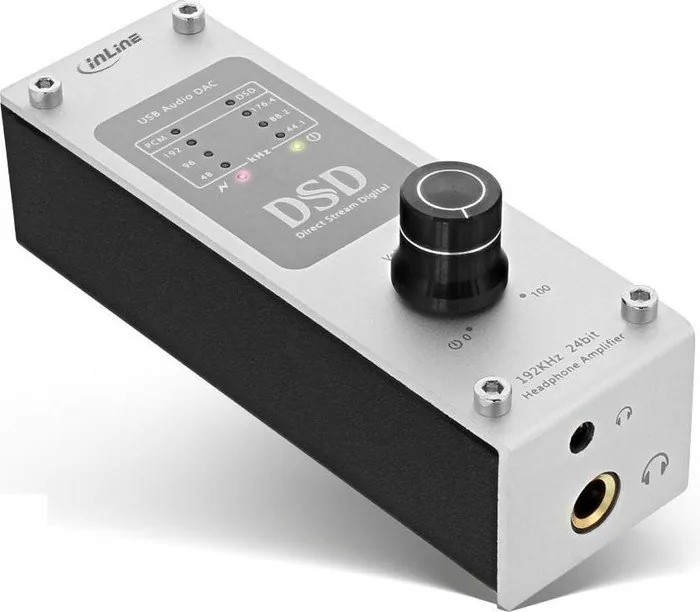
The InLine AmpUSB Manual introduces a compact but capable USB DAC and headphone tube amplifier designed for listeners who want better sound from a PC, notebook, or compatible mobile device. It combines digital-to-analog conversion, headphone amplification, and flexible output options in one sturdy metal unit, making it a practical upgrade for anyone moving beyond basic onboard audio.
At its core, the AmpUSB is built for high-resolution playback. It supports PCM up to 384 kHz/32-bit and DSD128, including native DSD and DoP modes. That means it can handle demanding audio libraries with detail and clarity, while its asynchronous USB design helps maintain stable signal transfer. The included Cirrus Logic DAC chip and dedicated headphone amp are meant to deliver clean output with enough power for a wide range of headphones, from 16 to 600 ohms.
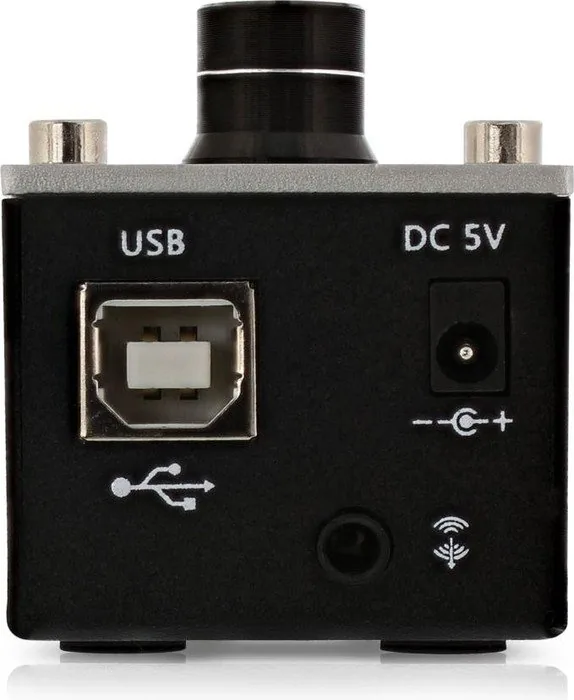
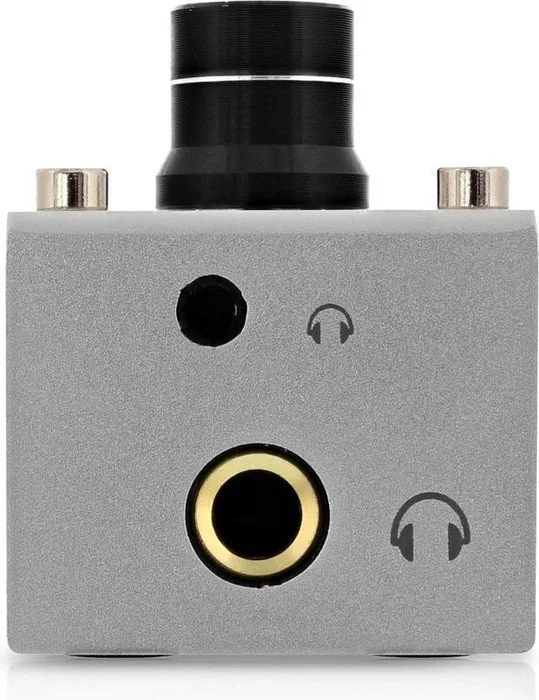
One of the most appealing aspects of the device is its versatility. You get both 3.5 mm and 6.3 mm headphone outputs, plus a combined line out / S/PDIF optical output for connecting to other audio gear. A physical volume knob gives direct control, while status LEDs show PCM or DSD playback and signal activity. The pop-noise suppression feature is a thoughtful touch, helping protect your listening experience during startup and shutdown.
Setup is straightforward on Windows, with driver installation provided on the included disc, while Mac users can use the unit without extra driver software. The AmpUSB also works with iOS and Android devices when paired with the right adapters, expanding its use beyond desktop systems. For users who want more advanced playback management, the bundled JRiver Media Center license adds value and makes high-resolution listening easier to configure.
Why it stands out
The InLine AmpUSB is not just about technical specifications; it is about improving everyday listening. Whether you use it for music production, critical listening, or simply enjoying albums with more depth, it serves as a bridge between digital files and a more engaging headphone experience. Its blend of tube-inspired design, modern digital support, and practical connectivity makes it a strong option for audio enthusiasts who want convenience without sacrificing quality.
Notes
- Requires the included 12V power adapter for operation.
- Best results come from proper driver and playback software setup.
- Compatible DSD apps may require separate purchases on mobile platforms.
Search for 67,706 Manuals online


Type-in Brand or Model
mlloyd64
10 months ago
How do I set up the InLine AmpUSB if I do not have a CD drive (and the software in the package seems outdated)? Are the USB and power cables long enough for a normal desk setup?
Manual.ly
10 months ago
In most cases you can use the AmpUSB right away via USB as a plug-and-play output, without needing the included CD. The bundled software is mainly for special configuration with certain players; if the download you find does not match the manual, use the audio software version that corresponds to what you installed (and the activation key that comes with the box), or download the correct current version from the vendor's site. If you still cannot match the steps, support can help you find the right version/settings. One practical point from testers: the included USB and power cables are quite short, so you may need a longer USB cable and/or a power strip to comfortably place the amp on your desk.