
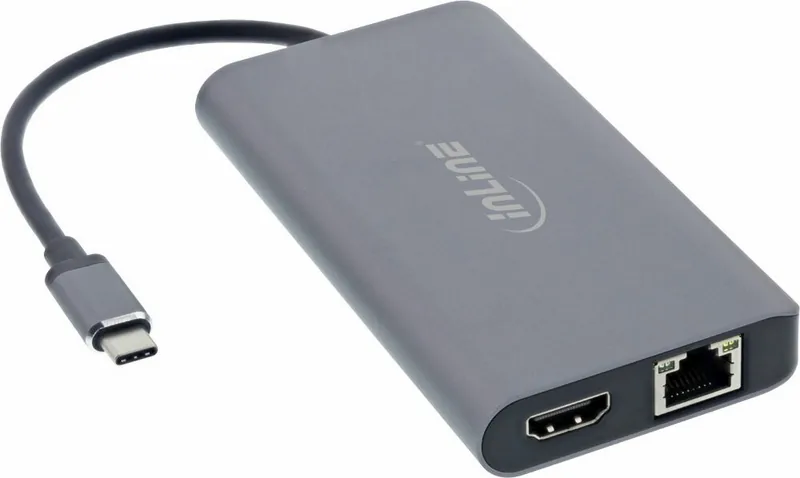
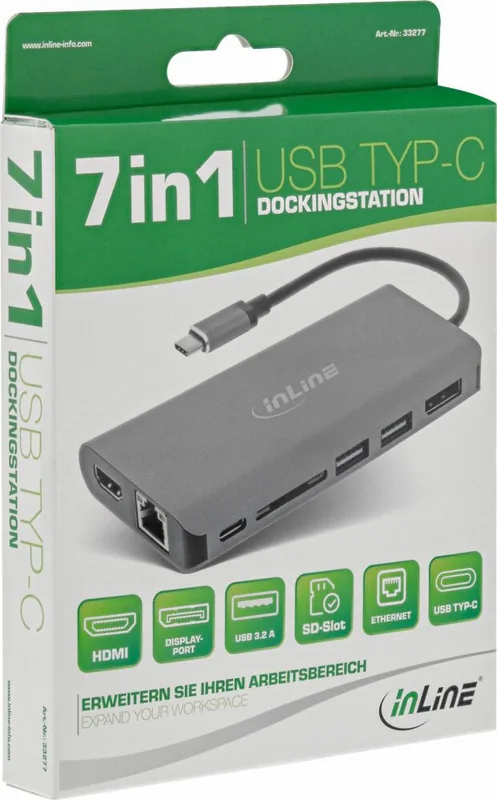
InLine 7-in-1 USB-C 33277 Manual
PDF manual · 12 Pages
English



Quick check
Incorrect answer, please try again.
Chat with your InLine 7-in-1 USB-C 33277 manual using AI
Get instant AI answers from your InLine 7-in-1 USB-C 33277 manual
Ask anything about the InLine 7-in-1 USB-C 33277. Answers come from this manual, with the pages they are based on.
Ask a Question
Do you recommend 7-in-1 USB-C 33277?
Yes NoFrequently Asked Questions
It provides HDMI, DisplayPort, two USB-A 3.2 ports, an SD 2.0 card reader, Gigabit RJ45 Ethernet, and a USB-C port with Power Delivery 3.0 support.
Is this answer helpful?
Yes. HDMI and DisplayPort can be used simultaneously for Full HD 1920 x 1080 at 60 Hz in MST mode on compatible systems. Multi-display support depends on the operating system and USB-C capabilities of the host device.
Is this answer helpful?
Yes. The HDMI and DisplayPort outputs are specified to support video up to 4K at 30 Hz when used individually. Actual output can depend on the connected computer, display, cable, and operating system.
Is this answer helpful?
No. The dock is designed for plug-and-play operation on supported systems. Connect it to a compatible USB-C port and the available functions should be recognized automatically.
Is this answer helpful?
Yes, it supports USB-C PD 3.0 pass-through charging with a compatible external USB-C power supply. It supports power supplies up to 100 W, but the actual charging level depends on the host device and power adapter.
Is this answer helpful?
The dock supports compatible USB-C devices with USB 3.2 Gen 1 and DisplayPort Alt Mode. Listed operating systems include Windows 7 and later, macOS 10.15 and later, iPadOS 13 and later, and Android 9 and later.
Is this answer helpful?
Advantages and Disadvantages
Advantages

- Adds HDMI, DisplayPort, two USB-A ports, SD card reading, Gigabit Ethernet, and USB-C PD through one USB-C connection.
- Supports dual Full HD displays at 60 Hz in MST mode, helping expand a compatible Windows workspace.
- Provides Gigabit wired networking and SD 2.0 card transfers up to 60 MB/s for convenient daily connectivity.
- Offers PD 3.0 pass-through charging up to 100 W with a compatible external power supply.
- Works without separate driver installation on supported Windows, macOS, iPadOS, and Android devices.
Disadvantages

- Video output requires a host USB-C port with DisplayPort Alt Mode support.
- Maximum stated resolution for each HDMI or DisplayPort output is 4K at 30 Hz.
- Dual-monitor use and extended desktop options vary by operating system and host-device capabilities.
- The docking station does not include an external USB-C power supply.
- The two USB-A ports share a maximum data bandwidth of 5 Gb/s.
Product Specification
Type
LAN adapter, USB hub, card reader, video adapter
Form factor
1 x external wired (connection cable not detachable)
Interface
1 x USB-C 3.0 (plug via cable, 5 Gb/s, USB-C with DisplayPort 1.2, USB PD 3.0 max. 100 W)
Connections
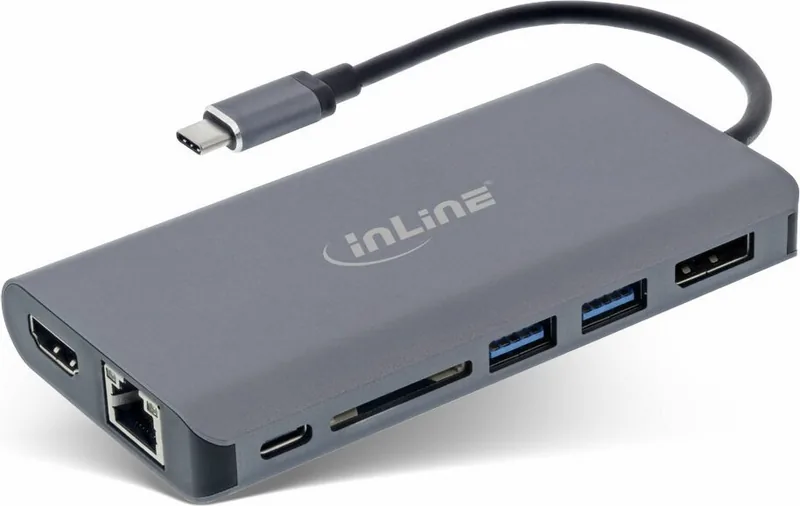
1 x RJ-45, 1 x USB-C 3.0 (port), 2 x USB-A 3.0 (ports), 1 x SD card, 1 x HDMI (port), 1 x DisplayPort (port)
Data transfer
1 x RJ-45 (10/100/1000Base-T), 1 x USB-C 3.0 (port, 5 Gb/s), 2 x USB-A 3.0 (ports, 5 Gb/s), 1 x SD card (SD card), 1 x HDMI (port, max. 3840 x 2160 at 30 Hz), 1 x DisplayPort (port, max. 3840 x 2160 at 30 Hz)
Power supply
Power supplied via interface, power input (1 x USB-C port, USB PD 3.0, max. 20 V/5 A/100 W), external power adapter possible but not included
Case color
gray
Compatibility
universal
USB notation
Link
Product Description
InLine 7-in-1 Docking Station, USB-C 3.0 Plug - Read, Download & Print Free
The InLine 7-in-1 Docking Station is a practical connectivity upgrade for laptops, tablets, and compact computers that rely on a USB-C port. Designed for modern workspaces, it brings display output, network access, USB peripherals, card reading, and power delivery together in one compact hub. It is especially useful for Ultrabooks and other devices with limited built-in connections.
One USB-C Connection, Seven Useful Interfaces
Connect the docking station to a compatible USB-C port with USB 3.2 Gen 1 and DisplayPort Alt Mode support, then attach essential accessories with minimal setup. The available connections include HDMI, DisplayPort, two USB-A 3.2 ports, an SD 2.0 card reader, Gigabit Ethernet, and a USB-C port supporting Power Delivery 3.0. The system recognizes the dock automatically, so no separate driver installation is required.
For office work, home setups, and flexible desks, the dual display capability is a key benefit. HDMI and DisplayPort can be used together for a Full HD 1920 x 1080 display at 60 Hz in MST mode. Individual display outputs support video resolutions up to 4K at 30 Hz, helping create a sharper workspace for documents, web research, presentations, and media.
Built for Productive Daily Use
Two USB-A 3.2 ports provide up to 5 Gb/s shared data bandwidth for accessories such as a mouse, keyboard, printer, or USB storage device. The SD card reader supports read and write speeds of up to 60 MB/s, offering a convenient way to access compatible memory cards. Gigabit RJ45 Ethernet adds a dependable wired network connection with 10/100/1000 Mb/s support.
The USB-C port supports PD 3.0 pass-through charging with compatible external power supplies up to 100 W. This makes it easier to keep a compatible notebook powered while connecting displays and everyday peripherals through the same docking solution. Compatibility includes Windows 7 and later, macOS 10.15 and later, iPadOS 13 and later, and Android 9 and later.
A Neat Addition to Your Desk
The InLine dock helps reduce cable clutter while making frequently used ports easier to reach. It can be connected while the host device is running, making it suitable for quick transitions between mobile and desk-based work. For best results, confirm that the host USB-C port supports DisplayPort Alt Mode and that its charging and display capabilities meet your intended setup.
Notes
- Dual-monitor behavior depends on the operating system and host device capabilities.
- Keep the dock away from excessive heat, dust, and moisture.
- Clean only with a dry, soft cloth; do not use liquids or cleaning agents.
- Do not disassemble the unit or use it outdoors.
Search for 67,706 Manuals online


Type-in Brand or Model