
InLine 33051S Manual
PDF manual · 2 Pages
English



Quick check
Incorrect answer, please try again.
Chat with your InLine 33051S manual using AI
Get instant AI answers from your InLine 33051S manual
Ask anything about the InLine 33051S. Answers come from this manual, with the pages they are based on.
Ask a Question
Do you recommend 33051S?
Yes NoVideo Manual
Be Sure to Use the Correct Audio Port!
Frequently Asked Questions
The adapter is compatible with Windows XP, Vista, 7, 8, 10 and Mac OS 8.6 or later. Most systems will recognize the device using built-in drivers without additional software.
Is this answer helpful?
No. The device is designed for Plug & Play operation and is usually recognized automatically. If issues occur, check your OS audio settings and, on macOS, reset the audio input/output preferences.
Is this answer helpful?
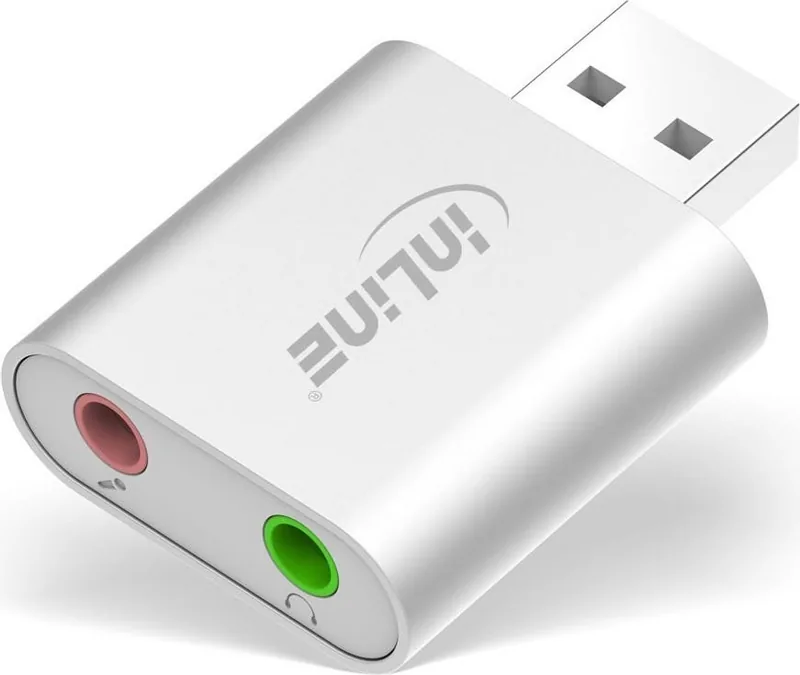
It features a 3.5 mm stereo jack for audio output (headphones/speakers) and a 3.5 mm mono jack for microphone input, compatible with standard analog audio connectors.
Is this answer helpful?
Clean with a dry, lint-free cloth and avoid using cleaning agents or solvents. Keep the adapter indoors, away from moisture, direct sunlight, and extreme temperatures.
Is this answer helpful?
No. The manufacturer advises against disassembling the unit. There are no user-serviceable parts, and attempting repairs may void warranties or damage the device.
Is this answer helpful?
Dispose of the adapter and its packaging according to local electronic waste and recycling regulations to ensure environmentally responsible handling.
Is this answer helpful?
The adapter is intended for basic audio I/O tasks like playback, voice chat, and simple recordings. It uses a compact C-Media chipset and lacks advanced features required for high-end professional audio production.
Is this answer helpful?
Advantages and Disadvantages
Advantages

- Plug & Play convenience — works without extra drivers on Windows and macOS.
- Compact aluminum housing — small footprint and modest durability.
- Universal 3.5 mm jacks — compatible with standard headphones and microphones.
- Wide OS compatibility — supports Windows XP through Windows 10 and Mac OS 8.6+.
- Useful as a replacement or backup for broken onboard audio ports.
Disadvantages

- Mono microphone input — may limit advanced recording setups.
- Not weatherproof — only for dry, indoor use.
- No advanced audio controls or software bundled.
- Limited to basic audio quality from a small C-Media chipset.
- Do not disassemble — no user-serviceable parts.
Product Specification
Type
USB Audio Adapter
Inputs
Mic In (3.5mm Jack)
Outputs
Headphones (3.5mm Jack)
Power Supply
USB
Color
white
Product Description
InLine USB Audio Soundkarte Manual — Compact USB Sound Adapter
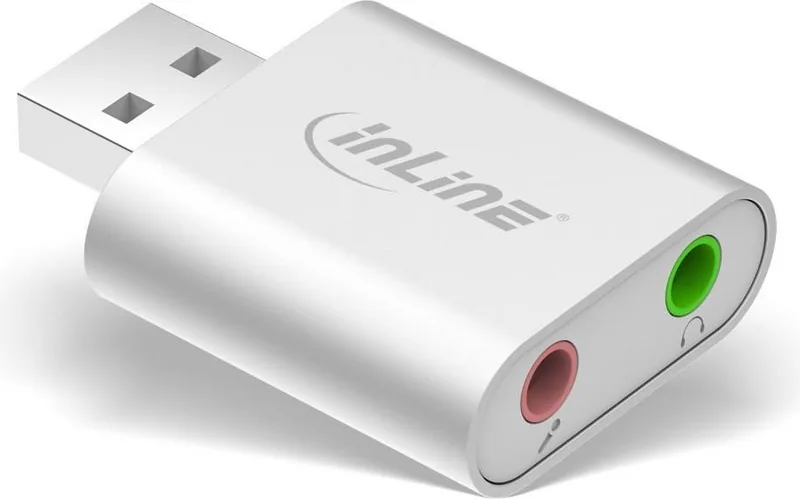
The InLine USB Audio Soundkarte is a compact, plug-and-play USB audio adapter designed to add or replace audio I/O on computers. Housed in a mini aluminum case and powered by a C-Media chipset, this adapter provides a 3.5 mm stereo output for speakers or headphones and a 3.5 mm mono input for microphones. It’s built for simple, everyday use: connect it to an available USB port and immediately access audio without installing extra drivers on most modern operating systems.
Small but practical, the device targets users who need an easy audio solution for older machines, laptops with broken jacks, or systems lacking a dedicated sound card. Compatibility spans a wide range of platforms — Windows XP through Windows 10 and Mac OS 8.6 or later — making it a versatile accessory for home offices, classrooms, basic recording, and quick audio troubleshooting.
Beyond convenience, the mini aluminum housing offers modest durability and a compact footprint that keeps desks tidy. The adapter’s Plug & Play nature simplifies setup: once connected, Windows and macOS typically recognize the device and route audio accordingly. Mac users should be aware they may need to reset audio input/output settings in system preferences if sound does not immediately route through the adapter.
Use and care are straightforward. Operate the InLine USB Audio Soundkarte indoors, away from moisture, direct sunlight, and extreme temperatures. Do not disassemble the unit. Cleaning requires only a dry, lint-free cloth, and chemicals or solvents should be avoided. At end of life, dispose of the adapter and its packaging in accordance with local recycling regulations.
Whether you want a quick replacement audio interface, an easy travel accessory, or a simple backup for troubleshooting, the InLine USB Audio Soundkarte offers reliable, no-fuss audio connectivity in a tiny package.
Notes
- Plug & Play: no extra driver installation required in most cases.
- For Mac users: reset audio I/O settings if the device isn’t immediately detected.
- Keep the adapter dry and clean with a lint-free cloth; avoid solvents.
- Dispose of electronics and packaging responsibly according to local rules.
Search for 67,706 Manuals online


Type-in Brand or Model