

InFocus LightCast Manual
PDF manual · 41 Pages
English



Quick check
Incorrect answer, please try again.
Chat with your InFocus LightCast manual using AI
Get instant AI answers from your InFocus LightCast manual
Ask anything about the InFocus LightCast. Answers come from this manual, with the pages they are based on.
Ask a Question
Do you recommend LightCast?
Yes NoFrequently Asked Questions
It adds wireless presentation and collaboration features to supported InFocus projectors. Users can cast screens, view files, draw on a whiteboard, and browse the web from the projector interface.
Is this answer helpful?
Basic document viewing may still be available on LightCast-ready projectors, but key features like wireless display, whiteboard, and browser access require the LightCast key.
Is this answer helpful?
It supports AirPlay for Apple devices, Miracast for compatible Android and Windows devices, and LightCast Sender for supported computers using the Chrome browser.
Is this answer helpful?
Yes. You can mark up documents, images, and browser pages, then save or share the results. A mouse or touch device is needed for annotation.
Is this answer helpful?
It supports common office documents, PDFs, images, videos, and text files. This makes it useful for presentations, lessons, and media playback.
Is this answer helpful?
Yes. Whiteboard sessions can be saved as editable whiteboard files, JPG images, or PDFs. You can also store them to internal memory or a USB drive.
Is this answer helpful?
Advantages and Disadvantages
Advantages

- Adds wireless display options for easier presenting.
- Supports document viewing, whiteboard, and browser tools.
- Works with common file types and USB storage.
- Includes security options like device naming and casting PIN.
Disadvantages

- Some features require the optional LightCast key.
- Annotation and whiteboard need a mouse or touch device.
- Browser and sharing features depend on network access.
- Whiteboard space is limited to a few pages at once.
Product Specification
Type
interactive accessory
Suitable for
InFocus INF4030, INF6502, INF6505, INF7002, IN1116, IN1118HD, IN2120x, IN5148HD
Product Description
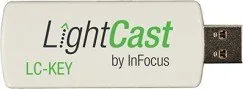
InFocus LightCast Wireless Adapter Key: A Smarter Way to Connect Your Projector
The InFocus LightCast wireless Adapter Key turns a compatible projector into a more flexible, interactive presentation hub. It adds a simple but powerful layer of wireless connectivity, making it easier to share content, collaborate in real time, and move between media without the usual cable clutter. For classrooms, meeting rooms, and training spaces, it helps create a smoother workflow and a more engaging audience experience.
At its core, LightCast is built around convenience. Once the adapter key is installed, users can access wireless display features such as AirPlay, Miracast, and LightCast Sender support. That means laptops, tablets, and mobile devices can project content with fewer steps, while the projector can also serve as a document viewer for common office files, images, and videos. This makes it practical for both formal presentations and everyday content sharing.
The LightCast experience goes beyond screen sharing. It also includes a whiteboard mode for sketching ideas, mapping workflows, and building collaborative notes on the fly. With drawing tools, text options, color controls, and multi-page support, it becomes a useful brainstorming surface for teams that need to think visually. The built-in browser adds another layer of versatility, allowing users to access web content directly from the projector.
Another strength is the focus on control and organization. Users can rename devices, manage network settings, protect casting with a PIN, save annotated content, and store files to internal memory or USB media. These options make the system feel adaptable across different environments, whether the goal is sharing a PDF, marking up a slide, or saving a whiteboard session for later review.
For anyone looking to get more from an InFocus projector, the LightCast wireless Adapter Key offers a balanced mix of usability and functionality. It is especially appealing in spaces where fast setup, shared access, and interactive presentation tools matter most.
Notes
- Best suited for InFocus projectors that support LightCast.
- A mouse or touch device improves annotation and whiteboard use.
- Network access expands sharing, casting, and browser features.
- USB storage can be used for importing and saving content.
Search for 67,706 Manuals online


Type-in Brand or Model