
InFocus IN134ST Manual
PDF manual · 82 Pages
English



Quick check
Incorrect answer, please try again.
Chat with your InFocus IN134ST manual using AI
Get instant AI answers from your InFocus IN134ST manual
Ask anything about the InFocus IN134ST. Answers come from this manual, with the pages they are based on.
IN134ST Maintenance Schedule
We recommend cleaning the dust filter every three months; clean it more often if the projector is used in a dusty environment.
Change the lamp when a warning message is displayed or when the lamp reaches the end of its life.
Free maintenance reminders
Timed to your purchase date. Always free, unsubscribe anytime.
Ask a Question
Do you recommend IN134ST?
Yes NoFrequently Asked Questions
It is a strong fit for classrooms, meeting rooms, and other compact spaces where a short-throw projector is useful. Its placement flexibility helps reduce shadows and makes front-of-room use easier.
Is this answer helpful?
A short-throw projector can create a large image from a closer distance than standard projectors. That means the IN134ST can be placed near the screen while still projecting a clear, usable picture.
Is this answer helpful?
The projector supports common inputs such as HDMI, VGA, composite video, USB, RS232, and network control on supported versions. This makes it adaptable for many presentation and AV setups.
Is this answer helpful?
Yes. It includes focus, zoom, aspect ratio, brightness, contrast, keystone correction, and other picture settings. These tools help users match the image to the room and content type.
Is this answer helpful?
Yes, especially when maintained properly. The manual includes lamp-hour tracking, filter care guidance, and shutdown instructions, all of which support dependable long-term operation.
Is this answer helpful?
Users should monitor lamp life, allow the projector to cool before powering off or replacing parts, and clean or replace the optional dust filter if installed. Regular upkeep helps preserve image quality and reliability.
Is this answer helpful?
Advantages and Disadvantages
Advantages

- Short-throw design helps create a large image in smaller spaces.
- Multiple input options support computers, video sources, and network control.
- Built-in image controls make setup and correction easier.
- Maintenance tools like lamp and filter reminders support long-term use.
Disadvantages

- Some advanced features are only available on selected models.
- Lamp replacement is eventually required and needs careful handling.
- Keystone adjustment can help, but the manual advises using it sparingly.
- Optional filter maintenance adds extra upkeep in dusty environments.
Product Specification
Type
DLP
Light source
Lamp
Resolution (displayable)
XGA (1024x768)
Resolution (native)
XGA (1024x768)
Brightness
-/4000/3200 ANSI Lumen (High/Standard/Eco)
Contrast
28,500:1
Image diagonal
31.89-300.00in
Projection distance
1.31-12.47ft
Throw ratio
0.63:1
Lens-Shift
no
Video connectors
3x HDMI 1.4a In, 1x VGA In, 1x VGA Out, 1x Composite Video In
Audio connectors
1x Jack Audio In, 1x Jack Audio Out
Other connectors
1x USB 2.0, 1x RJ-45, 1x RS-232
Special features
3D ready (active), integrated speaker (1x 10W)
Lamp life
5000/10000/15000 hours (Standard/Eco/Eco+)
Noise level
-/21dB(A) (Standard/Eco)
Power consumption
300/220W (Standard/Eco)
Dimensions
12.30x4.90x9.30in (WxHxD)
Weight
7.05lb
Product Description
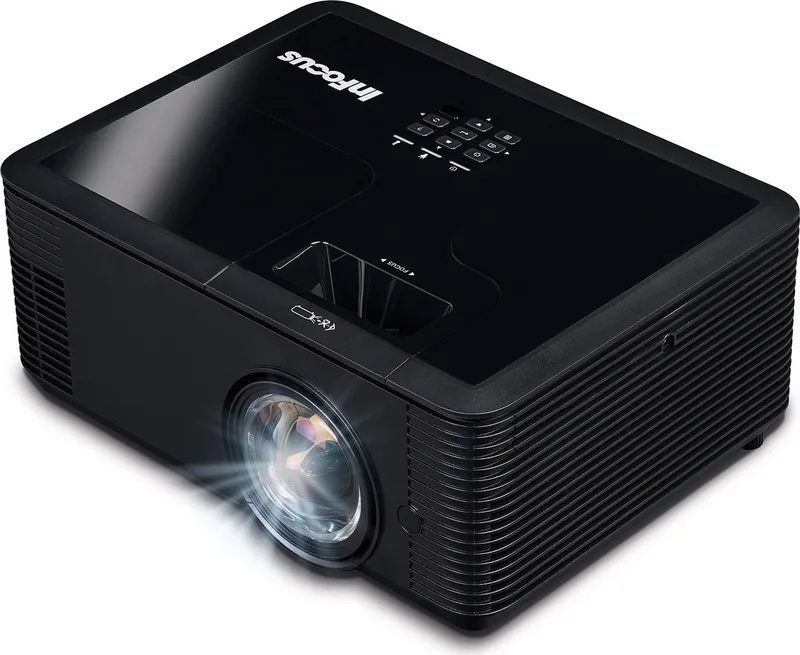
InFocus IN134ST: Compact Short-Throw Projection for Everyday Presentations
The InFocus IN134ST is designed for users who want a practical projector that fits into classrooms, meeting rooms, and training spaces without taking up much room. As a short-throw model, it can produce a large image from a relatively close distance, which makes it especially useful in tighter environments where space behind the projector is limited. That setup also helps reduce shadows and makes it easier to work near the screen during lessons or presentations.
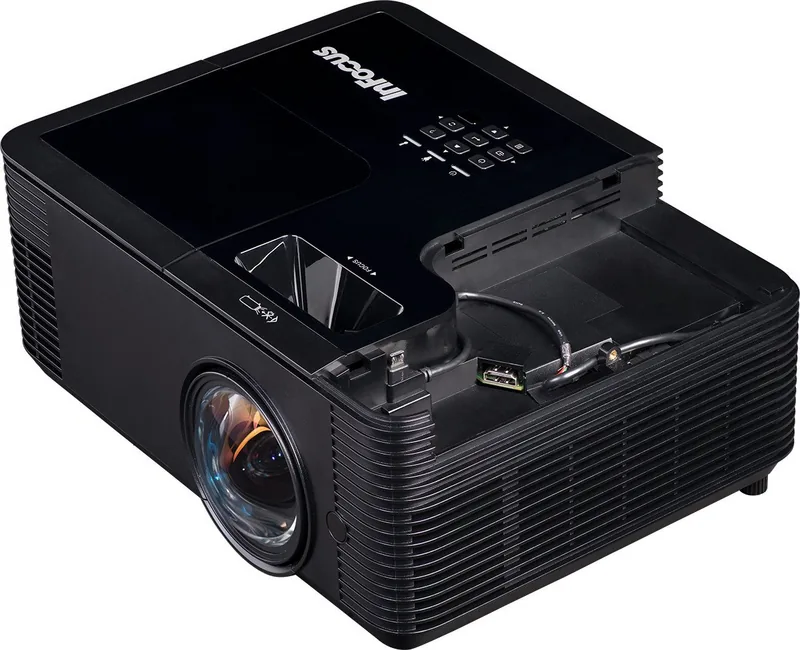
What stands out most about the InFocus IN134ST Manual is how clearly it reflects the projector’s focus on ease of use and reliable operation. The unit supports common sources such as VGA, HDMI, composite video, USB, RS232, and RJ-45 on compatible models, giving it broad flexibility for different setups. It also includes features like auto source detection, on-screen menus, brightness modes, and image correction tools that help users fine-tune the picture quickly.
The projector is built with practical control in mind. You can manage settings from the top panel, the remote control, or network tools where available. For users in shared spaces, that flexibility matters: quick access to keystone adjustment, aspect ratio settings, and multiple picture modes makes it easier to adapt the image to different content, from slides and spreadsheets to video and 3D material. The manual also highlights useful maintenance functions such as lamp tracking, filter reminders, and shutdown procedures, showing that the device is meant for long-term use rather than short-term convenience.
Another strength is the attention given to installation and safety. The guidance covers height adjustment, focus control, projection distance, ceiling mounting, and cooling behavior in a way that helps users set up the projector correctly the first time. This is especially valuable for anyone deploying the IN134ST in a fixed classroom or conference room environment.
Overall, the InFocus IN134ST feels like a dependable short-throw projector built for straightforward performance and manageable upkeep. It is not trying to be flashy; instead, it focuses on the essentials that matter most in real-world use: image flexibility, multiple connections, and clear operating guidance.
Notes
- Best suited for classrooms, offices, and compact rooms.
- Short-throw placement helps reduce distractions and shadows.
- Regular lamp and filter care can extend useful life.
- Some features vary by model and connection type.
Search for 67,706 Manuals online


Type-in Brand or Model