
InFocus IN1156 Manual
PDF manual · 65 Pages
English



Quick check
Incorrect answer, please try again.
Chat with your InFocus IN1156 manual using AI
Get instant AI answers from your InFocus IN1156 manual
Ask anything about the InFocus IN1156. Answers come from this manual, with the pages they are based on.
Ask a Question
Do you recommend IN1156?
Yes NoFrequently Asked Questions
It is well suited for presentations, classroom lessons, video playback, and flexible projection setups. Its mix of HDMI, VGA, USB, and multimedia support makes it useful in both work and home settings.
Is this answer helpful?
Yes, but it needs the optional wireless adapter and the EZCast Pro app. Once connected, it can mirror content from phones, tablets, Windows, or Mac devices.
Is this answer helpful?
Yes. The projector supports photos, videos, music, and office files from USB storage, as long as the files match the supported formats and size limits.
Is this answer helpful?
The LED light source is rated for up to 20,000 hours, which helps reduce replacement needs and supports long-term use.
Is this answer helpful?
Yes. It supports ceiling installation, but proper screws, clearance, and safe mounting practices are important to avoid damage and maintain performance.
Is this answer helpful?
Use Auto Keystone or manual keystone correction, then adjust focus, zoom, and projection mode. Choosing the right aspect ratio can also improve the image shape.
Is this answer helpful?
Advantages and Disadvantages
Advantages

- Flexible input support including HDMI, VGA, USB, audio, and video for many device types.
- Long-life LED lighting helps reduce maintenance and supports extended daily use.
- 360-degree projection and keystone controls make placement and setup more adaptable.
- Built-in multimedia playback and EZCast Pro mirroring add convenience without always needing a PC.
Disadvantages

- Wireless display and some media functions require optional accessories.
- USB playback is limited to supported file formats, sizes, and codecs.
- Manual focus and image tuning may take extra setup time in some rooms.
- Advanced menu options can feel complex for users who only want a simple plug-and-play experience.
Product Specification
Type
DLP, 1x 0.45"
Light source
LED
Resolution (displayable)
WXGA (1280x800)
Resolution (native)
WXGA (1280x800)
Brightness
-/3000/- ANSI Lumen (High/Standard/Eco)
Contrast
150,000:1
Image diagonal
29.92-300"
Projection distance
2.62-26.25ft
Throw ratio
1.20:1
Lens shift
no
Video connectors
1x HDMI In, 1x VGA In, 1x Composite Video In
Audio connectors
1x Jack Audio In, 1x Jack Audio Out
Other connectors
2x USB 2.0
Special features
integrated speaker (1x 3W)
Lamp life
30000/-/- hours (Standard/Eco/Eco+)
Noise level
33/26dB(A) (Standard/Eco)
Power consumption
215/-W (Standard/Eco)
Dimensions
11.69x2.20x7.87in (WxHxD)
Weight
4.63lb
Manufacturer warranty
2 Years
Product Description
InFocus IN1156 Manual: a versatile projector for work, media, and everyday use
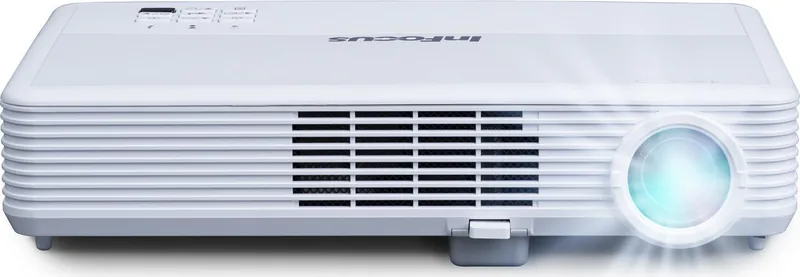
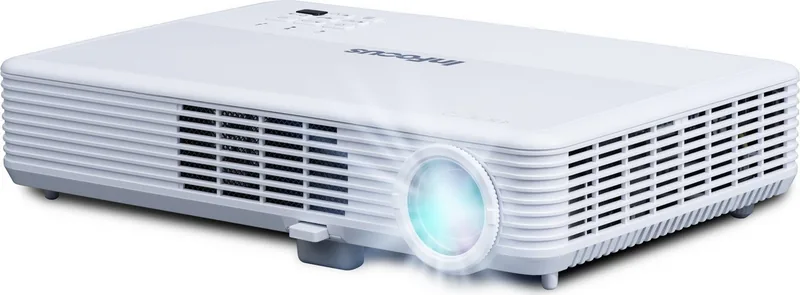
The InFocus IN1156 Manual highlights a projector built for users who want flexibility without overcomplicating setup. Whether it is being used in a meeting room, classroom, or home entertainment space, the InFocus IN1156 offers a practical mix of image control, connectivity, and multimedia playback. Its LED light source is designed for long life, while the compact body and simple controls make it approachable for regular use.
One of the strongest points of the IN1156 is its wide connection support. With HDMI, VGA, USB-A, audio in/out, and video input options, it can work with laptops, DVD players, USB drives, and portable devices. The projector also supports wireless display through an optional adapter, which adds convenience for users who prefer cable-free presentations. For those who still rely on traditional setups, the projector’s source selection and on-screen display menus make switching between inputs straightforward.
Image adjustment is another area where the IN1156 stands out. It includes manual focus, zoom, keystone correction, and projection mode settings that help fine-tune the picture for different spaces. The 360-degree projection capability is especially useful for creative installations, including ceiling or floor projection. With support for different aspect ratios and display modes, the projector can adapt to business slides, video playback, and mixed-content viewing.
The multimedia features give the IN1156 extra value beyond standard projection. It can play supported photo, video, music, and office formats directly from USB storage, which is useful when a computer is not available. Screen mirroring through EZCast Pro also expands its usefulness for mobile devices and laptops. These features make the projector feel more modern and adaptable, especially for users who want a single device to handle both presentation and entertainment tasks.
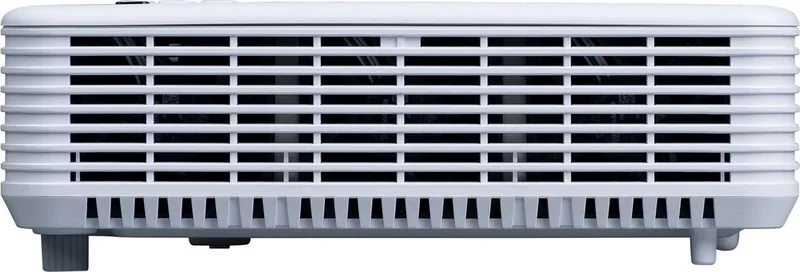
The InFocus IN1156 Manual also emphasizes safe operation, proper ventilation, and careful placement. That is important because a projector performs best when it has room to breathe and is installed with the correct clearance. The overall design suggests a product meant for dependable daily use, with enough configuration options to satisfy both casual users and more technical setups.
Notes
- Optional wireless features may require extra accessories.
- USB playback depends on supported file formats and size limits.
- Best results come from proper distance, ventilation, and image alignment.
- The LED light source is built for long-term, low-maintenance use.
Search for 67,706 Manuals online


Type-in Brand or Model