Manual.ly Logo

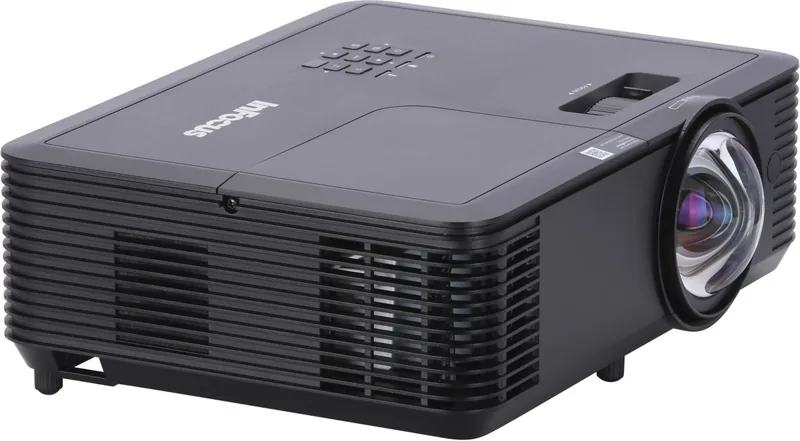
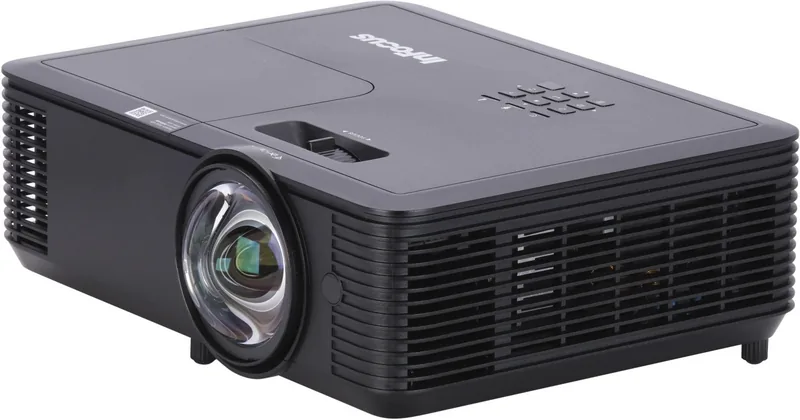
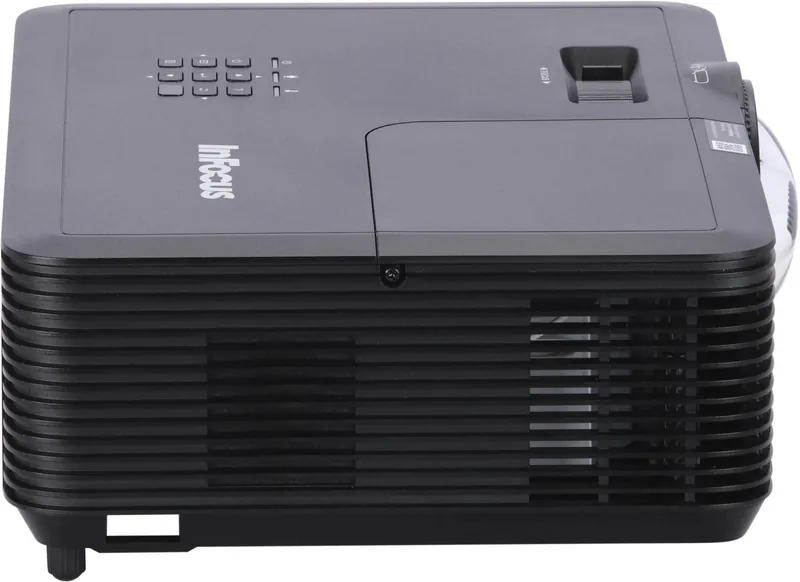
InFocus IN114 Manual

0.0 · 0 Ratings

PDF manual · 4 Pages

English

M: QW-35-FL
page

/ 4

Loading...
d77687b6e5c18470d809499cbbe5780ae478 page 2
EN - ENGLISH
Before operating the projector, it is essential to read the full safety information in the user’s guide.
Do not look into the projector lens during operation. The bright light may harm your eyes.
Do not block projector inlet or outlet air vents.
Do not place the projector on an unstable surface as it may damage the projector or cause injury.
Only use attachments/accessories specified by the manufacturer.
Do not let objects or liquids enter the projector as it may cause fire or electric shock.
To reduce the risk of fire or electric shock, do not expose this appliance to rain or moisture.
Ensure the operating environment meets the requirements stated in the user’s guide.
Do not install near heat sources such as radiators, heaters, stoves or any other apparatus such as amplifiers that emits heat.
Please do not open or disassemble the projector as this may cause electric shock.
The unit should only be repaired by authorized service personnel.
Turn off the projector and unplug the power cord before performing maintenance or installation of the projector.
Remove any batteries from remote control before storage. If the batteries are left in the remote for long periods, they may leak.
In countries or regions where the power supply conditions are unstable a surge protector power strip should be used.
!"#$%&'- AR
W73:E-$% X,$J ?8 Y/@2Z$% Y@5E$% 12@9/#@ &[%"\ ]B4"^$% _@ ` !"#$% a2() X,Ab; Xc\.
d,R,#T +e2E$% [9^$% "^f 7\ .X,Ab:$% [2Rg* !"#$% a2() YI70 .$h "iR; <.
O)"3@ 4* !"#$% a2() X67@ Yf9(; 12j:8 7E; <.
YT2Vh kcEf 4* !"#$% a2() l/:f 7\ OGm ">:E@ ",n opI ./0 !"#$% a2() +^; <.
Y#RC-$% Yq"b$% 2KJ7j; ?:$% 12>j/-$% / 12>8"-$% =>8 W73:I%.
Y,r2T"(q Y@7V 4* 2
s
>f"t kcE; 7\ 2(Gm !"#$% a2() X67; Xr%9E$% 4* [2,um% v7; <.
YT9e"$% 4* "p-/$ a2(w$% %xK !"#; < ` Y,r2T"(Z$% Y@7C$% 4* yf"j$% "p6 X,/>:$.
W73:E-$% X,$J ?8 2(,/0 z9CR-$% 12c/p:-$2T ?{; X,Ab:$% Y|,T }* _@ 7q~;.
&B%"j$% 2(R@ •#cR; ?:$% 1%"cZ-$% X€@ "6• a2() ]* 4* 7\%9-$% 4* 12G23 E$% 4* 12#b-$% X€@ &B%"j$% BJ2C@ _@ ‚">$2T kq"; <.
Y,r2T"(q Y@7V ƒ47t ?8 d$„ kcE:f 7>8 ` OZ,Z{; 4* !"#$% a2() o:8 W70 .)"
…
f.
_f7-:#-$% Y@73$% ?{†9@ Xc\ _@ =>8 &7t9$% ‡5Vh kwf.
!"#$% a2() D,c€; 4* YG2,V [%")h Xc\ Y\2p$% d/I XC8%4 !"#$% a2() X,Ab; l\4*.
‚"E:; 7>8 ` Y/f9e 1%":{$ 7#T _0 ˆZj:$% a2() ?8 12fB2pc$% ‰"; ˆ; %„h ._f'3:$% Xc\ 7#T _0 ˆZj:$% a2() _@ 12fB2pT ]* Y$%aŠT ˆ\.
B2,:$% &J2fa _@ Yf2-j/$ [2T"(q =f"u W%73:I% kwf ` &">:E@ ",n Y\2p$% J%7@h S4"† 2(,8 }9Z; ?:$% ye2R-$% 4* }%7/c$% ?8.
BN - !"#$"
            essential
            
        
              
    
 /   
               
   
   ,
        
           
, ,              
  
          
    
    
              
                  
  
                 
CS - ČEŠTINA
Před uvedením projektoru do provozu je nezbytné přečíst si úplné bezpečnostní informace v uživatelské příručce.
Během provozu se nedívejte do objektivu projektoru. Jasné světlo může poškodit vaše oči.
Neblokujte vstupní ani výstupní větrací otvory projektoru.
Neumisťujte projektor na nestabilní povrch, protože by mohl projektor poškodit nebo způsobit zranění.
Používejte pouze příslušenství / příslušenství určené výrobcem.
Zabraňte vniknutí předmětů nebo tekutin do projektoru, protože by to mohlo způsobit požár nebo úraz elektrickým proudem.
Nevystavujte toto zařízení dešti nebo vlhkosti, aby se snížilo riziko požáru nebo úrazu elektrickým proudem.
Zajistěte, aby operační prostředí splňovalo požadavky uvedené v uživatelské příručce.
Neinstalujte zařízení v blízkosti zdrojů tepla, jako jsou radiátory, topení, kamna nebo jiná zařízení, například zesilovače, které
vydávají teplo. Neotvírejte ani nerozebírejte projektor, protože by to mohlo způsobit úraz elektrickým proudem.
Opravu jednotky by měl provádět pouze autorizovaný servisní personál.
Před prováděním údržby nebo instalace projektoru vypněte projektor a odpojte napájecí kabel.
Před uskladněním vyjměte z dálkového ovládání všechny baterie. Pokud baterie zůstanou v dálkovém ovladači po dlouhou
dobu, mohou vytéct.
V zemích nebo regionech, kde jsou podmínky napájení nestabilní, by se měl použít ochranný pásek přepěťové ochrany.
DA - DANSK
Før du betjener projektoren, er det vigtigt at læse de fulde sikkerhedsoplysninger i brugervejledningen.
Se ikke i projektorlinsen under betjening. Det stærke lys kan skade dine øjne.
Bloker ikke projektorindløb eller udløbsluft.
Placer ikke projektoren på en ustabil overflade, da det kan beskadige projektoren eller forårsage personskade.
Brug kun tilbehør / tilbehør, der er specificeret af producenten.
Lad ikke genstande eller væsker komme ind i projektoren, da det kan forårsage brand eller elektrisk stød.
Udsæt ikke dette apparat for regn eller fugtighed for at reducere risikoen for brand eller elektrisk stød.
Sørg for, at driftsmiljøet opfylder kravene, der er angivet i brugervejledningen.
Installer ikke i nærheden af varmekilder såsom radiatorer, varmeapparater, komfurer eller andre apparater som forstærkere, der
afgiver varme.
Undlad at åbne eller adskille projektoren, da dette kan forårsage elektrisk stød.
Enheden skal kun repareres af autoriseret servicepersonale.
Sluk for projektoren, og tag netledningen ud, inden du udfører vedligeholdelse eller installation af projektoren.
Fjern eventuelle batterier fra fjernbetjeningen før opbevaring. Hvis batterierne forlades i fjernbetjeningen i lange perioder, kan de
lække.
I lande eller regioner, hvor strømforsyningsbetingelserne er ustabile, bør der anvendes en overspændingsbeskyttelsesstrimmel.
DE - DEUTSCH
Vor dem Betrieb des Projektors müssen unbedingt die vollständigen Sicherheitsinformationen in der Bedienungsanleitung
gelesen werden.
Schauen Sie während des Betriebs nicht in das Projektorobjektiv. Das helle Licht kann Ihre Augen schädigen.
Blockieren Sie nicht die Einlass- oder Auslasslüftungsöffnungen des Projektors.
Stellen Sie den Projektor nicht auf eine instabile Oberfläche, da dies den Projektor beschädigen oder Verletzungen verursachen
kann. Verwenden Sie nur vom Hersteller angegebene Zubehörteile. Lassen Sie keine Gegenstände oder Flüssigkeiten in den
Projektor gelangen, da dies zu Bränden oder Stromschlägen führen kann.
Setzen Sie dieses Gerät weder Regen noch Feuchtigkeit aus, um die Gefahr eines Brandes oder eines Stromschlags zu
verringern.
Stellen Sie sicher, dass die Betriebsumgebung die im Benutzerhandbuch angegebenen Anforderungen erfüllt.
Installieren Sie das Gerät nicht in der Nähe von Wärmequellen wie Heizkörpern, Heizungen, Öfen oder anderen Geräten wie
Verstärkern, die Wärme abgeben.
Bitte öffnen oder zerlegen Sie den Projektor nicht, da dies zu einem elektrischen Schlag führen kann.
Das Gerät darf nur von autorisiertem Servicepersonal repariert werden.
Schalten Sie den Projektor aus und ziehen Sie das Netzkabel ab, bevor Sie den Projektor warten oder installieren.
Entfernen Sie vor der Lagerung alle Batterien aus der Fernbedienung. Wenn die Batterien längere Zeit in der Fernbedienung
verbleiben, können sie auslaufen.
In Ländern oder Regionen, in denen die Stromversorgungsbedingungen instabil sind, sollte eine Überspannungsschutz-
Steckdosenleiste verwendet werden.
EL - ΕΛΛΗΝΙΚΑ
Πριν τη λειτουργία του προβολέα, είναι απαραίτητο να διαβάσετε τις πλήρεις πληροφορίες ασφαλείας στον
οδηγό χρήσης.
Μην κοιτάτε το φακό του προβολέα κατά τη διάρκεια της λειτουργίας. Το έντονο φως μπορεί να βλάψει τα
μάτια σας.
Μην αποκλείετε τις οπές εισόδου ή εξόδου του προβολέα.
Μην τοποθετείτε τον προβολέα σε μια ασταθή επιφάνεια, καθώς ενδέχεται να προκληθεί βλάβη στον προβολέα
ή να προκληθεί τραυματισμός.
Χρησιμοποιείτε μόνο εξαρτήματα / εξαρτήματα που καθορίζονται από τον κατασκευαστή.
Μην αφήνετε αντικείμενα ή υγρά να εισέλθουν στον προβολέα, καθώς ενδέχεται να προκαλέσουν πυρκαγιά ή
ηλεκτροπληξία.
Για να μειώσετε τον κίνδυνο πυρκαγιάς ή ηλεκτροπληξίας, μην εκθέτετε τη συσκευή σε βροχή ή υγρασία.
Βεβαιωθείτε ότι το περιβάλλον λειτουργίας πληροί τις απαιτήσεις που αναφέρονται στον οδηγό χρήσης.
Μην εγκαθιστάτε κοντά σε πηγές θερμότητας όπως θερμαντικά σώματα, θερμαντήρες, φούρνους ή
οποιαδήποτε άλλη συσκευή, όπως ενισχυτές που εκπέμπουν θερμότητα.
Μην ανοίγετε ή αποσυναρμολογείτε τον προβολέα, καθώς αυτό μπορεί να προκαλέσει ηλεκτροπληξία.
Η μονάδα πρέπει να επισκευάζεται μόνο από εξουσιοδοτημένο προσωπικό συντήρησης.
Απενεργοποιήστε τον προβολέα και αποσυνδέστε το καλώδιο τροφοδοσίας πριν πραγματοποιήσετε τη
συντήρηση ή την εγκατάσταση του προβολέα.
Αφαιρέστε τις μπαταρίες από το τηλεχειριστήριο πριν από την αποθήκευση. Εάν οι μπαταρίες παραμείνουν
στο τηλεχειριστήριο για μεγάλες χρονικές περιόδους, ενδέχεται να διαρρεύσουν.
Σε χώρες ή περιοχές όπου οι συνθήκες τροφοδοσίας είναι ασταθείς, πρέπει να χρησιμοποιείτε μια τάπα
προστασίας από υπερτάσεις.
ES - ESPAÑOL
Antes de utilizar el proyector, es esencial leer toda la información de seguridad en la guía del usuario.
No mire a la lente del proyector durante el funcionamiento. La luz brillante puede dañar sus ojos.
No bloquee las salidas de aire de entrada o salida del proyector.
No coloque el proyector sobre una superficie inestable, ya que podría dañarlo o causar lesiones.
Utilice solo accesorios / complementos especificados por el fabricante.
No permita que objetos o líquidos ingresen al proyector, ya que puede provocar incendios o descargas eléctricas.
Para reducir el riesgo de incendio o descarga eléctrica, no exponga este aparato a la lluvia o la humedad.
Asegúrese de que el entorno operativo cumpla con los requisitos establecidos en la guía del usuario. No lo instale cerca de
fuentes de calor como radiadores, calentadores, estufas o cualquier otro aparato como amplificadores que emitan calor.
No abra ni desmonte el proyector, ya que esto puede provocar una descarga eléctrica. La unidad solo debe ser reparada por
personal de servicio autorizado.Apague el proyector y desconecte el cable de alimentación antes de realizar el
mantenimiento o la instalación del proyector. Retire las baterías del control remoto antes de guardarlas. Si las baterías se dejan
en el control remoto durante largos períodos, pueden tener fugas.
En países o regiones donde las condiciones de la fuente de alimentación son inestables, se debe utilizar una regleta de
protección contra sobretensiones.
()*+, - FA
DI% QB4"‹ "TB2L Q2-RK%B BJ PR-U% X@2L 1205e% }7G%96 ` B9:LM4"N a% QB%J"T Œ"(T a% Xc\.
7G2I"T kFI• 2-u ˆb• OT DI% _Ž-@ _u4B B9G .7FRŽG Œ2•G B9:LM4"N Q2K'R$ OT B2L _Ft BJ.
7FRŽG J47E@ %B B9:LM4"N P)4"6 2U QJ4B4 Q2K O•UBJ.
J9u O@7V •02T 2U 7RL JB%4 O@7V B9:LM4"N OT DI% _Ž-@ %"Ua 7FK7G B%"\ B%7U2N2G opI ‘U Q4B %B B9:LM4"N.
7FRL ŒJ2{:I% Œ7Ga2I =I9; Œ7u ’3b@ PcG2) Wa%9$ / PcG2) Wa%9$ a% =>8.
J9u PŽU":Ž$% “9u 2U Qa9I ”;• •02T 7G%9; P@ "@% _U% %"Ua 7G9u B9:LM4"N JB%4 12#U2@ 2U [2Fu% 7FK7G Œa2)%.
7FK7G B%"\ DT9eB 2U }%B2T !"#@ BJ %B O/FI4 _U% ` P•:8"• –"T 2U Qa9I ”;• "p6 ”K2L Q%"T.
JB%J D>T2p@ "TB2L Q2-RK%B BJ —B7R@ =U%"u 2T B2L =Fj@ OL 7FRL XV2t }2RF-e%.
7FRŽG kCG ` 7RRL P@ +e2I 2@"• OL PU2K"U28 P/˜@• 7RG2@ "•UJ O/FI4 "K 2U a2• –2)% ` QB23T ` B9;2UJ%B "FiG Pr2@"• +T2R@ PŽUJ'G BJ.
J9u PŽU":Ž$% “9u J2wU% •02T DI% _Ž-@ _U% %"Ua 7FRŽG %7) ˆK a% 2U 7FRŽG a2T %B B9:LM4"N
s
2{p$.
DI% "F-#; XT2\ a2w@ 12@76 XRI"N =I9; =>8 7t%4 _U%.
7FRL %7) }• a% %B –"T ˆFI 4 ŒJ"L ™9@26 %B B9:LM4"N ` B9:LM4"N kCG 2U QB%7(•G 4 "F-#; W2wG% a% Xc\.
7RRL DbG DI% _Ž-@ ` 7Ru2T Œ7G2@ P\2T 19-UB BJ PG<9e 17@ Q%"T 2K Q";2T "•% .7FRL %7) B4J Œ%B a% š":RL a% %B Q";2T OG9•"K ` Qa2I Œ"F6„ a% Xc\.
J9u ŒJ2{:I% ›82j@ ›82j@ B%9G a% 7U2T ` DI% B%7U2N2G –"T _F@~; =U%"u OL P>e2R@ 2U 2KB9bL BJ.
FI - SUOMI
Ennen projektorin käyttöä on ehdottomasti luettava kaikki käyttöohjeen turvallisuustiedot.
Älä katso projektorin linssiin käytön aikana. Kirkas valo voi vahingoittaa silmiäsi.
Älä tuki projektorin tulo- tai poistoilma-aukkoja.
Älä aseta projektoria epävakaalle alustalle, koska se voi vahingoittaa projektoria tai aiheuttaa vammoja.
Käytä vain valmistajan määrittelemiä lisälaitteita / lisävarusteita.
Älä päästä esineitä tai nesteitä projektoriin, koska se voi aiheuttaa tulipalon tai sähköiskun.
Tulipalo- tai sähköiskuvaaran vähentämiseksi älä altista laitetta sateelle tai kosteudelle.
Varmista, että toimintaympäristö täyttää käyttöoppaassa esitetyt vaatimukset.
Älä asenna lämmönlähteiden, kuten pattereiden, lämmittimien, uunien tai muiden lämpöä lähettävien laitteiden, kuten
vahvistimien läheisyyteen. Älä avaa tai pura projektoria, koska se voi aiheuttaa sähköiskun.
Laitteen saa korjata vain valtuutettu huoltohenkilöstö.
Sammuta projektori ja irrota virtajohto ennen projektorin huoltoa tai asennusta.
Poista kaikki paristot kaukosäätimestä ennen varastointia. Jos paristot jätetään kaukosäätimeen pitkään, ne voivat vuotaa.
Maissa tai alueilla, joissa virtalähteen olosuhteet ovat epävakaat, on käytettävä ylijännitesuojausjohtoa.
2/4

Chat with your InFocus IN114 manual using AI

Get instant AI answers from your InFocus IN114 manual

Ask anything about the InFocus IN114. Answers come from this manual, with the pages they are based on.

Ask a Question

0/1000

Do you recommend IN114?

Yes No

Frequently Asked Questions

A

No, you should never look directly into the projector lens during operation. The bright light emitted can cause serious harm to your eyes.

Is this answer helpful?

A

In areas with unstable power conditions, you should use a surge protector power strip to reduce the risk of fire or electric shock to the device.

Is this answer helpful?

A

You should ensure the inlet and outlet air vents are never blocked. Check them regularly to prevent overheating and potential damage to the unit.

Is this answer helpful?

A

Only authorized service personnel should attempt to repair the unit. Opening or disassembling the projector yourself may cause electric shock and void warranties.

Is this answer helpful?

A

Batteries left in the remote control for long periods may leak, which can damage the remote and create a mess.

Is this answer helpful?

M: QW-35-FL

Advantages and Disadvantages

Advantages

  • Multiple input options including HDMI and VGA for versatile connectivity
  • Built-in safety features to prevent overheating and eye strain
  • Compatible with surge protectors for unstable power environments
  • Durable design suitable for frequent presentations and events
  • Clear instructions provided in multiple languages for global users
VS

Disadvantages

  • Requires strict adherence to ventilation to prevent overheating
  • Lens must not be viewed directly during operation to avoid eye damage
  • Batteries must be removed from remote when not in use to prevent leaks
  • Not all input and output ports are available on every model variant
  • Only authorized service centers can perform repairs to ensure safety
M: QW-35-FL

Product Specification

Type

DLP, 1x 0.55"

Light source

Lamp

Resolution (displayable)

XGA (1024x768)

Resolution (native)

XGA (1024x768)

Contrast

30000:1

Lens-Shift

No

Audio connectors

1x 3.5mm Audio In, 1x 3.5mm Audio Out

M: QW-35-FL

Product Description

Experience Clarity with the InFocus IN114 Projector

The InFocus IN114 stands as a versatile solution for both professional and home entertainment environments. Designed to deliver sharp visuals, this projector ensures that your presentations or movie nights are nothing short of spectacular. Whether you are connecting laptops, gaming consoles, or media players, the IN114 offers a robust array of connectivity options including HDMI, VGA, and USB ports. This flexibility allows for seamless integration into any setup without the need for complex adapters.

One of the standout features of the InFocus IN114 is its commitment to user safety and longevity. The device is engineered with advanced cooling systems to prevent overheating during extended use. It is crucial to maintain clear air vents and avoid placing the unit on unstable surfaces to ensure optimal performance. The bright light emitted by the lens requires users to avoid staring directly at it while the projector is active to protect their vision.

Installation is straightforward, yet it demands attention to environmental factors. Users should keep the projector away from direct heat sources like radiators or stoves to prevent damage. Additionally, protecting the unit from rain and moisture is essential to avoid electrical hazards. For regions with unstable power supplies, utilizing a surge protector is highly recommended to safeguard the internal components from voltage spikes.

Maintenance is minimal but vital for long-term reliability. Before storing the remote control, always remove the batteries to prevent leakage which could corrode the contacts. If the unit requires servicing, only authorized personnel should handle repairs to maintain warranty validity and safety standards. The InFocus IN114 combines durability with high-quality output, making it a reliable choice for dynamic visual needs.

M: QW-35-FL

© Copyright 2026 Manual.ly