
Inateck FE3002 Manual
PDF manual · 14 Pages
English



Quick check
Incorrect answer, please try again.
Chat with your Inateck FE3002 manual using AI
Get instant AI answers from your Inateck FE3002 manual
Ask anything about the Inateck FE3002. Answers come from this manual, with the pages they are based on.
Ask a Question
Do you recommend FE3002?
Yes NoFrequently Asked Questions
New hard drives require partitioning. MBR limits capacity to 2TB. You must replace MBR with GPT on the computer to support larger drives without limitations.
Is this answer helpful?
Disconnect the enclosure and try another USB port. If it still does not appear, the drive might need reformatting using system tools like Disk Management.
Is this answer helpful?
The drive automatically enters sleep mode if idle for 30 minutes. The LED will blink. Accessing data will restore the drive to operational mode immediately.
Is this answer helpful?
It supports Windows XP, 7, 8, and 10. It also works with Mac OS X 9.0 or above and most Linux distributions without additional drivers.
Is this answer helpful?
The package contains the Inateck FE3002 enclosure, one USB 3.0 data cable, one DC power adapter, and one instruction manual.
Is this answer helpful?
Yes, UASP is supported. This enhances read and write speeds compared to traditional USB implementations for a better user experience.
Is this answer helpful?
Advantages and Disadvantages
Advantages

- USB 3.0 interface ensures high-speed data transfer rates for efficient backups
- Slide cover design protects SATA interface without requiring screws
- Supports both 2.5-inch SSDs and 3.5-inch Hard Disk Drives
- Compatible with Windows, Mac OS X, and Linux operating systems
- LED indicator provides clear visual feedback on power and activity
Disadvantages

- Requires separate DC power adapter connection for operation
- Standard MBR format limits drive capacity to 2TB without reformating
- Plastic construction may feel less premium than metal alternatives
- Idle time triggers sleep mode which may be slower than expected
- External power requirement adds bulk and cable management needs
Product Specification
Form Factor
2.5", 3.5"
Internal Interface
1x SATA 6Gb/s
External Interface
1x USB-A 3.0 (5Gb/s)
RAID Level
N/A
Fan
N/A
Chipset
ASMedia ASM1153E
Dimensions
7.09 x 4.53 x 1.38 in
Weight
7.51 oz
Color
Black
Features
Aluminum housing, incl. USB cable (USB-A), On/Off switch, external power supply
USB Label
Link
Product Description
Discover Enhanced Storage Solutions with the Inateck FE3002
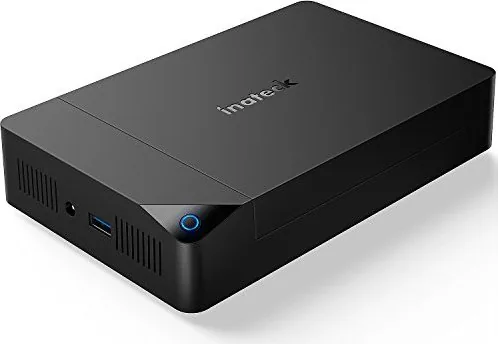
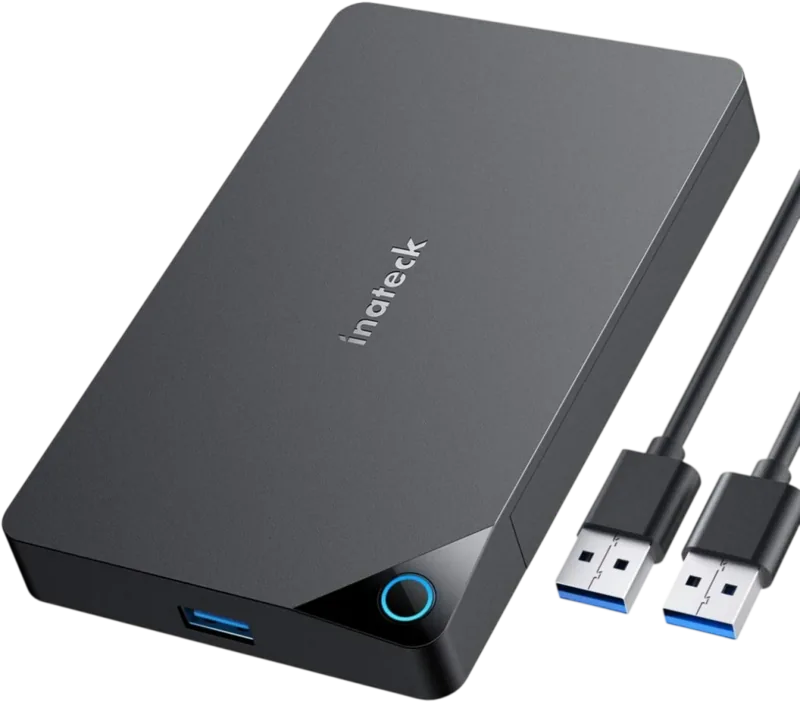
The Inateck FE3002, USB-B 3.0 Manual series highlights the durability and versatility required for modern data storage needs. This external enclosure is designed for high functionality, accommodating both 2.5-inch and 3.5-inch drives seamlessly. Constructed from durable ABS plastic, the sleek black finish ensures a professional aesthetic that blends well with modern desktop setups. The device features a unique slide cover mechanism that protects the internal SATA interface when not in use, maintaining safety against dust, debris, and physical damage. This simple design eliminates the need for screws during installation, allowing for quick access to internal components whenever upgrading or replacing components for optimal performance.
Connectivity is handled through a robust USB 3.0 standard, ensuring high-speed data transfer rates for large file operations and backups. It supports SATA III, II, and I interfaces, making it fully compatible with a wide range of Solid State Drives and traditional Hard Disk Drives. The unit includes an integrated power switch and an active LED indicator, which offers clear visual feedback on power status and ongoing data activity levels. A notable energy-saving feature is the automatic sleep mode that engages after thirty minutes of idle time, indicated by a breathing LED light. Simply resuming file operations restores the drive to full operational mode, preventing unnecessary power drain during inactivity periods.
Operating system compatibility is exceptionally broad, supporting Windows XP through Windows 10, Mac OS X 9.0 and above, as well as various Linux distributions. The package includes the enclosure, a USB 3.0 data cable, a DC power adapter, and instruction documentation. Users must ensure that all data access and transfers are completely stopped before disconnecting the hardware to prevent severe file corruption or data loss. The inclusion of UASP support enhances read and write speeds compared to traditional USB implementations, providing a noticeable improvement for large file transfers across multiple platforms.
Important Maintenance and Setup Notes
For drives exceeding 2TB, initialization via GPT is necessary as standard MBR partitioning methods strictly limit capacity to 2TB. If the drive does not appear in the system file manager, switching USB ports or reformatting via disk management tools often resolves detection issues. This comprehensive setup ensures reliable performance for regular backup routines and data migration tasks. It is recommended to keep firmware updated and ensure cables are securely connected to maintain optimal signal quality during operation. Protect the slider cover to prevent dust accumulation on the drive contacts.
Search for 67,706 Manuals online


Type-in Brand or Model
Lisa_Mueller
8 months ago
Does this enclosure work reliably with SSDs and HDDs? One review mentioned blue screens and drive detection failures.
Manual.ly
8 months ago
Thank you for your question. Most units operate without issues, but rare defects may cause freezes or non-recognition. If problems occur, try a different USB port or computer. If the drive is still not detected, please request a replacement as the device may be defective. Ensure you have a data backup available.