
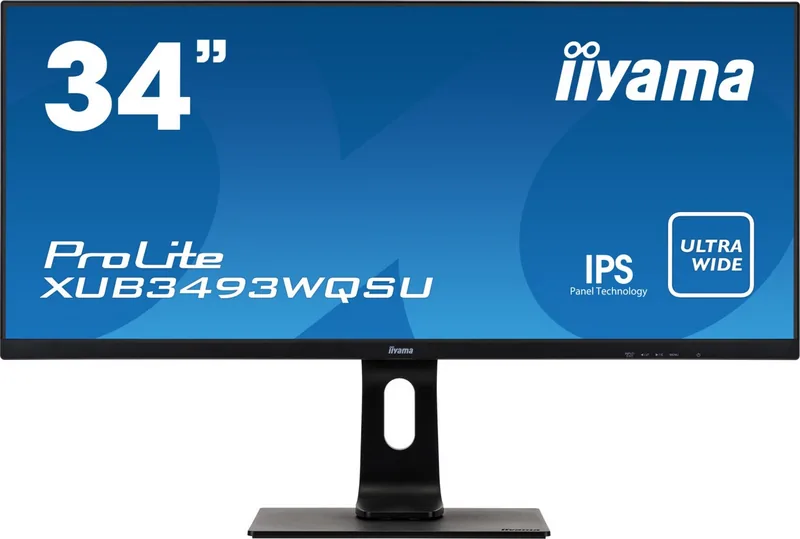
iiyama ProLite XUB3493WQSU-B1 Manual
PDF manual · 28 Pages
English



Quick check
Incorrect answer, please try again.
Chat with your iiyama ProLite XUB3493WQSU-B1 manual using AI
Get instant AI answers from your iiyama ProLite XUB3493WQSU-B1 manual
Ask anything about the iiyama ProLite XUB3493WQSU-B1. Answers come from this manual, with the pages they are based on.
Ask a Question
Do you recommend ProLite XUB3493WQSU-B1?
Yes No
maria_k
7 months ago
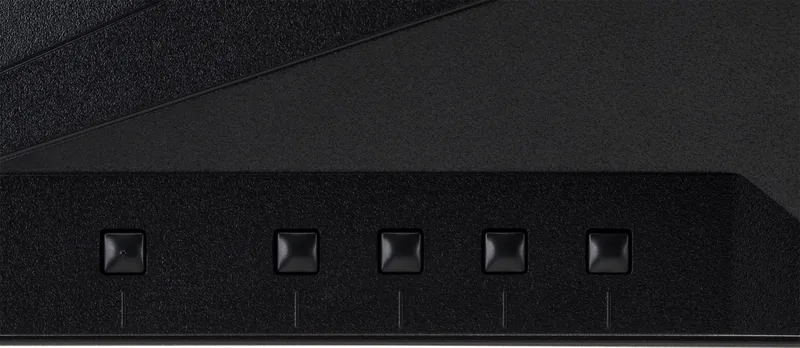
How long does it take to wake from sleep mode, and are the on-screen menu buttons easy to use (reach and feel) while setting up?

Manual.ly
7 months ago
Wake time depends on the monitor model and its power settings. If your unit takes noticeably long to become active after sleep, check the display's power mode and disable any aggressive energy-saving or deep-sleep option where available. For the menu buttons: if they feel hard to access, try adjusting the monitor height and viewing angle so the button area is more reachable, and use the remote or on-screen controls if the model supports them. During setup, allow a few minutes for the display to fully initialize before changing settings. If waking and controls are unusually slow or inconsistent, contact support with your exact model and firmware version for the correct setting and troubleshooting steps.
Video Manual
Monitor Review: 144hz Iiyama GB3461 Red Eagle 1440p Ultrawide. (Older Firmware "No Signal" issue.)
Frequently Asked Questions
The monitor’s native resolution is 3440×1440 and it supports up to 75Hz. To run at 75Hz, enable DisplayPort 1.2 in the monitor menu and ensure your graphics card supports 3440×1440 at 75Hz.
Is this answer helpful?
Yes; the ProLite XUB3493WQSU-B1 supports AMD FreeSync to reduce tearing and stuttering with compatible GPUs. Keep in mind the 75Hz cap makes it better suited for casual or console gaming rather than competitive eSports.
Is this answer helpful?
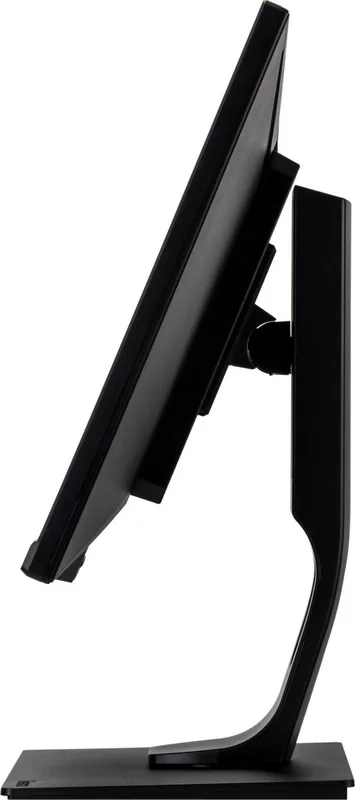
The stand provides 130 mm height adjustment, 45° left/right swivel and tilt from +22° to −3°. The panel is also VESA 100×100 compatible for third-party arms or mounts.
Is this answer helpful?
Yes; Picture-in-Picture (PiP) and Picture-by-Picture (PbP) modes let you view two inputs at once. Some picture settings may be limited depending on the chosen modes and resolution.
Is this answer helpful?
The monitor includes two 5W stereo speakers that are adequate for video calls, notifications and casual media. For richer sound or critical audio tasks, external speakers or headphones are recommended.
Is this answer helpful?
It meets ENERGY STAR and includes VESA DPMS power management with an Auto Power-Off feature. Typical power consumption is around 43W during operation and under 0.5W in standby.
Is this answer helpful?
Advantages and Disadvantages
Advantages

- 34" ultrawide IPS panel with 3440×1440 resolution for expansive workspace and accurate colors.
- Ergonomic stand: 130 mm height, 45° swivel and tilt for comfortable viewing positions.
- AMD FreeSync support and 4 ms gray-to-gray response for smoother motion and reduced tearing.
- Multiple inputs (DisplayPort 1.2, 2× HDMI), USB 3.0 hub and 3.5 mm jack for versatile connectivity.
- PiP/PbP modes and built-in 2×5W speakers enable multi-source workflows and basic audio.
Disadvantages

- Not recommended for continuous 24/7 operation; designed for typical daily use.
- 75Hz maximum refresh limits appeal for competitive high-FPS gaming compared to faster panels.
- Built-in speakers are modest and not a substitute for dedicated audio systems.
- Certain advanced features (HDR, color adjustments) depend on input type and menu settings.
- Large dimensions require generous desk space and careful cable routing.
Product Specification
Function
Monitor (stationary)
Diagonal
34" (34.02in)
Resolution
3440x1440 (UWQHD), 21:9, 110ppi
Panel
IPS (AH-IPS), Manufacturer: LG Display
Backlight
LED, Blue Light Filter, flicker-free
Brightness
400cd/m² (typical)
Contrast
1,000:1 (static), 80,000,000:1 (dynamic)
Response Time
4ms (GtG)
Refresh Rate
75Hz (3440x1440)
Variable Synchronization
Adaptive Sync, AMD FreeSync certified (48-75Hz via DisplayPort, 48-75Hz via HDMI, without LFC support, with HDR)
Signal Frequency
30-115kHz (H) / 48-75Hz (V)
Connections
2x HDMI 2.0, 1x DisplayPort 1.2, 1x USB-B 3.0 (Upstream, 5Gb/s), 2x USB-A 3.0 (Downstream, 5Gb/s), 1x 3.5mm jack (Line-Out), 1x AC-In C13 (Power connection)
Shape
straight (flat)
Viewing Angle
178°/178°
Coating
non-glare (matte)
Color Depth
8bit (16.7 Mio. colors)
FRC
unknown
sRGB
100%
Speakers
Speakers (2x 5W)
Operation
mechanical buttons
Ergonomics
with stand, height adjustable (5.12 in), Pivot N/A, rotatable (+45°), tiltable (+22°/-3°)
VESA
100x100 (occupied)
Power Consumption
43W (typical), 0.5W (Standby)
Energy Efficiency SDR (A to G)
40kWh/1000h (G)
Energy Efficiency HDR (A to G)
58kWh/1000h (G)
Special Features
Security Lock (Kensington Security Slot), Picture-in-Picture, Slim Bezel
Screen-to-Body Ratio
88.60% (calculated)
Dimensions
32.17x16.34x9.06in (WxHxD) with stand compressed, 32.17x14.45x2.32in (WxHxD) without stand
Color
black (display frame) / black (lower bezel) / black (stand) / black (rear)
Weight
20.94lb (with stand)
Power Supply
internal
Warranty
three years (handling via manufacturer, product registration within 60 days of purchase: Link, warranty information: Link)
USB Notation
Link
Product Description
iiyama ProLite XUB3493WQSU-B1, 34" Manual — Overview and Features
The iiyama ProLite XUB3493WQSU-B1 is a 34" ultrawide IPS monitor designed for productivity, multimedia and light gaming. Boasting a 3440×1440 resolution and 75Hz refresh capability, it delivers expansive screen real estate and crisp visuals for multitasking, wide spreadsheets, video timelines, and immersive cinematic content. With a 21:9 aspect ratio, 400 cd/m² brightness and a 1000:1 contrast ratio (typical), images appear vibrant and detailed while wide viewing angles ensure consistent color across the panel.
Beyond resolution and size, this model includes practical features such as AMD FreeSync support to reduce tearing, a 4 ms gray-to-gray response for smoother motion, and built-in stereo speakers (2 × 5W) for convenient audio without separate peripherals. The monitor supports multiple inputs (DisplayPort and two HDMI ports), USB 3.0 connectivity for downstream devices, and a 3.5 mm headphone jack, making it versatile for modern workstation and home-office setups.
Ergonomics and usability are central: the stand allows 130 mm height adjustment, 45° swivel, and a +22°/−3° tilt range for comfortable viewing angles. VESA 100 × 100 compatibility enables alternative mounting options. The on-screen display (OSD) offers granular control—picture presets, color temperature, sharpness, overdrive, advanced contrast and blue-light reduction—so users can tune the image for text clarity, photo editing or movie playback.
Energy efficiency is considered with VESA DPMS power management and an Auto Power-Off feature. Additional conveniences include Picture-in-Picture and Picture-by-Picture modes to view multiple input sources simultaneously, cable routing through a rear cutout, and a Kensington-style security slot.
Setup and maintenance are straightforward: a removable base, clear connector layout and basic cleaning guidance (soft cloth, avoid harsh chemicals) keep the experience simple. Safety instructions emphasize correct voltage, cable care and ventilation to maintain longevity. The monitor also complies with CE, ENERGY STAR and other certifications for regulatory and environmental standards.
Notes
- Ideal for content creators, productivity users and ultrawide enthusiasts who need horizontal workspace and color stability.
- Not primarily engineered for 24/7 operation; recommended for standard daily use.
- For full 3440×1440 at 75Hz, ensure DisplayPort 1.2 is enabled and the graphics card supports the mode.
Pros and Cons
Pros:
- Large 34" 3440×1440 IPS panel for expansive multitasking and accurate colors.
- Ergonomic stand with 130 mm height, swivel and tilt for comfortable setups.
- AMD FreeSync support and 4 ms response for reduced tearing and smoother motion.
- Multiple inputs (DP + 2× HDMI) and USB 3.0 ports for versatile connectivity.
- Built-in speakers and PiP/PbP modes enable flexible multimedia and multi-source workflows.
Cons:
- Not designed for continuous 24/7 operation; long nonstop use not recommended.
- 75Hz max limits competitiveness for high-FPS gaming compared to 144Hz panels.
- Built-in speakers are basic and may not satisfy audiophile expectations.
- Some advanced features (HDR, color modes) depend on input type and settings.
- Large footprint may require a spacious desk and careful cable management.
Key Results (most important — up to 5)
- 34" ultrawide IPS display with native 3440×1440 resolution for wide-format workflows.
- 75Hz refresh and AMD FreeSync compatibility reduce tearing and improve motion clarity.
- Ergonomic adjustments: 130 mm height, 45° swivel, +22°/−3° tilt for tailored positioning.
- Connectivity includes DisplayPort 1.2, two HDMI ports, USB 3.0 hub and 3.5 mm audio jack.
- Picture-in-Picture and Picture-by-Picture modes allow viewing two sources at once.
FAQ
{ "question": "What is the native resolution and refresh rate?", "answer": "The monitor’s native resolution is 3440×1440 with support up to 75Hz; DisplayPort 1.2 must be enabled and the graphics card must support that mode for 75Hz." },
{ "question": "Does it support adaptive sync for gaming?", "answer": "Yes — the display supports AMD FreeSync to help reduce screen tearing and stuttering when paired with compatible GPUs; note the 75Hz maximum is more suited to casual or console gaming than high-FPS competitive play." },
{ "question": "What ergonomic adjustments are available?", "answer": "The stand provides 130 mm height adjustment, 45° swivel left/right, and tilt from +22° to −3°, plus VESA 100×100 mounting compatibility for alternative stands or arms." },
{ "question": "Can I use multiple inputs simultaneously?", "answer": "Yes — PiP (Picture-in-Picture) and PbP (Picture-by-Picture) modes let you display two input sources at once; availability of certain picture options can vary depending on resolution and input type." },
{ "question": "Are built-in speakers good enough to replace external speakers?", "answer": "The monitor includes two 5W stereo speakers suitable for basic audio playback, video calls and casual media; for richer sound or professional audio work, discrete speakers or headphones are recommended." },
{ "question": "What power and energy features exist?", "answer": "It supports VESA DPMS power management, an Auto Power-Off timer to reduce energy use, and typical consumption around 43W; standby power is under 0.5W." }
Search for 67,706 Manuals online


Type-in Brand or Model
Marius König
10 months ago
My monitor takes a long time to wake from sleep, and the menu buttons feel poorly positioned (hard to find and press). Is there a setting or update to improve wake time and make the controls easier to use?
Manual.ly
10 months ago
Long wake times usually come from the monitor being in a deeper standby or eco mode. Please check the on-screen menu for Power Settings such as Sleep Mode, Eco/Deep Standby, or Auto Power Off, and disable deep standby or set a shorter sleep time. Also confirm your PC/console power plan is not forcing a deeper sleep that delays handshake over HDMI/DP. If available, update the monitor firmware, since some revisions improve wake behavior. For the recessed button layout: it is often designed to reduce accidental presses. Use the raised power button first to wake, then open the menu and adjust settings while the screen is closer to your seating position. If your model supports it, enable any optional on-screen control or button lock settings.