
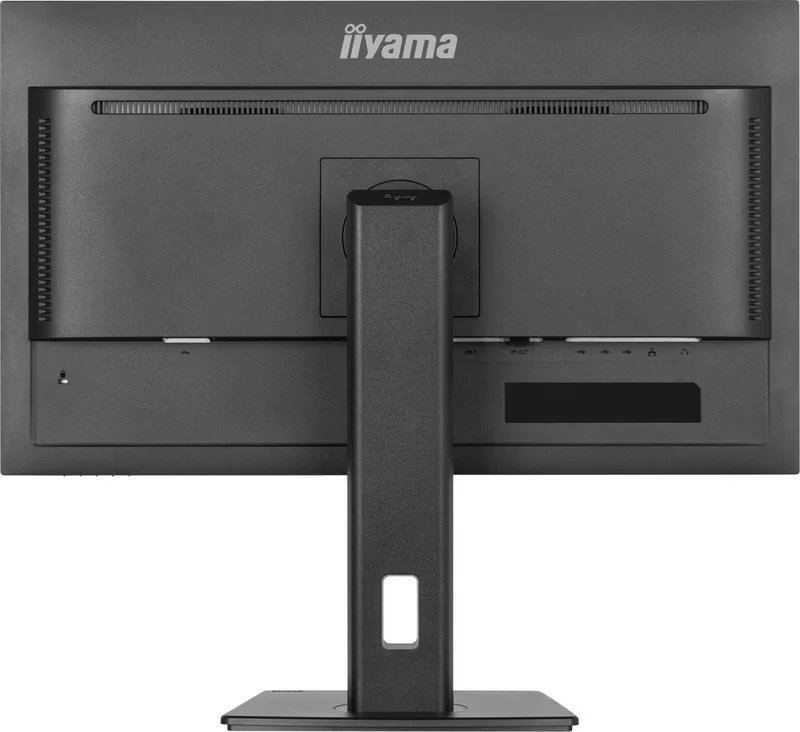
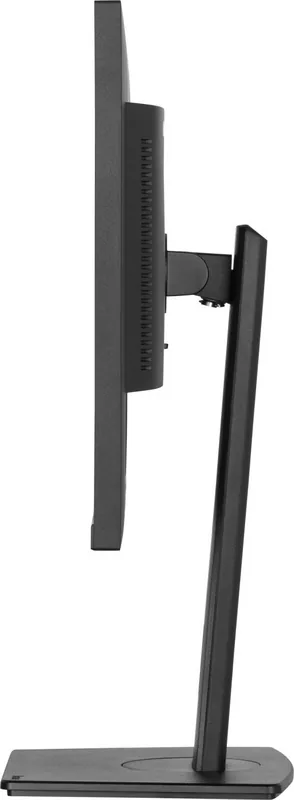
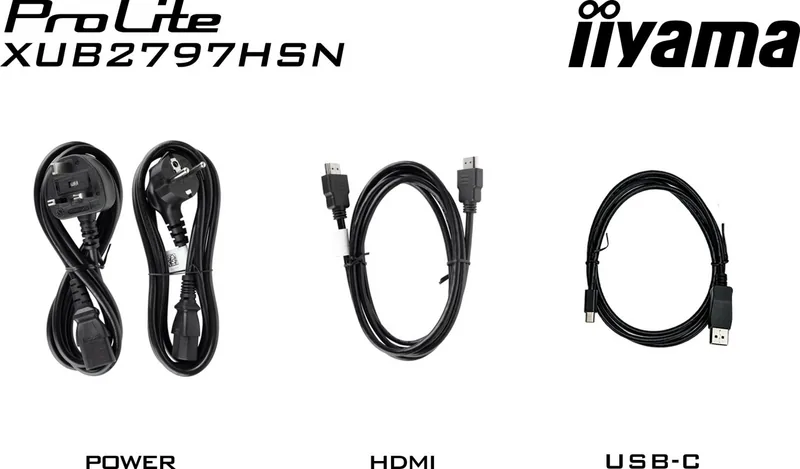
iiyama ProLite XUB2797HSN-B1 Manual
PDF manual · 38 Pages
English



Quick check
Incorrect answer, please try again.
Chat with your iiyama ProLite XUB2797HSN-B1 manual using AI
Get instant AI answers from your iiyama ProLite XUB2797HSN-B1 manual
Ask anything about the iiyama ProLite XUB2797HSN-B1. Answers come from this manual, with the pages they are based on.
ProLite XUB2797HSN-B1 Maintenance Schedule
Regularly clean the display with a dry soft cloth. Do not use paper towels as they may damage the LCD.
Remove stains with a damp soft cloth using a weak dish soap solution if necessary.
Ask a Question
Do you recommend ProLite XUB2797HSN-B1?
Yes NoFrequently Asked Questions
Connect the computer to the monitor using the supplied USB Type-C cable. Turn off both devices first. Connect the signal cable, then power cable. Enable charging if your device supports USB Power Delivery.
Is this answer helpful?
Yes, the stand allows height adjustments up to 150mm. You can also tilt up to 23 degrees upward and 5 degrees downward. Swivel left and right by 45 degrees each for better viewing comfort.
Is this answer helpful?
Yes, this product meets all criteria in TCO Certified certification. This verifies compliance with environmental and social responsibility standards verified by independent specialists throughout the product lifecycle.
Is this answer helpful?
For the HSN version, the maximum native resolution is 1920 by 1080 pixels at 100Hz. Support extends across HDMI, DisplayPort, and USB Type-C inputs for this full HD specification.
Is this answer helpful?
Navigate to the Miscellaneous menu in the On Screen Display. Select Recall and confirm Factory-preset data restoration. This returns all custom adjustments to the default state set at the factory.
Is this answer helpful?
Yes, the USB Type-C Upstream connector supports USB Power Delivery up to 65 Watts. Ensure your device supports this standard for efficient charging while connected to the monitor for data and video.
Is this answer helpful?
Advantages and Disadvantages
Advantages

- TCO Certified for verified environmental and social responsibility throughout the lifecycle
- USB Type-C port provides up to 65W power delivery for compatible devices
- Ergonomic stand allows 150mm height adjustment and portrait mode rotation
- IPS panel technology delivers wide viewing angles and consistent colors
- Comprehensive connectivity includes HDMI, DisplayPort, LAN, and USB hubs
Disadvantages

- Product is not designed specifically for 24/7 usage in all environments
- Not suitable for digital signage applications like ceiling hanging
- Monitor does not automatically display pictures in standby without button press
- Some advanced settings like Adaptive Sync limit other picture adjustments
- No guarantee for operation of external devices other than headphones via audio jack
Product Specification
Function
Monitor (Fixed)
Diagonal
27" (27.01 inches)
Resolution
1920x1080 (FHD), 16:9, 82 ppi
Panel
IPS
Backlight
LED, Blue Light Filter, flicker-free
Brightness
250 cd/m^2 (Typical)
Contrast
1,000:1 (Static), 80,000,000:1 (Dynamic)
Response Time
1ms (MPRT)
Refresh Rate
100Hz (1920x1080)
Signal Frequency
30-110kHz (H) / 100Hz (V)
Connectors
1x HDMI 1.4 (100Hz@1920x1080), 1x DisplayPort-Out, 1x DisplayPort 1.2 (100Hz@1920x1080), 1x USB-C 3.0 with DisplayPort (Upstream, 5Gb/s, PD 65W, 100Hz@1920x1080), 4x USB-A 3.0 (Downstream, 5Gb/s), 1x 3.5mm Jack (Line-Out), 1x RJ-45 1Gb LAN, 1x AC-In C13 (Power Inlet)
Form
Straight (Flat)
Viewing Angle
178°/178°
Coating
Non-glare (Matte)
Color Depth
8-bit (16.7 Million colors)
FRC
Unknown
sRGB
99%
NTSC
72%
Speakers
Built-in Speakers (2x 2W)
Controls
Mechanical Buttons
Ergonomics
With Stand, Height Adjustable (5.91 in), Pivot (+90°), Rotatable (+/-45°), Tilt (+23°/-5°)
VESA
100x100 (Covered)
Power Consumption
22W (Typical), 0.5W (Standby)
Energy Efficiency SDR (A to G)
22kWh/1000h (E)
Features
Security Lock (Kensington Security Slot), Slim Bezel
Screen-to-Body Ratio
90.29% (Calculated)
Dimensions
24.07x15.89x8.25 in (WxHxD) with stand compressed, 24.07x14.33x1.87 in without stand
Color
Black (Display Frame) / Black (Bottom Bezel) / Black (Stand Base) / Black (Back Cover)
Weight
13.23 lbs (With Stand)
Power Supply
Internal
Warranty
Three years (Processing via manufacturer, Product registration within 60 days after purchase: Link, Warranty Information: Link)
USB Spelling
Link
Product Description
Experience Professional Grade Displays Today
The iiyama ProLite XUB2797HSN-B1 represents a significant step forward in desktop monitoring solutions for modern workspaces. Designed for professionals and enthusiasts alike, this 27-inch display offers exceptional clarity thanks to its high-quality IPS panel technology. Users will appreciate the vivid color reproduction and wide viewing angles that maintain consistency regardless of where they sit relative to the screen. The native resolution reaches full HD, ensuring sharp details for both demanding work tasks and immersive entertainment consumption experiences. Advanced contrast functions help bring out deeper blacks and brighter whites for stunning visual fidelity.
Modern workflows demand versatile connections, and this unit delivers comprehensive options effectively. Equipped with HDMI, DisplayPort, and a robust USB Type-C port, users can connect laptops and PCs seamlessly without needing multiple adapters. Notably, the USB Type-C connector supports video data transfer alongside up to sixty-five watts of power delivery, allowing compatible devices to charge efficiently while operating simultaneously. Additionally, integrated stereo speakers provide basic audio output directly from the bezel, saving desk space. The LAN port supports network connectivity directly through the monitor for streamlined office setups requiring wired internet access.
Comfort is paramount during extended usage periods throughout the day. The included stand features height adjustments reaching one hundred fifty millimeters, allowing users to align the screen perfectly with their natural eye level. Comprehensive tilt, swivel, and portrait mode rotation options further enhance customization for different viewing preferences. Referencing the official iiyama ProLite XUB2797HSN-B1, 27-inch Manual specifications ensures optimal positioning for reduced strain. Proper placement reduces neck tension significantly, improving overall productivity metrics throughout the workday without compromising health standards or causing injury.
Environmentally conscious consumers will note the TCO Certification prominently displayed. This validates the product meets rigorous environmental and social responsibility criteria throughout its entire lifecycle. Safety precautions are also strongly emphasized to prevent electrical hazards or physical damage during installation phases. Ensuring adequate ventilation around the back slots prevents overheating, protecting internal electronic components from premature failure due to excessive heat generation. Recycling instructions encourage responsible disposal practices when the product finally reaches end of life stages, supporting global conservation efforts.
Note: Installation requires firm surfaces. Do not block ventilation. Avoid direct sunlight.
Search for 67,706 Manuals online


Type-in Brand or Model