
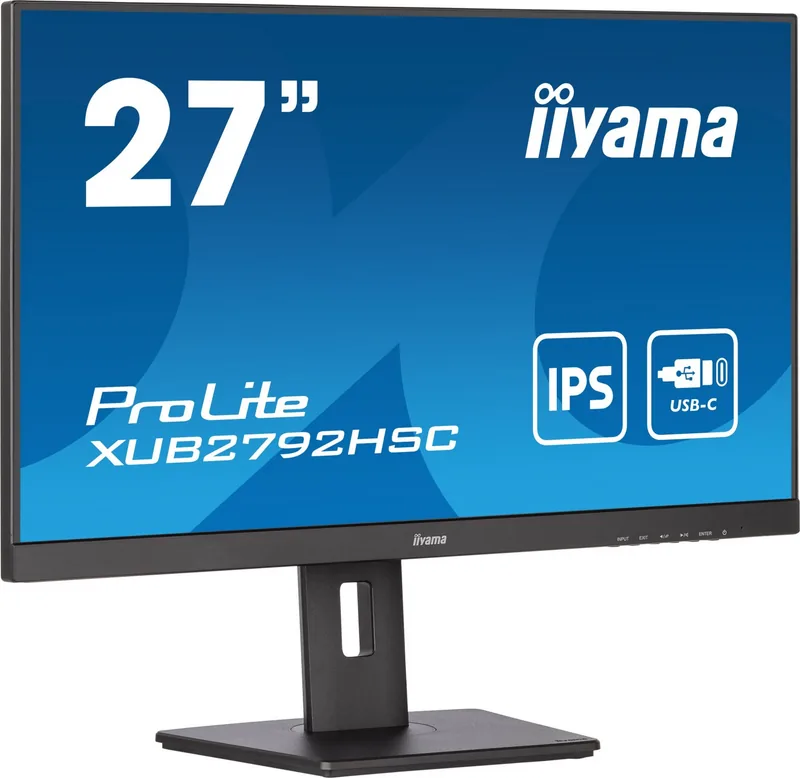
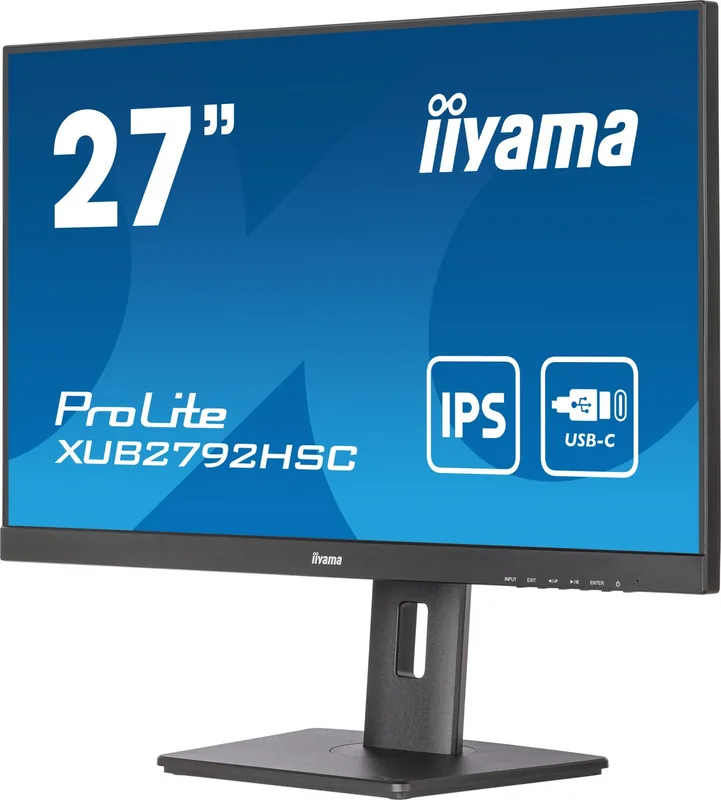
iiyama ProLite XUB2792HSC-B5 Manual
PDF manual · 32 Pages
English



Quick check
Incorrect answer, please try again.
Chat with your iiyama ProLite XUB2792HSC-B5 manual using AI
Get instant AI answers from your iiyama ProLite XUB2792HSC-B5 manual
Ask anything about the iiyama ProLite XUB2792HSC-B5. Answers come from this manual, with the pages they are based on.
ProLite XUB2792HSC-B5 Maintenance Schedule
Clean the screen periodically with a soft dry cloth. Do not use tissue paper.
Remove stains with a cloth lightly moistened with mild detergent solvent, then wipe with a soft dry cloth.
Ask a Question
Do you recommend ProLite XUB2792HSC-B5?
Yes NoFrequently Asked Questions
It supports HDMI, DisplayPort, and USB Type-C connectors for video input. USB Type-C also provides power delivery up to 65W.
Is this answer helpful?
Yes, the USB Type-C port supports USB Power Delivery up to 65W for charging compatible devices even in standby mode if configured.
Is this answer helpful?
No, this product is not designed for digital signage or wall mounting applications according to the manual specifications.
Is this answer helpful?
The stand allows height adjustment up to 150mm, tilt, swivel, and rotation for ergonomic positioning.
Is this answer helpful?
Yes, a power cable and HDMI cable are included in the package along with a USB Type-C cable.
Is this answer helpful?
Yes, it meets TCO Certified criteria which balances environmental and social responsibility.
Is this answer helpful?
Yes, the OSD lock can be activated by holding the Enter button for about ten seconds.
Is this answer helpful?
Advantages and Disadvantages
Advantages

- USB Type-C connectivity with 65W Power Delivery supports single-cable docking for laptops
- Fully ergonomic stand allows height, tilt, swivel, and rotation adjustments for comfort
- TCO Certified ensures environmental and social responsibility throughout the product lifecycle
- IPS panel technology offers wide viewing angles and accurate colors for professional work
- Compatible with both landscape and portrait modes for versatile multi-tasking setups
Disadvantages

- Not specifically designed for 24/7 usage in all environments according to safety remarks
- Not intended for digital signage or wall mounting applications per the notes
- Built-in speakers are low power at 2W which limits volume for media consumption
- Response time of 4ms is moderate and may not suit competitive gaming needs
- Some cables like DisplayPort and LAN are not included despite supporting functionality
Product Specification
Feature
Monitor (Fixed)
Diagonal
27" (27.0 in)
Resolution
1920x1080 (FHD), 16:9, 82 ppi
Panel
IPS
Backlight
LED, Blue Light Filter, flicker-free
Brightness
250 cd/m2 (typical)
Contrast
1,000:1 (static), 80,000,000:1 (dynamic)
Response Time
4 ms (GtG)
Refresh Rate
75 Hz (1920x1080)
Signal Frequency
30-85 kHz (H) / 55-75 Hz (V)
Ports
1x HDMI (75Hz@1920x1080), 1x DisplayPort (75Hz@1920x1080), 1x USB-C 3.0 with DisplayPort 1.2 (Upstream, 5Gb/s, PD 65W, 75Hz@1920x1080), 2x USB-A 3.0 (Downstream, 5Gb/s), 1x 3.5mm Jack (Line-Out), 1x AC-In C13 (Power Input)
Shape
Flat
Viewing Angle
178 deg/178 deg
Coating
Non-glare (Matte)
Color Depth
8 bit (16.7 Million Colors)
FRC
Unknown
sRGB
99%
Speakers
Speakers (2x 2W)
Controls
Mechanical Buttons
Ergonomics
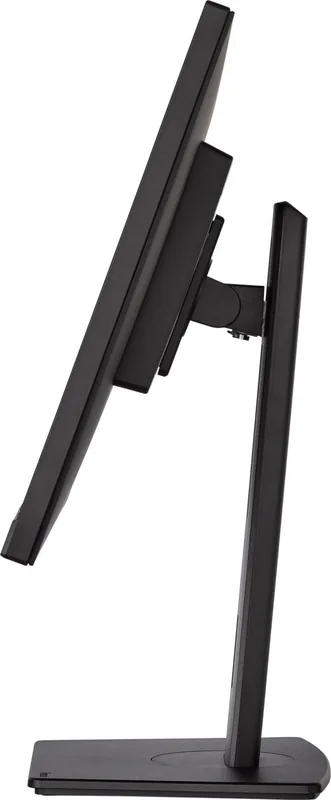
With Stand, Height Adjustable (5.91 in), Pivot (+90 deg), Swivel (+/-45 deg), Tilt (+23 deg/-5 deg)
VESA
100x100 mm (3.94x3.94 in) (Occupied)
Power Consumption
20W (typical), 0.5W (Standby)
Energy Efficiency SDR (A to G)
22 kWh / 1000h (E)
Features
Security Lock (Kensington Security Slot), Slim Bezel
Screen-to-Body Ratio
90.09% (Calculated)
Dimensions
24.09x15.49x8.25 in (WxHxD) with Stand Collapsed, 24.09x14.35x2.13 in (WxHxD) without Stand
Color
Black (Bezel) / Black (Lower Bezel) / Black (Stand) / Black (Rear)
Weight
14.55 lbs (with Stand)
Power Supply
Internal
Warranty
Three Years (Handled by Manufacturer, Product Registration within 60 days of purchase: Link, Warranty Info: Link)
USB Spec
Link
Product Description
Discover the Versatile iiyama ProLite XUB2792HSC-B5
Setting up a new workspace requires careful consideration of your peripherals. One crucial component is the display screen that you will stare at all day. The iiyama ProLite XUB2792HSC-B5 is a robust 27 inch monitor designed to meet modern productivity demands. When you first unbox this unit, having the iiyama ProLite XUB2792HSC-B5, 27" Manual nearby is essential for proper installation. This guide ensures you understand all safety precautions and feature configurations before powering on the device.
Sustainability is a major focus for modern tech buyers. This monitor holds the TCO Certified badge, signifying it meets rigorous environmental standards. It reduces harm throughout its lifecycle and ensures safe manufacturing processes. Energy STAR certification also guarantees efficient power consumption levels during operation. Users appreciate knowing their purchase supports a greener future while maintaining high performance.
Ergonomics play a significant role in long-term comfort. The stand offers height adjustments up to 150 millimeters along with tilt, swivel, and rotation capabilities. You can switch between landscape and portrait modes effortlessly. This flexibility helps eliminate neck strain and improves visibility for diverse content types. Adjusting to your optimal viewing angle is vital for reducing eye fatigue during extended sessions. The manual details exact positioning limits to prevent injury during setup.
Connectivity is another standout feature for this category of hardware. The inclusion of USB Type-C simplifies desk clutter significantly. A single cable can transmit video, data, and power up to 65 watts to your laptop. Additional HDMI and DisplayPort inputs provide compatibility with various computers. The built-in LAN port allows network access directly through the screen.
Specifications reflect a strong balance for professional use. The 1920 by 1080 resolution offers crisp text and imagery. Response time is recorded at 4ms, making it suitable for general work rather than competitive gaming. The IPS panel technology ensures wide viewing angles up to 89 degrees on all sides.
Maintenance and safety are covered extensively in the documentation. Always ensure the monitor sits on a flat surface to prevent accidental falls. Avoid placing it near water or in direct sunlight to protect internal components. Cleaning requires gentle cloths without harsh chemicals that could damage the panel. Following these simple steps prolongs the life of your equipment and keeps the warranty valid.
Ultimately, this monitor balances performance with responsibility. Reviewing the contents of the package confirms all necessary accessories are present for a smooth start. By integrating this screen into your environment, you invest in quality hardware designed for durability. The iiyama website provides recycling information and support resources for owners who wish to extend the lifespan of their device further. Additionally, the power consumption figures are low during standby modes, which helps save money on electricity bills over time. Security features such as the keyhole also allow users to attach cable locks for theft protection in shared spaces.
Search for 67,706 Manuals online


Type-in Brand or Model