
iiyama ProLite XUB2493HS-B5 / XUB2793HS-B5 Manual
PDF manual · 34 Pages
English



Quick check
Incorrect answer, please try again.
Chat with your iiyama ProLite XUB2493HS-B5 / XUB2793HS-B5 manual using AI
Get instant AI answers from your iiyama ProLite XUB2493HS-B5 / XUB2793HS-B5 manual
Ask anything about the iiyama ProLite XUB2493HS-B5 / XUB2793HS-B5. Answers come from this manual, with the pages they are based on.
ProLite XUB2493HS-B5 / XUB2793HS-B5 Maintenance Schedule
Clean the LCD screen regularly with a dry soft cloth. Do not use paper towels.
Remove stains with a damp soft cloth using a weak dish soap solution if necessary.
Ask a Question
Do you recommend ProLite XUB2493HS-B5 / XUB2793HS-B5?
Yes NoFrequently Asked Questions
Yes, the ProLite XUB2493HS-B5 supports rotation to portrait mode. You will need a video card capable of rotating the image on the screen to utilize this feature effectively.
Is this answer helpful?
No, this product is not designed for wall mounting or digital signage applications. It is intended for use on desks or with compatible arms.
Is this answer helpful?
The monitor supports a maximum refresh rate of 75Hz via both HDMI and DisplayPort connections at Full HD resolution.
Is this answer helpful?
Yes, the monitor includes 2W x 2 stereo speakers for basic audio output directly from the display unit.
Is this answer helpful?
Use a soft dry cloth for periodic cleaning. Do not use tissue paper, solvents, or abrasive cleaners as they can damage the screen surface.
Is this answer helpful?
Overheating can cause damage or fire. Ensure ventilation slots are not blocked and maintain at least 10cm clearance from walls for proper air circulation.
Is this answer helpful?
Advantages and Disadvantages
Advantages

- Excellent ergonomic adjustability with height, tilt, and swivel options on the XUB model
- ENERGY STAR certified for efficient power consumption and cost savings
- Sharp Full HD resolution with wide viewing angles for collaborative work
- Built-in stereo speakers and multiple input ports for versatile connectivity
- Supports portrait mode rotation on the XUB model for specialized workflows
Disadvantages

- Not designed for 24/7 continuous operation in all environmental conditions
- Cannot be used for wall mounting or digital signage applications
- Response time of 4ms may show slight ghosting in fast-paced competitive gaming
- Brightness levels might be insufficient for extremely bright outdoor-like rooms
- Power cable rating varies by region requiring specific replacements for higher voltages
Product Specification
Function
Monitor (stationary)
Panel
IPS
Backlight
LED, blue light filter, flicker-free
Contrast
1,000:1 (static), 80,000,000:1 (dynamic)
Response Time
4ms (GtG)
Refresh Rate
75Hz (1920x1080)
Shape
straight (flat)
Viewing Angle
178°/178°
Coating
non-glare (matte)
Color Depth
8bit (16.7 million colors)
FRC
unknown
sRGB
96%
Speakers
Speakers (2x 2W)
Controls
mechanical buttons
Ergonomics
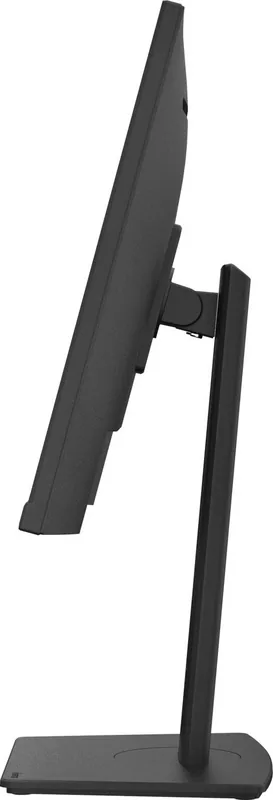
with stand, height adjustable (5.91 inches), Pivot (+90°), rotatable (±45°), tiltable (+23°/-5°)
VESA
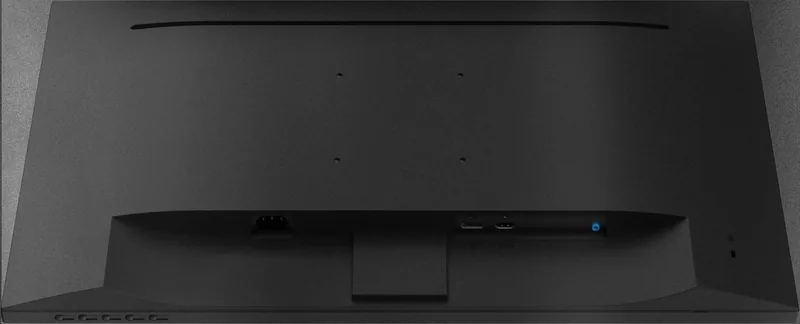
100x100 (occupied)
Features
security lock (Kensington Security Slot), Slim Bezel
Color
black (display frame) / black (lower bezel) / black (stand) / black (back)
Power Supply
internal
Warranty
three years (processing via manufacturer, product registration within 60 days of purchase: Link, warranty information: Link)
USB Spelling
Link
Product Description
Elevate Your Workspace with the iiyama ProLite XUB2493HS-B5 and XUB2793HS-B5 Monitors
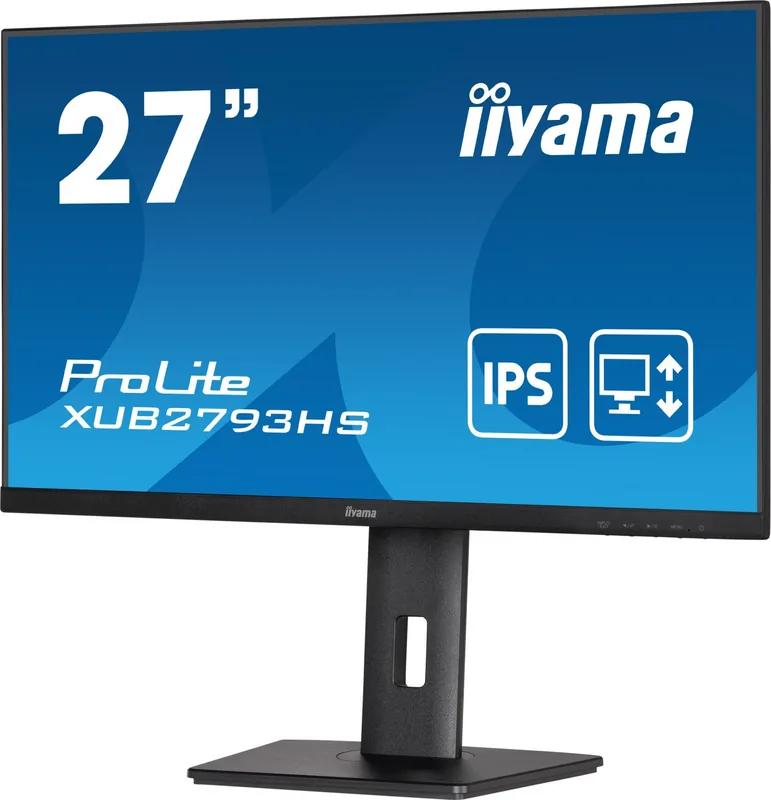
The iiyama ProLite series continues to set a high standard for productivity and visual clarity. The ProLite XUB2493HS-B5 and its larger counterpart, the XUB2793HS-B5, are designed to meet the diverse needs of modern professionals, students, and home office users. These monitors deliver sharp Full HD resolution, ensuring that every detail in your documents, spreadsheets, and creative projects is rendered with precision.
At the heart of these displays lies an advanced ADSS panel technology that offers impressive viewing angles of 89 degrees both horizontally and vertically. This ensures consistent color accuracy whether you are working alone or collaborating with colleagues seated nearby. With a typical brightness of 250cd/m2 and a contrast ratio of 1000:1, images appear vibrant and text remains crisp even in well-lit environments. The inclusion of an Advanced Contrast function further enhances the dynamic range, making movies and games look more immersive.
Ergonomics play a crucial role in long-term comfort, and the XUB2493HS-B5 excels in this area. Its stand allows for height adjustments up to 150mm, along with swivel capabilities of 45 degrees left and right, and tilt ranges of 23 degrees upward and 5 degrees downward. This flexibility helps users maintain a healthy posture, reducing neck strain during extended work sessions. The model also supports portrait mode rotation, ideal for coding or reading long documents. In contrast, the XU2493HS-B5 focuses on a robust tilt mechanism suitable for landscape-oriented setups.
Connectivity is seamless with built-in HDMI and DisplayPort inputs, accommodating various devices from laptops to desktops. The integrated stereo speakers provide convenient audio output, eliminating the need for external speakers for basic tasks. Energy efficiency is another highlight, as both models carry the ENERGY STAR certification, consuming minimal power in standby mode while delivering performance when active.
Safety features are paramount, with clear guidelines provided for installation and usage. Users are advised to avoid placing the monitor near water or in areas with direct sunlight to prevent damage. Proper ventilation is essential to keep the unit cool, so maintaining a gap of at least 10cm from walls is recommended. The monitors are not designed for 24/7 continuous operation in all environments or for wall mounting in digital signage applications.
Whether you choose the 24-inch XUB2493HS-B5 for its versatile adjustability or the alternative variant, these iiyama monitors promise reliability and quality. They are perfect for offices seeking to upgrade their display infrastructure without compromising on budget or functionality.
Search for 67,706 Manuals online


Type-in Brand or Model