
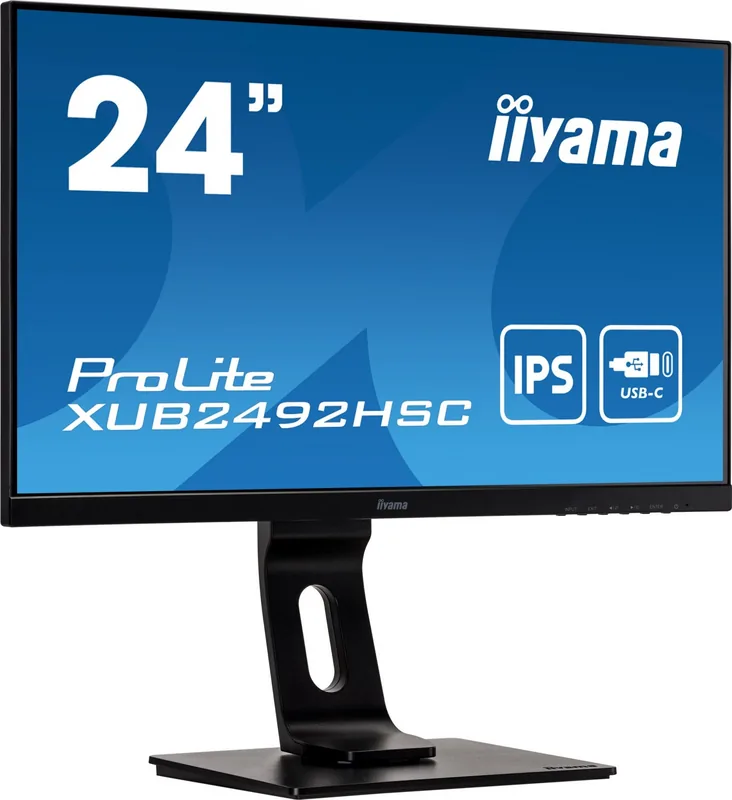
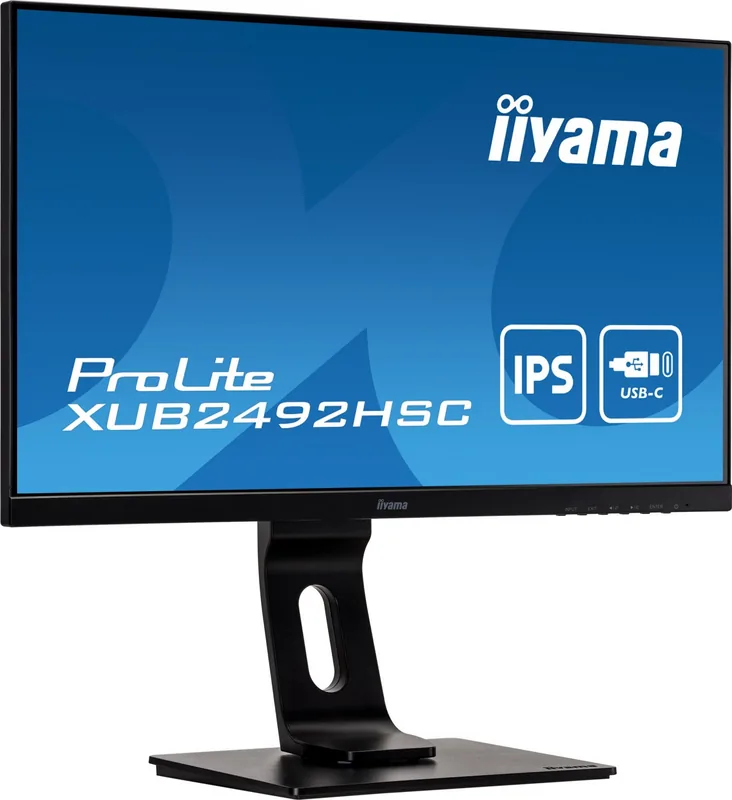
iiyama ProLite XUB2492HSC-B1 Manual
PDF manual · 39 Pages
English



Quick check
Incorrect answer, please try again.
Chat with your iiyama ProLite XUB2492HSC-B1 manual using AI
Get instant AI answers from your iiyama ProLite XUB2492HSC-B1 manual
Ask anything about the iiyama ProLite XUB2492HSC-B1. Answers come from this manual, with the pages they are based on.
ProLite XUB2492HSC-B1 Maintenance Schedule
Clean periodically with a soft dry cloth. Do not use tissue paper.
Remove stains with a cloth lightly moistened with mild detergent solvent, then wipe with a soft dry cloth.
Ask a Question
Do you recommend ProLite XUB2492HSC-B1?
Yes NoFrequently Asked Questions
Yes, the monitor features a USB Type-C port that supports Power Delivery up to 65W. This allows you to charge compatible laptops while transmitting video and data through a single cable.
Is this answer helpful?
The monitor is TCO Certified, which is a leading global standard for IT products. This certification verifies that the product meets strict criteria for environmental impact, social responsibility, and usability throughout its entire lifecycle.
Is this answer helpful?
Absolutely. The stand allows for height adjustment of up to 130mm. You can also tilt the screen up to 22 degrees forward and 5 degrees backward, and swivel it 45 degrees in either direction.
Is this answer helpful?
While primarily designed for office and professional use, the 4ms gray-to-gray response time and 75Hz refresh rate make it capable of handling casual gaming. However, it lacks the high refresh rates typical of dedicated gaming monitors.
Is this answer helpful?
If your specific variant supports DisplayPort Out, you can daisy-chain up to four monitors together using the MST function via DisplayPort or USB Type-C inputs for an expanded workspace.
Is this answer helpful?
To unlock the On-Screen Display menu, press and hold the ENTER button on the front of the monitor for approximately 10 seconds until the lock message disappears.
Is this answer helpful?
Advantages and Disadvantages
Advantages

- USB Type-C connectivity with 65W power delivery simplifies setup and charges laptops
- TCO Certified status ensures high environmental and social responsibility standards
- Fully ergonomic stand with height, tilt, and swivel adjustments for comfort
- IPS panel provides excellent color accuracy and wide viewing angles
- Integrated LAN port allows direct network connection for enhanced workflow
Disadvantages

- Built-in speakers are basic and may lack depth for immersive media experiences
- Not specifically designed for 24/7 continuous usage in all environments
- DisplayPort Out feature is limited to specific variants within the ProLite series
- No built-in webcam or microphone for video conferencing needs
- Cable management requires careful routing through the provided holders
Product Specification
Function
Monitor (stationary)
Diagonal
23.8" (60.5cm)
Resolution
1920x1080 (FHD), 16:9, 93ppi
Panel
IPS
Backlight
LED, blue light filter, flicker-free
Brightness
250cd/m^2 (typical)
Contrast
1,000:1 (static), 80,000,000:1 (dynamic)
Response Time
4ms (GtG)
Refresh Rate
75Hz (1920x1080)
Signal Frequency
30-85kHz (H) / 55-75Hz (V)
Connections
1x HDMI 1.4, 1x DisplayPort 1.2, 1x USB-C 3.0 with DisplayPort 1.2 (Upstream, 5Gb/s, PD 65W), 2x USB-A 3.0 (Downstream, 5Gb/s), 1x 3.5mm jack (Line-Out), 1x AC-In C13 (Power In)
Shape
straight (flat)
Viewing Angle
178°/178°
Coating
non-glare (matte)
Color Depth
8bit (16.7 million colors)
FRC
unknown
sRGB
99%
Speakers
Speakers (2x 2W)
Control
mechanical buttons
Ergonomics
with stand, height adjustable (130mm), Pivot (+90°), swivel (±45°), tiltable (+22°/-5°)
VESA
100x100 (occupied)
Power Consumption
19W (typical), 0.5W (Standby)
Energy Efficiency SDR (A to G)
20kWh/1000h (F)
Features
Security lock (Kensington Security Slot), Slim Bezel
Screen-to-Body Ratio
89.69% (calculated)
Dimensions
21.2x14.4x8.3in (WxHxD) with stand compressed, 21.2x12.7x2.0in (WxHxD) without stand
Color
black (display frame) / black (lower bezel) / black (stand) / black (back)
Weight
11.90lbs (with stand)
Power Supply
internal
Warranty
three years (processing via manufacturer, product registration within 60 days of purchase: Link, warranty information: Link)
USB Spelling
Link
Product Description
Elevate Your Workspace with the iiyama ProLite XUB2492HSC-B1
The iiyama ProLite XUB2492HSC-B1 is a versatile 23.8-inch monitor designed for professionals who demand both performance and sustainability. This sleek display features an IPS panel that delivers vibrant colors and wide viewing angles, making it ideal for creative work, office tasks, and multimedia consumption. With a native resolution of 1920x1080 and a rapid 4ms response time, users enjoy crisp visuals and smooth motion without distracting lag.
One of the standout features of this model is its comprehensive connectivity suite. It includes HDMI, DisplayPort, and a robust USB Type-C port that supports up to 65W Power Delivery. This allows you to connect a laptop, charge it simultaneously, and transmit video and data through a single cable, significantly reducing desk clutter. The integrated LAN port further enhances productivity by enabling network access directly from the monitor, while the built-in stereo speakers provide convenient audio output.
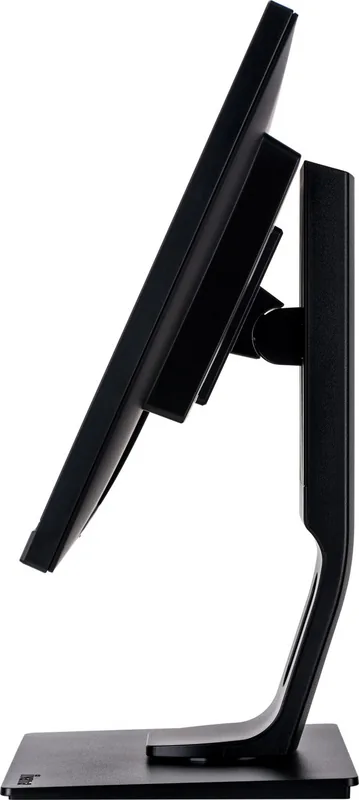
Ergonomics are central to the design philosophy of the iiyama ProLite series. The stand offers extensive adjustability, including height adjustment up to 130mm, swivel capabilities of 45 degrees left and right, and tilt options ranging from 22 degrees upward to 5 degrees downward. This flexibility ensures that users can maintain a comfortable posture during long working hours, reducing eye strain and physical fatigue. Additionally, the monitor is TCO Certified, reflecting iiyama's commitment to environmental responsibility and social standards throughout the product lifecycle.
The on-screen display menu provides intuitive control over picture settings, allowing users to customize brightness, contrast, and color temperature to suit their environment. Features like Blue Light Reducer help minimize eye strain during extended use. Whether you are connecting multiple devices or seeking a reliable daily driver for your home office, this monitor stands out as a thoughtful blend of functionality and eco-conscious design.
Search for 67,706 Manuals online


Type-in Brand or Model