
iiyama ProLite XUB2490HSUC-B5 Manual
PDF manual · 31 Pages
English



Quick check
Incorrect answer, please try again.
Chat with your iiyama ProLite XUB2490HSUC-B5 manual using AI
Get instant AI answers from your iiyama ProLite XUB2490HSUC-B5 manual
Ask anything about the iiyama ProLite XUB2490HSUC-B5. Answers come from this manual, with the pages they are based on.
ProLite XUB2490HSUC-B5 Maintenance Schedule
Clean the screen periodically with a soft dry cloth. Do not use tissue paper.
Remove stains with a cloth lightly moistened with mild detergent solvent, then wipe with a soft dry cloth.
Ask a Question
Do you recommend ProLite XUB2490HSUC-B5?
Yes NoFrequently Asked Questions
The monitor has a native Full HD resolution of 1920 x 1080 pixels and supports this resolution at 60 Hz through VGA, HDMI, and DisplayPort. Using the native resolution is recommended for the sharpest image.
Is this answer helpful?
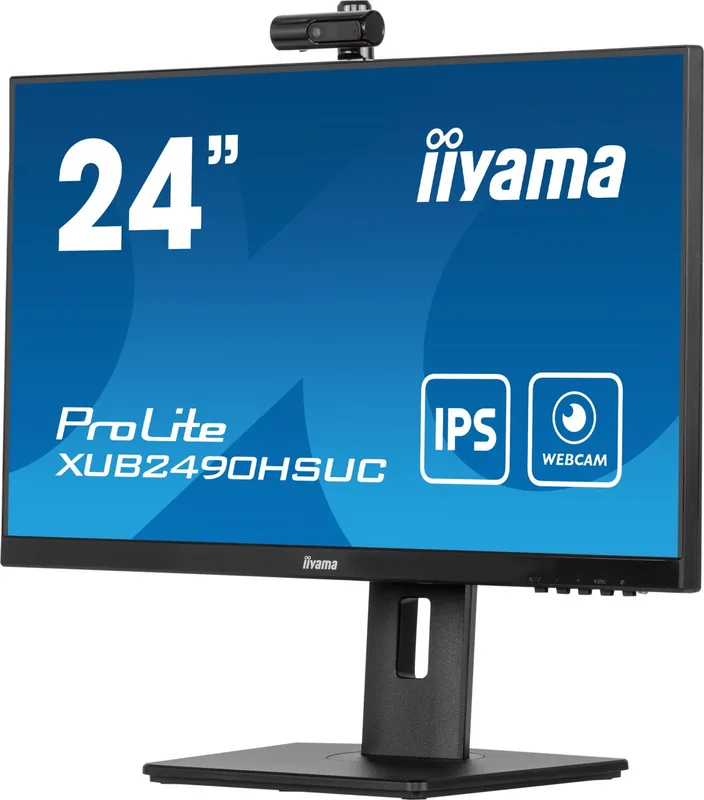
Yes. It includes a detachable Full HD 1080p webcam with autofocus, an integrated microphone, and a 75-degree field of view. Connect the monitor to the computer with the supplied USB cable to use webcam and microphone functions.
Is this answer helpful?
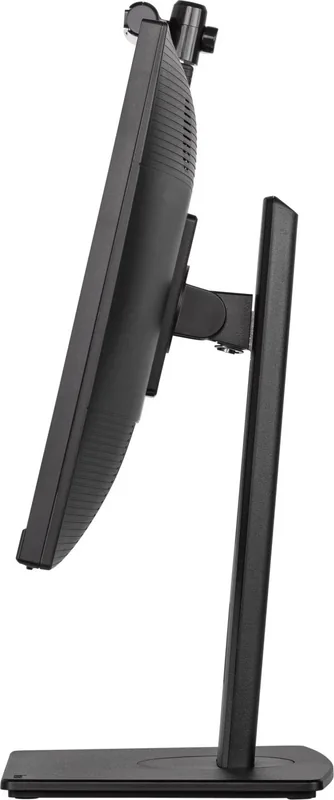
Yes. The stand supports 150 mm height adjustment, 45-degree left and right swivel, tilt from 5 degrees forward to 23 degrees backward, and pivot rotation for portrait orientation. It also supports 100 x 100 mm VESA mounting.
Is this answer helpful?
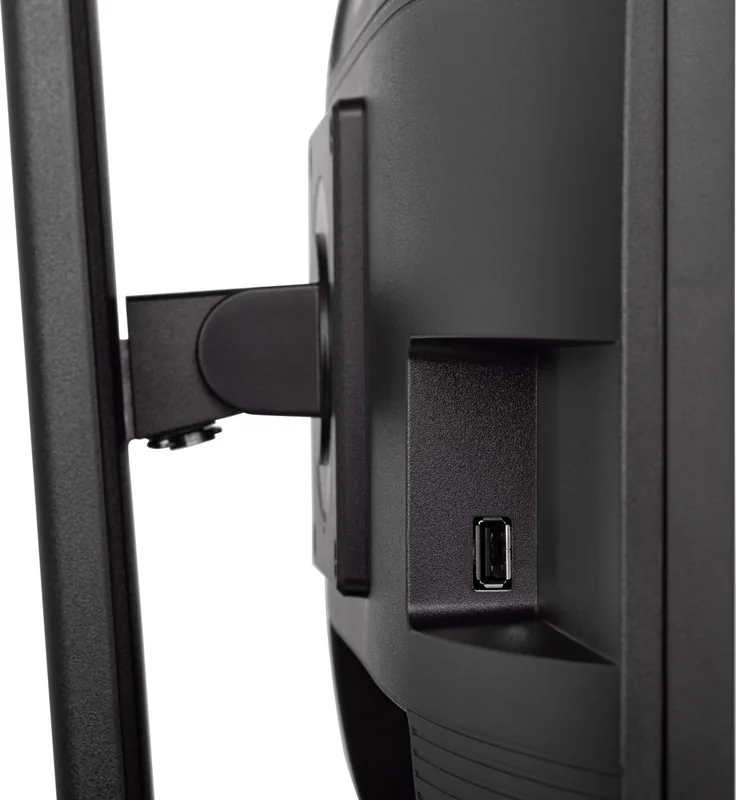
The XUB2490HSUC-B5 provides HDMI, DisplayPort, and VGA video inputs. It also has a USB upstream port, one USB downstream port, an audio input, and a headphone output.
Is this answer helpful?
Yes. It includes multiple blue light reduction modes, adjustable brightness, and image presets such as Text and Internet. These options can help tailor the display for extended reading and office work.
Is this answer helpful?
Yes. The monitor has two integrated 2 W stereo speakers. They are practical for calls, alerts, and casual media, while external speakers or headphones may be preferable for more detailed audio.
Is this answer helpful?
Advantages and Disadvantages
Advantages

- 23.8 inch Full HD IPS panel provides sharp everyday visuals and wide viewing angles.
- Full HD autofocus webcam, microphone, speakers, and USB support simplify video calls.
- Ergonomic stand offers height, tilt, swivel, and pivot adjustment for flexible positioning.
- HDMI, DisplayPort, VGA, audio, headphone, and USB connections support varied setups.
- Blue light reduction, Eco modes, and ENERGY STAR compliance support comfortable, efficient use.
Disadvantages

- Native resolution is limited to 1920 x 1080 at 60 Hz, not aimed at high-refresh gaming.
- The webcam and microphone require a USB connection to the computer.
- Built-in 2 W speakers are suitable for basic audio rather than powerful sound.
- Not designed for 24/7 operation or wall-mounted digital signage use.
- VGA connectivity is available, but a VGA cable is not included.
Product Specification
Function
Monitor (desktop)
Diagonal
23.8 in (23.82 in)
Resolution
1920x1080 (FHD), 16:9, 93 ppi
Panel
IPS
Backlight
LED, blue light filter, flicker-free
Brightness
250 cd/m2 (typical)
Contrast
1,000:1 (static), 80,000,000:1 (dynamic)
Response time
4 ms (GtG)
Refresh rate
60 Hz (1920x1080)
Signal frequency
30-80 kHz (H)
Ports
1x VGA (60 Hz at 1920x1080), 1x HDMI (60 Hz at 1920x1080), 1x DisplayPort (60 Hz at 1920x1080), 1x USB-B 2.0 (upstream, 480 Mb/s), 1x USB-A 2.0 (downstream, 480 Mb/s), 1x 3.5 mm jack (line-out), 1x 3.5 mm jack (line-in), 1x DC-in barrel jack (power connection)
Shape
straight (flat)
Viewing angle
178 degrees/178 degrees
Coating
non-glare (matte)
Color depth
8-bit (16.7 million colors)
FRC
unknown
sRGB
99%
Speakers
Speakers (2x 2 W)
Communication
Webcam (2.1 megapixels, tiltable)
Controls
mechanical buttons
Ergonomics
with stand, height-adjustable (5.91 in), pivot (+90 degrees), swivel (+/-45 degrees), tilt (+23 degrees/-5 degrees)
VESA
3.94x3.94 in (occupied)
Power consumption
16 W (typical), 0.5 W (standby)
SDR energy efficiency (A to G)
16 kWh/1,000 h (E)
Special features
security lock (Kensington Security Slot), slim bezel
Screen-to-Body Ratio
88.83% (calculated)
Dimensions
21.26x15.06x8.25 in (WxHxD) with stand compressed, 21.26x12.81x1.93 in (WxHxD) without stand
Color
black (display frame) / black (lower bezel) / black (stand) / black (rear)
Weight
10.8 lb (with stand)
Power supply
external
Warranty
three years (handled by manufacturer, product registration within 60 days after purchase: Link, warranty information: Link)
USB notation
Link
Product Description
iiyama ProLite XUB2490HSUC-B5, 23.8 Inch - Read, Download & Print Free
The iiyama ProLite XUB2490HSUC-B5, 23.8 inch monitor is designed for productive everyday computing, combining a Full HD IPS panel with flexible ergonomics and integrated communication features. Its 1920 x 1080 resolution delivers a sharp workspace for documents, spreadsheets, web browsing, and video calls, while the 23.8 inch screen size fits comfortably on compact desks.
Clear IPS Viewing for Work and Home
The IPS panel offers wide 89-degree viewing angles in every direction, helping colors and contrast remain consistent when viewed from the side. With a typical 1000:1 contrast ratio, 250 cd/m2 brightness, and support for approximately 16.7 million colors, the display is suited to general office tasks, media playback, and multitasking. A 4 ms gray-to-gray response time, supported by adjustable OverDrive, helps keep motion looking responsive.
For long sessions, the monitor includes blue light reduction modes and several i-Style Color presets for text, internet use, games, movies, and sports. Users can also adjust brightness, contrast, gamma, color temperature, and six-axis color settings through the on-screen menu. An advanced contrast option is available for content that benefits from dynamic brightness adjustment.
Built-In Webcam and Practical Connectivity
A detachable Full HD 1080p webcam with autofocus, integrated microphone, and a 75-degree field of view makes the XUB2490HSUC-B5 a convenient choice for video meetings. The webcam connects through USB, so a USB cable between the monitor and computer is required for camera and microphone use.
Connectivity includes HDMI, DisplayPort, and VGA inputs, allowing the monitor to work with modern and legacy devices. A USB upstream port and USB downstream port support simple peripheral connections, while a headphone output and 2 x 2 W stereo speakers provide everyday audio options. The monitor can automatically detect an active source when appropriate, or users can select an input manually.
Ergonomic Setup and Efficient Operation
The adjustable stand supports up to 150 mm of height adjustment, 45-degree swivel to either side, tilt from 5 degrees forward to 23 degrees back, and pivot rotation for portrait viewing. This flexibility helps create a more comfortable workstation for coding, reading, editing, or comparing long documents. A 100 x 100 mm VESA mount option is also available for compatible monitor arms.
Typical power consumption is 16 W, with standby use rated at 0.5 W maximum when USB devices are disconnected. ENERGY STAR compliance and an Eco mode support lower-energy operation. For best image quality, use the native 1920 x 1080 resolution at 60 Hz.
Notes
- The monitor is not intended for dedicated 24/7 operation or wall-mounted digital signage.
- Leave ventilation space around the display and use the supplied or approved power cable.
- Clean the panel with a dry, soft cloth and avoid abrasive or harsh cleaning products.
Search for 67,706 Manuals online


Type-in Brand or Model