
iiyama ProLite XU3294QSU-B1 Manual
PDF manual · 36 Pages
English



Quick check
Incorrect answer, please try again.
Chat with your iiyama ProLite XU3294QSU-B1 manual using AI
Get instant AI answers from your iiyama ProLite XU3294QSU-B1 manual
Ask anything about the iiyama ProLite XU3294QSU-B1. Answers come from this manual, with the pages they are based on.
Ask a Question
Do you recommend ProLite XU3294QSU-B1?
Yes NoFrequently Asked Questions
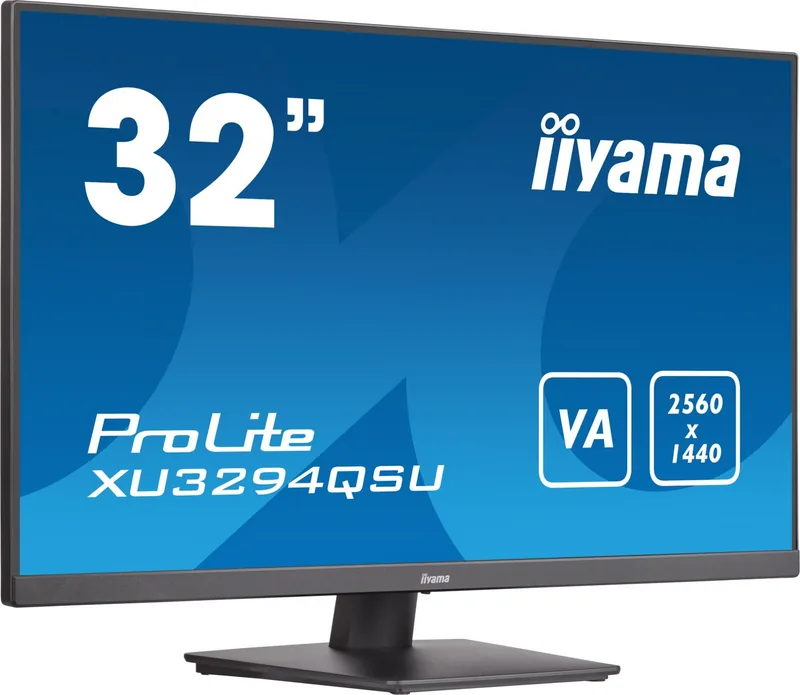
The monitor has a native QHD resolution of 2560 x 1440 pixels. HDMI and DisplayPort connections support up to 2560 x 1440 at 75 Hz.
Is this answer helpful?
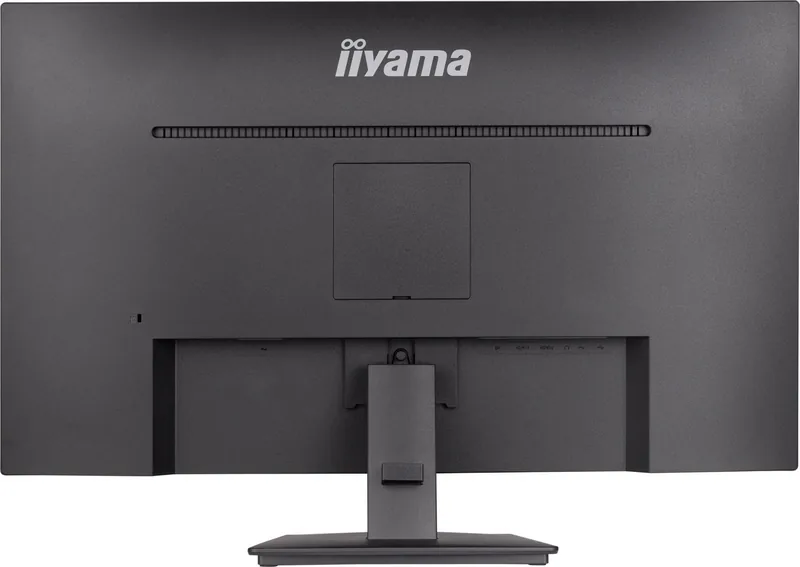
It includes two HDMI inputs, one DisplayPort input, one USB upstream port, two USB 3.0 downstream ports, a 3.5 mm headphone output, and an AC power connection.
Is this answer helpful?
Yes. It has two integrated 2 W stereo speakers. They are useful for everyday system sounds, calls, and casual media playback.
Is this answer helpful?
Yes. The monitor supports the 100 x 100 mm VESA mounting standard. Use appropriate M4 mounting screws with an 8 mm thread length as specified.
Is this answer helpful?
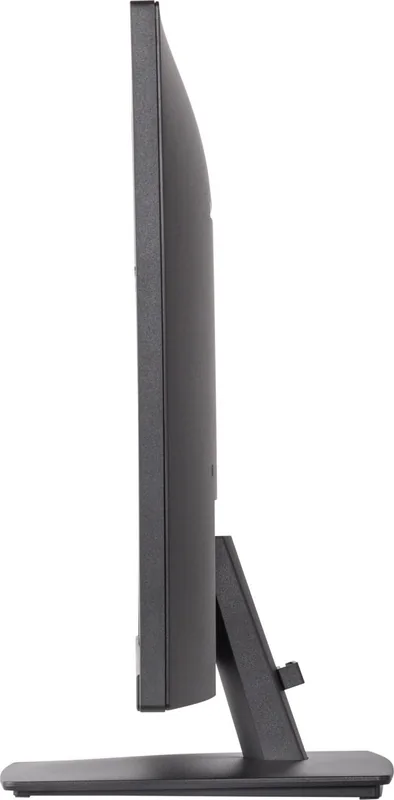
No. The XU3294QSU-B1 uses a fixed-height stand with tilt adjustment only. It tilts approximately 22 degrees backward and 4 degrees forward.
Is this answer helpful?
The display offers Flicker-Free operation and selectable Blue Light Reduction modes. It also provides image presets, brightness controls, and ECO modes for different working conditions.
Is this answer helpful?
Advantages and Disadvantages
Advantages

- 31.5-inch QHD VA panel provides generous workspace and sharp 2560 x 1440 visuals.
- Typical 3000:1 contrast ratio supports deep blacks and strong text readability.
- Two HDMI ports, DisplayPort, USB 3.0 hub, headphone output, and stereo speakers add versatility.
- Flicker-Free, Blue Light Reduction, ECO modes, and 75 Hz support suit extended daily use.
Disadvantages

- Fixed stand offers tilt only, with no height, swivel, or pivot adjustment.
- Typical brightness of 250 cd/m2 may be limited in very bright rooms.
- Integrated 2 W speakers are suitable for basic audio rather than room-filling sound.
- Designed for landscape use and not intended for 24/7 operation.
Product Specification
Function
Monitor (stationary)
Diagonal
31.5 in (31.5 in)
Resolution
2560x1440 (QHD), 16:9, 93 ppi
Panel
VA
Backlight
LED, blue light filter, flicker-free
Brightness
250 cd/m2 (typical)
Contrast
3,000:1 (static), 80,000,000:1 (dynamic)
Response Time
4 ms (GtG)
Refresh Rate
75 Hz (2560x1440)
Signal Frequency
30-120 kHz (H)
Connections
1x HDMI (75 Hz@2560x1440), 1x DisplayPort (75 Hz@2560x1440), 1x USB-B 3.0 (upstream, 5 Gb/s), 2x USB-A 3.0 (downstream, 5 Gb/s), 1x 3.5 mm jack (line-out), 1x AC-In C13 (power input)
Shape
straight (flat)
Viewing Angle
178deg/178deg
Coating
non-glare (matte)
Color Depth
8-bit (16.7 million colors)
FRC
unknown
sRGB
96%
Speakers
Speakers (2x 2 W)
Controls
Joystick
Ergonomics
with stand, height-adjustable N/A, pivot N/A, swivel N/A, tilt (+23deg/-5deg)
VESA
100x100 (available)
Power Consumption
37 W (typical), 0.3 W (standby)
SDR Energy Efficiency (A to G)
33 kWh/1,000 h (G)
Special Features
Security lock (Kensington Security Slot), slim bezel
Screen-to-Body Ratio
90.02% (calculated)
Dimensions
28.15x19.49x10.43 in (WxHxD) with stand, 28.15x16.73x2.01 in (WxHxD) without stand
Color
black (display bezel) / black (bottom bezel) / black (stand) / black (rear)
Weight
12.35 lb (with stand)
Power Supply
internal
Warranty
three years (handled by manufacturer, product registration within 60 days of purchase: link, warranty information: link)
USB Notation
Link
Product Description
iiyama ProLite XU3294QSU-B1, 31.5-inch - Read, Download & Print Free
The iiyama ProLite XU3294QSU-B1, 31.5-inch is a spacious QHD monitor built for productive desks, home offices, everyday entertainment, and multi-window workflows. Its 31.5-inch VA panel delivers a 2560 x 1440 resolution, providing more room than Full HD for documents, spreadsheets, browser tabs, creative projects, and detailed media. The large viewing area helps users keep key information visible without constantly switching between applications.
Clear visuals with strong contrast
The VA display technology is designed to deliver a typical 3000:1 contrast ratio, helping dark scenes appear deeper and text stand out clearly against bright backgrounds. With support for approximately 16.7 million colors, 250 cd/m2 typical brightness, and wide 89-degree viewing angles, the monitor is suited to shared viewing as well as individual work. A 4 ms gray-to-gray response time and adjustable Overdrive settings support smoother movement during video playback and casual gaming.
The monitor supports up to 2560 x 1440 at 75 Hz through HDMI or DisplayPort. This combination offers a practical balance of screen sharpness, desktop space, and fluid motion. iiyama also includes Flicker-Free technology and Blue Light Reduction modes, which can make long sessions more comfortable when reading, writing, or working late.
Flexible connections and everyday convenience
Connectivity is a key strength of the ProLite XU3294QSU-B1. It includes two HDMI inputs and one DisplayPort input, making it easy to connect a desktop PC, laptop, console, or media device. Its USB 3.0 hub provides one upstream port and two downstream ports with up to 5 V and 900 mA output, allowing convenient access for peripherals. A headphone jack and integrated 2 W stereo speakers add practical audio options without requiring separate desktop speakers for basic use.
A rear cable holder helps keep the workspace more organized, while the 100 x 100 mm VESA mounting support offers an alternative installation route for compatible monitor arms or wall mounts. The display is intended for landscape use and includes a security lock slot for added peace of mind in shared environments.
Simple control and efficient operation
A joystick controller gives quick access to image settings, input selection, volume, color presets, ECO modes, and on-screen display options. Users can select dedicated profiles for standard use, text, games, cinema, or landscape viewing. Automatic input detection is also available when multiple devices are connected.
Typical power consumption is rated at 37 W, while standby consumption is up to 0.5 W when USB devices are disconnected. The fixed stand allows tilt adjustment from 4 degrees forward to 22 degrees backward, helping users find a more comfortable viewing angle.
Notes
- The XU model has a fixed-height stand; the related XUB model adds height, swivel, and broader tilt adjustment.
- For best image quality, use the native 2560 x 1440 resolution and a compatible HDMI or DisplayPort connection.
- The monitor is not designed for 24/7 operation or portrait orientation.
Search for 67,706 Manuals online


Type-in Brand or Model