
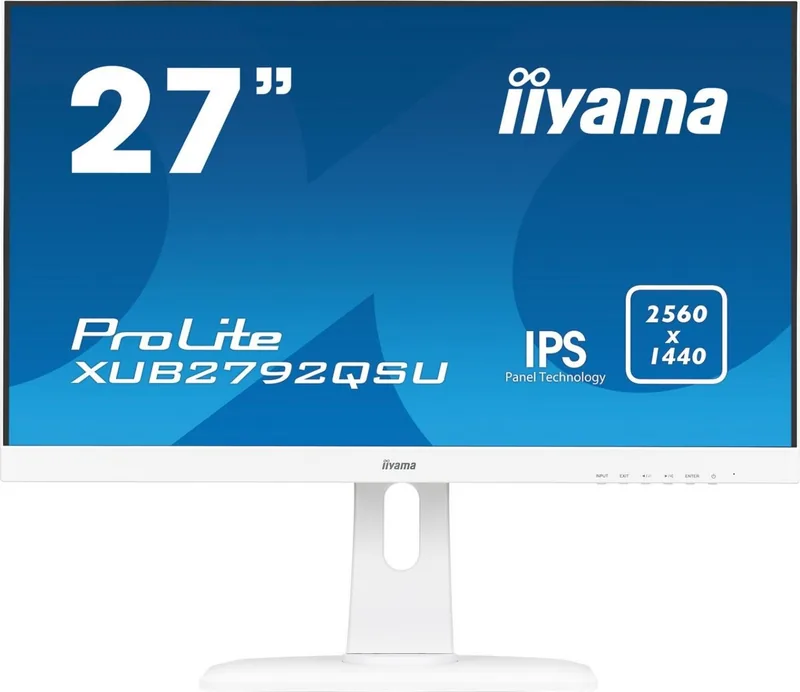
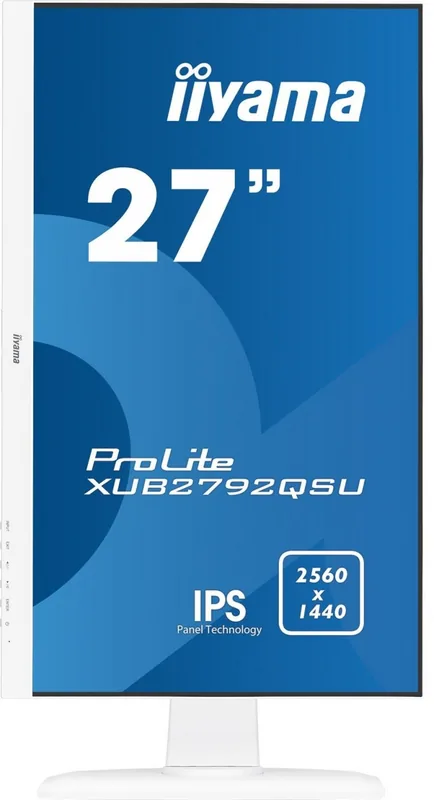
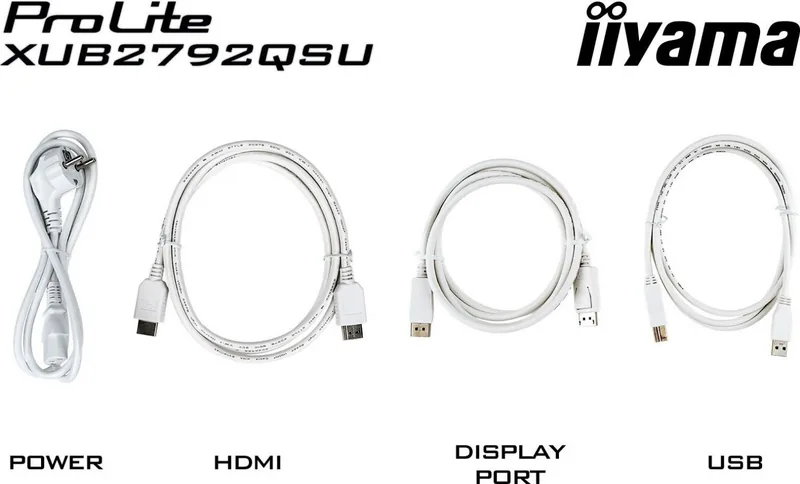
iiyama ProLite XU2792QSU / XUB2792QSU Manual
PDF manual · 33 Pages
English



Quick check
Incorrect answer, please try again.
Chat with your iiyama ProLite XU2792QSU / XUB2792QSU manual using AI
Get instant AI answers from your iiyama ProLite XU2792QSU / XUB2792QSU manual
Ask anything about the iiyama ProLite XU2792QSU / XUB2792QSU. Answers come from this manual, with the pages they are based on.
ProLite XU2792QSU / XUB2792QSU Maintenance Schedule
Periodic cleaning with a soft dry cloth is recommended. Do not use tissue paper.
Remove stains with a cloth lightly moistened with mild detergent solvent, then wipe with a soft dry cloth.
Free maintenance reminders
Timed to your purchase date. Always free, unsubscribe anytime.
Ask a Question
Do you recommend ProLite XU2792QSU / XUB2792QSU?
Yes NoFrequently Asked Questions
The main difference lies in the stand functionality. The XUB2792QSU features a fully adjustable stand that allows for height changes up to 130mm, swiveling, and tilting. The XU2792QSU has a simpler stand that only allows for tilt adjustments. Both models share identical screen specifications and internal components.
Is this answer helpful?
Yes, both the iiyama ProLite XU2792QSU and XUB2792QSU comply with the VESA mounting standard measuring 100mm by 100mm. This allows you to easily attach the monitor to compatible wall mounts or desk arms for flexible installation options.
Is this answer helpful?
Absolutely. The monitor supports AMD Radeon FreeSync technology, which synchronizes the refresh rate with your graphics card to eliminate screen tearing. Combined with a 5ms response time and 1440p resolution, it offers a smooth experience for various gaming genres.
Is this answer helpful?
TCO Certified is a comprehensive sustainability label for IT products. It verifies that the monitor was manufactured under fair labor conditions, uses fewer hazardous materials, and is designed for energy efficiency and recyclability. It confirms the product meets high standards for environmental and social responsibility.
Is this answer helpful?
Use a soft, dry microfiber cloth to gently wipe the screen. If stains persist, lightly dampen the cloth with water or a mild detergent solution. Never spray liquid directly onto the screen, and avoid using paper towels, alcohol, or abrasive cleaners that could scratch the surface.
Is this answer helpful?
Advantages and Disadvantages
Advantages

- TCO Certified sustainability ensures ethical manufacturing and low environmental impact.
- IPS panel delivers excellent color accuracy and wide viewing angles for professional work.
- Height-adjustable stand on the XUB model supports superior ergonomic positioning.
- AMD FreeSync technology reduces screen tearing for smoother visuals during gaming.
- Comprehensive connectivity includes HDMI, DisplayPort, DVI, and integrated USB hub.
Disadvantages

- Not specifically designed for continuous 24/7 operation in all environments.
- DVI dual-link cable is not included in the package, requiring separate purchase.
- Built-in speakers are basic 2W units suitable for casual use but lack depth.
- Manual OSD navigation requires pressing buttons multiple times to reach settings.
- Tilt-only stand on the XU2792QSU limits vertical adjustment compared to the XUB version.
Product Specification
Function
Monitor (stationary)
Diagonal
27" (26.9 inches)
Resolution
2560x1440 (QHD), 16:9, 109ppi
Backlight
LED, blue light filter, flicker-free
Brightness
350 nits (typical)
Response Time
5ms (GtG)
Refresh Rate
70Hz (2560x1440)
Variable Synchronization
Adaptive Sync, AMD FreeSync certified (48-70Hz via DisplayPort, no LFC support, no HDR)
Shape
straight (flat)
Viewing Angle
178°/178°
Coating
non-glare (matte)
Color Depth
10bit (1.07 billion colors)
FRC
yes (8bit+2bit)
Speakers
Speakers (2x 2W)
Controls
mechanical buttons
Energy Efficiency SDR (A to G)
30kWh/1000h (G)
Features
Security lock (Kensington Security Slot), Slim Bezel
Power Supply
internal
Warranty
three years (processing via manufacturer, product registration within 60 days of purchase: Link, warranty information: Link)
USB Writing
Link
Product Description
Elevate Your Workspace with the iiyama ProLite XU2792QSU and XUB2792QSU Monitors
Discover the perfect blend of performance, sustainability, and ergonomic design with the iiyama ProLite series. These 27-inch monitors are engineered for professionals who demand clarity and reliability in their daily workflow. Whether you are a creative designer, a data analyst, or a gamer, the iiyama ProLite XU2792QSU and XUB2792QSU models deliver an immersive visual experience that adapts to your specific needs.
At the heart of these displays lies a high-quality IPS panel boasting a native resolution of 2560 by 1440 pixels. This Quad HD resolution ensures crisp text and vibrant colors, making it ideal for detailed work. The screen offers a brightness level of 350 cd/m2 and a contrast ratio of 1000:1, ensuring images pop even in bright office environments. With a rapid 5ms response time and support for AMD Radeon FreeSync technology, motion remains smooth and tear-free during fast-paced activities.
Sustainability is a core pillar of this product line. Both models carry the TCO Certified label, a rigorous global standard that verifies the monitor meets strict criteria regarding environmental impact, social responsibility, and product quality throughout its entire lifecycle. This certification guarantees that human rights are respected in manufacturing and that harmful substances are minimized. You can feel good about choosing a product that contributes to a greener future without compromising on performance.
Ergonomics play a crucial role in long-term comfort. The XUB2792QSU variant features an advanced stand allowing height adjustments up to 130mm, along with swivel and tilt capabilities. This flexibility lets you position the screen perfectly to reduce neck strain and eye fatigue. The XU2792QSU model provides essential tilt adjustment for optimal viewing angles. Both models include built-in stereo speakers and a comprehensive array of connectivity options, including HDMI, DisplayPort, and DVI-D inputs, ensuring compatibility with a wide range of devices.
Key Features Overview
- High-definition 27-inch IPS display with 1440p resolution.
- TCO Certified for maximum sustainability and safety.
- AMD FreeSync support for seamless gaming and video playback.
- Ergonomic stands designed to promote healthy posture.
- Versatile connectivity with USB hubs and multiple video inputs.
Important Notes
Always ensure the monitor is placed on a stable surface to prevent tipping. When cleaning the screen, use only a soft dry cloth to avoid damaging the delicate LCD panel. Avoid using harsh chemicals or solvents that could degrade the cabinet finish. For best results, maintain a viewing distance of 40 to 60 cm to minimize eye strain.
Search for 67,706 Manuals online


Type-in Brand or Model