
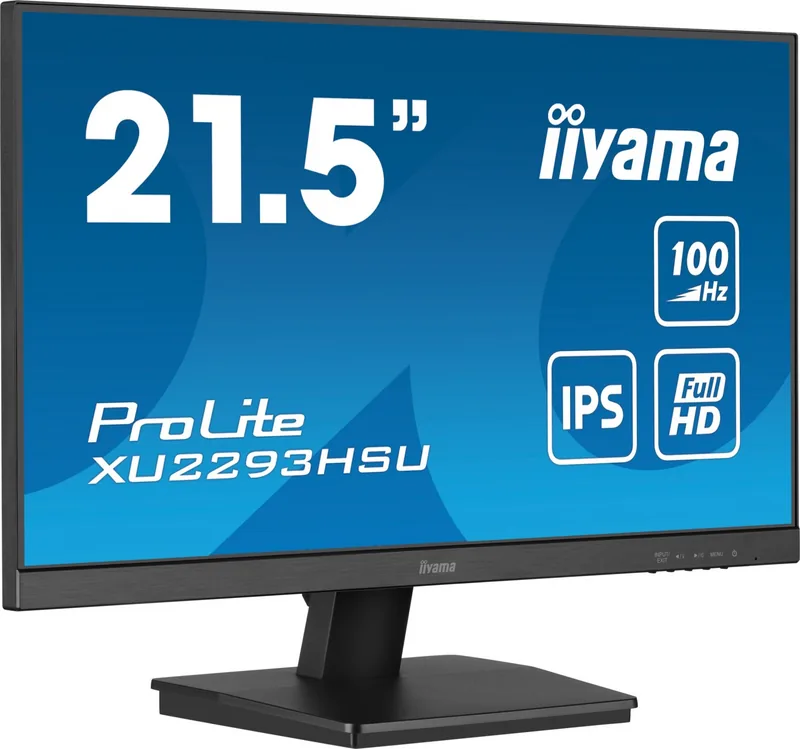
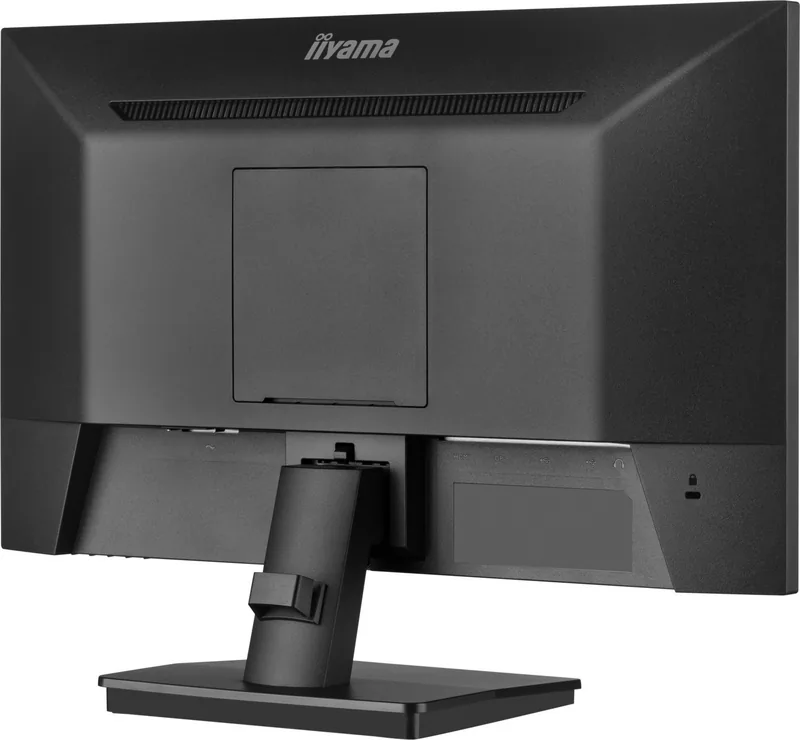
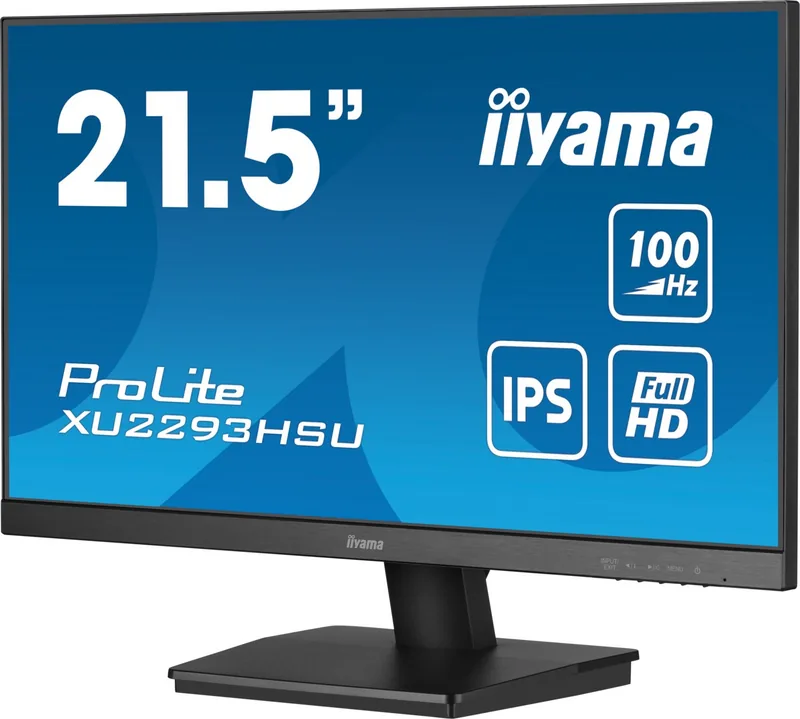
iiyama ProLite XU2293HSU-B6 Manual
PDF manual · 49 Pages
English



Quick check
Incorrect answer, please try again.
Chat with your iiyama ProLite XU2293HSU-B6 manual using AI
Get instant AI answers from your iiyama ProLite XU2293HSU-B6 manual
Ask anything about the iiyama ProLite XU2293HSU-B6. Answers come from this manual, with the pages they are based on.
ProLite XU2293HSU-B6 Maintenance Schedule
Clean the LCD screen regularly with a dry soft cloth. Do not use paper towels as they may damage the display.
Remove stains from the housing with a damp soft cloth using a weak dish soap solution. Avoid harsh chemicals or abrasive materials.
Ask a Question
Do you recommend ProLite XU2293HSU-B6?
Yes NoFrequently Asked Questions
The ProLite XU2293HSU-B6 uses an IPS panel with a native resolution of 1920 × 1080 (Full HD), offering wide viewing angles and around 16.7 million display colors for accurate, consistent images.
Is this answer helpful?
Yes. The monitor supports AMD FreeSync / Adaptive Sync to minimize screen tearing when paired with compatible graphics cards. Adaptive Sync functionality and refresh-rate behavior depend on the input (HDMI or DisplayPort) and the enabled settings.
Is this answer helpful?
The model offers 150 mm height adjustment, tilt (up to ~23°/22° depending on variant), 45° swivel left/right, and 90° rotation for portrait mode on compatible stand configurations; VESA 100×100 mounting is also supported.
Is this answer helpful?
It provides HDMI and DisplayPort inputs, a 3.5 mm headphone jack, USB upstream and downstream ports (USB2.0 on this model), and integrated 2W × 2 stereo speakers; exact USB specs may vary by variant.
Is this answer helpful?
Typical power consumption is around 17W (varies by size/model), standby under 0.5W, and the OSD offers Eco modes that lower backlight brightness to reduce power use; the product carries sustainability certifications such as TCO.
Is this answer helpful?
Yes. The monitor includes OSD lock (press MENU for 10 seconds to toggle) and Power Button lock (press EXIT for 10 seconds to toggle) to prevent accidental adjustments in shared settings.
Is this answer helpful?
It’s suitable for casual and competitive gaming thanks to Adaptive Sync and MPRT/overdrive options, but professional color-critical work might require factory-calibrated panels with wider gamut or higher resolution depending on your needs.
Is this answer helpful?
Advantages and Disadvantages
Advantages

- IPS panel with wide 178° viewing angles and accurate colors for consistent image quality.
- Ergonomic stand: 150 mm height adjustment, swivel, tilt and 90° rotation for versatile positioning.
- Adaptive Sync (FreeSync) support and 1 ms MPRT for reduced tearing and improved motion performance.
- Comprehensive OSD with presets, blue light reducer, overdrive, MBR and power/OSD lock features.
- Multiple inputs (HDMI, DisplayPort), USB ports and built-in stereo speakers for everyday convenience.
Disadvantages

- 21.5" Full HD may be limiting for users who need higher pixel density or larger workspace.
- Speakers are basic (2W × 2) and not a replacement for dedicated audio solutions.
- Not designed for continuous 24/7 digital signage use; intended for desktop environments.
- Some advanced motion or high-refresh pros may prefer native 144Hz or higher panels.
- Certain features (USB versions, portrait rotation) vary by model—check exact configuration.
Product Specification
Function
Monitor (stationary)
Diagonal
21.5" (21.50in)
Resolution
1920x1080 (FHD), 16:9, 102ppi
Panel
IPS
Backlight
LED, Blue Light Filter, flicker-free
Brightness
250cd/㎡ (typical)
Contrast
1,000:1 (static), 80,000,000:1 (dynamic)
Response Time
1ms (MPRT)
Refresh Rate
100Hz (1920x1080)
Variable Synchronization
Adaptive Sync, AMD FreeSync
Signal Frequency
30-110kHz (H) / 48-100Hz (V)
Ports
1x HDMI (100Hz@1920x1080), 1x DisplayPort (100Hz@1920x1080), 1x USB-B 2.0 (Upstream, 480Mb/s), 2x USB-A 2.0 (Downstream, 480Mb/s), 1x 3.5mm jack (Line-Out), 1x AC-In C13 (power connection)
Shape
straight (flat)
Viewing Angle
178°/178°
Coating
non-glare (matte)
Color Depth
8bit (16.7 Mio. colors)
FRC
unknown
sRGB
96%
Speakers
Speakers (2x 1W)
Controls
mechanical buttons
Ergonomics
with stand, height adjustable N/A, Pivot N/A, swivel N/A, tiltable (+20°/-5°)
VESA
100x100 (free)
Power Consumption
17W (typical), 0.5W (Standby)
Energy Efficiency SDR (A to G)
15kWh/1000h (E)
Special Features
Security Lock (Kensington Security Slot), Slim Bezel
Screen-to-Body Ratio
89.93% (calculated)
Dimensions
19.37x14.13x7.01in (WxHxD) with stand compressed, 19.37x11.34x1.87in (WxHxD) without stand
Color
black (display frame) / black (lower bezel) / black (stand) / black (back)
Weight
5.29lbs (with stand)
Power Supply
internal
Warranty
three years (handled by manufacturer, product registration within 60 days after purchase: Link, Warranty Information: Link)
USB Notation
Link
Product Description
iiyama ProLite XU2293HSU-B6, 21.5" Manual
The iiyama ProLite XU2293HSU-B6 is a compact 21.5-inch IPS monitor built for everyday productivity and smoother visual performance. With a native 1920×1080 resolution, 250 cd/m² brightness and a 1000:1 contrast ratio, it delivers clear, consistent color and wide viewing angles—ideal for office work, content creation and casual multimedia. The panel supports fast MPRT response times (1 ms) and adaptive sync technologies to reduce tearing and provide fluid motion during light gaming or video playback.
Ergonomics and connectivity are strong points: the stand offers 150 mm height adjustment, swivel, tilt and full 90° rotation for portrait mode on compatible models, while VESA mounting enables flexible desk setups. Connectivity includes HDMI and DisplayPort inputs, a headphone jack, and USB ports for peripheral convenience. Built-in stereo speakers (2W × 2) add simple audio without external speakers.
On the software side, the monitor provides an extensive On-Screen Display (OSD) with picture and color presets (Standard, Text, Game, Cinema, Scenery), blue light reducer modes, overdrive and motion blur reduction (MBR). Eco modes cut back on backlight power to save energy, and features like an adjustable OSD timer, OSD rotation and input auto-select simplify daily use. Lock functions for the OSD and power button prevent accidental changes in shared environments.
Safety and durability considerations are covered thoroughly: installation and maintenance guidance, ventilation and cable protection recommendations, and recycling information. The model is TCO Certified and meets multiple regional safety and environmental directives, reflecting attention to sustainability and compliance.
Overall, the ProLite XU2293HSU-B6 balances a quality IPS panel, ergonomic adjustability and practical connectivity in a compact footprint, making it a dependable choice for office desks, home workspaces and mixed-use environments.
Notes
- Supports AMD FreeSync / Adaptive Sync for tear-free performance when enabled. 100 Hz max refresh at 1920×1080 supported via HDMI/DisplayPort.
- MPRT 1 ms and Overdrive settings help reduce ghosting; MBR options available for motion clarity.
- TCO Certified and EPEAT Bronze registered in applicable regions; recycling recommended.
Search for 67,706 Manuals online


Type-in Brand or Model