
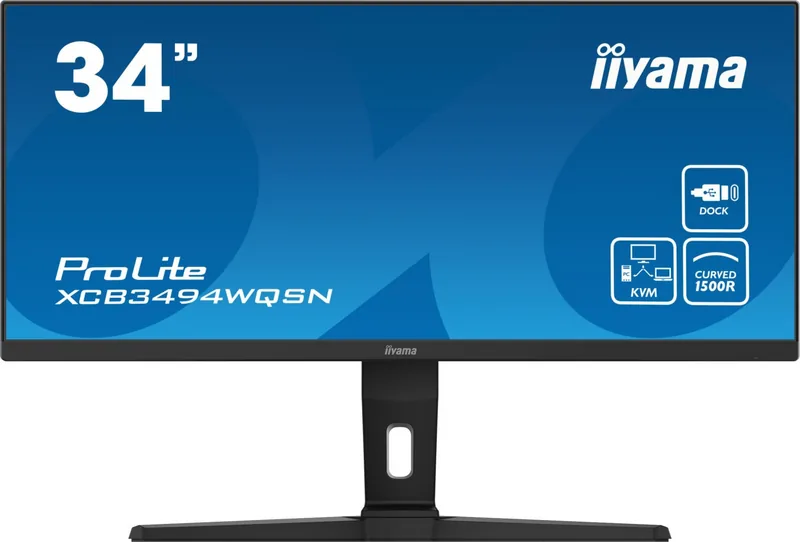
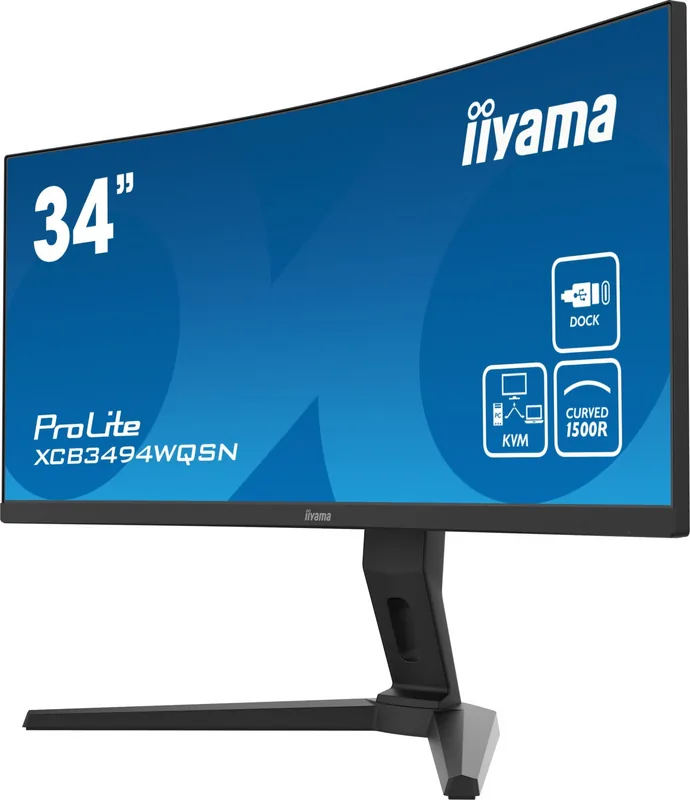
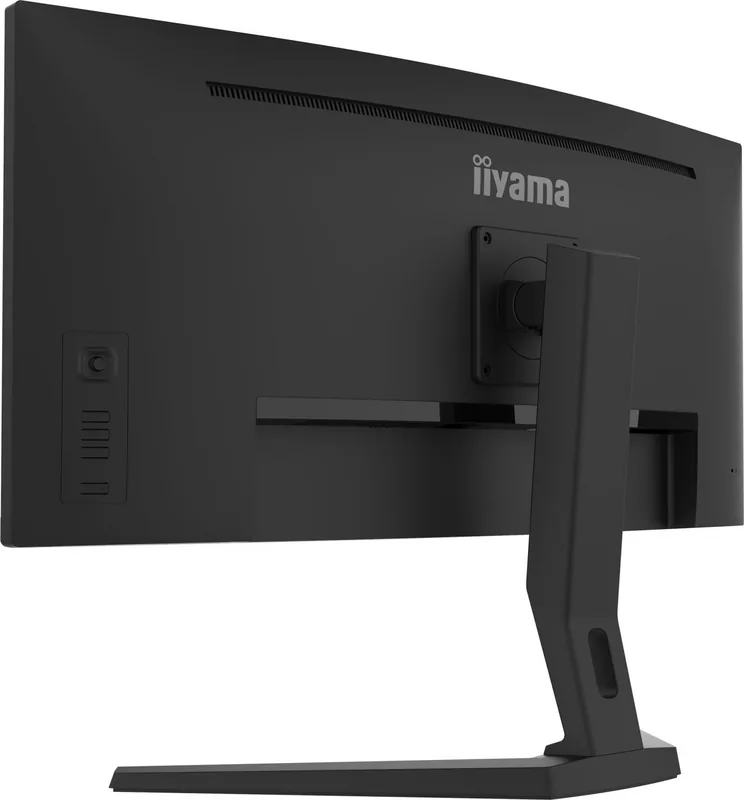
iiyama ProLite XCB3494WQSN-B1 Manual
PDF manual · 32 Pages
English



Quick check
Incorrect answer, please try again.
Chat with your iiyama ProLite XCB3494WQSN-B1 manual using AI
Get instant AI answers from your iiyama ProLite XCB3494WQSN-B1 manual
Ask anything about the iiyama ProLite XCB3494WQSN-B1. Answers come from this manual, with the pages they are based on.
Ask a Question
Do you recommend ProLite XCB3494WQSN-B1?
Yes NoFrequently Asked Questions
The iiyama ProLite XCB3494WQSN-B1 supports up to 120Hz when connected via DisplayPort or USB Type-C. However, when using the HDMI input, the maximum refresh rate at native resolution is limited to 100Hz.
Is this answer helpful?
Yes, the monitor features a USB Type-C port that supports Power Delivery up to 65W. This allows you to charge compatible laptops while simultaneously transmitting video and data through a single cable connection.
Is this answer helpful?
No, this product is not designed for wall mounting or digital signage applications. It is intended for desktop use only, though it does support VESA 100x100mm mounting arms for flexible desk positioning.
Is this answer helpful?
Yes, the monitor comes equipped with two 2W stereo speakers. These provide basic audio output suitable for system sounds and media playback, though external speakers may be preferred for high-fidelity audio needs.
Is this answer helpful?
No, the iiyama ProLite XCB3494WQSN-B1 can only be used in landscape mode. Rotating or operating the monitor in any other orientation than landscape is not supported and may cause damage.
Is this answer helpful?
To prevent overheating, ensure at least 10cm of space around the monitor for air circulation. Do not cover the ventilation slots, especially when removing the tilt stand, as blocking them can lead to fire hazards or equipment damage.
Is this answer helpful?
No, this product is not specifically designed for 24/7 usage in all environments. Continuous operation should be monitored to ensure it remains within safe temperature and power parameters.
Is this answer helpful?
Advantages and Disadvantages
Advantages

- High contrast ratio of 3000:1 for deep blacks and vibrant colors
- Supports AMD FreeSync Premium for tear-free gaming performance
- USB Type-C with 65W Power Delivery charges laptops and transfers data
- Excellent ergonomic stand with height, tilt, and swivel adjustments
- Built-in speakers and RJ45 LAN port for enhanced connectivity
Disadvantages

- Does not support wall mounting for digital signage applications
- Not rated for 24/7 operation in all environmental conditions
- Landscape orientation only; cannot be rotated to portrait mode
- Refresh rate at native resolution is limited to 100Hz on HDMI inputs
- No HDR hardware certification despite software HDR support
Product Specification
Function
Monitor (stationary)
Diagonal
34" (21.5 in)
Resolution
3440x1440 (UWQHD), 21:9, 110 ppi
Panel
VA
Backlight
LED, Blue Light Filter, Flicker-Free
Brightness
300 cd/m^2 (typical)
Contrast
3,000:1 (static), 80,000,000:1 (dynamic)
Response Time
0.4 ms (GtG)
Refresh Rate
120 Hz (3440x1440)
Variable Synchronization
Adaptive Sync, AMD FreeSync Premium Certified (48-120 Hz via DisplayPort, 48-100 Hz via HDMI, with LFC Support, without HDR)
Signal Frequency
30-185 kHz (H) / 48-120 Hz (V)
Connections
1x HDMI (100 Hz@3440x1440), 1x DisplayPort (120 Hz@3440x1440), 1x USB-C 3.0 with DisplayPort (Upstream, 5 Gb/s, PD 65 W, 100 Hz@3440x1440), 1x USB-B 3.0 (Upstream, 5 Gb/s), 3x USB-A 3.0 (Downstream, 5 Gb/s), 1x 3.5 mm Jack (Line-Out), 1x RJ-45 1 Gb LAN, 1x AC-In C13 (Power Input)
Shape
Curved, 1500R/1.50 m
Viewing Angle
178°/178°
Coating
Non-Glare (Matte)
Color Depth
8 bit (16.7 Million Colors)
FRC
Unknown
sRGB
99%
Speakers
Speakers (2x 2 W)
Controls
Mechanical Buttons, Joystick
Ergonomics
With Stand, Height Adjustable (130 mm), Pivot N/A, Rotate N/A, Tilt (+20°/-3°)
VESA
100x100 (Used)
Power Consumption
40 W (typical), 0.5 W (Standby)
Energy Efficiency SDR (A to G)
41 kWh/1000 h (G)
Energy Efficiency HDR (A to G)
62 kWh/1000 h (G)
Features
Security Lock (Kensington Security Slot), KVM Switch, Slim Bezel
Screen-to-Body Ratio
89.66% (Calculated)
Dimensions
31.9x14.4x10.8 in (WxDxH) with stand compressed, 31.9x14.4x4.1 in (WxDxH) without stand
Color
Black (Display Frame) / Black (Lower Bezel) / Black (Stand) / Black (Back)
Weight
19.18 lbs (with stand)
Power Supply
Internal
Warranty
Three Years (Processing via Manufacturer, Product Registration within 60 Days of Purchase: Link, Warranty Information: Link" target="_blank">https://iiyama.com/en_us/support/warranty-extension" target="_blank">Link, Warranty Information: Link)
USB Spelling
Link
Product Description
Experience Immersive Productivity with the iiyama ProLite XCB3494WQSN-B1
The iiyama ProLite XCB3494WQSN-B1 is a premium 34-inch curved monitor designed to transform your digital workspace. With its expansive 3440 x 1440 resolution, this display offers an ultra-wide viewing experience that brings content to life. Whether you are editing high-resolution photos, managing complex spreadsheets, or enjoying cinematic gaming sessions, the VA panel technology delivers deep blacks and a contrast ratio of 3000:1 for stunning visual clarity.
This monitor is built for speed and fluidity. It features a Moving Picture Response Time (MPRT) of just 0.4ms and supports AMD FreeSync Premium technology. This combination eliminates screen tearing and stuttering, ensuring smooth motion even during fast-paced action. The ability to reach refresh rates up to 120Hz via DisplayPort and USB Type-C further enhances the responsiveness, making it an excellent choice for competitive gamers and creative professionals alike.
Connectivity is seamless with the iiyama ProLite XCB3494WQSN-B1. It includes a versatile array of ports such as HDMI, DisplayPort, and a robust USB Type-C connection that supports up to 65W Power Delivery. This allows you to charge compatible laptops while transmitting video and data through a single cable. Additionally, the integrated USB hub with RJ45 LAN port simplifies desk organization by reducing cable clutter.
Eye comfort is a top priority. The monitor incorporates Flicker-Free technology and a Blue Light Reducer feature to minimize eye strain during long working hours. Ergonomic adjustments allow you to tilt the screen upward by 20 degrees or downward by 3 degrees, and adjust the height by up to 130mm, ensuring optimal viewing angles. While it does not support wall mounting for signage, it is perfectly suited for desktop setups where VESA 100x100mm compatibility provides flexibility for arm mounts.
Important Notes
- Do not use the monitor in landscape mode only; portrait rotation is not supported.
- The product is not specifically designed for 24/7 continuous usage in all environments.
- Ensure adequate ventilation around the monitor to prevent overheating.
Pros and Cons
Pros
- High contrast ratio of 3000:1 for deep blacks and vibrant colors.
- Supports AMD FreeSync Premium for tear-free gaming performance.
- USB Type-C with 65W Power Delivery charges laptops and transfers data.
- Excellent ergonomic stand with height, tilt, and swivel adjustments.
- Built-in speakers and RJ45 LAN port for enhanced connectivity.
Cons
- Does not support wall mounting for digital signage applications.
- Not rated for 24/7 operation in all environmental conditions.
- Landscape orientation only; cannot be rotated to portrait mode.
- Refresh rate at native resolution is limited to 100Hz on HDMI inputs.
- No HDR hardware certification despite software HDR support.
Search for 67,706 Manuals online


Type-in Brand or Model