
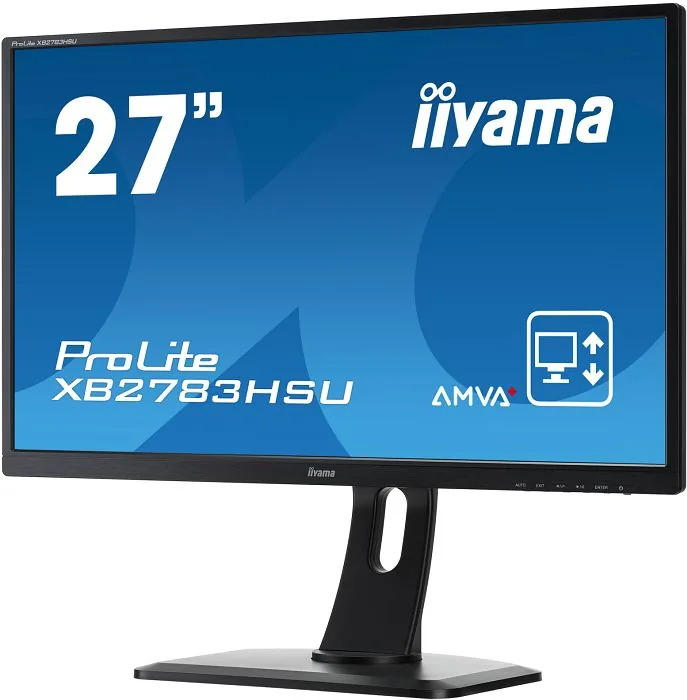
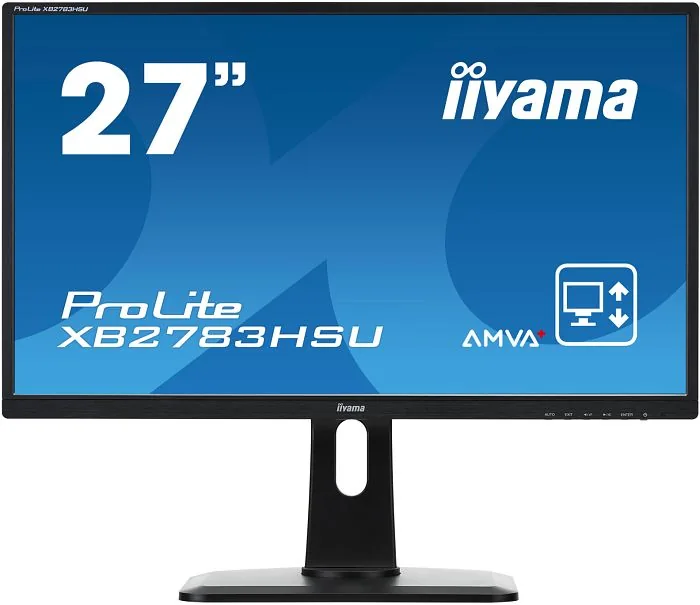
iiyama ProLite XB2783HSU-B1 Manual
PDF manual · 35 Pages
English



Quick check
Incorrect answer, please try again.
Chat with your iiyama ProLite XB2783HSU-B1 manual using AI
Get instant AI answers from your iiyama ProLite XB2783HSU-B1 manual
Ask anything about the iiyama ProLite XB2783HSU-B1. Answers come from this manual, with the pages they are based on.
ProLite XB2783HSU-B1 Maintenance Schedule
Periodic cleaning with a soft dry cloth is recommended. Do not use tissue paper.
Remove stains with a cloth lightly moistened with mild detergent solvent, then wipe with a soft dry cloth.
Free maintenance reminders
Timed to your purchase date. Always free, unsubscribe anytime.
Ask a Question
Do you recommend ProLite XB2783HSU-B1?
Yes No
Stefan Weber
6 months ago
Is the Full HD resolution on this 27-inch model too coarse for text work, or is it acceptable for general use?

Manual.ly
6 months ago
Many users find the Full HD resolution on this 27-inch panel acceptable for office work and gaming. Some users note text appears slightly larger than on smaller screens due to pixel density, but it remains readable. Users report excellent contrast and brightness levels. For best results, adjust your display scaling in the operating system settings. The panel is praised for color accuracy despite the resolution limit. It is a popular choice for those prioritizing screen real estate over pixel sharpness. If you require extreme detail, consider a higher resolution model, but this unit offers great value for most users seeking immersion and color quality.
Frequently Asked Questions
Yes the stand allows for significant height adjustment up to 130mm. This helps maintain a healthy posture throughout the workday. Additionally the panel supports rotation enabling portrait orientation for reading long documents or coding without strain.
Is this answer helpful?
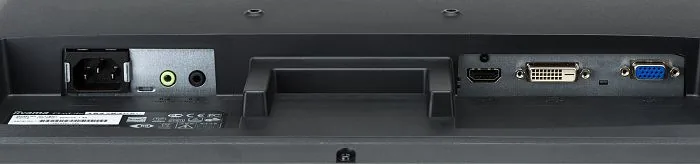
Multiple input interfaces allow connection to older systems as well as modern hardware. VGA and DVI digital ports along with HDMI support diverse signal sources. An HDMI cable is not supplied with the monitor.
Is this answer helpful?
Environmental certifications highlight sustainability and low hazardous usage. The product is TCO certified and compliant with ENERGY STAR guidelines ensuring responsible manufacturing and resource efficiency.
Is this answer helpful?
This product is not specifically designed for 24 7 usage in all environments. However it features power management modes that activate automatically to reduce consumption during idle periods for efficiency.
Is this answer helpful?
Use a soft dry cloth to clean the screen. Do not use solvents or rough materials like tissue paper which can scratch the surface. Protect the panel from water ingress during cleaning.
Is this answer helpful?
The panel technology AMVA offers a 4ms response time from gray to gray. This helps reduce motion blur. Displayed text or lines will be blurred or irregular if the picture is stretched due to screen enlargement.
Is this answer helpful?
Yes final adjustments should be made after the display warms up for thirty minutes. Perform adjustments after a warm-up period of at least thirty minutes. The OSD controls are intuitive for changing geometry or audio volume settings quickly.
Is this answer helpful?
Advantages and Disadvantages
Advantages

- Height adjustable stand with 130mm vertical range
- High 3000 to 1 contrast ratio for deep blacks
- Built-in stereo speakers for basic audio needs
- USB hub included to streamline peripheral connections
- VESA mount compatible for flexible mounting options
Disadvantages

- HDMI cable not included in the standard package
- VGA cable not included requiring separate purchase
- Unit not specifically designed for 24 7 continuous usage
- Speakers are low power at 2 watts per channel
- Stand base removal requires careful handling to avoid damage
Product Specification
Function
Monitor (stationary)
Screen Size
27 inches (68.6 cm)
Resolution
1920x1080 (FHD), 16:9, 82 ppi
Panel
VA (AMVA+)
Backlight
LED, Blue Light Filter, flicker-free
Brightness
300 cd/m^2 (typical)
Contrast
3,000:1 (static), 12,000,000:1 (dynamic)
Response Time
4ms (GtG)
Refresh Rate
60Hz (1920x1080)
Scan Frequency
30-80kHz (H) / 55-75Hz (V)
Ports
1x VGA (60Hz@1920x1080), 1x HDMI 1.4, 1x DVI, 1x USB-B 2.0 (Upstream, 480Mb/s), 2x USB-A 2.0 (Downstream, 480Mb/s), 1x 3.5mm Jack (Line-Out), 1x 3.5mm Jack (Line-In), 1x AC-In C13 (Power In)
Shape
Flat
Viewing Angle
178 deg / 178 deg
Surface Finish
non-glare (matte)
Color Depth
8bit (16.7 Million Colors)
Frame Rate Control
Unknown
Certifications/Standards
EPEAT
Speakers
Speakers (2x 2W)
Controls
Mechanical Buttons
Ergonomics
with Stand, Height Adjustable (5.12 inches), Pivot (+90 deg), Swivel (+/-45 deg), Tilt (+22 deg/-5 deg)
VESA Mount
100x100mm (included)
Power Consumption
34W (typical), 1W (Standby)
Features
Security Lock (Kensington Security Slot)
Screen-to-Body-Ratio
86.48% (calculated)
Dimensions
24.53x15.79x9.06 inches (WxHxD) with Stand (folded), 24.53x14.69x2.24 inches (WxHxD) without Stand
Color
Black (Display Bezel) / Black (Bottom Bezel) / Black (Stand) / Black (Back)
Weight
13.23 lbs (with Stand)
Power Supply
Internal
Warranty
3 Years (handled by manufacturer, product registration within 60 days after purchase: Link, Warranty Information: Link)
USB Naming
Link
Product Description
Welcome to the iiyama ProLite XB2783HSU-B1 27 Manual Experience
This guide serves as your companion for mastering a display monitor built for professional environments. The screen measures twenty seven inches offering ample space for visual tasks. Users appreciate the resolution capabilities that deliver sharp imagery during work or leisure. The high contrast ratio ensures deep blacks and vivid colors essential for graphic design. Ergonomics are a standout feature in this series. The stand allows for significant height adjustment helping users maintain a healthy posture throughout the workday. Additionally the panel supports rotation enabling portrait orientation for reading long documents or coding without strain. This flexibility prevents stress injuries linked to poor ergonomics. Installation is straightforward to secure the base.
Connectivity options are extensive catering to various computing needs. Multiple input interfaces allow connection to older systems as well as modern hardware. VGA and DVI digital ports along with HDMI support diverse signal sources. Internal speakers provide basic audio output though external is recommended for media. The built-in USB hub streamlines peripheral connections reducing cable clutter on the desk surface. Wall mounting is also supported via the standard VESA pattern for those who prefer a cleaner aesthetic. Safety features are robust ensuring longevity and user protection. Environmental certifications highlight sustainability and low hazardous usage. Thermal management is critical so users should keep ventilation slots unobstructed to prevent overheating.
The documentation details troubleshooting steps for common issues like flickering screens or power indicator anomalies. Power management modes activate automatically to reduce consumption during idle periods. Final adjustments should be made after the display warms up for thirty minutes. Color profiles can be tailored using i Style modes for games or movies. Blue light reduction technology protects eyes during extended viewing sessions. Recycle instructions are included to promote responsible disposal at the end of product life ensuring minimal environmental impact while maximizing operational performance for years to come. Warranty terms support long term usage confidence for office settings. OSD controls are intuitive for changing settings.
Always operate the unit on a flat stable surface to prevent accidental falls. Avoid exposing the display to direct water sources or extreme temperatures to ensure reliability. Use only the specified power supply to prevent electrical hazards inside the cabinet. The on screen display menu allows precise control over brightness and contrast levels for optimal comfort. Adhering to these guidelines ensures the device remains a reliable tool for daily computing operations and creative projects. Proper ventilation keeps cooling channels open so heat does not accumulate within the chassis. Never remove the cabinet as high voltage circuits are inside. Follow all safety instructions for best results.
Search for 67,706 Manuals online


Type-in Brand or Model
Alex Weber
8 months ago
Is Full HD resolution sharp enough on a 27-inch screen for office work and reading small text, or should I consider a higher resolution model for better clarity?
Manual.ly
8 months ago
For most users, the 27-inch Full HD screen offers a great balance of size and cost for gaming and media. However, for extensive text editing or dense office work, you may notice larger pixels compared to 1440p. We recommend adjusting the scaling settings in your operating system if text appears too large. Many buyers find the image quality excellent for gaming and movies despite the resolution. If pixel density is critical for your workflow, you might want to check our 4K options, but for general use, this monitor is highly rated.