
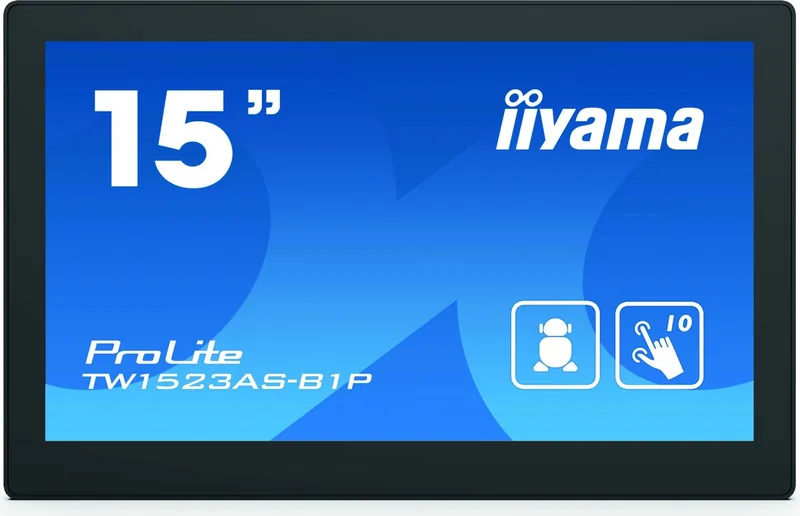
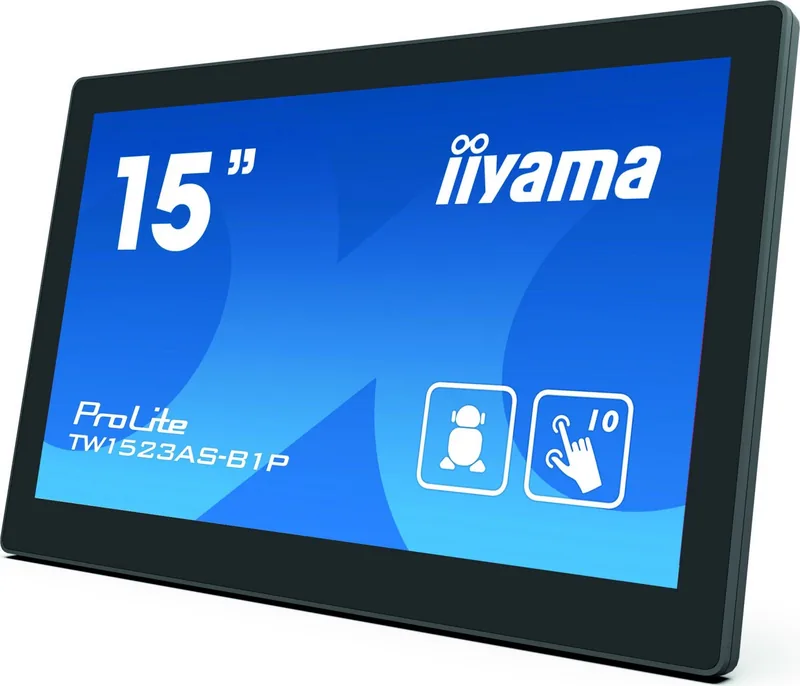

iiyama ProLite TW1523AS-B1P Manual
PDF manual · 20 Pages
English



Quick check
Incorrect answer, please try again.
Chat with your iiyama ProLite TW1523AS-B1P manual using AI
Get instant AI answers from your iiyama ProLite TW1523AS-B1P manual
Ask anything about the iiyama ProLite TW1523AS-B1P. Answers come from this manual, with the pages they are based on.
ProLite TW1523AS-B1P Maintenance Schedule
Take a ten minute break every hour to eliminate eye fatigue when using the Touch Panel PC over a prolonged time.
Switch desktop backgrounds regularly, lower brightness, or turn off the unit when not in use to prevent ghost images.
Remove stains with a cloth lightly moistened with mild detergent solvent, then wipe with a soft dry cloth.
Use a soft clean cloth moistened with mild window glass cleaner or a 50/50 mixture of water and IPA.
Ask a Question
Do you recommend ProLite TW1523AS-B1P?
Yes NoFrequently Asked Questions
This device operates on Android 8.1 without Google Mobile Services (GMS), providing a stable platform for custom applications and digital signage solutions.
Is this answer helpful?
Yes, it features multiple ports including two USB 2.0 Host ports, one USB Slave port, a Mini HDMI output, a Micro SD card slot, and a LAN port for networking.
Is this answer helpful?
The screen has an anti-fingerprint finish, but you should avoid using sharp or metal objects to prevent permanent damage to the touch-sensitive surface.
Is this answer helpful?
To prevent ghosting, use a screensaver with moving graphics, switch desktop backgrounds regularly, lower brightness, and turn off the device when not in use for long periods.
Is this answer helpful?
Yes, the device supports Power over Ethernet via the RJ45 connector, allowing it to receive both data and power through a single cable connection.
Is this answer helpful?
The battery is not replaceable by the user. If the battery fails, you must contact an authorized dealer or iiyama service center for safe replacement procedures.
Is this answer helpful?
Clean the screen with a soft cloth moistened with mild window cleaner or a 50/50 mixture of water and IPA. Avoid acid, alkaline solvents, or abrasive cleaners.
Is this answer helpful?
Advantages and Disadvantages
Advantages

- High-performance Rockchip RK3288 processor ensures smooth multitasking
- Full HD 1920x1080 IPS display offers vibrant colors and wide viewing angles
- Power over Ethernet support reduces cable clutter and simplifies installation
- Ten-point capacitive touch technology enables intuitive and responsive interaction
- VESA mount compatibility provides versatile placement options for any environment
Disadvantages

- Non-replaceable internal battery requires professional service for replacement
- Limited internal storage of 16GB may require external expansion for heavy usage
- Touch sensitivity can be affected if sharp objects are used during operation
- Screen may develop ghosting if static images are displayed for extended periods
- No built-in Wi-Fi module requires reliance on wired network connections
Product Specification
Form Factor
All-in-One
Display
15.6", 1920x1080 (FHD), 16:9, 141ppi, 60Hz, Multi-Touch, IPS, 385cd/sq m
CPU
Rockchip RK3288, 4x 1.80GHz
RAM
2GB DDR3
SSD
N/A
HDD
N/A
Flash
16GB eMMC
Rear Ports
2x USB-A 2.0 (480Mb/s), 1x Mini HDMI, 1x RJ-45 1Gb LAN, 1x DC-In Hollow Socket (Power Connection)
Wireless
Wi-Fi 4 (WLAN 802.11b/g/n), Bluetooth 4.0
Optical Drive
N/A
Camera
N/A
Operating System
Android 8.1
Power Supply
External 12W, 1x Hollow Plug (12V)
Dimensions
15.2x9.6x1.2in (WxDxH)
Weight
3.31lbs
Volume
0.10cu ft (calculated)
Features
Suitable for continuous operation
Color
Black
Warranty
Three years (Process via manufacturer, Product registration within 60 days of purchase: Link, Warranty information: Link)
USB Notation
Link
Product Description
Experience the Power of the iiyama ProLite TW1523AS-B1P
The iiyama ProLite TW1523AS-B1P represents a significant leap in interactive display technology, designed for environments where reliability and performance are paramount. Powered by the robust Rockchip RK3288 processor, this device delivers smooth operation with its quad-core architecture running at speeds up to 1.80GHz. Whether you are managing digital signage, operating a point-of-sale system, or utilizing it as an educational tool, the combination of 2GB RAM and 16GB Flash storage ensures efficient multitasking and ample space for essential applications.
Running on Android OS, this Touch Panel PC offers a user-friendly interface that simplifies navigation and control. The 15.6-inch IPS display boasts a stunning Full HD resolution of 1920x1080 pixels, providing crisp visuals with a high contrast ratio of 1000:1 and brightness levels reaching 450cd/m2. This clarity makes it ideal for both bright commercial spaces and darker indoor settings. The screen features a projected capacitive touch technology supporting ten simultaneous touch points, allowing for fluid interaction without lag.
Versatility is at the core of the ProLite design. It supports landscape, portrait, and tabletop orientations, adapting seamlessly to various installation needs. The inclusion of Power over Ethernet (PoE) capability simplifies cabling, while the VESA mounting standard (100mm x 100mm) allows for flexible wall or arm mounting options. Additional features include dual 2W stereo speakers for clear audio output and an anti-fingerprint finish that keeps the screen looking pristine even after heavy use.
Safety and durability are also prioritized. The unit is equipped with double insulation and complies with strict EU directives regarding radio equipment and environmental standards. Proper maintenance involves using soft cloths and mild detergents, avoiding harsh chemicals that could damage the sensitive touch surface. With its compact dimensions and lightweight build, the iiyama ProLite TW1523AS-B1P fits easily into any modern workspace while delivering professional-grade performance.
Key Highlights
- Robust Rockchip RK3288 Quad-Core processing power.
- High-definition 15.6-inch IPS touchscreen with 10-point multi-touch.
- Flexible connectivity including LAN, USB, HDMI, and Micro SD slots.
- Energy-efficient design with PoE support and low power consumption.
- Durable construction with anti-fingerprint coating and secure mounting options.
Search for 67,706 Manuals online


Type-in Brand or Model