
iiyama ProLite TW1023ASC-B1P Manual
PDF manual · 20 Pages
English



Quick check
Incorrect answer, please try again.
Chat with your iiyama ProLite TW1023ASC-B1P manual using AI
Get instant AI answers from your iiyama ProLite TW1023ASC-B1P manual
Ask anything about the iiyama ProLite TW1023ASC-B1P. Answers come from this manual, with the pages they are based on.
ProLite TW1023ASC-B1P Maintenance Schedule
To prevent ghosting effects and extend product life, use a moving screen saver, change the desktop background regularly, or turn off the device when not in use.
Remove stains with a soft damp cloth using a weak dish soap solution. Always unplug the power cord before cleaning for safety.
Wipe the surface with a soft clean cloth and mild glass cleaner or a 50/50 mix of water and IPA. Do not use acid or alkaline solvents.
Ask a Question
Do you recommend ProLite TW1023ASC-B1P?
Yes NoFrequently Asked Questions
The unit has a 10.1-inch display with a native resolution of 1280 x 800. It offers 450 cd/m2 typical brightness and a 1000:1 typical contrast ratio.
Is this answer helpful?
Yes. It uses projected capacitive touch technology with support for up to 10 simultaneous touch points. It is designed for finger input or a compatible conductive stylus.
Is this answer helpful?
The touch panel PC runs Android 8.1. It includes standard applications and functions for browsing, media playback, settings, file management, camera use, and scheduled power control.
Is this answer helpful?
Connections include two USB 2.0 ports, SD card slot, RJ45 LAN, Micro-USB OTG, Mini-HDMI output, headphone jack, and DC input. It also supports Power over Ethernet.
Is this answer helpful?
Yes. The device supports a 75 x 75 mm VESA mounting pattern. Use appropriate M4 mounting screws and ensure the mounting surface or arm can safely support the unit.
Is this answer helpful?
Avoid displaying fixed images for long periods. Use moving screen savers, change content regularly, reduce brightness when possible, and schedule the device to switch off during idle periods.
Is this answer helpful?
Advantages and Disadvantages
Advantages

- 10-point projected capacitive touchscreen supports responsive multi-user interaction.
- Android 8.1, quad-core processor, 2GB RAM, and 16GB storage provide an all-in-one platform.
- Flexible connectivity includes LAN, USB, SD card, Micro-USB OTG, Mini-HDMI, and headphone output.
- Compact VESA-compatible design supports landscape, portrait, and tabletop installation.
- Bright anti-fingerprint display, integrated camera, and stereo speakers suit interactive deployments.
Disadvantages

- TN panel has more limited viewing characteristics than many IPS alternatives.
- Android 8.1 is an older operating system and may limit compatibility with newer apps.
- Mini-HDMI output is limited to 1280 x 720 at 60Hz.
- Static content can cause temporary image retention if left on screen for long periods.
- The internal battery is not user-replaceable and requires service support if replacement is needed.
Product Specification
CPU
Rockchip RK3288, 4x 1.80 GHz (ARM Cortex-A17)
RAM
2 GB DDR3
Storage
16 GB Flash (eMMC)
Graphics
ARM Mali-T760 MP4 (iGPU)
Display
10.1 in, 1280x800, 149 ppi, multi-touch, TN, 450 cd/m2
Ports
2x USB-A 2.0 (480 Mb/s), 1x USB 2.0 Micro-B (480 Mb/s), 1x 0.14 in jack, 1x RJ-45 LAN (PoE)
Wireless
Wi-Fi 4 (WLAN 802.11b/g/n), Bluetooth
Navigation
N/A
SIM
N/A
Cellular
N/A
Networks
N/A
Card reader
SDHC
Webcam
2 megapixel (front)
Operating system
Android 8.1
Battery
N/A
Dimensions
10.04 x 6.77 x 1.20 in
Weight
1.76 lb (tablet)
Color
black/black
Special features
VESA mount (2.95 x 2.95 in)
Note
Different country versions possible.
Product Description
iiyama ProLite TW1023ASC-B1P 10.1" Manual
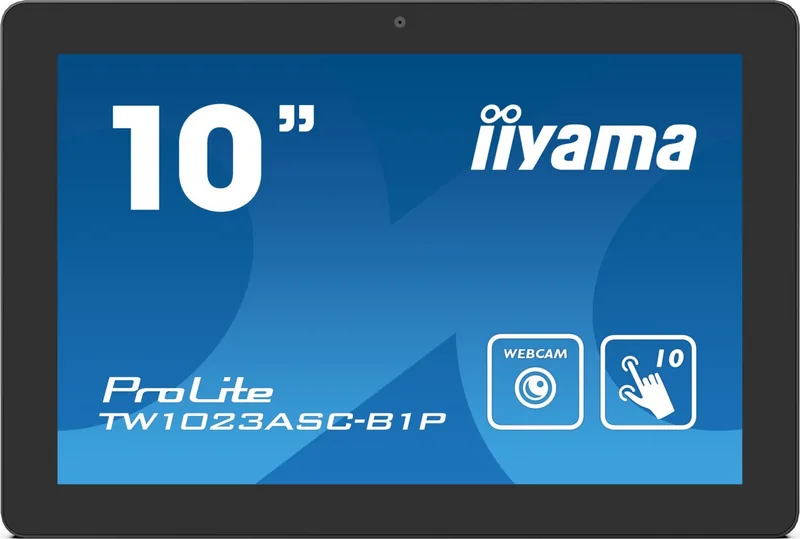
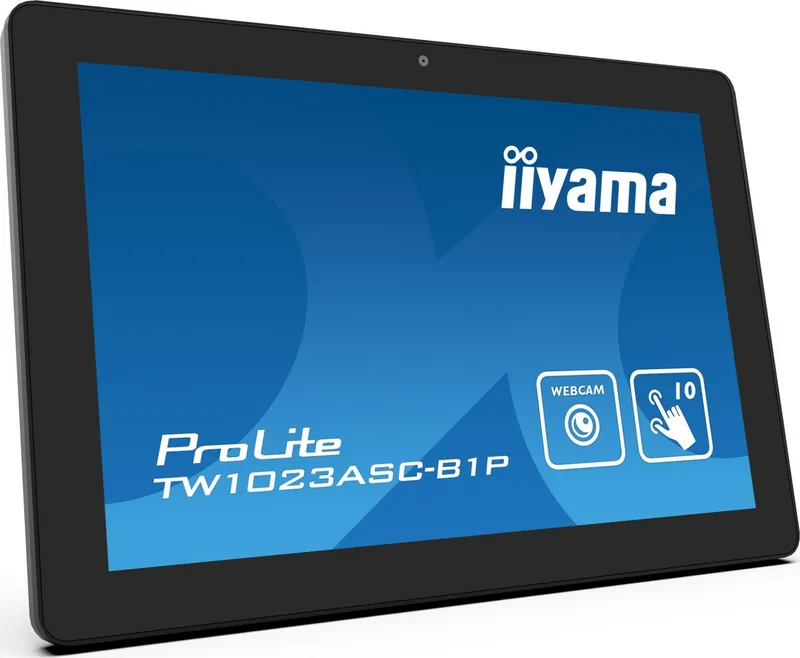
The iiyama ProLite TW1023ASC-B1P 10.1" is a compact Android touch panel PC designed for interactive displays, control stations, retail systems, meeting spaces, and embedded installations. Its 10.1-inch TN display delivers a 1280 x 800 resolution, 450 cd/m2 typical brightness, and a 1000:1 typical contrast ratio. The anti-fingerprint surface helps maintain a cleaner appearance in environments where the screen is frequently touched.
Responsive Touch and Android Performance
This model uses a protected projected capacitive touchscreen with support for up to 10 simultaneous touch points. The glass has a 7H hardness rating and is intended for finger operation or a suitable conductive stylus. Powered by Android 8.1, the unit combines a Rockchip RK3288 quad-core Cortex-A17 processor, 2GB DDR3 RAM, and 16GB eMMC storage for everyday interactive applications and media playback.
A 2-megapixel camera, two 1.5W stereo speakers, and automatic screen rotation add flexibility for kiosks, information displays, and tabletop use. The screen can be installed in landscape, portrait, or face-up orientation, allowing the device to suit different layouts and user interactions.
Connectivity and Installation Options
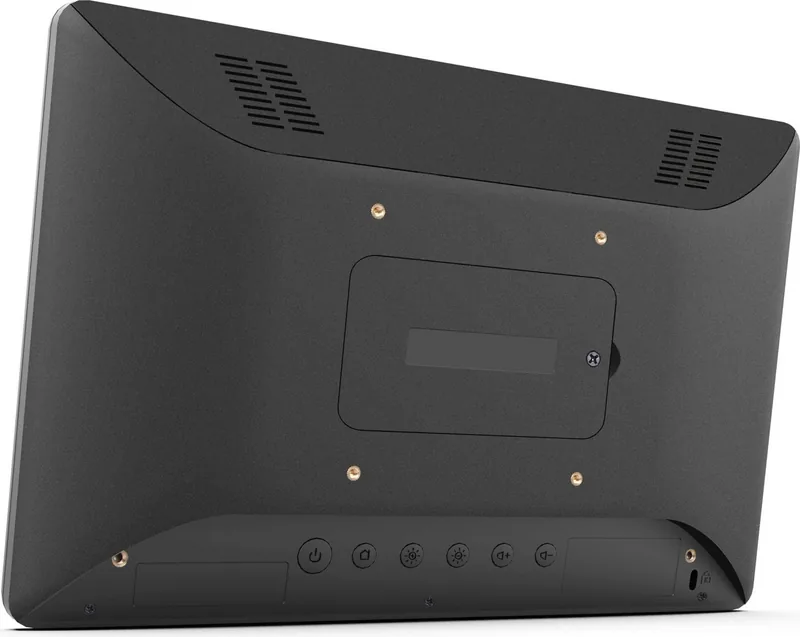
The iiyama ProLite TW1023ASC-B1P 10.1" Manual highlights practical connections for peripherals and network access. Available ports include two USB 2.0 connections, an SD card slot, RJ45 LAN, Micro-USB OTG, Mini-HDMI output, and a headphone socket. Power over Ethernet support can simplify installation where a compatible network infrastructure is available.
For fixed installations, the unit supports a 75 x 75 mm VESA mount. Its compact 255 x 172 x 30.5 mm enclosure and 0.8 kg weight make it suitable for walls, arms, counters, and custom housings. Care should be taken to provide adequate ventilation, especially in enclosed installations or warm locations.
Daily Use and Care
The integrated Android interface provides access to common functions such as browser, camera, media playback, settings, file management, and scheduled power control. Initial system setup typically takes several minutes. After a restart, the capacitive touch function may need around 15 seconds to become active.
To support long-term display quality, avoid showing static images for extended periods. Lowering brightness, using a moving screen saver, changing content regularly, and scheduling power-off periods can help reduce temporary image retention. Clean the display using a soft cloth with mild glass cleaner or a 50/50 water and isopropyl alcohol mixture. Avoid abrasive tools, harsh solvents, acids, and alkaline cleaners.
Notes
- Use the supplied 12V power adapter or an approved equivalent with the specified output.
- Disconnect power before cleaning, moving, or fitting cables.
- Install the product in dry, stable locations within its stated operating temperature range.
Search for 67,706 Manuals online


Type-in Brand or Model