
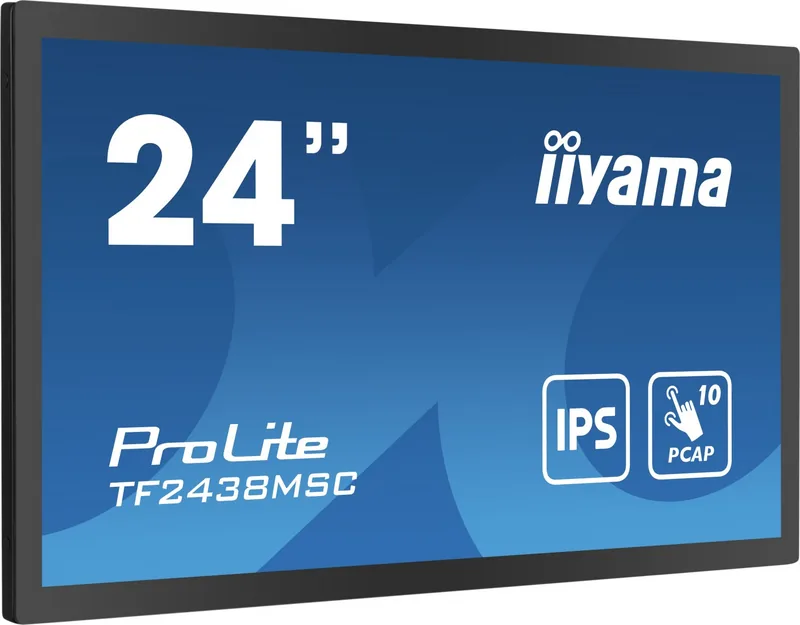
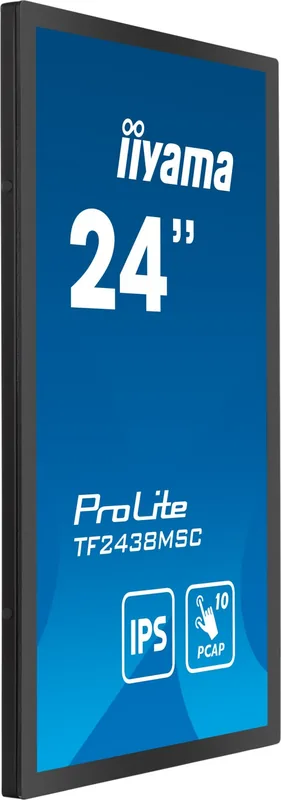
iiyama ProLite TF2438MSC-B1 Manual
PDF manual · 31 Pages
English



Quick check
Incorrect answer, please try again.
Chat with your iiyama ProLite TF2438MSC-B1 manual using AI
Get instant AI answers from your iiyama ProLite TF2438MSC-B1 manual
Ask anything about the iiyama ProLite TF2438MSC-B1. Answers come from this manual, with the pages they are based on.
Ask a Question
Do you recommend ProLite TF2438MSC-B1?
Yes NoFrequently Asked Questions
This monitor supports Windows 7, 8, 8.1, 10, and 11, as well as macOS, Linux, and Android. Touch gestures like clicking, dragging, and zooming are available on compatible versions.
Is this answer helpful?
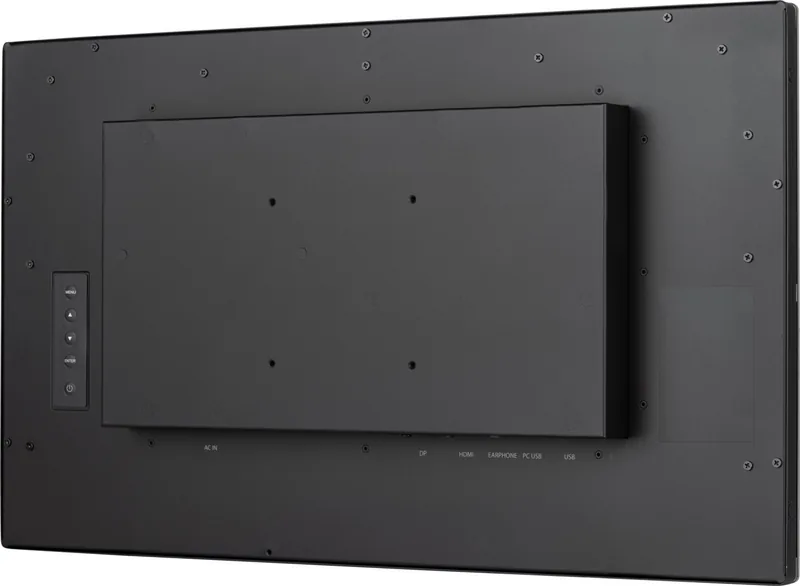
Yes, the monitor conforms to VESA mounting standards of 200mm x 100mm and 100mm x 100mm. Use M4 screws with a maximum length of 9mm to avoid damaging the chassis.
Is this answer helpful?
The monitor meets the IPX1 standard for front-side protection against dripping water. It can operate even if water droplets are present on the surface, but submersion is not recommended.
Is this answer helpful?
Use a soft, dry cloth or a mild window cleaner mixed with water. Avoid abrasive materials, solvents, or harsh chemicals that could damage the screen coating.
Is this answer helpful?
Yes, it includes two 2W stereo speakers. You can also connect headphones via the 3.5mm minijack for private listening.
Is this answer helpful?
The monitor supports a maximum refresh rate of 60Hz at full HD resolution (1920 x 1080). It also supports various sync frequencies depending on the input signal.
Is this answer helpful?
Yes, the LCD is designed for both landscape and portrait operation. However, your graphics card must support rotating the display output to enable portrait mode functionality.
Is this answer helpful?
Advantages and Disadvantages
Advantages

- High-quality IPS panel with excellent viewing angles
- Responsive capacitive touch screen for intuitive control
- Versatile connectivity with HDMI and DisplayPort
- Built-in stereo speakers save desk space
- Supports VESA mount for flexible installation
Disadvantages

- Not specifically designed for continuous 24/7 operation
- No DisplayPort cable included in the package
- Overdrive settings may cause slight image ghosting at max levels
- Touch functionality requires specific driver installation
- Standby mode consumes slightly more power if USB devices are connected
Product Specification
Touchscreen
capacitive, Multi-Touch
Diagonal
23.8"/24 in
Resolution
1920x1080, 16:9
Brightness
525 cd/sq ft
Contrast
1,000:1 (static), not specified (dynamic)
Response Time
5 ms
Viewing Angle
178°/178°
Panel
IPS
Glass
0.14 in
Backlight
White-LED
HDR
N/A
Refresh Rate
60 Hz
Signal Frequency
30-83 kHz (horizontal), 50-76 Hz (vertical)
Connections
1x HDMI (60 Hz@1920x1080), 1x DisplayPort (60 Hz@1920x1080)
Additional Connections
2x USB-A 3.0 (5 Gb/s), 1x USB-B 3.0 (5 Gb/s) (touch function)
Ergonomics
N/A
VESA
7.9x3.9 in (free)
Power Consumption
not specified (max), 22 W (typical), not specified (energy label old A+++ to G), 1.5 W (standby)
Energy Efficiency Class SDR (A to G)
F
SDR Energy Consumption
22 kWh/1000 h
Dimensions (WxDxH)
22.1x13.3x1.9 in
Weight
14.3 lbs
Manufacturer Warranty
three years (processing via manufacturer, product registration within 60 days of purchase: Link, warranty information: Link)
Product Description
Elevate Your Workspace with the iiyama ProLite TF2438MSC-B1
The iiyama ProLite TF2438MSC-B1 is a premium 23.8-inch touch monitor designed for professionals who demand precision and interactivity. This sleek display combines high-definition visuals with responsive capacitive touch technology, making it ideal for creative work, data analysis, and modern office environments. The IPS panel ensures wide viewing angles and consistent color accuracy, while the vibrant contrast ratio brings images to life.
Equipped with both HDMI and DisplayPort inputs, this monitor offers versatile connectivity options that seamlessly integrate into any workstation setup. The built-in stereo speakers provide clear audio without the need for external devices, enhancing multimedia experiences. Its ergonomic design supports VESA mounting standards, allowing for flexible installation in portrait or landscape orientations. Whether you are navigating complex software or enjoying digital art, the iiyama ProLite TF2438MSC-B1 delivers a smooth and intuitive user experience.
The monitor features advanced energy-saving modes that reduce power consumption during idle periods without compromising performance. Safety certifications ensure reliable operation in various settings, from home offices to commercial spaces. With its durable glass surface and easy-to-clean design, maintaining the display is simple and hassle-free. The included accessories such as HDMI and USB cables make initial setup straightforward.
Key Features
- High-resolution 1920x1080 display with crisp text rendering.
- Capacitive multi-touch support for intuitive interaction.
- Wide compatibility with Windows, Mac, and Linux systems.
- Built-in speakers and headphone jack for enhanced audio.
- Eco-friendly design with low power consumption.
Important Notes
Ensure proper ventilation around the monitor to prevent overheating. Avoid exposing the device to direct sunlight or extreme temperatures. Always use the provided power cable to maintain warranty coverage. Calibrate the touch screen after installation for optimal accuracy.
Search for 67,706 Manuals online


Type-in Brand or Model