
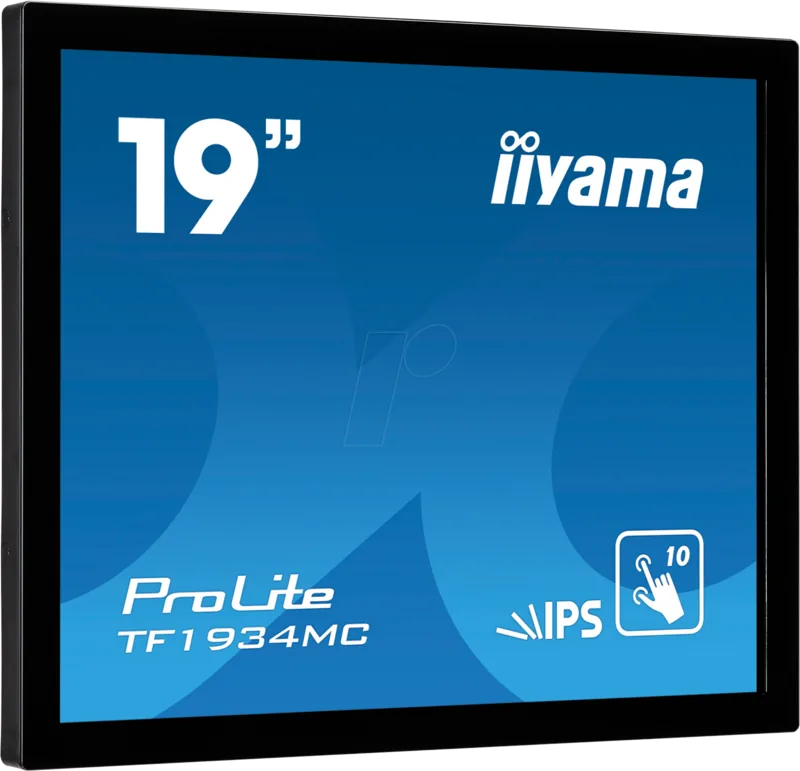
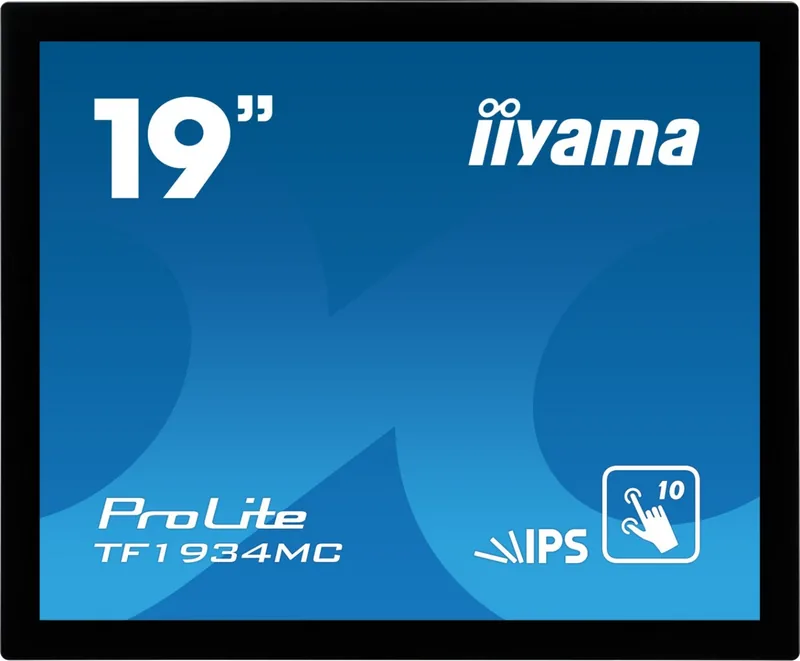
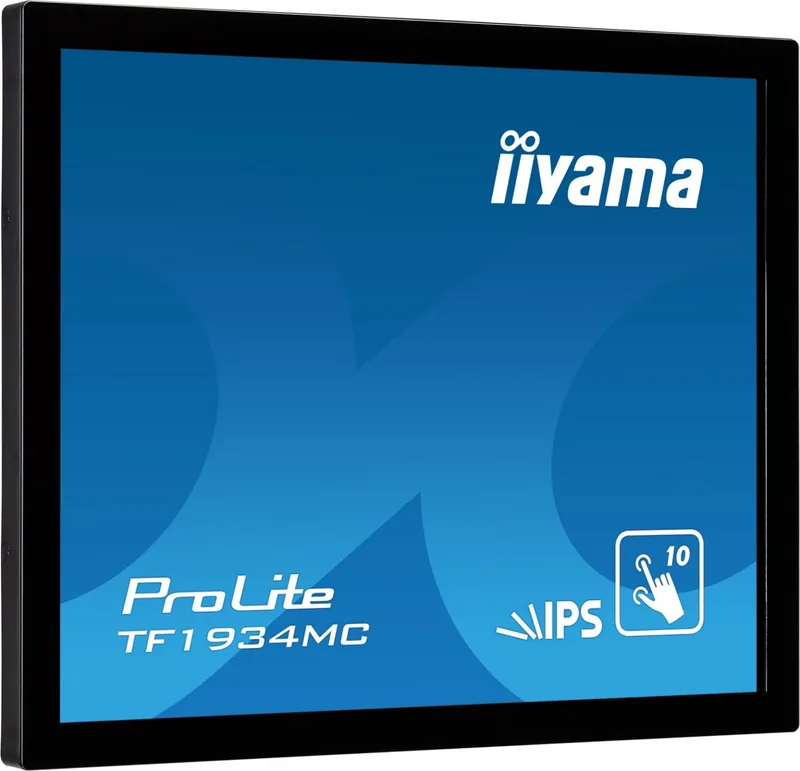
iiyama ProLite TF1934MC-B7X Manual
PDF manual · 32 Pages
English



Quick check
Incorrect answer, please try again.
Chat with your iiyama ProLite TF1934MC-B7X manual using AI
Get instant AI answers from your iiyama ProLite TF1934MC-B7X manual
Ask anything about the iiyama ProLite TF1934MC-B7X. Answers come from this manual, with the pages they are based on.
Ask a Question
Do you recommend ProLite TF1934MC-B7X?
Yes NoFrequently Asked Questions
The iiyama ProLite TF1934MC-B7X supports a maximum resolution of 1280 x 1024 pixels, which is recommended for optimal image clarity.
Is this answer helpful?
While the front face has an IP65 rating for dust and water resistance, the product is not designed for direct sunlight or extreme temperature environments outside.
Is this answer helpful?
No, the VGA cable is not included in the package. You will need to purchase one separately if you plan to connect via the analog input.
Is this answer helpful?
Use a soft cloth moistened with mild window cleaner or a 50/50 mixture of water and IPA. Avoid acidic or alkaline solvents and abrasive materials.
Is this answer helpful?
Yes, the monitor complies with the VESA Mounting Standard (100mm x 100mm), allowing for secure wall or arm mounting installations.
Is this answer helpful?
It supports Windows XP through 10, Mac OS X, and Linux, though full touch functionality is best experienced on Windows 8 and 10.
Is this answer helpful?
In standby mode, the monitor consumes less than 1.5 watts of power, provided no USB peripherals are connected.
Is this answer helpful?
Advantages and Disadvantages
Advantages

- Supports 10-point multi-touch interaction for intuitive control
- IP65 rated front panel protects against dust and water jets
- Wide viewing angles of 178 degrees ensure color accuracy from all sides
- Versatile connectivity with VGA, HDMI, and DisplayPort inputs
- Energy efficient standby mode consumes less than 1.5W power
Disadvantages

- Not specifically designed for continuous 24/7 operation in all environments
- Requires native resolution of 1280x1024 for best image quality without stretching
- Touch functionality may vary depending on Windows version and driver support
- VGA cable is not included in the package
- Screen adjustments require a warm-up period of at least thirty minutes
Product Specification
Touchscreen
capacitive, Multi-Touch
Diagonal
19"/48.3cm
Resolution
1280x1024, 5:4
Brightness
315cd/m²
Contrast
1,000:1 (static), not specified (dynamic)
Response Time
14ms
Viewing Angle
178°/178°
Panel
IPS
Backlight
White-LED
HDR
N/A
Refresh Rate
60Hz
Signal Frequency
31.4-80kHz (horizontal), 50-75Hz (vertical)
Connections
1x VGA (60Hz@1280x1024), 1x HDMI, 1x DisplayPort
Additional Connections
1x USB-B (touch function)
Ergonomics
N/A
VESA
100x100 (free)
Power Consumption
not specified (max), 21W (typical), not specified (old energy label A+++ to G), 1.5W (standby)
SDR Energy Efficiency Class (A to G)
F
SDR Power Consumption
18kWh/1000h
Dimensions (WxDxH)
16.38x13.54x1.81in
Weight
9.70lbs
Features
IP65 certified (front)
Manufacturer Warranty
three years (handled by manufacturer, product registration within 60 days of purchase: Link, warranty information: Link)
Product Description
Discover the iiyama ProLite TF1934MC-B7X 19" Manual Experience
Welcome to the world of interactive displays with the iiyama ProLite TF1934MC-B7X, a robust 19-inch touchscreen monitor designed for modern productivity and engagement. This device is not just a screen; it is an intuitive interface that bridges the gap between human input and digital output seamlessly. Whether you are managing a retail kiosk, running a public information terminal, or utilizing it in a professional office setting, this monitor delivers clarity and responsiveness.
The heart of the ProLite TF1934MC-B7X lies in its high-performance IPS panel technology. It boasts a native resolution of 1280 x 1024 pixels, ensuring crisp text and vibrant images across the entire display area. With a typical brightness of 315 cd/m² and a contrast ratio of 1000:1, users enjoy excellent visibility even in well-lit environments. The wide viewing angles of 178 degrees horizontally and vertically guarantee that colors remain accurate from any perspective, making it ideal for collaborative workspaces.
Touch functionality is at the core of this model's appeal. Equipped with a projected capacitive touch system supporting up to ten points simultaneously, it facilitates smooth gestures like pinch-to-zoom and multi-finger scrolling. The surface features an anti-fingerprint coating, which helps maintain a clean look despite frequent interactions. Furthermore, the front face meets the IP65 standard, providing protection against dust and water jets, a crucial feature for demanding industrial or public applications.
Connectivity is versatile and comprehensive. The monitor supports VGA, HDMI, and DisplayPort inputs, allowing easy integration with a wide range of computers and devices. A built-in USB hub simplifies peripheral connections, while the VESA mounting standard (100mm x 100mm) offers flexible installation options including wall mounts or articulating arms. The standby feature ensures energy efficiency, consuming less than 1.5W when idle, aligning with global environmental directives.
Installation is straightforward, guided by clear safety precautions and setup instructions found within the user documentation. Users can adjust picture settings such as brightness, contrast, and position directly via the on-screen menu controls. For optimal performance, the monitor recommends operating at its native resolution of 1280 x 1024 to avoid image stretching. Regular maintenance involves cleaning the screen with a soft cloth and mild solution, avoiding harsh chemicals that could damage the sensitive touch layer.
This monitor represents a balance of durability, performance, and ease of use. Its design accommodates various orientations including landscape, portrait, and face-up modes, adapting to specific workflow requirements. By combining reliable hardware with advanced touch capabilities, the iiyama ProLite TF1934MC-B7X stands out as a superior choice for dynamic computing needs.
Important Notes
- Do not operate the monitor during heavy thunderstorms to prevent electrical damage.
- Ensure adequate ventilation around the unit to prevent overheating.
- Use only the provided AC adapter to maintain warranty validity.
- Avoid using sharp objects on the touch screen to prevent permanent scratches.
- Calibrate the touch function after installation for precise response.
Search for 67,706 Manuals online


Type-in Brand or Model