
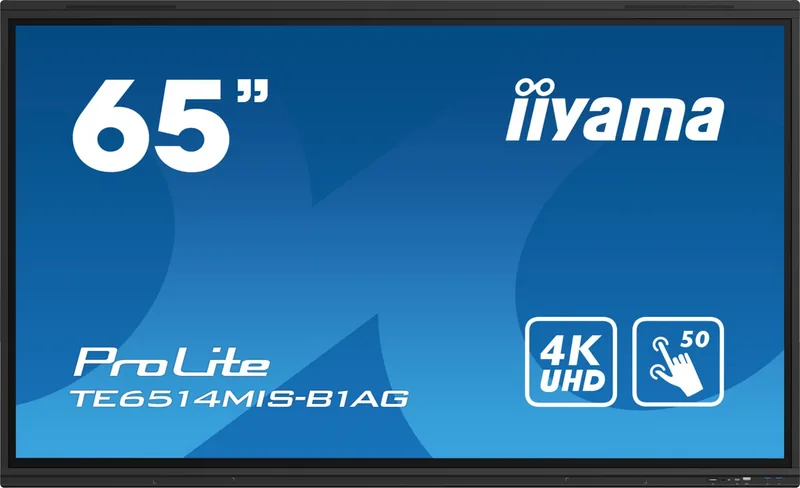


iiyama ProLite TE 14 Series Manual
PDF manual · 58 Pages
English



Quick check
Incorrect answer, please try again.
Chat with your iiyama ProLite TE 14 Series manual using AI
Get instant AI answers from your iiyama ProLite TE 14 Series manual
Ask anything about the iiyama ProLite TE 14 Series. Answers come from this manual, with the pages they are based on.
ProLite TE 14 Series Maintenance Schedule
Regularly clean the display with a dry soft cloth. Do not use paper towels.
Remove stains with a damp soft cloth using a weak dish soap solution.
Ask a Question
Do you recommend ProLite TE 14 Series?
Yes NoFrequently Asked Questions
No, the LCD cannot be used outdoors as it is not designed to withstand weather conditions or exposure to the elements.
Is this answer helpful?
The USB Type-C connector supports up to 100W Power Delivery to charge connected devices like laptops.
Is this answer helpful?
Windows 2000 through 11, Mac OS X V13.1 and higher, and Linux 3.0 and higher are supported.
Is this answer helpful?
The monitor consumes less than 0.5W in standby mode and 0.3W in off mode when idle.
Is this answer helpful?
No, using sharp, pointed, or metal items may cause permanent damage to the touch panel and void warranty.
Is this answer helpful?
Mounting options vary by model, utilizing standards such as 800mm by 600mm, 800mm by 400mm, and 600mm by 400mm.
Is this answer helpful?
Avoid displaying static images for long periods and use screen savers or pixel shift features if available.
Is this answer helpful?
Advantages and Disadvantages
Advantages

- 4K resolution ensures sharp text and graphics from any distance for clear viewing in large rooms.
- USB-C Power Delivery up to 100W simplifies connections and charges devices while displaying video.
- Android 13 OS supports standalone applications and iiWare allows centralized network management.
- Built-in stereo speakers provide clear audio output directly from the display unit.
- Multiple input options including HDMI, DisplayPort, and LAN ensure flexible connectivity.
Disadvantages

- Not suitable for outdoor use as the panel is not weatherproof or protected from elements.
- Direct sunlight may cause overheating and interfere with touch screen performance significantly.
- Sharp or metal objects on the screen surface can cause permanent damage to the panel.
- Large models are heavy and require at least two people for safe installation and movement.
- Windows compatibility requires specific non-OEM versions for full multi-touch gesture support.
Product Specification
Function
Touchscreen (Public Display)
Panel
VA
Backlight
LED, Blue Light Filter
Refresh Rate
60Hz (3840x2160)
Shape
Straight (Flat)
Viewing Angle
178 deg / 178 deg
Touch
Infrared, Multi-Touch
Color Depth
10-bit (1.07 Billion Colors)
Operating Time
24h / 7d
Wireless
Wi-Fi 5 (WLAN 802.11a/b/g/n/ac), Bluetooth 5.0
Warranty
3 years (Claim processing via manufacturer, Product registration within 60 days of purchase: Link, Warranty information: Link)
USB Type
Link
Product Description
Explore the iiyama ProLite TE 14 Series Interactive Monitors
Welcome to a new era of collaborative technology with the iiyama ProLite TE 14 Series. These advanced interactive displays are engineered for modern educational and business environments. Reading through the iiyama ProLite TE 14 Series Manual reveals the extensive capabilities hidden within this hardware. Users can expect a seamless experience combining high definition visuals with intuitive touch controls. The series includes the ProLite TE8614, TE7514, and TE6514 models, catering to various room sizes and needs.
Visual Excellence and Performance
The screens deliver stunning 4K resolution at 3840 by 2160 pixels. This level of detail ensures that text and graphics look sharp from any distance. Brightness measures up to 435 cd per square meter, providing excellent visibility even in well-lit rooms. The contrast ratio is significant, reaching 4000 to 5000 to 1 depending on the model. This deep contrast makes images pop while maintaining color accuracy throughout the viewing experience. The VA panel technology enhances viewing angles to nearly ninety degrees horizontally and vertically.
Connectivity and System Integration
Connectivity is a major strength of this lineup. You will find four HDMI inputs plus DisplayPort and dual USB Type-C connections. One USB-C port supports Power Delivery up to 100W, allowing a connected laptop to charge while displaying video. The built-in Android 13 operating system supports standalone applications. Management tools via iiWare allow for centralized control within large networks. You can also utilize multi-window modes to run several apps simultaneously. Network connectivity is supported via LAN or optional Wi-Fi modules for flexible installation. Stereo speakers are integrated with high output power for clear audio during presentations.
Safety and Maintenance
Proper handling ensures long-term reliability. The manual advises against outdoor usage as the screen is not weatherproof. Direct sunlight should be avoided to prevent overheating and touch interference. Ventilation slots must remain clear with at least ten centimeters of space from walls. For cleaning, use a soft dry cloth and avoid harsh chemicals. Plastic styluses are recommended for touch inputs to prevent permanent damage to the glass surface. Sharp objects or metal items should never touch the panel directly. If liquid spills occur, unplug the device immediately to prevent electrical hazards. Keep batteries away from extreme heat to avoid leakage.
Installation and Troubleshooting
Mounting requires careful consideration of weight distribution. At least two people should move the unit due to its substantial size. Wall strength must support the monitor weight to prevent accidents. Standard VESA mounting patterns are utilized for flexible positioning. If you encounter sync issues, check signal timing limits within the specifications. No signal often indicates a loose cable or incorrect power switch setting. Troubleshooting steps cover power, image quality, and touch sensitivity issues comprehensively. Standby mode consumes minimal power when idle, promoting energy efficiency.
Final Thoughts
This monitor family offers versatility and power. Whether you need an 86 inch board or a 65 inch display, the TE series fits. Adhering to the guidelines ensures the best performance. These units transform standard meetings into interactive sessions. Enjoy the future of display technology today with confidence. The device supports various operating systems including Windows and Linux for broad compatibility.
Search for 67,706 Manuals online


Type-in Brand or Model