
iiyama ProLite T2755MSC-B1 Manual
PDF manual · 27 Pages
English



Quick check
Incorrect answer, please try again.
Chat with your iiyama ProLite T2755MSC-B1 manual using AI
Get instant AI answers from your iiyama ProLite T2755MSC-B1 manual
Ask anything about the iiyama ProLite T2755MSC-B1. Answers come from this manual, with the pages they are based on.
ProLite T2755MSC-B1 Maintenance Schedule
Wipe the screen with a soft dry cloth. Do not use tissue paper.
Remove stains with a cloth lightly moistened with mild detergent solvent, then wipe with a soft dry cloth.
Ask a Question
Do you recommend ProLite T2755MSC-B1?
Yes NoFrequently Asked Questions
The monitor utilizes IPS panel technology which ensures wide viewing angles and consistent colors regardless of where you are seated.
Is this answer helpful?
Yes, it conforms to VESA mounting standards so you can attach it to compatible arms or brackets using appropriate screws.
Is this answer helpful?
You can connect using HDMI or DisplayPort cables included in the package along with USB cables for peripheral expansion.
Is this answer helpful?
Yes, it supports multiple operating systems including Mac OS alongside Windows and Linux environments for versatile computing.
Is this answer helpful?
Static images over long periods may cause ghosting effects that disappear after some time or turning the unit off temporarily.
Is this answer helpful?
Use the joystick controller on the front bezel to navigate the menu and change brightness and contrast quickly.
Is this answer helpful?
Advantages and Disadvantages
Advantages

- IPS panel technology offers wide viewing angles and accurate color reproduction for professional work.
- Includes USB 3.2 Gen 1 ports for fast peripheral connectivity and enhanced workflow efficiency.
- Supports VESA mounting standards allowing flexible installation options on walls or arms.
- Features low power consumption in standby mode helping to reduce electricity costs over time.
- Built-in stereo speakers provide convenient audio for basic multimedia needs without extra hardware.
Disadvantages

- Not specifically designed for continuous twenty-four seven operation requiring rest periods.
- Built-in speakers offer limited power output compared to dedicated desktop audio solutions.
- Maximum resolution is restricted to 1920 by 1080 limiting usage for ultra-high-definition tasks.
- Touch functionality requires specific driver installation which may vary across different operating systems.
- Ventilation slots must remain unblocked to prevent overheating which could affect performance.
Product Specification
Touchscreen
capacitive, Multi-Touch
Diagonal
27 inches (68.6 cm)
Resolution
1920x1080, 16:9
Brightness
360 cd/m2
Contrast
1,000:1 (static), Not Specified (dynamic)
Response Time
5 ms
Viewing Angle
178 deg / 178 deg
Panel
IPS
Design
Flat
Coating
Glossy, Hardness 7H
Backlight
White LED
HDR
N/A
Color Depth
8-bit (16.7 million colors)
Refresh Rate
60 Hz
Signal Frequency
30-83 kHz (horizontal), 55-76 Hz (vertical)
Ports
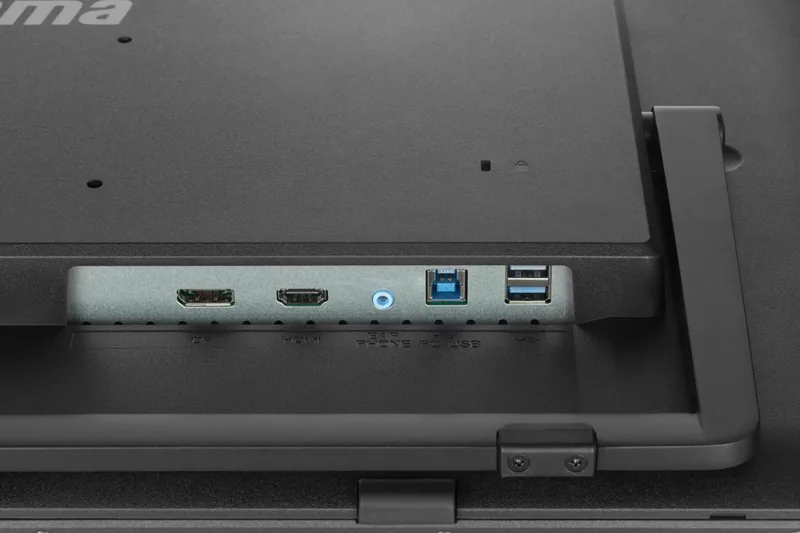
1x HDMI (60Hz@1920x1080), 1x DisplayPort (60Hz@1920x1080)
Additional Ports
2x USB-A 3.0 (5 Gb/s), 1x 3.5mm Jack (Line-Out), 1x USB-B 3.0 (5 Gb/s) (Touch Function)
Ergonomics
+70 deg / -15 deg (Tiltable)
VESA Mount
100x100 mm (Wall-mountable)
Power Consumption
Not Specified (Max), 30W (Typical), Not Specified (Old Energy Label A+++ to G), 1.5W (Standby)
Energy Efficiency Class SDR (A-G)
E
Energy Consumption SDR
21 kWh / 1,000h
Dimensions (W x H x D)
24.17 x 14.35 x 1.93 inches (614 x 364.5 x 49 mm)
Weight
12.79 lbs (5.80 kg)
Features
Speakers (2x 3W), Tempered Glass (7H)
Manufacturer Warranty
3 Years (Processed via Manufacturer, Product Registration within 60 Days after Purchase: Link, Warranty Information: Link)
Product Description
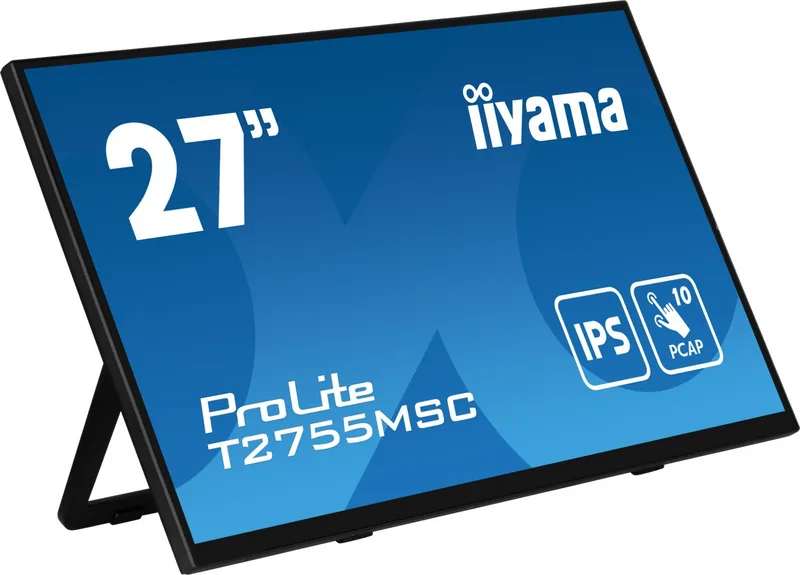
Welcome to the world of high-performance displays with the iiyama ProLite T2755MSC-B1, a 27-inch marvel designed for modern professionals and enthusiasts. This sleek monitor combines advanced technology with ergonomic design to ensure your workspace remains efficient and comfortable. At the heart of its appeal lies the expansive screen real estate, perfect for multitasking, creative projects, or immersive gaming sessions. The panel utilizes IPS technology, offering wide viewing angles and consistent color reproduction across the entire surface. Whether you are sitting directly in front or slightly off-center, the visual experience remains sharp and vibrant. Full HD resolution provides clear text and detailed imagery.
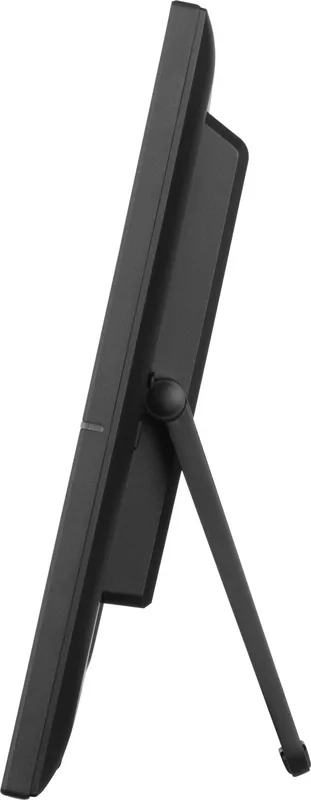
Connectivity is seamless with inputs including HDMI and DisplayPort, ensuring compatibility with a vast array of devices. The inclusion of USB 3.2 Gen 1 ports enhances productivity, allowing users to connect peripherals with speed and reliability. Audio is handled through built-in stereo speakers, delivering sound for multimedia consumption without needing external devices. Ergonomics play a crucial role in daily comfort. The stand allows for tilt adjustments, enabling users to find the ideal position to reduce neck strain during long work hours. Additionally, VESA mounting support provides flexibility for those preferring wall or arm setups. The physical dimensions fit well on standard desks while the adjustable foot mechanism secures stability against accidental bumps.
Safety and longevity are priorities for manufacturers like iiyama. Operating conditions recommend avoiding extreme temperatures and moisture to prevent damage. The device adheres to strict compliance standards regarding electromagnetic compatibility and energy efficiency. Power management features include a standby function that significantly reduces consumption when the system is idle. Users are encouraged to review detailed procedures upon installation to optimize settings such as brightness, contrast, and color temperature. Configuration relies on iiyama ProLite T2755MSC-B1, 27-inch Manual standards for optimal setup outcomes. While the monitor supports various digital signals, maintaining correct signal timing prevents synchronization errors or image flickering. Cleaning requires care; soft dry cloths are recommended over harsh chemicals to protect the delicate coating. Glass or plastic solvents can cause permanent damage.
Overall, this monitor balances functionality with durability. It accommodates Windows, Mac, and Linux environments with touch support capabilities when connected correctly via USB. Adjustments via the joystick menu allow quick access to picture settings without navigating deep software menus. From reducing blue light to enhancing image clarity, customization is extensive. The eco-mode further assists in lowering energy costs during extended usage periods. Whether for office tasks or media viewing, the ProLite series delivers reliable visuals. Remember to secure cables properly to avoid electrical hazards or short circuits. With proper setup and maintenance, this display serves as a robust foundation for your digital ecosystem, supporting both professional demands and personal entertainment needs efficiently. Always ensure ventilation slots remain unblocked to prevent overheating issues during intensive computing tasks. Troubleshooting involves checking connections, power states, and input selection. If the screen stays dark, verify the AC plug is secure. Standby indicators show power status clearly. If touch sensitivity fails, check driver installation. Calibration helps align accuracy. These steps maintain peak operation for consistent results.
Search for 67,706 Manuals online


Type-in Brand or Model