
iiyama ProLite T2455MSC-B1 Manual
PDF manual · 27 Pages
English



Quick check
Incorrect answer, please try again.
Chat with your iiyama ProLite T2455MSC-B1 manual using AI
Get instant AI answers from your iiyama ProLite T2455MSC-B1 manual
Ask anything about the iiyama ProLite T2455MSC-B1. Answers come from this manual, with the pages they are based on.
ProLite T2455MSC-B1 Maintenance Schedule
Clean periodically with a soft dry cloth. Do not use tissue paper as it will damage the screen.
Remove stains with a cloth lightly moistened with mild detergent solvent, then wipe with a soft dry cloth.
Ask a Question
Do you recommend ProLite T2455MSC-B1?
Yes NoFrequently Asked Questions
Yes, the monitor supports touch gestures on Mac OS when using the appropriate drivers and compatible software for enhanced interaction.
Is this answer helpful?
We recommend cleaning it regularly with a dry soft cloth. Avoid using paper towels to prevent damage.
Is this answer helpful?
The maximum supported resolution is 1920 by 1080 at 60Hz, ensuring sharp image quality.
Is this answer helpful?
No, it is designed for indoor use. Avoid environments with rain or direct sunlight to prevent damage.
Is this answer helpful?
Press the input selection button on the front panel to toggle between HDMI and DisplayPort connections.
Is this answer helpful?
Yes, the tilt angle can be adjusted between fifteen and sixty-five degrees for comfortable viewing positions.
Is this answer helpful?
Advantages and Disadvantages
Advantages

- IPS panel ensures vivid colors and wide viewing angles
- Capacitive ten-point touch system supports intuitive gestures
- ENERGY STAR compliance reduces power consumption effectively
- VESA mounting compatible for flexible placement options
- Built-in USB 3.0 hub simplifies peripheral management easily
Disadvantages

- 14ms response time may not suit competitive gamers sufficiently
- Built-in speakers are low power at 1W per channel only
- 24/7 continuous operation is not recommended for longevity
- Webcam resolution is low at 0.9 megapixels quality limit
- Requires specific voltage adherence to avoid malfunction issues
Product Specification
Touchscreen
capacitive, Multi-Touch
Diagonal
23.8 inches
Resolution
1920x1080, 16:9
Brightness
360 cd/m^2
Contrast
1,000:1 (static), not specified (dynamic)
Response Time
5 ms
Viewing Angle
178 deg/178 deg
Panel
IPS
Shape
flat
Coating
Hardness 7H
Backlight
White LED, flicker-free, Blue light filter
HDR
N/A
Color Depth
8-bit (16.7 million colors)
Refresh Rate
60 Hz
Signal Frequency
30-83 kHz (horizontal), not specified (vertical)
Connections
1x HDMI (60 Hz@1920x1080), 1x DisplayPort (60 Hz@1920x1080)
Other Connections
2x USB-A 3.0 (5 Gb/s), 1x 3.5 mm jack (Line-Out), 1x USB-B 3.0 (5 Gb/s) (Touch function)
Ergonomics
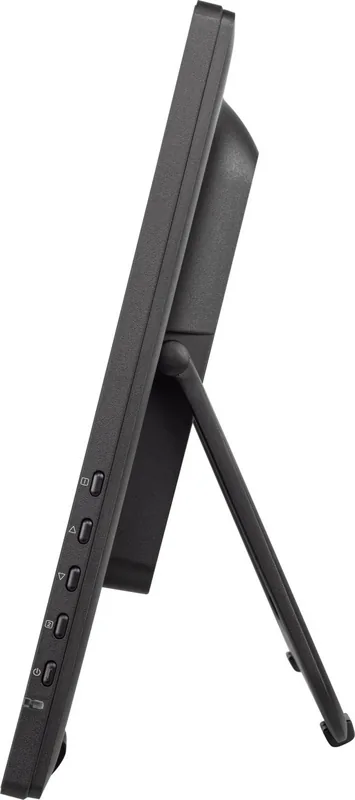
N/A (height-adjustable), N/A (Pivot), N/A (swivel), +15 deg/-65 deg (tilt)
VESA Mount
100 x 100 mm (VESA compatible)
Power Consumption
not specified (max), 18 W (typical), not specified (Energy Label A+++ to G), 1.5 W (Standby)
SDR Energy Efficiency Class (A to G)
E
SDR Energy Consumption
15 kWh/1000 h
Dimensions (WxHxD)
22.28 x 13.29 x 1.71 inches
Weight
9.70 lbs
Features
Speakers (2 x 1 W), Anti-Fingerprint Coating, mechanical buttons
Manufacturer Warranty
three years (claims via manufacturer, product registration within 60 days after purchase: Link, Warranty Information: Link)
Product Description
The iiyama ProLite T2455MSC-B1 Manual Experience
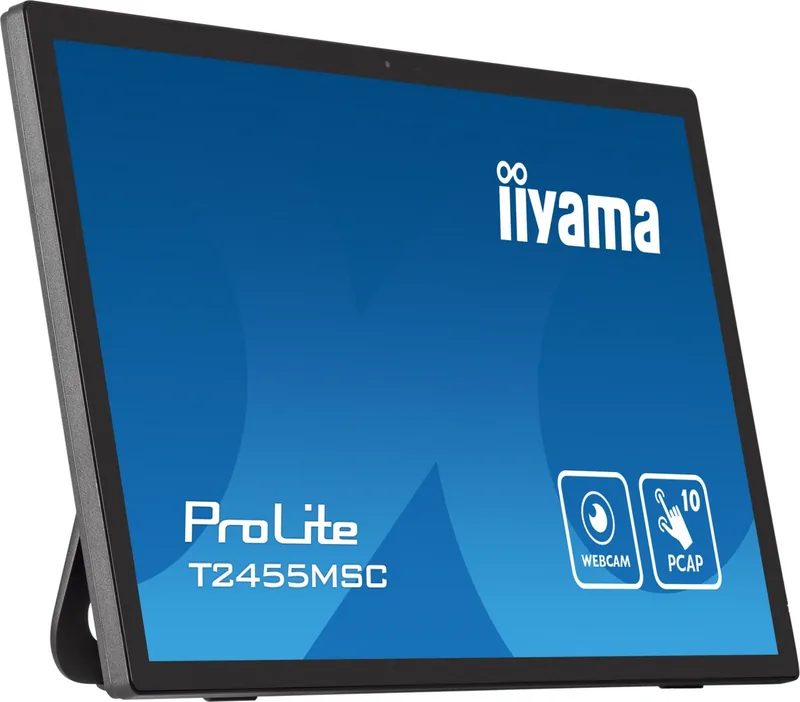
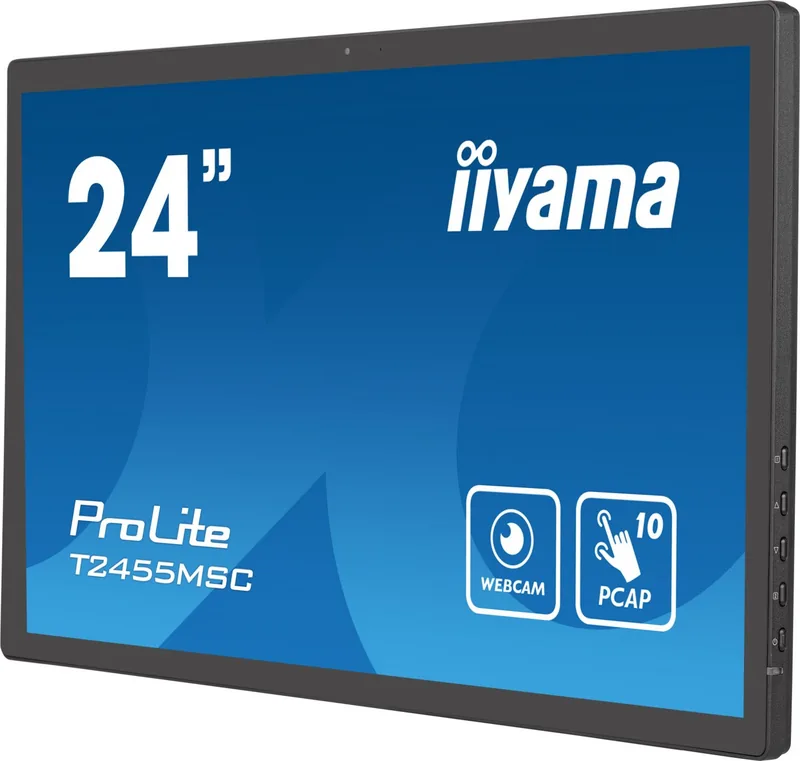
The iiyama ProLite T2455MSC-B1, 23.8 Manual offers a comprehensive guide to utilizing this advanced touchscreen monitor seamlessly. Designed for professionals and enthusiasts alike, this display integrates cutting-edge technology with user-friendly controls. The IPS panel ensures vivid color reproduction and wide viewing angles, making it perfect for creative work and daily tasks. With 1920 by 1080 resolution, clarity is paramount.
It features a capacitive ten-point touch system for intuitive gestures. Connectivity options are robust, including HDMI and DisplayPort inputs for versatile computer connections. The built-in USB 3.0 hub simplifies peripheral management, while stereo speakers provide convenient audio. A 0.9-megapixel webcam is also included for video conferencing. Energy efficiency is a core focus. The iiyama ProLite T2455MSC-B1, 23.8 Manual highlights ENERGY STAR compliance under standard settings. Users can adjust brightness and contrast to optimize power usage effectively. The standby mode reduces consumption significantly, aligning with eco-friendly standards. Adjusting viewing angles ensures ergonomic comfort.
Safety remains a priority. The manual emphasizes keeping water away from the unit and ensuring proper ventilation to prevent overheating. Clean with soft cloths, avoiding harsh chemicals. The stand allows for secure placement, and VESA mounting compatibility offers flexibility for desk or wall installations. The monitor supports various operating systems including Windows and Mac OS. Touch gestures are supported on compatible platforms for enhanced interaction. The onboard menu system allows for detailed customization of brightness, color temperature, and picture modes like Game or Cinema.
By following recommended settings, users can minimize blue light exposure. Additional features include the i-Style Color technology which allows users to select presets like Standard, Text, or Game tailored to specific environments. The Overdrive function improves response times to reduce motion blur. The device includes an audio jack for headphones and a Kensington slot for physical security. Power consumption is typical at eighteen watts. This manual serves as a resource for setup. It details troubleshooting steps for common issues like signal synchronization or audio problems. Installing the correct drivers ensures the touch functionality operates correctly. Packaging includes the monitor, cables, and spiral tube. Warranty information and recycling guidelines are provided. Its high contrast ratio enhances image depth. Installation is straightforward with clear instructions. Its flexibility adapts to diverse needs. Always adhere to voltage specifications to avoid malfunction.
Search for 67,706 Manuals online


Type-in Brand or Model