
iiyama ProLite T2454MSC-B1AG Manual
PDF manual · 28 Pages
English



Quick check
Incorrect answer, please try again.
Chat with your iiyama ProLite T2454MSC-B1AG manual using AI
Get instant AI answers from your iiyama ProLite T2454MSC-B1AG manual
Ask anything about the iiyama ProLite T2454MSC-B1AG. Answers come from this manual, with the pages they are based on.
ProLite T2454MSC-B1AG Maintenance Schedule
Regularly clean the display with a dry soft cloth. Do not use paper towels.
Remove stains with a damp soft cloth using a weak dish soap solution if necessary.
Ask a Question
Do you recommend ProLite T2454MSC-B1AG?
Yes No
Robert Clark
5 months ago
Is the touch screen responsive for office work and is the picture quality sharp?

Manual.ly
5 months ago
The product has received feedback indicating sharp display quality and responsive touch functionality, making it suitable for office applications.
hmatthews14
5 months ago
Is this touch monitor suitable for office work, and how is the display quality?
Manual.ly
5 months ago
Yes, this monitor is well-suited for office applications. The display offers sharp image quality, and the touch function performs reliably for daily tasks.
Jackson Campbell
6 months ago
Does the screen stay clear during long hours of use, and is the touch response accurate?
Frequently Asked Questions
The monitor has a native Full HD resolution of 1920 x 1080 pixels. For the best image quality and sharpness, it is recommended to operate the display at this specific resolution.
Is this answer helpful?
Yes, the monitor conforms to the VESA mounting standard with a 100mm x 100mm hole pattern. You can use M4 screws with a maximum length of 7mm to attach it to a wall or ceiling bracket safely.
Is this answer helpful?
Yes, it comes with two built-in stereo speakers, each rated at 2 watts. They provide adequate sound for general office tasks and media playback without needing external speakers.
Is this answer helpful?
No, the VGA cable is not included in the box. You will need to purchase a compatible VGA cable separately if you plan to connect your computer using the analog video input.
Is this answer helpful?
Press the MENU button to access the On-Screen Display. Navigate to Picture Adjust where you can change Brightness and Contrast levels using the plus and minus buttons on the control panel.
Is this answer helpful?
First try pressing the AUTO button for three seconds to run the automatic setup. If issues persist, check that the signal timing matches the monitor specifications and adjust horizontal position and phase manually.
Is this answer helpful?
This product is not specifically designed for 24/7 operation. While it can handle long periods of use, continuous non-stop operation may reduce its lifespan compared to monitors built for industrial endurance.
Is this answer helpful?
Advantages and Disadvantages
Advantages

- Capacitive 10-point touch screen for intuitive multi-touch interaction
- IPS panel provides excellent color accuracy and wide 178-degree viewing angles
- Height adjustable stand with tilt and rotation capabilities for ergonomic positioning
- Built-in 2W stereo speakers eliminate the need for external audio devices
- Supports multiple input sources including HDMI and VGA for versatile connectivity
Disadvantages

- Not specifically designed for continuous 24/7 operation which may limit lifespan in industrial settings
- VGA cable is not included in the package requiring separate purchase
- Audio output power is limited to 2W per speaker which may be insufficient for large rooms
- Manual image adjustment requires specific test patterns for best results
- Touch functionality requires USB connection and driver installation on some systems
Product Specification
Touchscreen
capacitive, Multi-Touch
Diagonal
23.8"/60.5cm
Resolution
1920x1080, 16:9
Brightness
250cd/m²
Contrast
1,000:1 (static), 5,000,000:1 (dynamic)
Response Time
4ms
Viewing Angle
178°/178°
Panel
IPS
Coating
non-glare (matte)
Backlight
White-LED
HDR
N/A
Refresh Rate
60Hz
Signal Frequency
not specified (horizontal), not specified (vertical)
Connections
1x VGA (60Hz@1920x1080), 1x HDMI
Additional Connections
2x USB-A 3.0 (5Gb/s), 1x USB-B 3.0 (5Gb/s) (touch function)
Ergonomics
+70°/-0° (tiltable)
VESA
100x100 (occupied)
Power Consumption
not specified (max), 22W (typical), not specified (energy label old A+++ to G), 0.5W (standby)
Energy Efficiency Class SDR (A to G)
F
SDR Energy Consumption
20kWh/1000h
Dimensions (WxHxD)
540x388x128mm
Weight
5.50kg
Features
includes stylus, speakers (2x 2W), IPX1 certified (front side)
Manufacturer Warranty
three years (processing via manufacturer, product registration within 60 days of purchase: Link, warranty information: Link)
Product Description
Elevate Your Workspace with the iiyama ProLite T2454MSC-B1AG
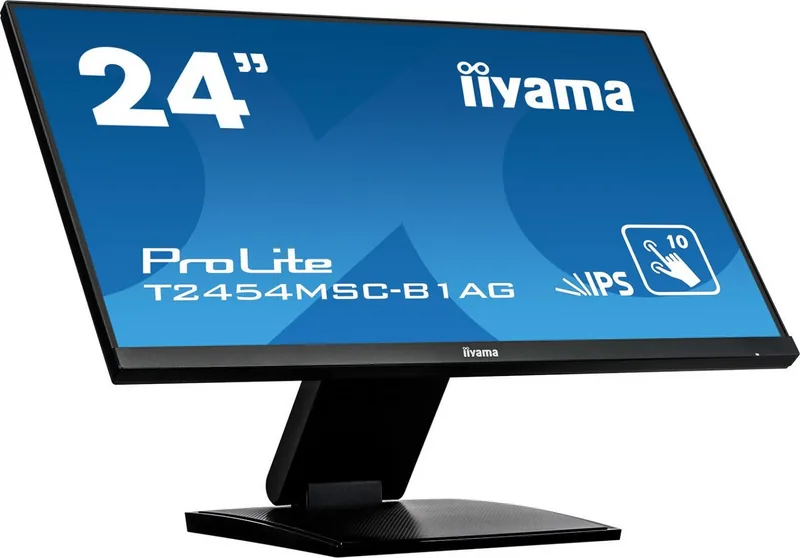
The iiyama ProLite T2454MSC-B1AG is a versatile 23.8-inch touchscreen monitor designed to enhance productivity and comfort for modern users. Featuring an IPS panel, this display delivers vibrant colors and wide viewing angles of 178 degrees horizontally and vertically. The native resolution of 1920 x 1080 ensures crisp text and detailed images, making it ideal for office work, creative tasks, and multimedia consumption.
Equipped with capacitive touch technology, the monitor supports intuitive interaction with up to ten points of contact simultaneously. This feature allows for smooth gestures like zooming, rotating, and dragging, which are particularly useful in educational settings or interactive presentations. The built-in stereo speakers provide convenient audio output without the need for external devices, while the HDMI and VGA inputs offer flexible connectivity options for various computers and laptops.
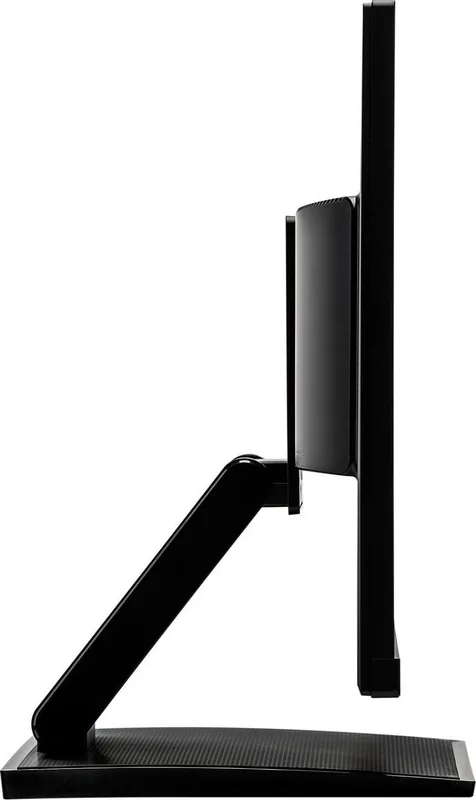
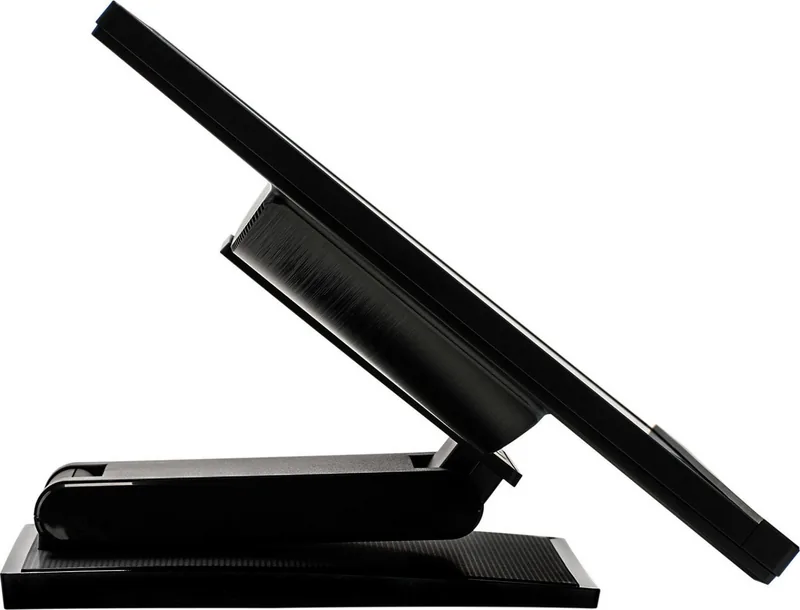
Ergonomics play a significant role in the design of this unit. The stand offers a height adjustment range from 128mm to 388mm, along with tilt capabilities of 5 degrees forward and 90 degrees backward. Users can also rotate the screen by 90 degrees for portrait mode usage. The monitor adheres to VESA mounting standards, allowing for wall or ceiling installation if desired. Safety features include a secure locking mechanism to prevent theft and compliance with strict energy efficiency regulations.
For optimal performance, the monitor recommends operating at its native resolution of 1920 x 1080. It includes an automatic setup function to quickly align the image, though manual adjustments for position and phase are available via the On-Screen Display menu. The i-Style Color modes allow users to customize the visual experience for specific environments such as reading, internet browsing, gaming, or watching movies. Additionally, blue light reduction features help minimize eye strain during extended use sessions.
Important Notes
- Ensure the monitor is placed on a stable surface to prevent tipping.
- Do not open the casing as internal components carry high voltage risks.
- Use only approved cables to maintain warranty coverage.
- Allow the monitor to warm up for 30 minutes before making critical image adjustments.
Search for 67,706 Manuals online


Type-in Brand or Model
Sofia Richter
8 months ago
Is the touch function reliable, and is the picture sharp enough for everyday office work?
Manual.ly
8 months ago
Yes. Customers report a clear, sharp display with good image quality. The touch function is working smoothly in daily use, so basic interactions in Office applications are not a problem. If you mainly need a responsive touch experience for typical office tasks and comfortable viewing, this monitor appears to fit well.