
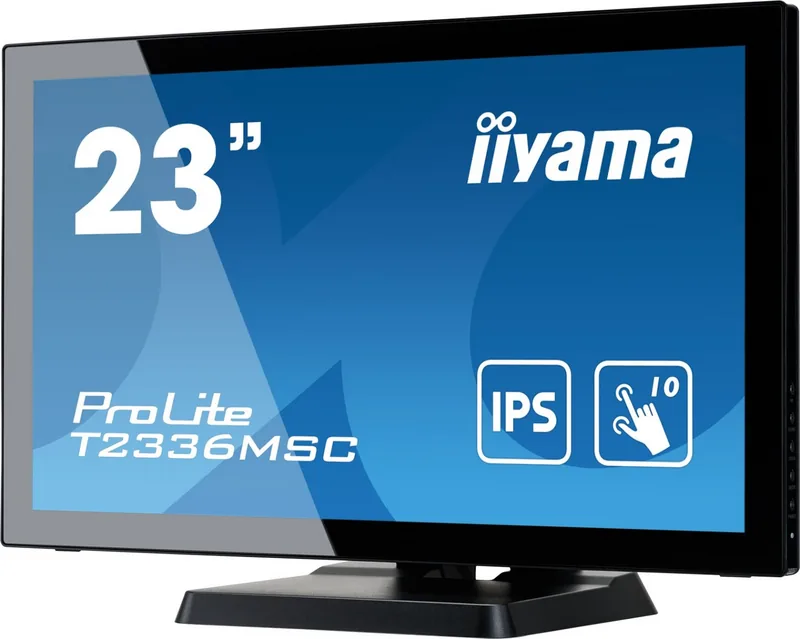

iiyama ProLite T2336MSC-B3 Manual
PDF manual · 30 Pages
English



Quick check
Incorrect answer, please try again.
Chat with your iiyama ProLite T2336MSC-B3 manual using AI
Get instant AI answers from your iiyama ProLite T2336MSC-B3 manual
Ask anything about the iiyama ProLite T2336MSC-B3. Answers come from this manual, with the pages they are based on.
Ask a Question
Do you recommend ProLite T2336MSC-B3?
Yes NoFrequently Asked Questions
The monitor has a native Full HD resolution of 1920 x 1080 pixels. Using this resolution provides the sharpest text, images, and interface elements.
Is this answer helpful?
It supports up to 10 simultaneous touch points through projected capacitive touch technology. This is useful for gestures, multi-user interaction, and touch-enabled applications.
Is this answer helpful?
The monitor includes HDMI, DVI-D, and VGA inputs. This combination supports connections to current digital devices as well as older computers and equipment.
Is this answer helpful?
Yes. It has a USB 3.0 upstream port for connecting to a computer and four USB 3.0 downstream ports for compatible peripherals. The USB link is also needed for touchscreen communication.
Is this answer helpful?
Yes. The ProLite T2336MSC-B3 supports 100 x 100 mm VESA mounting. Use compatible mounting hardware and M4 screws with a maximum length of 7 mm.
Is this answer helpful?
Yes. The monitor has integrated 2 W x 2 stereo speakers and a 3.5 mm audio input. They are suitable for basic desktop and multimedia audio.
Is this answer helpful?
Advantages and Disadvantages
Advantages

- 23-inch IPS panel with Full HD 1920 x 1080 resolution and wide 178-degree viewing angles.
- 10-point projected capacitive touch support enables smooth multi-user and gesture-based interaction.
- Flexible connectivity includes HDMI, DVI-D, VGA, audio input, and a USB 3.0 hub with four downstream ports.
- VESA 100 x 100 mm mounting, adjustable stand, integrated speakers, and security-lock slot support varied installations.
Disadvantages

- The display is designed for landscape use and does not support portrait operation.
- Typical touch-panel brightness is 213 cd/m2, which may be less suitable for very bright spaces.
- Touch operation requires a USB connection and compatible operating-system support.
- The model is not specifically designed for continuous 24/7 operation.
Product Specification
Touchscreen
capacitive, multi-touch
Diagonal
23 in / 23 in
Resolution
1920 x 1080, 16:9
Brightness
215 cd/m2
Contrast
1,000:1 (static), 5,000,000:1 (dynamic)
Response Time
5 ms
Viewing Angle
178 deg / 178 deg
Panel
IPS
Backlight
White LED
HDR
N/A
Refresh Rate
60 Hz
Signal Frequency
30-80 kHz (horizontal), not specified (vertical)
Ports
1 x VGA (60 Hz at 1920 x 1080), 1 x DVI, 1 x HDMI
Additional Ports
4 x USB-A 3.0 (5 Gb/s), 1 x USB-B 3.0 (5 Gb/s) (touch functionality)
Ergonomics
N/A
VESA
100 x 100 (occupied)
Power Consumption
not specified (maximum), 16 W (typical), not specified (old energy label A+++ to G), 0.5 W (standby)
Energy Efficiency Class SDR (A to G)
E
Energy Consumption SDR
17 kWh/1,000 h
Dimensions (W x H x D)
22.09 x 14.92 x 10 in
Weight
13.89 lb
Special Features
speakers (2 x 2 W)
Manufacturer Warranty
three years (processed through the manufacturer, product registration within 60 days of purchase: link, warranty information: link)
Product Description
iiyama ProLite T2336MSC-B3, 23" - Read, Download & Print Free
The iiyama ProLite T2336MSC-B3 is a versatile 23-inch Full HD touch monitor designed for interactive workspaces, retail counters, education, kiosks, and everyday desktop use. Its IPS panel delivers a 1920 x 1080 resolution, wide 178-degree viewing angles, and consistent color reproduction, helping content remain clear when viewed from different positions. The projected capacitive touchscreen supports up to 10 simultaneous touch points, making navigation, gestures, and collaborative tasks feel natural and responsive.
Built for hands-on interaction
This model combines a durable touch surface with a practical desktop design. It supports finger input and compatible conductive styluses, while USB connectivity enables touchscreen communication with a connected computer. The monitor is compatible with touch-enabled Windows environments and can also be used with selected Mac OS, Linux, and Android setups according to available operating-system support.
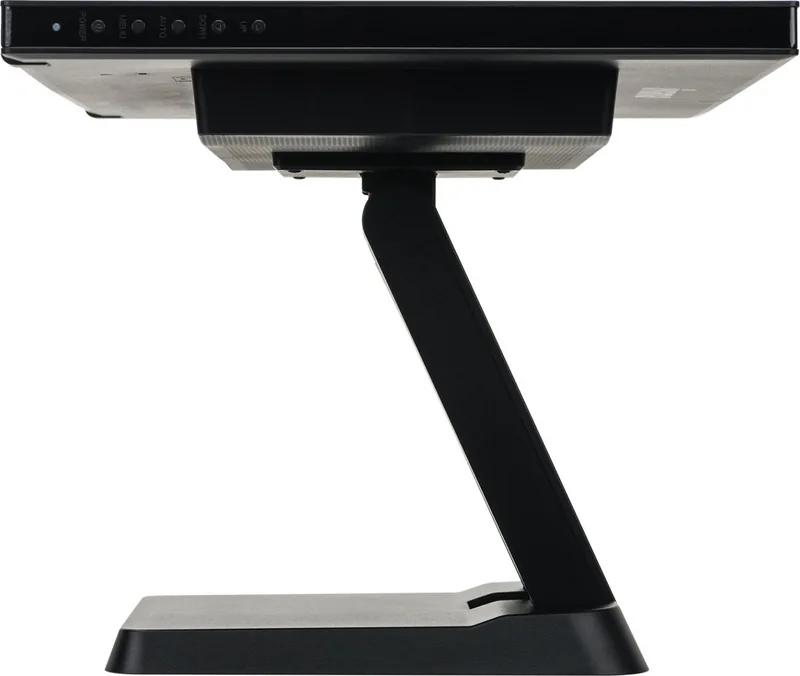
For flexible installation, the display includes a sturdy stand with a broad tilt range, allowing it to be positioned for conventional viewing or more hands-on touch operation. A 100 x 100 mm VESA mount pattern also makes it suitable for wall mounting, counter installations, or monitor arms. The screen is intended for landscape orientation.
Connectivity and everyday features
The ProLite T2336MSC-B3 offers VGA, DVI-D, and HDMI video inputs, so it can connect to both older systems and modern digital devices. A USB 3.0 hub provides one upstream port and four downstream ports, offering convenient access for peripherals. Integrated 2 W stereo speakers support basic audio needs without requiring separate desktop speakers, while a 3.5 mm audio input adds further flexibility.
Image settings include brightness, contrast, color temperature, gamma, aspect ratio, ECO modes, and blue-light reduction. These options help users tailor the display for office work, web browsing, video, games, or reduced blue-light viewing. The monitor also includes automatic image setup for analog signals and an OverDrive setting intended to improve gray-to-gray response performance.
Clear Full HD performance
With a typical 1000:1 contrast ratio, a 5 ms gray-to-gray response time, and approximately 16.7 million display colors, this monitor is equipped for clear text, business applications, multimedia, and interactive signage. Typical power use is listed at 16 W, with low standby consumption. The unit also includes a Kensington-style security slot to help protect it in shared or public locations.
Note: For the sharpest image, use the native 1920 x 1080 resolution. Keep ventilation openings clear, use a soft dry cloth for the screen, and connect the USB cable when touchscreen control is required.
Search for 67,706 Manuals online


Type-in Brand or Model