
iiyama ProLite T1633MSC-B1 Manual
PDF manual · 28 Pages
English



Quick check
Incorrect answer, please try again.
Chat with your iiyama ProLite T1633MSC-B1 manual using AI
Get instant AI answers from your iiyama ProLite T1633MSC-B1 manual
Ask anything about the iiyama ProLite T1633MSC-B1. Answers come from this manual, with the pages they are based on.
ProLite T1633MSC-B1 Maintenance Schedule
Wipe the screen with a soft cloth using mild window cleaner or 50/50 water/isopropyl alcohol mix. Use a damp cloth with weak detergent for the housing.
Use a soft clean cloth with mild commercial glass cleaner or a 50/50 mixture of water and isopropyl alcohol.
Ask a Question
Do you recommend ProLite T1633MSC-B1?
Yes NoFrequently Asked Questions
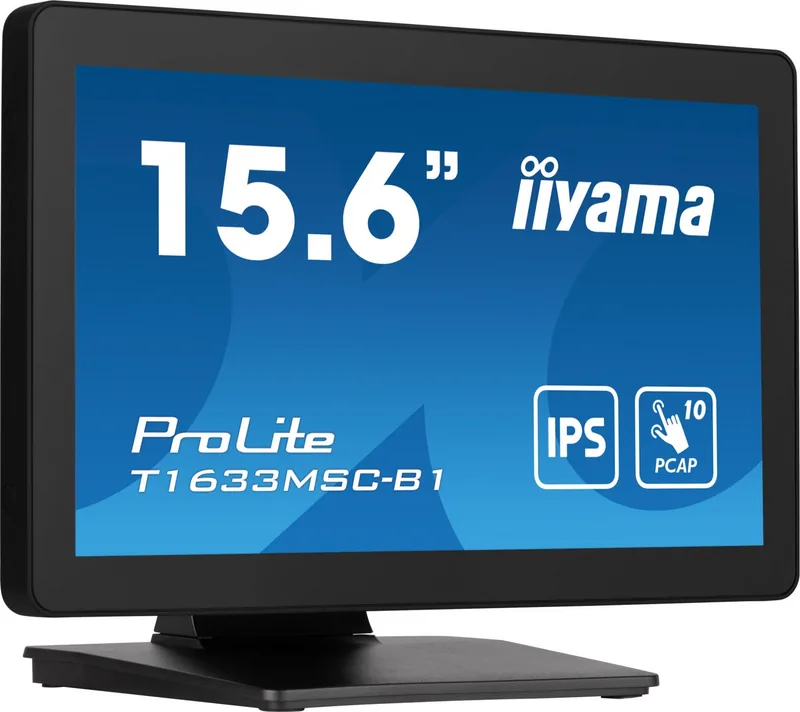
The monitor features a native Full HD resolution of 1920×1080 on a 15.6-inch IPS (In-Plane Switching) panel, offering wide 178° horizontal and vertical viewing angles and approximately 16.7 million display colors.
Is this answer helpful?
The display uses a projected capacitive touch panel supporting up to 10 touch points. It works with fingers and conductive styluses; iiyama recommends a plastic or conductive stylus with an approximate 8mm tip. Avoid sharp or metal objects to prevent damage.
Is this answer helpful?
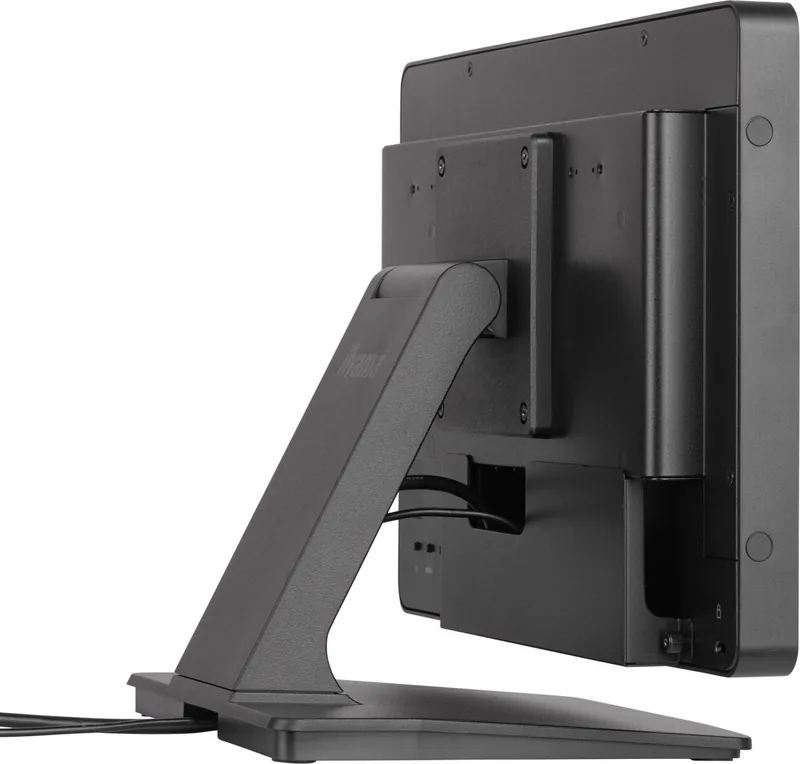
Connectivity includes HDMI and DisplayPort video inputs and a USB 2.0 upstream/downstream hub (5V, 500mA) for touch and peripherals. The unit uses a 12V DC, 45W AC adapter (included) and supports external audio via built-in 2W×2 stereo speakers.
Is this answer helpful?
Yes, the front face is IP54-compliant, providing protection against limited dust ingress and water splashes. The IP rating applies only to the front; the rear and internal components are not covered by this protection.
Is this answer helpful?
The monitor uses a 12V/3.75A adapter (45W). Typical power is around 12W, with energy-saving defaults reducing brightness to lower consumption. Standby mode reduces power to 0.5W (no USB devices) or up to 1.5W (with USB devices), and ECO/Blue Light Reducer modes are available.
Is this answer helpful?
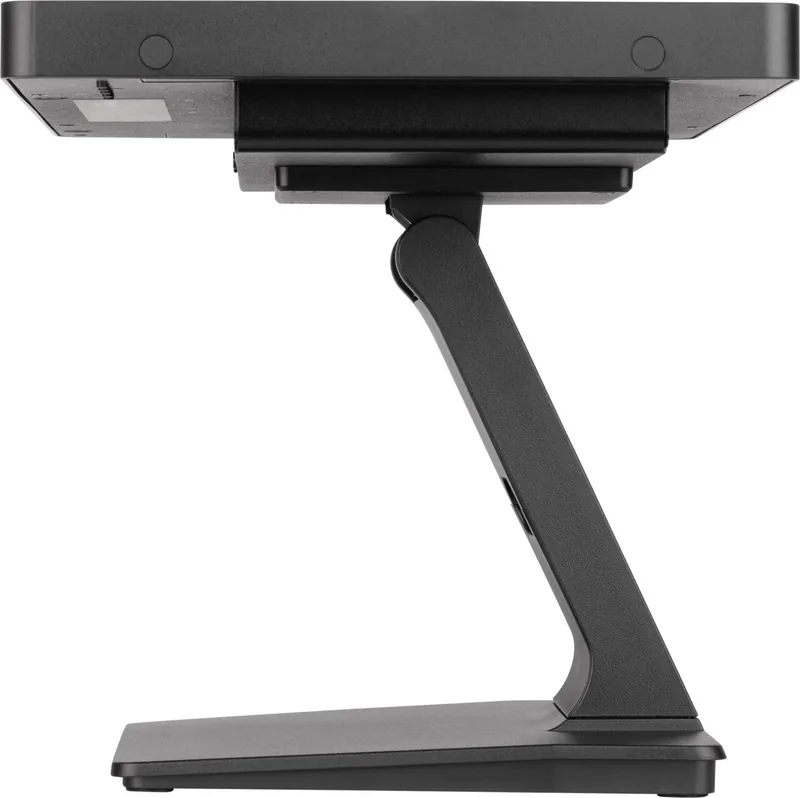
Yes. The display supports VESA 100×100 mounting and can be rotated to portrait orientation. When wall-mounting, use M4 screws no longer than the specified length (8mm) to avoid contacting internal components and ensure adequate ventilation.
Is this answer helpful?
Clean the touch surface with a soft cloth moistened with mild window cleaner or a 50/50 mix of water and isopropyl alcohol. Do not use abrasive cleaners, wax, acids, or alkaline solvents, and avoid prolonged contact with rubber or plastic materials that may discolor the cabinet.
Is this answer helpful?
Advantages and Disadvantages
Advantages

- Full HD 1920×1080 on a 15.6" IPS panel with 178° viewing angles for consistent color.
- Projected capacitive 10-point touch with multi-touch gestures and stylus/finger support.
- IP54 front protection, removable stand, VESA 100×100 mount and portrait rotation capability.
- Built-in USB hub, HDMI and DisplayPort inputs plus stereo speakers for multimedia use.
- Energy-saving modes, low standby power (0.5–1.5W) and ECO/Blue Light Reducer options.
Disadvantages

- Not specifically designed for continuous 24/7 use in all environments; cooling may be needed.
- Brightness reduces when touch panel is active (typical 385 cd/m² vs 450 cd/m² without touch).
- Front-only IP54 protection — rear and internals remain vulnerable to dust and liquids.
- Touch performance and full gesture support vary by operating system and drivers.
- Requires the supplied AC adapter and properly rated power cable to maintain warranty.
Product Specification
Touchscreen
capacitive, Multi-Touch
Diagonal
15.6"/15.59in
Resolution
1920x1080, 16:9
Brightness
405cd/m²
Contrast
1,000:1 (static), N/A (dynamic)
Response time
5ms (GtG)
Viewing angle
178°/178°
Panel
IPS
Backlight
White-LED, Blue light filter
HDR
N/A
Color depth
8bit (16.7 Mio. colors)
Refresh rate
60Hz
Signal frequency
30-68kHz (horizontal), no specific information (vertical)
Connections
1x HDMI, 1x DisplayPort
Other connections
1x USB-B (Touch function)
Ergonomics
+90°/-5° (tiltable)
VESA
100x100 (occupied)
Power consumption
no specific information (maximum), 12W (typical), no specific information (energy label old A+++ to G), 8W (standby)
Energy efficiency class SDR (A to G)
C
Energy consumption SDR
6kWh/1000h
Dimensions (WxHxD)
15.31x11.18x7.87in (with stand), 15.31x9.70x1.79in (without stand)
Weight
7.50lbs
Special features
IP54 certified (front), Folding mechanism (95°), Speakers (2x 2W), mechanical buttons, Security lock (Kensington)
Manufacturer's warranty
three years (processing via manufacturer, product registration within 60 days after purchase: Link, Warranty information: Link)
Product Description
iiyama ProLite T1633MSC-B1, 15.6" Manual
The iiyama ProLite T1633MSC-B1 is a compact 15.6" IPS touchscreen display built for flexible deployment in retail, education, kiosks, industrial stations and point-of-sale systems. With native Full HD (1920×1080) resolution on a 15.6" panel, this model pairs crisp text and lifelike color with wide 178° viewing angles, making it suitable for multi-user scenarios and environments where screen clarity and consistent color are important.
Beyond image quality, the ProLite T1633MSC-B1 emphasizes responsiveness and usability: a projected capacitive 10-point touch layer supports multi-touch gestures and finger or conductive stylus input. The front panel meets IP54 for splash and dust resistance, protecting the touch surface in harsher locations while allowing easy cleaning with recommended mild cleaners or a 50/50 isopropyl-water mix. Built-in stereo speakers, a Blue Light Reducer mode and digital character smoothing enhance multimedia and long-duration viewing comfort. Energy features include ECO modes and a low-power standby state (0.5–1.5W depending on USB attachments) to reduce consumption when idle.
Connectivity covers modern needs with HDMI and DisplayPort inputs plus a USB 2.0 upstream/downstream hub (5V, 500mA) for touch and peripheral support. The monitor accepts a 12V DC adapter (45W) and supports VESA 100×100 mounting for flexible installation; the stand is removable and the design allows portrait rotation and tilt adjustment (up to 90° upward, 5° downward) for ergonomic setups. The package includes cables, a screwdriver set, stand components and cable cover accessories to ease installation.
On-screen controls provide a comprehensive menu: brightness/contrast, color temperature, i-Style presets, Overdrive, advanced contrast, aspect ratio handling and accessibility options like touch wake-up and OSD locking. Calibration and touch setup steps are provided to ensure accurate touch position in single- and multi-monitor configurations. Safety and maintenance instructions emphasize stable installation, correct power supply usage, cable protection and avoiding exposure to liquids or extreme temperatures.
With a 5ms gray-to-gray response, high typical brightness (450 cd/m²; 385 cd/m² with touch), approximate 16.7M display colors and 1000:1 contrast, the ProLite T1633MSC-B1 balances performance and ruggedness in a small footprint. It is particularly well suited to interactive deployments requiring reliable multi-touch, compact size, and VESA compatibility.
Notes
- Ideal for interactive kiosks, POS terminals and compact workstations.
- Use only the supplied AC adapter and rated power cable to avoid damage and voiding warranty.
- For best touch results, use recommended 8mm conductive stylus or finger; avoid sharp objects.
- Not designed for continuous 24/7 operation in all environments; ensure cooling if enclosed.
- Front face IP54 protection applies only to the front; ensure rear ventilation when wall-mounting.
Search for 67,706 Manuals online


Type-in Brand or Model