
iiyama ProLite T1633MC-B1 Manual
PDF manual · 30 Pages
English



Quick check
Incorrect answer, please try again.
Chat with your iiyama ProLite T1633MC-B1 manual using AI
Get instant AI answers from your iiyama ProLite T1633MC-B1 manual
Ask anything about the iiyama ProLite T1633MC-B1. Answers come from this manual, with the pages they are based on.
ProLite T1633MC-B1 Maintenance Schedule
Remove stains with a cloth lightly moistened with mild detergent solvent, then wipe with a soft dry cloth.
Use a soft clean cloth moistened with mild window glass cleaner or a 50/50 mixture of water and isopropyl alcohol.
Ask a Question
Do you recommend ProLite T1633MC-B1?
Yes NoFrequently Asked Questions
It uses projected capacitive touch with support for 10 touch points. This enables smooth gesture input and accurate interaction for business, retail, and kiosk-style applications.
Is this answer helpful?
The monitor supports VGA, HDMI, and DisplayPort for video, plus USB for touch communication. This makes it adaptable to a wide range of devices and systems.
Is this answer helpful?
Yes. Its compact size, VESA compatibility, front IP54 protection, and touch-focused design make it well suited for kiosks, terminals, counters, and embedded setups.
Is this answer helpful?
Yes. It includes power management and Eco options to reduce power use when the monitor is idle or in lighter-use scenarios.
Is this answer helpful?
Yes. The display supports VESA mounting, which allows it to be installed on compatible wall mounts, arms, or custom fixtures.
Is this answer helpful?
The native resolution is 1366 × 768, which is practical for focused interfaces and everyday tasks. It is designed more for usability and touch control than for high-resolution creative work.
Is this answer helpful?
Advantages and Disadvantages
Advantages

- 10-point projected capacitive touch offers responsive and precise interaction.
- VGA, HDMI, DisplayPort, and USB make integration flexible.
- Front IP54 protection helps in dustier or splash-prone areas.
- VESA mounting and tilt support improve installation options.
Disadvantages

- 1366 × 768 resolution is basic for a 15.6-inch display.
- TN panel offers limited viewing characteristics versus premium panels.
- Not specifically designed for guaranteed 24/7 operation in all environments.
- VGA setup may require manual adjustment and calibration.
Product Specification
Touchscreen
capacitive, Multi-Touch
Diagonal
15.6"/15.59in
Resolution
1366x768, 16:9
Brightness
255cd/m²
Contrast
500:1 (static), no information (dynamic)
Response time
8ms
Viewing angle
160°/160°
Panel
TN
Backlight
White-LED
HDR
N/A
Refresh rate
60Hz
Signal frequency
no information (horizontal), no information (vertical)
Connections
1x VGA (60Hz@1366x768), 1x HDMI 1.4, 1x DisplayPort 1.2
Other connections
1x USB-B (Touch function), 2x USB-A
Ergonomics
N/A
VESA
100x100 (occupied)
Power consumption
no information (maximum), 13.5W (typical), no information (energy label old A+++ to G), 2W (Standby)
Energy efficiency class SDR (A to G)
F
Energy consumption SDR
13kWh/1000h
Dimensions (WxHxD)
15.31x12.28x13.94in
Weight
9.92 lb
Special features
IP54 certified (front)
Manufacturer's warranty
three years (processing via manufacturer, product registration within 60 days of purchase: Link, warranty information: Link)
Product Description
iiyama ProLite T1633MC-B1, 15.6" Manual
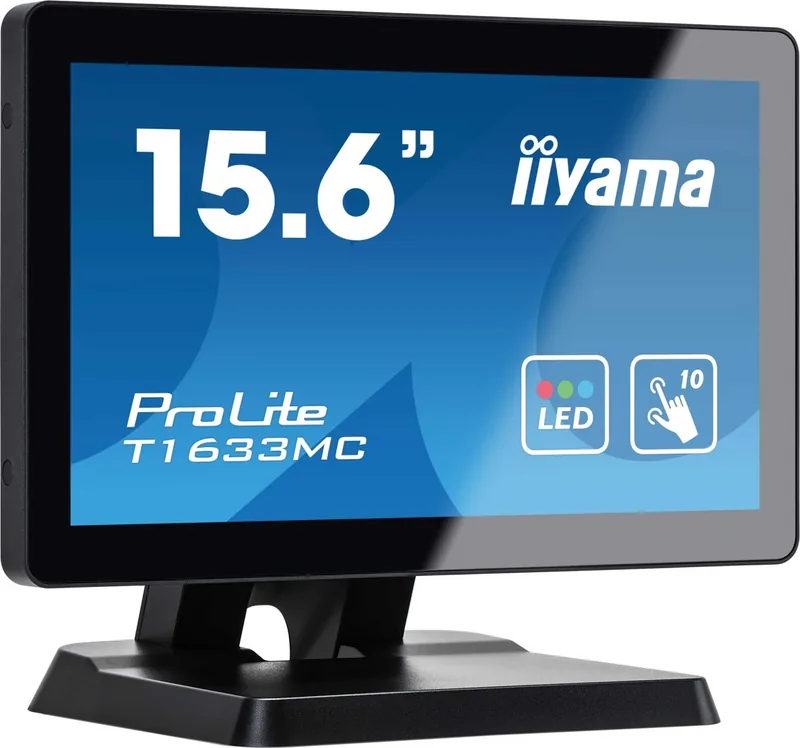
The iiyama ProLite T1633MC-B1 is a compact 15.6-inch touchscreen display designed for interactive work where space, clarity, and dependable control matter. It blends a practical full-HD-ready style with a smaller footprint, making it a strong fit for kiosks, POS stations, industrial panels, reception counters, and custom-built systems that need direct touch input.
Built for touch-first use
At the heart of this display is a projected capacitive 10-point touch panel. That means it is made for smooth gestures, fast response, and precise navigation with fingers or a suitable stylus. The touch layer is paired with USB connectivity, so the screen can communicate touch data efficiently while standard video can be delivered through VGA, HDMI, or DisplayPort.
The panel uses TN technology and supports a native resolution of 1366 × 768. While this is modest compared with larger desktop monitors, it is perfectly practical for focused business tasks, embedded interfaces, and guided workflows. Brightness reaches 300 cd/m², with a typical contrast ratio of 500:1, helping content remain readable in everyday indoor environments.
Flexible, practical, and installation-friendly
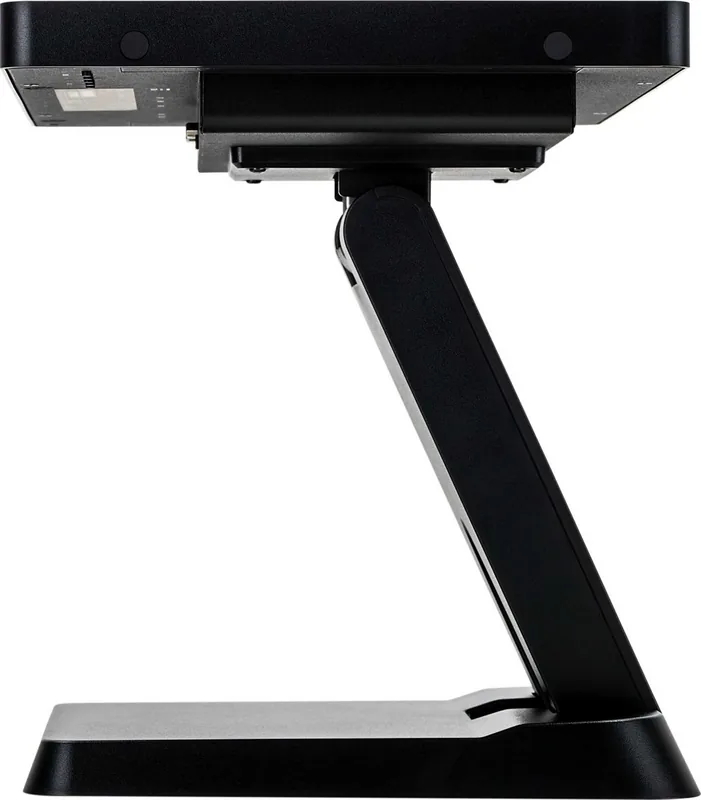
This model includes useful features that simplify deployment. VESA mounting support allows it to be installed in walls, arms, or enclosures, while the included stand offers tilt adjustment for more comfortable viewing. The front face is IP54 compliant, adding a level of protection against dust and splashes in demanding settings.
For everyday comfort, the monitor also includes Blue Light Reducer, Eco mode, automatic setup, and power management support. These features help reduce strain, save energy, and streamline setup across different operating systems. The combination of plug-and-play support and multiple input options makes it easier to integrate into new or existing systems.
Notes
- Best suited for interactive business and industrial environments
- Touch performance is strongest with fingers or a plastic stylus
- 24/7 use is not guaranteed for every environment
- Keep ventilation clear and follow mounting guidance carefully
- Check signal timing and calibration for the best image and touch accuracy
Search for 67,706 Manuals online


Type-in Brand or Model