
iiyama ProLite LH7510USHB-B1 Manual
PDF manual · 26 Pages
English



Quick check
Incorrect answer, please try again.
Chat with your iiyama ProLite LH7510USHB-B1 manual using AI
Get instant AI answers from your iiyama ProLite LH7510USHB-B1 manual
Ask anything about the iiyama ProLite LH7510USHB-B1. Answers come from this manual, with the pages they are based on.
ProLite LH7510USHB-B1 Maintenance Schedule
Use a moving screen saver at regular intervals whenever the screen is idle to prevent image sticking.
Clean the LCD screen periodically using only a soft dry cloth. Do not use tissue paper.
Remove stains from the cabinet with a cloth lightly moistened with mild detergent solvent, then wipe with a soft dry cloth.
Ask a Question
Do you recommend ProLite LH7510USHB-B1?
Yes NoFrequently Asked Questions
It is designed as a large professional display for signage, information screens, presentations, and other high-visibility environments that need strong brightness and reliable operation.
Is this answer helpful?
Yes. It supports native 3840 × 2160 resolution, giving it 4K UHD clarity for detailed images, text, and video content.
Is this answer helpful?
Yes. The display is compatible with both landscape and portrait orientations, which makes it useful for flexible installation layouts.
Is this answer helpful?
Yes. The model is designed for 24/7 use under moving-image conditions, making it a strong option for commercial environments that run all day.
Is this answer helpful?
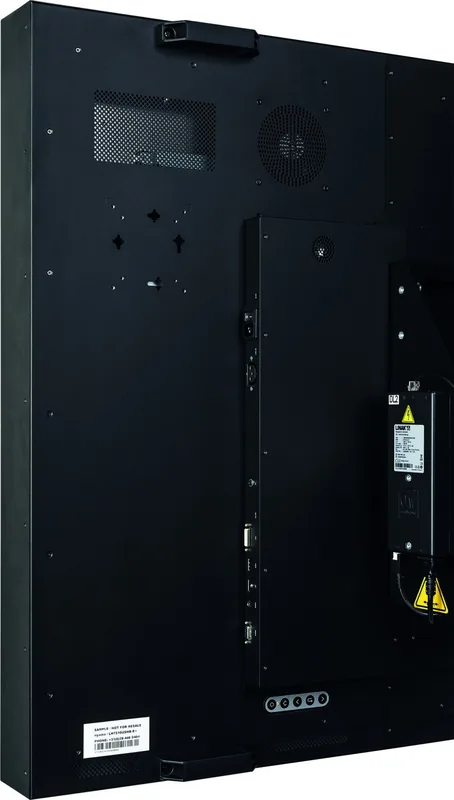
It includes DVI, HDMI, DisplayPort, and RS-232C connectivity, along with audio and light sensor connections for extended setup options.
Is this answer helpful?
Turn the power off first, then wipe the cabinet with a soft cloth and the screen with a dry microfiber-style cloth. Avoid harsh solvents and abrasive materials.
Is this answer helpful?
Advantages and Disadvantages
Advantages

- 75-inch 4K IPS panel delivers sharp detail and wide viewing angles for large spaces.
- Very high brightness helps content stay readable in bright indoor environments.
- Supports 24/7 operation, making it suitable for commercial and public display use.
- Multiple inputs and RS-232C control make integration into installed systems easier.
Disadvantages

- Large size and heavy build may require two people and careful planning during installation.
- High brightness and continuous use demand good ventilation and maintenance.
- Image persistence can occur with static content if the screen is left unchanged too long.
- DVI/HDMI 4K support is limited to lower refresh rates than DisplayPort.
Product Specification
Diagonal
75"/190.5 cm
Resolution
3840x2160, 16:9
Brightness
3000 cd/m^2
Contrast
1200:1 (static), not specified (dynamic)
Response time
8 ms
Viewing angle
178°/178°
Panel
IPS
Form
flat
Backlight
White-LED
HDR
N/A
Refresh rate
60 Hz
Signal frequency
not specified (horizontal), not specified (vertical)
Connections
1x DVI, 1x HDMI 2.0, 1x DisplayPort, 1x 3.5mm jack (Line-In)
Other connections
1x serial
VESA
600x400, 600x200 (flexible)
Operating time
24h/7
Power consumption
not specified (maximum), 538 W (typical), not specified (old energy label A+++ to G), 0.5 W (Standby)
Dimensions (WxHxD)
66.22x37.82x5.51 in
Weight
167.55 lb
Special features
Slim Bezel, Speakers (2x 5W), Light sensor
Manufacturer warranty
three years (handled by manufacturer, product registration within 60 days after purchase: Link, Warranty information: Link)
Product Description
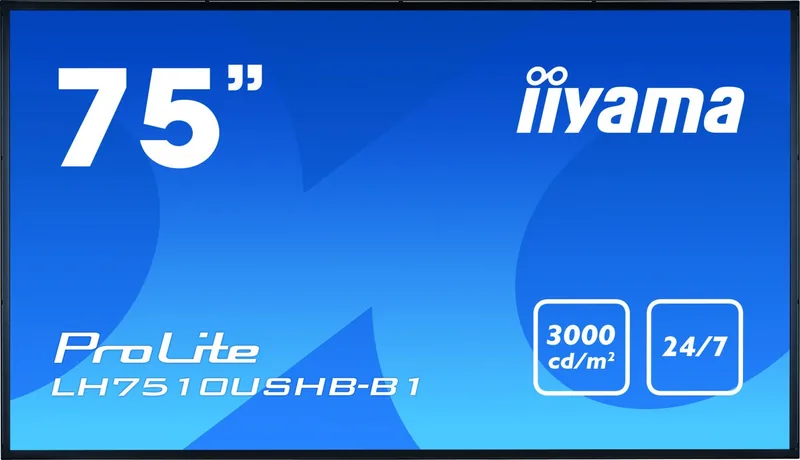
iiyama ProLite LH7510USHB-B1: A 75-Inch Display Built for Impact
The iiyama ProLite LH7510USHB-B1 is a large-format 75-inch display designed to deliver bold visuals in demanding professional environments. With 4K UHD resolution, IPS panel technology, and a high-brightness backlight, it aims to keep content sharp, readable, and engaging even in busy spaces. Whether used for signage, presentations, or continuous information display, this model is clearly built with visibility and reliability in mind.
One of the most impressive strengths of this display is its brightness. The panel is rated for up to 3000 cd/m², which helps content remain visible in brighter rooms and public-facing installations. Combined with a 1200:1 contrast ratio and wide 178-degree viewing angles, it supports clear image delivery from multiple directions. That makes it a practical choice for retail, lobbies, control areas, and other spaces where audiences may not always be seated directly in front of the screen.
The iiyama ProLite LH7510USHB-B1 manual also highlights flexibility. The display supports landscape and portrait orientation, includes multiple digital inputs such as HDMI, DisplayPort, and DVI, and offers RS-232C control for integration into managed setups. Built-in stereo speakers and support for 24/7 usage further reinforce its role as a dependable business display rather than a typical home screen.
Ease of setup is another theme that stands out. VESA mounting support makes installation more adaptable, while the on-screen menu allows brightness, color, audio, display mode, and input settings to be adjusted with relative ease. A light sensor connection adds another useful layer by helping the display respond to ambient conditions. For environments that change throughout the day, that can improve comfort and efficiency.
At the same time, this is a display that asks for proper handling. The guidance around ventilation, cable management, cleaning, and image persistence is especially important for long-term performance. Large LCD panels benefit from careful placement, stable support, and consistent maintenance. In that sense, the iiyama ProLite LH7510USHB-B1 is not just about size and brightness, but also about thoughtful operation.
Notes
- Allow enough space around the panel for ventilation.
- Avoid static images for long periods to reduce image persistence.
- Use the recommended input and mounting setup for best results.
- Clean the screen gently with a soft dry cloth only.
Search for 67,706 Manuals online


Type-in Brand or Model