
iiyama ProLite B1980D-W5 Manual
PDF manual · 35 Pages
English



Quick check
Incorrect answer, please try again.
Chat with your iiyama ProLite B1980D-W5 manual using AI
Get instant AI answers from your iiyama ProLite B1980D-W5 manual
Ask anything about the iiyama ProLite B1980D-W5. Answers come from this manual, with the pages they are based on.
Ask a Question
Do you recommend ProLite B1980D-W5?
Yes NoFrequently Asked Questions
The maximum physical resolution supported is 1280 x 1024 pixels which is optimized for the 19 inch display panel specifications provided within the technical details.
Is this answer helpful?
Yes, it conforms to the VESA-Montage-Standard 100mmx100mm allowing secure installation on compatible wall mounts or desk arms if the surface can support the weight.
Is this answer helpful?
No, the VGA cable is not included in the standard package so you may need to purchase one separately for analog connections to your computer.
Is this answer helpful?
Typical power consumption is listed at 16W while the standby mode draws less than 0.5W for energy saving purposes and compliance with power regulations.
Is this answer helpful?
Yes the ProLite B1980D series supports portrait mode rotation by 90 degrees for specific vertical content needs as described in the features section.
Is this answer helpful?
It holds CE, UKCA, TUV-GS, and ENERGY STAR certifications ensuring compliance with safety and energy standards for various international markets.
Is this answer helpful?
Use a dry soft cloth for the display and a damp cloth for the case avoiding harsh chemicals or abrasive materials that could scratch the coating.
Is this answer helpful?
Advantages and Disadvantages
Advantages

- Ergonomic stand with height adjustment up to 150mm and swivel for better comfort.
- Energy efficient with ENERGY STAR certification and low standby consumption.
- Versatile connectivity with both VGA and DVI-D inputs available for various PCs.
- Clear display with 1280 x 1024 resolution and 5ms response time for smooth visuals.
- Includes built-in security lock slot for theft prevention in public areas.
Disadvantages

- Max resolution of 1280 x 1024 may limit modern multitasking needs significantly.
- VGA connection does not include cables in the package for some regions.
- Stand rotation requires manual adjustment and is limited compared to professional arm mounts.
- Not designed for continuous 24/7 operation according to safety notes regarding longevity.
- Viewing angles are standard with some brightness variation at extreme viewing angles.
Product Specification
Feature
Monitor (stationary)
Diagonal
19" (19.02 in)
Resolution
1280x1024 (SXGA), 5:4, 86 ppi
Panel
TN
Backlight
LED
Brightness
250 cd/m2 (typical)
Contrast
1,000:1 (static), 12,000,000:1 (dynamic)
Response Time
5 ms (GtG)
Refresh Rate
60 Hz (1280x1024)
Signal Frequency
24-80 kHz (H) / 56-75 Hz (V)
Connectors
1x VGA (60 Hz@1280x1024), 1x DVI (60 Hz@1280x1024), 1x AC-In C13 (Power Input)
Shape
Straight (flat)
Viewing Angle
170 deg/160 deg
Coating
non-glare (matte)
Color Depth
8 bit (16.7M colors)
FRC
Unknown
sRGB
99%
Controls
Mechanical buttons
Ergonomics
with stand, height adjustable (5.91 in), Pivot (+90 deg), swivel (+/- 45 deg), tilt (+23 deg/-5 deg)
VESA
100x100 (installed)
Power Consumption
16 W (typical), 0.5 W (Standby)
SDR Energy Efficiency (A to G)
15 kWh/1000h (E)
Features
Security lock (Kensington Security Slot)
Screen-to-Body Ratio
78.53% (calculated)
Dimensions
16.18x15.63x8.25 in (WxHxD) with stand compressed, 16.18x13.86x1.93 in (WxHxD) without stand
Color
White (display frame) / White (lower bezel) / White (stand) / White (back)
Weight
10.80 lbs (with stand)
Power Supply
Internal
Warranty
3 years (processing via manufacturer, product registration within 60 days after purchase: Link, Warranty information: Link)
USB Spelling
Link
Product Description
Overview
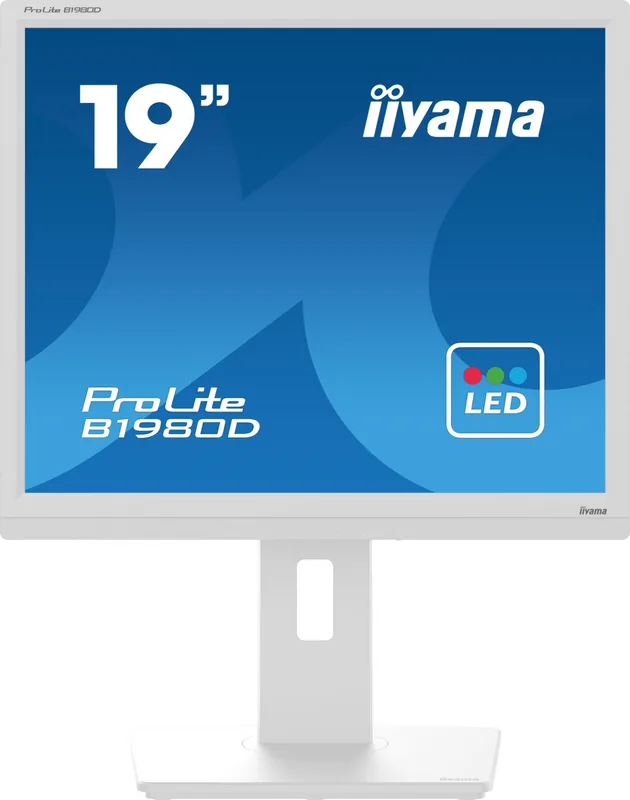
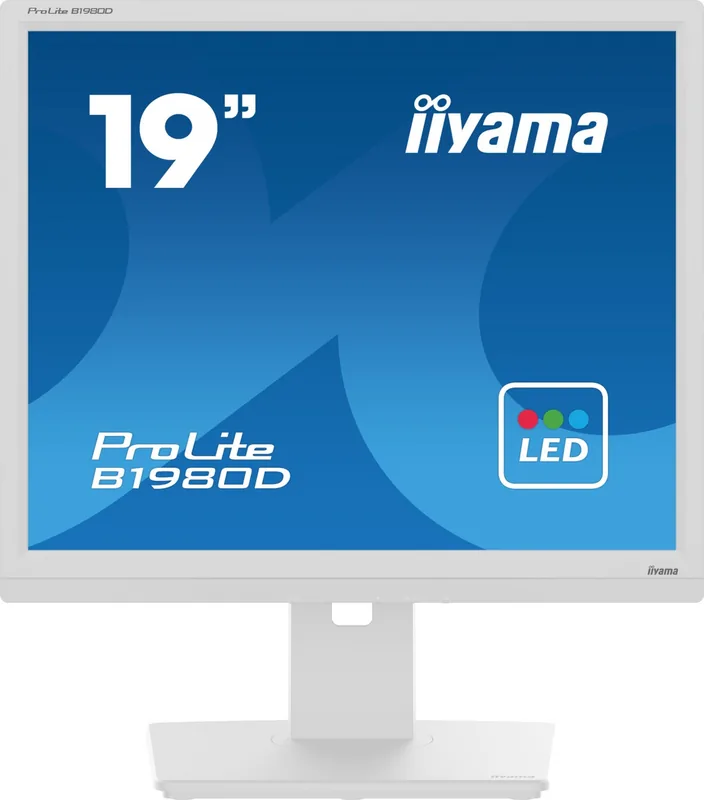
Invest in a reliable workspace by selecting the best display for your daily productivity needs. The iiyama ProLite B1980D-W5, 19 inch Monitor offers a balance of performance and energy efficiency for modern offices. Users benefit from a bright 250 cd/m2 LCD panel that ensures visibility in various lighting conditions. With a native resolution of 1280 x 1024 pixels, individuals enjoy a clear and sharp image suitable for spreadsheets and text based work. The 1000:1 contrast ratio helps distinguish details effectively without excessive eye strain during long hours of use.
Ergonomics
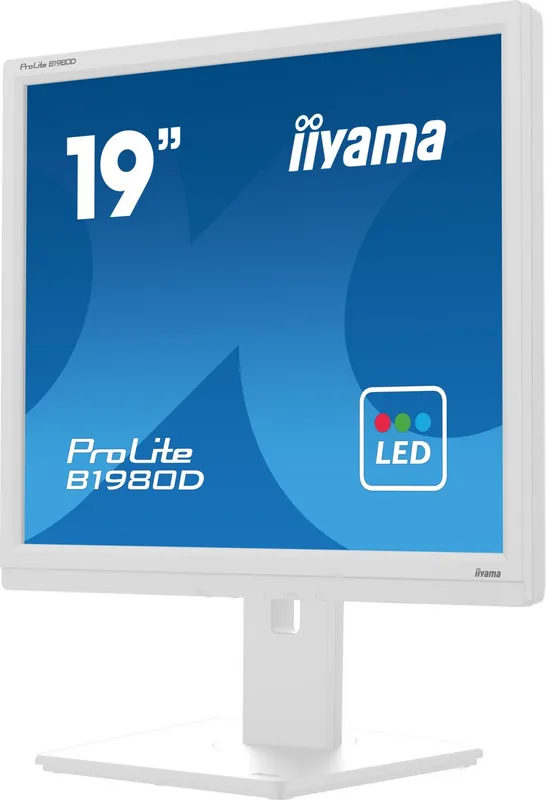
Ergonomics play a crucial role in comfort and posture maintenance. The integrated stand allows for significant height adjustments up to 150 mm to align with your seating position. You can also tilt the screen up to 23 degrees or lean it forward by 5 degrees to find the perfect viewing angle for your specific task. Swiveling capabilities extend to 45 degrees left and right, which accommodates shared workspaces and collaboration. For specific tasks requiring vertical orientation, rotation is supported. This flexibility helps maintain good posture and reduces neck fatigue over time without physical discomfort.
Connectivity
Connectivity options remain robust with support for both DVI-D and VGA inputs ensuring compatibility with a wide range of computers and graphics cards. Energy efficiency is highlighted through ENERGY STAR certification indicating compliance with power saving standards. Typical power consumption sits at 16W while standby mode draws less than 0.5W for reduced environmental impact. Security is also considered with a built in slot for a padlock to protect against theft in public areas. Installation is straightforward with included accessories like a DVI-D cable and power cord for ready setup.
Setup and Usage
Setting up the image involves matching the timing specifications to your computer graphics card settings for optimal signal integrity. The OSD menu system allows easy access to brightness and contrast controls directly from the front panel buttons. Adjustments can be saved automatically to maintain configuration even after power cycling. For further guidance on setup and troubleshooting, users can reference the iiyama ProLite B1980D-W5, 19 Manual which contains detailed steps. Clean the display with a dry cloth and avoid harsh chemicals to protect the surface coating.
When considering upgrade paths, this model remains efficient for standard tasks in home or small business environments. The 5ms response time ensures that text scrolling and simple animations appear smooth without noticeable lag. When positioning the device, ensure that the ventilation slots are not obstructed by walls or paper stacks behind the unit. Overheating risks can lead to performance degradation or shortened component life over extended periods. Whether for data entry or administrative duties this display meets the expectations of professional users seeking durability and clarity.
Care Instructions
Managing cable clutter is another benefit highlighted in the setup process with designated holes for wire management keeping the desk area neat. Power supply specifications handle a wide voltage range from 100V to 240V making it suitable for international use. The monitor operates silently without fans contributing to a quiet work environment important for shared spaces. Be sure to disconnect power before cleaning to avoid electrical hazards and follow the manufacturer guidelines for recycling at the end of its lifecycle. This ensures longevity and responsible disposal of old equipment safely.
Search for 67,706 Manuals online


Type-in Brand or Model