

iiyama ProLite 42 Series LHxx42UHS-B1 Manual
PDF manual · 59 Pages
English



Quick check
Incorrect answer, please try again.
Chat with your iiyama ProLite 42 Series LHxx42UHS-B1 manual using AI
Get instant AI answers from your iiyama ProLite 42 Series LHxx42UHS-B1 manual
Ask anything about the iiyama ProLite 42 Series LHxx42UHS-B1. Answers come from this manual, with the pages they are based on.
ProLite 42 Series LHxx42UHS-B1 Maintenance Schedule
Clean the display regularly with a dry soft cloth. Do not use paper towels as they may damage the LCD.
Remove stains with a damp soft cloth using a weak dish soap solution if necessary.
Replace AAA batteries when the remote control no longer functions even at close range to the sensor.
Ask a Question
Do you recommend ProLite 42 Series LHxx42UHS-B1?
Yes NoDo you recommend ProLite 42 Series LHxx42UHS-B1?
Yes NoFrequently Asked Questions
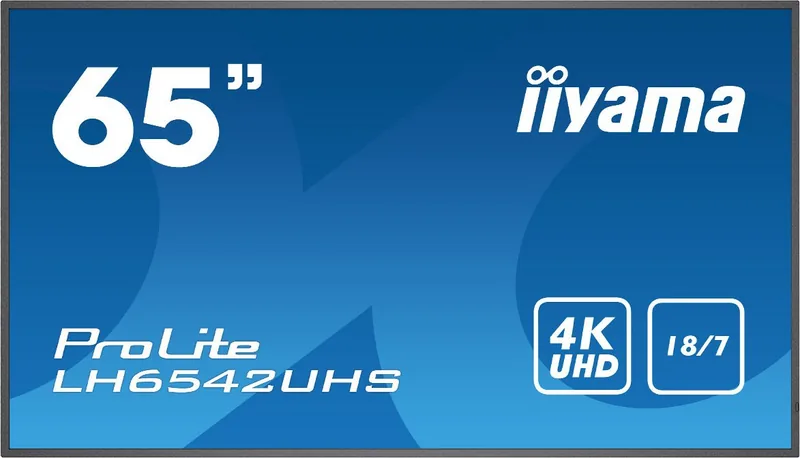
The range includes the 65-inch LH6542UHS, 75-inch LH7542UHS, and 86-inch LH8642UHS. All three models use 4K IPS panels and are intended for large indoor professional display applications.
Is this answer helpful?
Each model has a native resolution of 3840 x 2160, also known as 4K UHD. For the best results, use a 4K 60 Hz source through HDMI or DisplayPort.
Is this answer helpful?
Yes. The integrated Android platform includes Media Player and PDF Player functions. Compatible files can be stored on USB media, a Micro SD card, or internal storage and arranged into playlists.
Is this answer helpful?
The displays include HDMI x2, DisplayPort, DVI-D, VGA, LAN, RS-232C input/output, USB 2.0, USB 3.0, Micro SD, audio input, HDMI output, SPDIF output, and IR input/output.
Is this answer helpful?
Yes. The series supports both landscape and portrait installation. Use an appropriate VESA-compatible mount, confirm that the wall can support the display weight, and maintain ventilation clearance.
Is this answer helpful?
Avoid leaving static images on screen for long periods. Use changing content, screen savers, scheduled shutdowns, pixel shifting, and reduced brightness when appropriate. Turning the display off for a similar duration can help temporary retention fade.
Is this answer helpful?
Advantages and Disadvantages
Advantages

- 4K UHD IPS panels provide detailed images and wide 178-degree viewing angles.
- 500 cd/m2 typical brightness supports clear indoor signage in bright commercial spaces.
- Extensive connectivity includes HDMI, DisplayPort, DVI-D, VGA, LAN, USB, Micro SD, and RS-232C.
- Integrated Android apps, media playback, scheduling, and iiSignage support reduce reliance on external players.
Disadvantages

- The displays are rated for up to 18 hours daily, not dedicated 24/7 operation.
- Static images can cause temporary image retention if displayed for long periods.
- Large sizes and weights require at least two people for transport and careful mounting.
- VGA and DVI inputs are limited to 1920 x 1080 at 60 Hz, while 4K requires HDMI or DisplayPort.
Product Specification
Resolution
3840 x 2160, 16:9
Brightness
500 cd/m2
Viewing angle
178 degrees/178 degrees
Shape
flat
Coating
non-glare (matte)
Backlight
White LED
HDR
N/A
Color depth
10-bit (1.07 billion colors)
Refresh rate
60 Hz
Signal frequency
30-80 kHz (horizontal), 50-75 Hz (vertical)
Operating time
18 hours/day, 7 days/week
Special features
Slim bezel, integrated media player, Android, remote control, speakers (2 x 10 W)
Manufacturer warranty
three years (processed through manufacturer, product registration within 60 days of purchase: link, warranty information: link)
Product Description
iiyama ProLite 42 Series, LHxx42UHS-B1 Manual: Large Format 4K Displays for Professional Signage
The iiyama ProLite 42 Series, LHxx42UHS-B1 Manual highlights a versatile family of large-format 4K displays built for clear, controlled communication in business environments. Available in 65-inch, 75-inch, and 86-inch formats, these IPS displays suit retail spaces, meeting rooms, reception areas, education, and public information installations. Each model combines a 3840 x 2160 resolution with 500 cd/m2 typical brightness, helping detailed content remain sharp and visible in well-lit indoor locations.
Built for Flexible Content Delivery
The series supports a broad selection of sources, including two HDMI inputs, DisplayPort, DVI-D, VGA, LAN, USB, Micro SD, and RS-232C. This connectivity makes it practical to integrate computers, media devices, network systems, and legacy hardware. HDMI output, SPDIF output, IR input/output, and RS-232C daisy-chain capability provide additional options for multi-display installations and centralized control.
An integrated Android-based platform extends the displays beyond standard screen duties. Users can play video, images, music, and PDFs from USB, Micro SD, or internal storage, organize up to seven playlists, and select repeat and transition settings. Browser, PDF Player, Media Player, and iiSignage functions support a variety of digital signage workflows without requiring a dedicated external player for every task.
Designed for Daily Commercial Use
The ProLite 42 Series is specified for operation up to 18 hours per day and can be installed in landscape or portrait orientation. Wide 178-degree viewing angles help keep content readable from different positions, while built-in 10 W plus 10 W stereo speakers provide convenient audio for presentations and signage. VESA mounting support allows secure wall or ceiling installation, with mount patterns tailored to the display size.
Picture controls include brightness, contrast, color temperature, gamma, noise reduction, overscan, and aspect-ratio modes. Screen-saving functions such as pixel shifting, lower brightness, and scheduled power settings help reduce the risk of image retention when displays show static content. Network configuration, monitor IDs, remote-control IDs, scheduling, and power-save modes help administrators manage multiple units efficiently.
Notes
For best image quality, use a 3840 x 2160 signal at 60 Hz through HDMI or DisplayPort. Avoid displaying static images for extended periods, use moving content or a screen saver when possible, and ensure adequate ventilation around the display. These models are intended for indoor commercial use and are not designed for continuous 24/7 operation.
Search for 67,732 Manuals online


Type-in Brand or Model